Introduction: Demystifying Your Monthly Utility Bill
For most homeowners, the monthly electricity bill is a source of anxiety and confusion. You receive a total number, pay it, and wonder exactly what drove the cost up. Was it the air conditioning running too long? The kids leaving lights on? Or perhaps the dreaded 'phantom loads' from appliances drawing power even when turned off? Enter the Sense Energy Monitor, a sleek, red, Wi-Fi-enabled device that promises to clamp onto your main electrical panel and decode your home's energy usage in real time.
As a senior reviewer at SmartHomeDeck, I have tested dozens of smart home hubs, plugs, and thermostats. But whole-home energy monitors occupy a unique space in the smart home ecosystem. They do not just control devices; they provide the foundational data necessary to make your entire home more efficient. In this comprehensive Sense Energy Monitor review, we will dive deep into its hardware design, the machine learning algorithms that power its app, its smart home ecosystem compatibility, and whether the upfront investment actually translates to long-term financial savings.
Hardware Design and Professional Installation
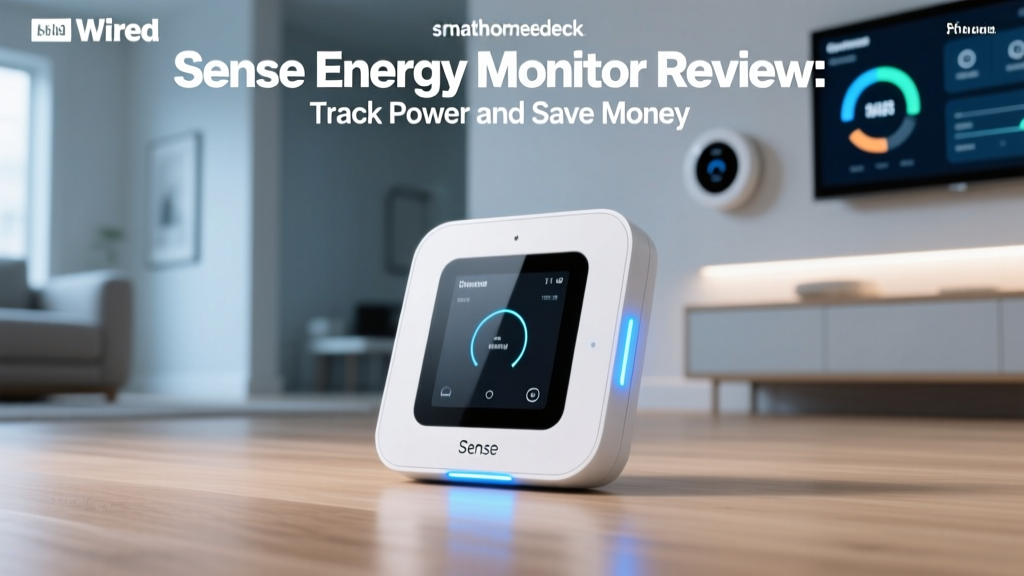
The Sense hardware itself is surprisingly unassuming. It is a small, vibrant red rectangular box measuring roughly 5 x 5 x 1.5 inches. Inside this casing lies a highly sophisticated array of sensors capable of sampling your home's voltage and current millions of times per second. However, you will rarely see the device once it is installed, as it lives entirely inside your main electrical breaker panel.
The Installation Process: Safety First
Unlike smart plugs or battery-operated sensors, the Sense Energy Monitor requires a hardwired connection to your electrical panel. It utilizes two Current Transformer (CT) clamps that wrap around your main 240V service lines, alongside direct wire connections to two breaker slots to measure voltage reference. Because this involves working directly with your home's main power feed—where the risk of lethal arc flashes and electrocution is very real—professional installation by a licensed electrician is mandatory to maintain the warranty and ensure your safety.
Expect to pay anywhere from $150 to $300 for an electrician to install the Sense monitor, depending on local rates and the complexity of your panel. The physical installation usually takes less than 30 minutes, but the cost of labor is an important factor to include in your total return-on-investment (ROI) calculations. Once installed, the Sense unit connects to your 2.4GHz Wi-Fi network to begin transmitting data to the cloud.
The App Experience: Real-Time Data and the 'Bubble' View
The true magic of the Sense Energy Monitor lies in its companion mobile app and web dashboard. The interface is dominated by a real-time 'bubble' view, where individual circles represent different appliances or categories of power usage currently active in your home. The size of the bubble corresponds to the wattage being drawn, and the color indicates the category (e.g., HVAC, lighting, always-on, or specific identified devices).
Watching the dashboard update in real time is genuinely eye-opening. You can turn on a hair dryer and watch its bubble instantly expand. You can see the exact moment your refrigerator compressor kicks in. More importantly, the app highlights your 'Always On' category—this represents the phantom loads and standby power consumed by devices like cable boxes, gaming consoles, and smart TVs even when they are supposedly 'off'. According to the U.S. Department of Energy, properly estimating appliance and home energy use is the first critical step in reducing waste, and Sense makes this estimation effortless by isolating these baseline draws.
The AI Learning Curve: Patience is Required
Sense relies heavily on proprietary machine learning algorithms to identify individual devices. It does this by analyzing the high-frequency electrical 'signatures' or harmonics that appliances emit when they turn on. A heating element (like a toaster) looks very different to the sensor than an inductive motor (like a vacuum cleaner) or a switched-mode power supply (like a laptop charger).
However, this AI detection is not instantaneous. Out of the box, Sense will only show your total usage and the 'Always On' baseline. Over the course of three to six months, the AI will begin to tag devices, starting with high-wattage, distinct appliances like electric ovens, dryers, and HVAC systems. Smaller, variable, or electronic devices (like LED TVs or computers) are notoriously difficult for the AI to isolate, and you may find yourself manually merging or renaming mystery bubbles in the app. This learning curve is the most common pain point cited in user feedback, requiring a degree of patience that casual users might find frustrating.
Smart Home Ecosystem and Automations
Where Sense truly shines as a smart home device is its deep integration with major ecosystems, including Amazon Alexa, Google Assistant, Apple HomeKit, and IFTTT (If This Then That). Because Sense acts as a trigger based on real-world physical events, it enables automations that standard smart plugs cannot achieve.
Practical Automation Examples
- The 'Oven Left On' Alert: Using IFTTT or Alexa, you can set a routine where if Sense detects the electric oven drawing power for more than two hours, it sends a push notification to your phone and announces it over your smart speakers.
- Laundry Notifications: Receive an alert on your smartwatch or a chime on your smart speaker the exact moment the washing machine cycle finishes and power draw drops to zero.
- Garage Door Security: Trigger your smart security cameras to begin recording and turn on exterior floodlights the moment Sense detects the specific electrical signature of your garage door motor activating.
- EV Charging Management: If you have an electric vehicle, Sense can trigger a notification when charging begins or ends, helping you track exactly how much your daily commute costs in electricity.
These integrations transform Sense from a passive monitoring tool into an active participant in your home's automated routines, bridging the gap between 'dumb' legacy appliances and your modern smart home network.
Sense vs. Emporia Vue: A Quick Comparison
No review of Sense is complete without addressing its main competitor: the Emporia Vue 2. While Sense relies on AI to guess what is running based on the main lines, Emporia uses a hub-and-spoke model with individual CT clamps for up to 16 specific circuits in your panel. Here is how they stack up:
| Feature | Sense Energy Monitor | Emporia Vue 2 |
|---|---|---|
| Hardware Cost | ~$299 | ~$150 (with 16 sensors) |
| Detection Method | AI / Machine Learning (Main Lines) | Circuit-Level Physical Sensors |
| Installation | Electrician Required | Electrician Required |
| Smart Home Integration | Excellent (Alexa, HomeKit, Google, IFTTT) | Good (Alexa, Google, limited HomeKit) |
| App Experience | Polished, real-time bubble view | Data-heavy, spreadsheet-like |
| Solar Tracking | Requires additional Solar CT clamps | Includes solar tracking out of the box |
Verdict on Competition: If you want granular, 100% accurate circuit-by-circuit data immediately and have a tight budget, Emporia is the better choice. If you want a beautifully designed app, seamless smart home automations, and a 'set it and forget it' AI experience, Sense wins the ecosystem war.
Solar Integration: The Missing Piece Made Whole
For homeowners with solar panels, Sense offers an optional Solar add-on kit (usually around $50) that includes an additional CT clamp to monitor solar production. This is arguably where Sense provides its highest ROI. By tracking both solar production and home consumption simultaneously, the app calculates exactly how much of your generated power is being used in real time versus how much is being exported to the grid. This data is invaluable for shifting heavy loads (like running the dishwasher or EV charging) to peak solar production hours, maximizing your self-consumption and minimizing grid reliance.
Real-World Energy Savings: Does It Actually Work?
The ultimate question is whether the Sense Energy Monitor actually saves you money. The device itself does not reduce your power bill; it merely provides the data. The savings come from the psychological effect of real-time feedback and the actionable insights the app provides.
Studies on home energy displays consistently show that when consumers are given real-time feedback on their energy usage, they naturally reduce consumption by 5% to 15%. This phenomenon, often called the 'Prius Effect' (named after how the Toyota Prius dashboard changed driving habits through real-time fuel economy feedback), applies directly to home electricity. When you see the financial cost of leaving the AC on while the windows are open, or you realize your old basement freezer is costing you $20 a month in 'Always On' power, you take action.
By identifying energy hogs and eliminating phantom loads, the Sense monitor pays for itself. Furthermore, the insights gained can serve as a digital foundation for professional home energy audits, allowing you to direct weatherization efforts and insulation upgrades exactly where they are needed most based on hard data rather than guesswork.
Deck Score Dimensions
At SmartHomeDeck, we evaluate every product across five core dimensions to generate our proprietary Deck Score. Here is how the Sense Energy Monitor performed in our testing lab and real-world home environment:
- Performance (8.5/10): The sampling rate and real-time accuracy of the total home wattage are flawless. Deductions are made only for the AI's occasional struggle to identify low-wattage electronics.
- Value (7.5/10): The $299 price tag, plus mandatory professional installation, makes it a premium investment. The ROI takes 12 to 24 months to realize through energy savings.
- Compatibility (9.0/10): Best-in-class support for Apple HomeKit, Alexa, Google Home, and IFTTT makes it a dream for automation enthusiasts.
- Ease-of-Use (7.0/10): The app is intuitive, but the multi-month AI learning curve and the necessity of hiring an electrician lower the out-of-the-box convenience score.
- Features (8.5/10): Phantom load tracking, solar integration, and custom alerts are incredibly robust and well-executed.
Pros and Cons
Pros
- Beautiful, intuitive, and real-time app interface with the unique 'bubble' view.
- Unmatched smart home integrations (HomeKit, Alexa, Google, IFTTT).
- Highly accurate total home and 'Always On' phantom load tracking.
- Excellent solar production and net-metering tracking capabilities.
- Non-invasive to individual appliances (no need to put smart plugs on everything).
Cons
- Requires professional installation by a licensed electrician.
- The AI device detection takes months to learn and often misses modern electronics.
- Premium hardware cost compared to circuit-level competitors like Emporia.
- Only works with single-phase, split-phase 120/240V North American electrical panels (not ideal for 3-phase commercial or international setups without specific adapters).
Final Verdict: Who is the Sense Energy Monitor For?
The Sense Energy Monitor is not a simple plug-and-play gadget; it is a foundational smart home infrastructure upgrade. It is best suited for tech enthusiasts, eco-conscious homeowners, and solar panel owners who want deep visibility into their home's electrical footprint and wish to build complex, real-world automations based on power states.
If you are looking for immediate, 100% accurate circuit-by-circuit breakdowns on day one, you may prefer a physical circuit monitor like the Emporia Vue. However, if you value a polished user experience, seamless integration with your existing smart home ecosystem, and the fascinating ability to watch your home's electrical heartbeat in real time, the Sense Energy Monitor remains the gold standard in AI-driven home energy tracking. It earns a strong recommendation and a solid SmartHomeDeck seal of approval for its ability to turn abstract utility bills into actionable, money-saving data.