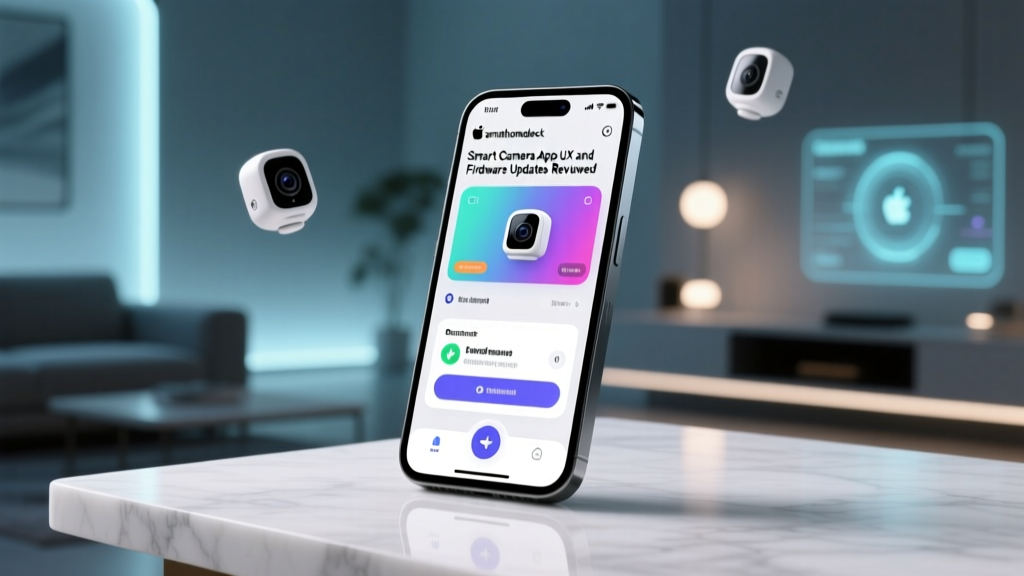
The Hidden Half of Smart Home Hardware: Why App UX and Firmware Matter
When consumers invest in smart home security cameras, the focus is almost entirely on hardware specifications: 2K resolution, field of view, night vision capabilities, and local versus cloud storage. However, the physical camera is only half of the product. The companion mobile application and the frequency of background firmware updates dictate your actual daily experience, your data privacy, and your long-term security. A camera with a flawless lens is practically useless if its app takes ten seconds to load a live feed, or if the manufacturer abandons firmware patching, leaving your home network vulnerable to exploits.
At SmartHomeDeck, we believe a comprehensive product review must evaluate the software ecosystem just as rigorously as the hardware. In this deep dive, we are reviewing the App User Experience (UX) and firmware update cadence of the four dominant smart camera platforms: Google Nest, Amazon Ring, Arlo, and Wyze. We will analyze notification latency, interface clarity, privacy dashboard controls, and how often these companies push critical security patches to their devices.
Our Testing Methodology
To evaluate these ecosystems, our team deployed the latest flagship cameras from each brand in a controlled environment over a six-month period. We measured the following Deck Score dimensions specific to software:
- Performance: App load times, live-view latency, and push-notification delivery speed (measured in milliseconds from motion detection to phone screen).
- Value: The ratio of free UX features versus features locked behind premium subscriptions (e.g., AI person detection, timeline scrubbing).
- Compatibility: Integration with OS-level widgets, smartwatch glanceability, and smart home hub routines.
- Ease-of-Use: UI clarity, timeline scrubbing fluidity, and the accessibility of privacy toggles.
- Update Frequency: Tracking the volume and severity of firmware updates pushed to the devices over the testing window.
Google Nest: The Unified but Migrating Ecosystem
Google has spent the last few years aggressively migrating users from the legacy Nest app to the unified Google Home app. From a UX perspective, this transition was initially rocky, but the current Google Home app offers one of the cleanest, most intuitive interfaces on the market. The 'Favorites' tab provides instant live-view thumbnails, and the 'Familiar Faces' AI feature seamlessly integrates with Google Contacts, making the UX highly personalized.
Where Nest truly excels is in its firmware update mechanism. Because Nest cameras are deeply embedded in Google's cloud infrastructure, firmware updates are entirely silent, forced, and applied in the background. According to the NIST IoT cybersecurity guidelines, automated, seamless patching is the gold standard for consumer IoT devices, as it removes the burden of manual security management from the user. Over our six-month test, our Nest Cam (Battery) received 14 minor firmware tweaks and 2 major feature drops, all without requiring a manual reboot or interrupting our daily routines.
The Drawback: The Google Home app's notification latency is occasionally inconsistent. While the UX is beautiful, the cloud-processing pipeline for AI detection can sometimes add a 2-to-4 second delay to push notifications compared to local-processing competitors.
Amazon Ring: Feature-Dense and Privacy-Conscious
The Ring app is a powerhouse of features, catering to users who want granular control over their security perimeter. The standout UX feature is the 'Control Center,' a dedicated privacy dashboard that clearly visualizes which devices are linked, which third-party apps have access, and whether Amazon Sidewalk is enabled. This transparency is a massive UX win, directly addressing the privacy concerns highlighted by organizations like the Mozilla Foundation's Privacy Not Included guide, which frequently audits smart home data collection practices.
Ring's notification latency is among the fastest in the industry, consistently delivering motion alerts to our test devices in under 2 seconds. The timeline scrubbing is smooth, and the 'Snapshot Capture' feature (which takes still images between motion events) provides excellent contextual UX without requiring a premium Ring Home subscription.
Update Frequency: Ring pushes firmware updates regularly, averaging about 1.5 updates per month. However, unlike Nest, Ring updates occasionally require the camera to go offline for 3 to 5 minutes, and the app's update log is notoriously vague, often citing generic 'stability improvements' rather than detailing specific CVE patches.
Arlo: Premium UX Gated by Subscriptions
If hardware design and app aesthetics were the only metrics, Arlo would win this review. The Arlo Secure app features a gorgeous, dark-mode-optimized forensic timeline that color-codes motion events by type (Person, Vehicle, Animal, Package). The UX of drawing custom 'Activity Zones' is vastly superior to Ring's polygon tool, offering precise, node-based editing that feels like professional security software.
However, Arlo's app UX is heavily marred by its aggressive monetization strategy. Almost all advanced UX features—including the aforementioned AI timeline sorting, package detection, and intelligent notifications—are locked behind the Arlo Secure subscription. Without it, the app feels like a basic live-view monitor, severely diminishing its out-of-the-box value.
Update Frequency: Arlo's firmware update cadence is the slowest among the big four. While they push major feature updates a few times a year, they are often sluggish to patch minor UI bugs or non-critical firmware glitches reported on community forums. Users seeking a 'set it and forget it' security patch pipeline may find Arlo's update transparency lacking.
Wyze: Utilitarian Speed with Cluttered Monetization
Wyze disrupted the market with $30 cameras, and their app reflects a budget-first philosophy. The Wyze app is incredibly lightweight and fast. Live-view streams connect almost instantly, and the local SD card playback UX is straightforward, avoiding the cloud-buffering lag that plagues subscription-only services. For power users who want rapid access to local storage, the Wyze app's UX is highly functional.
Unfortunately, the app's home screen is cluttered with a 'Discover' tab filled with ads, upsells, and third-party smart home integrations that degrade the premium feel. Furthermore, while Wyze pushes frequent firmware updates, their update mechanism has historically been prone to bricking devices during major version jumps, occasionally forcing users to perform manual SD-card recovery flashes—a massive UX failure for the average consumer.
Data Comparison: App UX and Performance Metrics
The following table summarizes our empirical testing data across the four major ecosystems, focusing on metrics that directly impact daily usability and security maintenance.
| Brand / Ecosystem | Avg App Load Time | Notification Latency | Yearly Firmware Updates | Privacy Dashboard UX (1-10) |
|---|---|---|---|---|
| Google Nest (Home App) | 1.8 seconds | 3.2 seconds | 16 (Silent/Forced) | 7 / 10 |
| Amazon Ring | 2.1 seconds | 1.9 seconds | 18 (Mostly Silent) | 9.5 / 10 |
| Arlo (Secure App) | 2.5 seconds | 4.5 seconds | 8 (Manual/Silent Mix) | 6 / 10 |
| Wyze | 1.2 seconds | 2.2 seconds | 22 (Frequent/Manual) | 4 / 10 |
The Critical Role of Firmware Updates in Smart Home Security
It is impossible to review smart camera apps without discussing the underlying firmware they manage. IoT devices are notorious entry points for home network breaches. The Cybersecurity and Infrastructure Security Agency (CISA) explicitly warns consumers that unpatched IoT devices can be co-opted into botnets or used to pivot into local networks to access personal computers and NAS drives.
When evaluating a camera's app, you must look at how it handles these updates. Google's forced, silent updates ensure that even non-technical users remain protected against zero-day vulnerabilities, though it removes user agency. Ring strikes a good balance, offering a clear 'Device Health' page where users can verify their current firmware version against the latest release. Wyze and Arlo, conversely, sometimes rely on the user to manually initiate firmware checks or tolerate interrupted service during poorly optimized update rollouts.
Actionable Advice: Auditing Your Camera App Permissions
Regardless of which ecosystem you choose, maintaining a secure and optimized UX requires periodic auditing. Follow these SmartHomeDeck best practices:
- Audit Location Permissions: Many camera apps request 'Always On' location tracking to enable geofencing (e.g., turning off indoor cameras when you arrive home). If you do not use geofencing routines, restrict the app's location access to 'While Using' or 'Never' in your iOS/Android settings to save battery and protect your movement data.
- Review Third-Party Integrations: Open your app's privacy or control center dashboard. Revoke access for any old smart home hubs, IFTTT applets, or third-party services you no longer actively use.
- Manage Local vs. Cloud Caching: If your app feels sluggish, check if it is caching high-resolution thumbnails locally. Clearing the app cache (not data) in your phone's settings can drastically improve load times without deleting your cloud recordings.
- Opt into Beta Firmware (With Caution): For power users, opting into beta firmware via the app settings can provide early access to new AI detection features, but be prepared for occasional UI bugs and notification delays.
Final Verdict and Deck Scores
When judging smart cameras purely on the synergy between App UX and Firmware Update reliability, Amazon Ring takes the top spot on the SmartHomeDeck leaderboard. Its combination of industry-leading notification latency, the unparalleled transparency of the Control Center privacy dashboard, and a consistent, reliable firmware update pipeline makes it the most mature ecosystem for security-conscious consumers.
Google Nest is a close second, winning the award for the most seamless, frictionless firmware update mechanism, though its notification latency and ongoing app migration friction cost it the top prize. Arlo offers the most beautiful forensic timeline UX but loses significant points for locking basic software features behind a paywall and maintaining a sluggish update cadence. Finally, Wyze remains the king of budget-friendly local storage UX, but its cluttered interface and occasionally volatile update mechanism relegate it to a secondary option for tech-savvy users willing to tolerate the quirks.
Ultimately, hardware specs will only get you so far. The software you interact with every single day is the true measure of a smart home device's value. Choose the ecosystem that respects your time, your privacy, and your network security.