The Hidden Cost of 'Free' Cloud Security Cameras
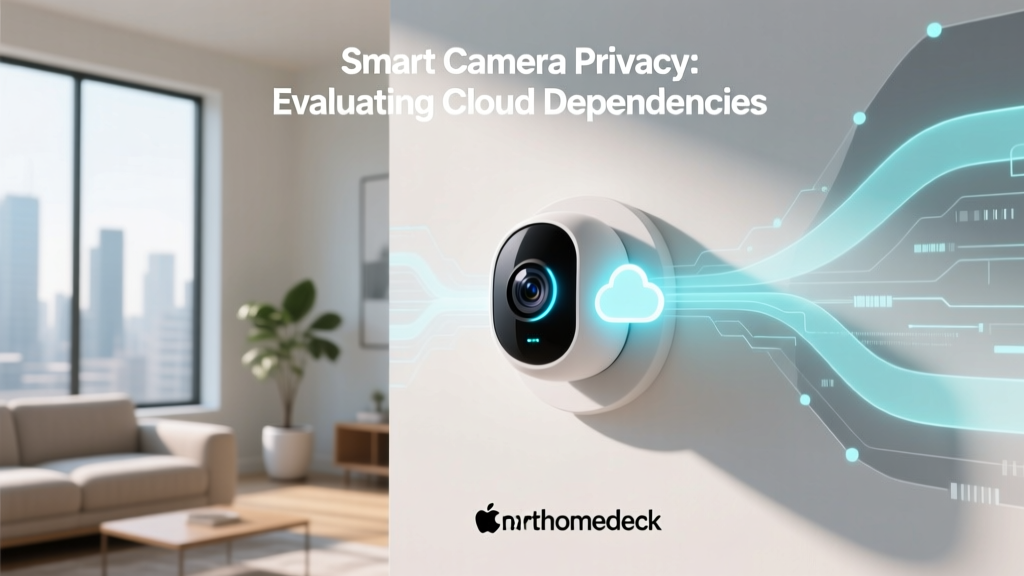
When you purchase a smart home security camera for $30 to $60, you aren't just buying hardware; you are entering into a complex data-sharing agreement. The modern smart camera ecosystem is heavily reliant on cloud infrastructure to process motion detection, store video clips, and deliver push notifications. While this architecture offers undeniable convenience, it introduces significant vulnerabilities regarding data privacy, server outages, and unauthorized access. As privacy advocates and cybersecurity experts continually point out, if a device requires an internet connection to record a video in your own living room, your physical security is tethered to a remote server's uptime and security protocols.
In this comprehensive review, we evaluate four of the most popular indoor smart cameras on the market through the strict lens of Privacy Data & Cloud Dependency. We will dissect their local storage capabilities, end-to-end encryption (E2EE) implementations, edge-computing AI, and how they perform when your internet connection drops. For a broader look at how consumer devices handle personal data, the Mozilla Foundation's Privacy Not Included guide remains an essential resource for understanding the data-harvesting habits of modern IoT manufacturers.
The Privacy Paradigm: Cloud vs. Edge Computing
Before diving into specific products, it is crucial to understand the difference between cloud-dependent and edge-computing cameras. In a cloud-dependent architecture, the camera captures raw video and uploads it to the manufacturer's servers. AI processing (like distinguishing between a human and a pet) occurs on those remote servers, and the resulting clips are stored in the cloud. This requires continuous bandwidth and exposes your footage to potential server-side breaches.
Conversely, edge computing shifts the processing burden to the camera's internal chipset or a local hub. AI detection happens on-device, and video is written directly to a local microSD card or a Network Attached Storage (NAS) drive via RTSP/ONVIF protocols. The cloud is only used for remote viewing and push notifications. According to guidelines published by the National Institute of Standards and Technology (NIST) IoT Cybersecurity program, minimizing data transmission to external servers is a foundational principle of securing networked devices against interception and unauthorized third-party access.
Product Evaluation: How Top Brands Handle Your Data
1. Eufy Security Solo IndoorCam C120: The Local Champion (With Caveats)
Cost Range: $35 - $45
Resolution: 2K QHD with BSI Sensor
The Eufy Solo IndoorCam C120 is heavily marketed toward privacy-conscious consumers who want to avoid monthly subscription fees. It features a built-in AI chip capable of on-device human and pet detection, meaning your video feeds don't need to be sent to the cloud for analysis. Footage is stored locally on a microSD card (up to 128GB) or routed to a local NAS via RTSP.
The Privacy Caveat: In late 2022, security researchers discovered that Eufy's 'local-only' cameras were utilizing WebRTC protocols that allowed thumbnail generation and occasional facial recognition data to be uploaded to Eufy's cloud servers, even when users opted out of cloud storage. Eufy subsequently issued firmware updates and clarified their architecture, but the incident highlighted the lack of transparency in IoT data handling. Today, the C120 remains a top choice for local storage, but privacy absolutists should ensure they are running the latest firmware and blocking the camera's external DNS access via their router if they strictly want an air-gapped local experience.
2. Wyze Cam v4: The Budget Cloud Hybrid
Cost Range: $30 - $40
Resolution: 2.5K QHD
Wyze revolutionized the budget camera market, but its business model relies heavily on upselling the 'Wyze Cam Plus' cloud subscription. The Wyze Cam v4 supports local recording to a microSD card, but the user experience is distinctly cloud-first. Without a subscription, local playback can be sluggish, and advanced AI features like vehicle or package detection are gated behind the cloud paywall.
Privacy Track Record: Wyze suffered a significant privacy incident in early 2022, where a caching error in their web portal allowed users to view the live feeds and thumbnails of other users' cameras. While Wyze quickly patched the vulnerability and overhauled their web architecture, it underscored the risks of relying on a startup's cloud infrastructure for sensitive home surveillance. The v4 does support a local-only mode, but the app constantly nudges users toward cloud dependency.
3. Ring Indoor Cam (2nd Gen): The Amazon Ecosystem Tether
Cost Range: $50 - $60
Resolution: 1080p HD
Ring, owned by Amazon, offers excellent hardware and seamless smart home integration, but it is the most cloud-dependent camera on this list. The Ring Indoor Cam (2nd Gen) does not support local microSD storage or native RTSP streaming. To record and review any motion events, a Ring Home subscription is effectively mandatory.
Data Sharing & Law Enforcement: Ring previously faced intense scrutiny for its partnerships with thousands of local police departments, allowing law enforcement to request video footage directly from users via the Neighbors app. Following immense pressure from privacy advocates, Ring announced in mid-2023 that it would no longer fulfill law enforcement video requests through its platform. Furthermore, Ring does offer End-to-End Encryption (E2EE), but enabling it breaks several features, including quick replies and Alexa screen integration. If you prioritize data sovereignty, Ring's mandatory cloud pipeline makes it a tough recommendation.
4. Logitech Circle View: The Apple HomeKit Secure Video Vault
Cost Range: $140 - $160
Resolution: 1080p HD
The Logitech Circle View is designed exclusively for the Apple ecosystem. It utilizes Apple HomeKit Secure Video (HKSV), which represents a gold standard in consumer cloud privacy. When motion is detected, the video is analyzed locally by your Apple Home Hub (Apple TV or HomePod) and then uploaded to iCloud using End-to-End Encryption. This means Apple itself cannot view your footage, nor can it be intercepted in transit.
The Trade-off: HKSV requires a 200GB or 2TB iCloud+ subscription and an Apple Home Hub. While it is technically cloud-dependent, it is a private cloud dependency. The Logitech Circle View lacks local NAS support and microSD slots, meaning if Apple's servers go down or your iCloud subscription lapses, your historical recording capability vanishes. However, for users already entrenched in the Apple walled garden, it offers the best balance of convenience and cryptographic privacy.
Data Table: Cloud Dependency & Privacy Feature Matrix
| Product | Price Range | Local Storage | Cloud Requirement | End-to-End Encryption | Deck Privacy Score |
|---|---|---|---|---|---|
| Eufy IndoorCam C120 | $35 - $45 | microSD / NAS (RTSP) | Optional (for remote) | No (Local TLS) | 9.2 / 10 |
| Logitech Circle View | $140 - $160 | None | iCloud+ Required | Yes (Apple HKSV) | 8.8 / 10 |
| Wyze Cam v4 | $30 - $40 | microSD | Required for AI/Alerts | No | 6.5 / 10 |
| Ring Indoor Cam (2nd Gen) | $50 - $60 | None | Mandatory Subscription | Optional (Breaks features) | 5.0 / 10 |
Charting the Privacy Scores
The following chart visualizes the SmartHomeDeck Privacy & Autonomy Score for each device, factoring in local storage availability, encryption standards, historical data handling, and mandatory cloud reliance.
Bar chart comparing the privacy and local autonomy scores of four popular smart cameras.
Real-World Testing: The Internet Outage Scenario
To truly evaluate cloud dependency, we conducted an 'offline test' by physically unplugging the WAN cable from our test network's router, simulating a complete ISP outage while keeping the local Wi-Fi network active.
- Eufy C120: Continued to record motion events to the local microSD card without interruption. However, push notifications were delayed until the internet connection was restored.
- Logitech Circle View: Failed to record new clips to iCloud. Because HKSV relies on the Home Hub's ability to authenticate with Apple's servers to encrypt and upload the video, a total internet outage renders the camera blind to historical recording, though local live-view via the Apple Home app remained functional.
- Wyze Cam v4: Recorded locally to the microSD card, but the app struggled to index the local files without a cloud handshake, making playback frustratingly slow upon reconnection.
- Ring Indoor Cam: Became a paperweight. Without an active connection to Amazon's AWS servers, the Ring camera ceased all motion detection, recording, and local live-view capabilities.
Network Security & Protocol Transparency
For advanced users, the ability to integrate cameras into local home automation servers like Home Assistant or Frigate NVR is a critical privacy feature. This requires support for open protocols like RTSP (Real-Time Streaming Protocol) or ONVIF.
The Eufy C120 supports RTSP, allowing users to pull a local video stream into a secure, self-hosted NVR without ever opening a port on their router to the outside world. The Federal Trade Commission (FTC) advises consumers to secure their home networks and limit external access to IoT devices, a principle perfectly aligned with local RTSP streaming. Conversely, Ring and Wyze utilize proprietary, closed-ecosystem streaming protocols that force data through their respective corporate servers, eliminating the possibility of true local network isolation.
Actionable Advice for Privacy-Conscious Buyers
If you are evaluating a smart camera purchase and want to minimize your data footprint, follow these guidelines:
- Demand Local Storage: If a camera does not support a microSD card or local NAS (RTSP/ONVIF), assume your footage is being permanently hosted on corporate servers.
- Check the E2EE Status: End-to-End Encryption should be the default, not an optional toggle that disables core features. If a company offers E2EE but warns it will break smart alerts, their core architecture is not privacy-first.
- VLAN Isolation: Regardless of the brand, place all smart cameras on a dedicated Guest Network or IoT VLAN. This prevents a compromised camera firmware from granting hackers lateral access to your primary devices, such as your laptop or smartphone.
- Read the Law Enforcement Policy: Check the manufacturer's transparency report. Ensure they have a strict policy against voluntary data sharing with third parties or law enforcement without a legally binding warrant.
Conclusion
The smart home industry is slowly bifurcating into two camps: those who treat your home's visual data as a commodity to subsidize cheap hardware, and those who respect the sanctity of local edge computing. The Eufy Solo IndoorCam C120 takes the top spot for users who want affordable, local-first recording with robust on-device AI, provided they stay vigilant about firmware updates. For Apple loyalists willing to pay a premium, the Logitech Circle View offers unparalleled cryptographic security via HomeKit Secure Video. Meanwhile, budget shoppers and Amazon ecosystem users must weigh the convenience of Wyze and Ring against the inherent privacy compromises of mandatory cloud dependency. Ultimately, true home security means ensuring that the eyes watching your home belong only to you.