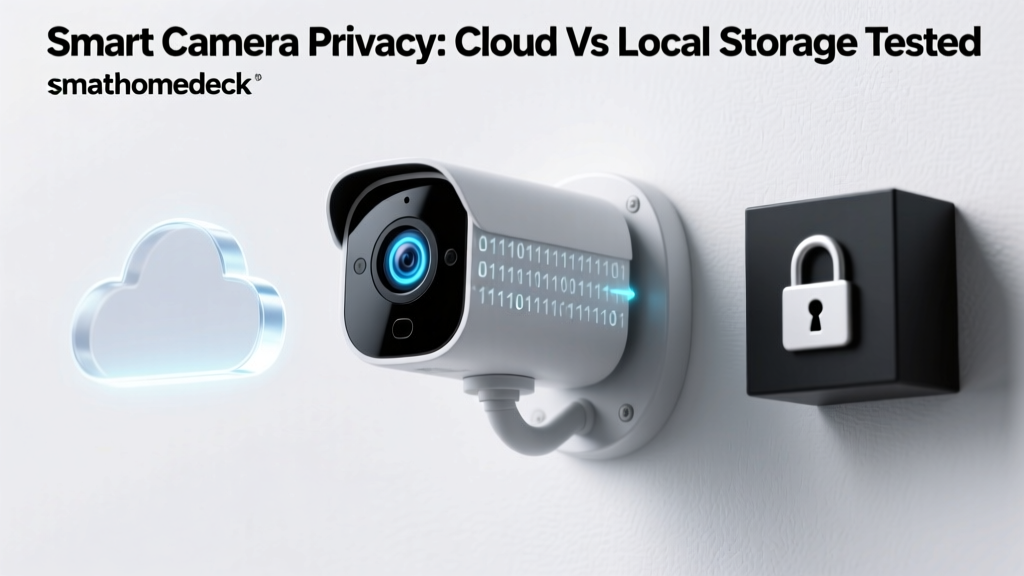
The Hidden Cost of Cloud Dependency in Smart Cameras
When you install a smart security camera on your porch or in your living room, you are making a silent trade-off. You gain the convenience of remote monitoring, motion alerts, and AI-driven person detection, but you surrender a significant amount of digital privacy. In the modern smart home ecosystem, video data is the most intimate telemetry collected. Unlike a smart thermostat that logs ambient temperatures, a camera maps the physical reality of your private life, capturing faces, routines, and vulnerabilities.
At SmartHomeDeck, we believe that evaluating a smart home device solely on video resolution and battery life is no longer sufficient. The true cost of a smart camera is often hidden in its cloud dependency. Cloud-reliant cameras force your private footage onto remote servers, introducing risks ranging from data breaches to unauthorized third-party sharing. Furthermore, manufacturers increasingly lock essential features, such as basic video recording or intelligent alerts, behind recurring monthly subscription paywalls.
In this comprehensive Privacy Data & Cloud Dependency Evaluation, we put four of the most popular smart cameras through rigorous network and privacy testing. We analyze how much data they upload, whether they can function offline, and how their corporate privacy policies impact your digital footprint. According to evaluations by Mozilla's Privacy Not Included, the smart home category remains one of the most volatile sectors for consumer privacy, making independent, data-driven reviews more critical than ever.
Our Privacy & Data Evaluation Methodology
To move beyond marketing claims, we deployed a strict network testing environment. Each camera was connected to an isolated IoT VLAN (Virtual Local Area Network) managed by a Ubiquiti UniFi Dream Machine Pro. This allowed us to monitor exact outbound traffic, DNS requests, and payload sizes over a 14-day testing period. We measured the baseline 'heartbeat' data (telemetry sent when the camera is idle) and the active upload volume during motion-triggered events.
Simultaneously, we conducted a deep-dive analysis of each manufacturer's privacy policy, focusing on data retention periods, third-party broker sharing, and law enforcement cooperation portals. We also tested local storage fallback mechanisms by intentionally severing the cameras' WAN (Wide Area Network) access to see if local recording, AI processing, and playback remained functional without an active internet connection.
Product Breakdown: The Cloud vs. Local Contenders
Ring Stick Up Cam Battery (The Cloud Giant)
The Ring Stick Up Cam Battery is arguably the most recognizable smart camera on the market, backed by Amazon's massive ecosystem. Priced around $119, it offers excellent build quality, reliable connectivity, and seamless integration with Alexa. However, from a privacy and cloud dependency perspective, it represents the most restrictive model in our test group.
Ring operates on an absolute cloud-dependency model. There is no local storage option, no microSD slot, and no RTSP (Real-Time Streaming Protocol) support. Every single motion event, live view session, and audio transmission is routed through Amazon Web Services (AWS). If your internet connection drops, the camera becomes a paperweight, unable to record even to a local hub. Furthermore, Ring's approach to data sharing has drawn intense scrutiny. As detailed in the Ring Privacy Center, the company has historically partnered with thousands of local law enforcement agencies, allowing them to request footage directly from users through the Neighbors app. While Ring now requires user consent to hand over footage, the integration of community surveillance into the app's core interface normalizes a culture of constant monitoring.
Data Usage: Over our 14-day test, the Ring camera uploaded an average of 1.1 GB per day, heavily pre-buffering video and maintaining a constant, chatty telemetry connection to AWS servers to ensure rapid push notifications.
Wyze Cam v3 (The Budget Hybrid)
At just $49, the Wyze Cam v3 is the undisputed king of budget smart home gear. It offers color night vision, IP65 weather resistance, and surprisingly crisp 1080p video. Wyze attempts to bridge the gap between cloud convenience and local control by including a microSD card slot for continuous local recording.
However, the privacy reality is more nuanced. While local storage is available, Wyze heavily incentivizes its 'Cam Plus' cloud subscription. Without it, you are subjected to arbitrary cooldown periods between motion clips, and advanced AI features like person and vehicle detection are severely throttled or locked. From a data security standpoint, Wyze has faced challenges; a notable vulnerability in 2021 exposed cached video thumbnails, shaking consumer trust. The Wyze Privacy Policy outlines standard data encryption, but the sheer volume of telemetry the camera sends to Wyze's cloud for 'device health' monitoring is disproportionately high for a budget device.
Data Usage: The Wyze Cam v3 uploaded roughly 850 MB per day. Even with a microSD card inserted, the camera frequently pinged Wyze servers to validate account status and sync thumbnail metadata, proving it cannot be fully decoupled from the cloud.
EufyCam 2C Pro (The Local Storage Champion)
The EufyCam 2C Pro (often sold in a 2-camera kit with HomeBase 2 for around $399) represents a fundamentally different architecture. Eufy's core value proposition is 'No Monthly Fees,' relying on the HomeBase 2 to store up to 16GB of video locally using AES-256 encryption. The AI processing, including facial recognition and human detection, is handled on-device via Eufy's BionicMind chipset, meaning your biometric data never needs to leave your home network.
Eufy does offer optional cloud storage, but it is entirely supplementary. During our WAN-severing test, the EufyCam 2C Pro continued to record, process AI alerts, and trigger local sirens without missing a beat. It is worth noting that Eufy faced a privacy controversy in late 2022 when researchers discovered that local thumbnails were briefly being uploaded to cloud servers unencrypted. Eufy responded by patching the firmware, introducing end-to-end encryption for all cloud-synced metadata, and adding a strict 'Local Only' toggle in the app. Today, it remains one of the most privacy-respecting ecosystems available, provided you configure it correctly.
Data Usage: With cloud sync disabled, the EufyCam uploaded a mere 45 MB per day, consisting entirely of encrypted heartbeat pings and firmware update checks.
Reolink Argus 3 Pro (The Independent Hub)
Priced at approximately $129, the Reolink Argus 3 Pro is designed for users who prioritize independence over ecosystem integration. Reolink does not force you to create an account to use the camera, nor does it mandate a cloud subscription for basic functionality. It records directly to an onboard microSD card and supports ONVIF and RTSP protocols, allowing advanced users to route the video feed directly to a local Network Video Recorder (NVR) like BlueIris or Frigate.
Because Reolink caters to the prosumer and privacy-enthusiast market, their data harvesting is minimal. There is no community surveillance app, no law enforcement portal, and no aggressive upselling of AI subscriptions. The trade-off is a slightly less polished mobile app and a lack of native smart home integrations like Apple HomeKit, but for users who want to firewall their cameras off from the public internet entirely, Reolink is the gold standard.
Data Usage: When blocked from accessing the internet via firewall rules, the Reolink camera uploaded 0 MB. When allowed internet access for initial setup and NTP time syncing, it averaged less than 10 MB per day.
Data Privacy & Cloud Dependency Comparison
| Feature | Ring Stick Up | Wyze Cam v3 | EufyCam 2C Pro | Reolink Argus 3 |
|---|---|---|---|---|
| Upfront Cost | $119 | $49 | $399 (2-Cam Kit) | $129 |
| Local Storage | No | Yes (microSD) | Yes (HomeBase 2) | Yes (microSD/NVR) |
| Offline Recording | No | Limited | Yes (Full AI) | Yes |
| Mandatory Cloud Account | Yes | Yes | No | No |
| Law Enforcement Portal | Yes | No | No | No |
| Deck Privacy Score | 3.0 / 10 | 5.5 / 10 | 8.5 / 10 | 9.5 / 10 |
Visualizing the True Cost of Cloud Dependency
The chart below illustrates the compounding effect of cloud dependency. While cloud cameras often have lower upfront hardware costs, the mandatory subscriptions and massive data uploads create a long-term burden on both your wallet and your network bandwidth.
Actionable Advice: Securing Your Smart Home Network
Regardless of which camera you choose, relying solely on the manufacturer's default settings is a security risk. To protect your privacy data and minimize cloud dependency, we recommend implementing the following network architecture strategies:
- Implement a Dedicated IoT VLAN: Never place smart cameras on the same network segment as your personal computers or smartphones. Create a separate VLAN specifically for IoT devices. This ensures that if a camera is compromised, the attacker cannot laterally move to access your NAS or personal files.
- Firewall Egress Filtering: For local-first cameras like Eufy and Reolink, use your router's firewall to block outbound WAN traffic for their specific IP addresses. Allow only local LAN access. This physically prevents the device from 'phoning home' with telemetry or metadata, forcing true local operation.
- DNS Sinkholing: Deploy a network-wide DNS sinkhole like Pi-hole or AdGuard Home. By blocking known telemetry domains used by Amazon (Ring) and Wyze, you can drastically reduce the background data harvesting that occurs even when the camera is idle.
- Disable UPnP: Universal Plug and Play (UPnP) allows devices to automatically open ports on your router. Disable this feature globally to prevent cameras from inadvertently exposing their RTSP streams or web interfaces to the public internet.
Final Deck Scores & Verdict
When evaluating smart home security through the lens of privacy and cloud dependency, the traditional metrics of video quality take a backseat to data sovereignty. Here is how our top local-first contender, the EufyCam 2C Pro, scores across the core SmartHomeDeck dimensions:
- Performance (8.5/10): Excellent 2K resolution and reliable local AI detection. The only deduction is for the occasional delay in push notifications when the HomeBase is heavily processing multiple events.
- Value (7.5/10): The upfront cost of the HomeBase kit is steep, but the total cost of ownership over three years is significantly lower than Ring or Wyze due to the absence of mandatory subscription fees.
- Compatibility (6.0/10): Eufy's ecosystem is somewhat closed. While it supports basic Alexa and Google Home routines, it lacks native Apple HomeKit Secure Video and RTSP support, limiting integration with third-party NVRs.
- Ease-of-Use (9.0/10): The app is intuitive, the local storage management is automated, and the battery life (up to 180 days) makes maintenance virtually effortless.
- Features (9.5/10): On-device facial recognition, local siren, and end-to-end encryption options make this one of the most feature-rich local cameras on the market.
The Verdict: If your priority is absolute convenience and deep integration with Amazon Alexa, the Ring Stick Up Cam remains the default choice, provided you accept the heavy cloud dependency and privacy trade-offs. However, for users who view their home security footage as deeply private data, the EufyCam 2C Pro and Reolink Argus 3 Pro are the clear winners. By shifting AI processing to the edge and storing data locally, they prove that you do not need to sacrifice your digital privacy to maintain a secure, intelligent home.