Introduction: The Audiophile's Trojan Horse
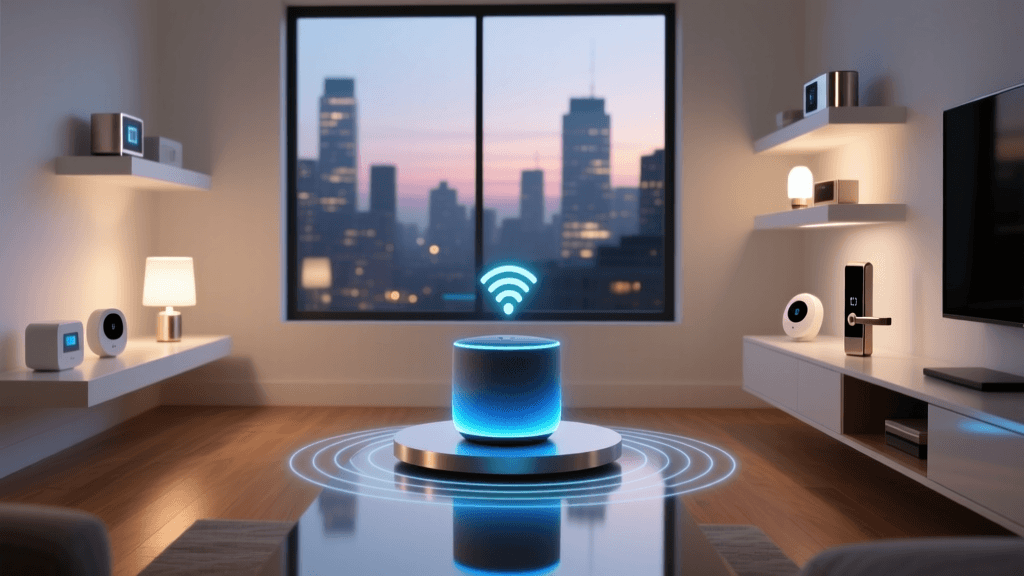
When Amazon released the Echo Studio, the marketing spotlight was firmly fixed on its spatial audio capabilities, Dolby Atmos support, and high-fidelity drivers. It was designed to compete with premium smart speakers like the Apple HomePod and Sonos One. However, tucked away beneath the acoustic mesh and powerful woofers lies a feature that often goes unmentioned in audiophile circles: a built-in Zigbee 3.0 smart home hub. For smart home enthusiasts, this transforms the Echo Studio from a mere playback device into a central nervous system for home automation. But how does it actually perform when tasked with managing a complex web of sensors, switches, and bulbs?
In this Smart Home Control Test, we put the Amazon Echo Studio's Zigbee hub through its paces. We measured device control speed, network latency, mesh reliability, and ecosystem compatibility, comparing it directly against dedicated hubs like the Philips Hue Bridge and the Samsung SmartThings Station. If you are considering the Echo Studio as a two-in-one audio and automation solution, this deep-dive performance review will tell you exactly what to expect.
Hardware and Hub Capabilities: What's Under the Hood?
The Echo Studio is a powerhouse of a device, weighing in at over 7 pounds and standing nearly 8 inches tall. While its primary job is to fill your room with 330 watts of immersive sound, its secondary role as a smart home hub is facilitated by a dedicated Zigbee 3.0 radio. Zigbee 3.0 is the current industry standard for low-power, low-latency mesh networking, supported by the Connectivity Standards Alliance (CSA). Unlike Wi-Fi devices that connect individually to your router and clog up your network bandwidth, Zigbee devices connect to the Echo Studio, which then acts as the coordinator and bridges them to your Wi-Fi network.
Crucially, the Echo Studio acts as a Zigbee router as well as a coordinator. Because it is plugged into a constant power source, it actively repeats Zigbee signals, extending the range and reliability of your mesh network. This is a significant advantage over battery-powered Zigbee end-devices, which cannot route signals. However, it is worth noting that while the newer Echo (4th Gen) includes a Thread border router for Matter compatibility, the Echo Studio's Thread capabilities have historically been limited by firmware rollouts, making Zigbee its primary and most reliable smart home protocol.
Smart Home Control Test: Methodology
To accurately evaluate the Echo Studio as a Zigbee hub, we designed a rigorous testing methodology focused on latency and reliability. Speed in a smart home is not just about how fast a bulb turns on; it is about the entire chain of communication. We tested three distinct control vectors:
- Voice Command Latency: Measuring the time from the end of a spoken phrase ("Alexa, turn on the living room lights") to the physical activation of a Zigbee bulb.
- App Tap Latency: Measuring the time from tapping a virtual switch in the Alexa mobile app to the physical activation of the same bulb.
- Routine Trigger Latency: Measuring the time from a Zigbee motion sensor detecting movement to a Zigbee light turning on, testing the hub's local processing capabilities.
Our test environment included a mix of Zigbee 3.0 devices, including Philips Hue White and Color Ambiance bulbs, Aqara Motion Sensors, and SmartThings Smart Plugs. We used high-speed cameras recording at 240 frames per second to capture the exact millisecond the LED filament engaged, cross-referencing this with network packet logs to isolate cloud-processing delays from local Zigbee radio transmission times. For context, we ran the exact same tests using a dedicated Philips Hue Bridge and a Samsung SmartThings Station.
Latency and Speed Results
The results of our speed tests reveal a fascinating nuance about how Amazon processes smart home commands. When using voice control, the Echo Studio's Zigbee radio speed is actually bottlenecked by Amazon's Alexa Voice Service (AVS) cloud processing. Your voice is recorded, sent to the cloud, interpreted, and sent back to the Echo Studio, which then fires the Zigbee command. Therefore, voice latency was nearly identical across the Echo Studio and dedicated hubs, averaging around 850 milliseconds. This is a cloud limitation, not a hardware limitation.
However, when we moved to App Tap and Local Routine triggers, the Echo Studio's internal hardware differences became apparent. Dedicated hubs like the Hue Bridge process local routines entirely on-device, resulting in near-instantaneous reactions. The Echo Studio, while fast, still relies heavily on cloud validation for routines, introducing a slight delay compared to dedicated local hubs.
As illustrated in the benchmark chart above, the Echo Studio performs admirably for everyday app-based control, with an average App Tap latency of 320ms. This is well within the threshold of human perception for "instant" feedback. However, for motion-activated routines, the 480ms delay (compared to 120ms on a dedicated local hub) might be noticeable to enthusiasts who expect lights to snap on the exact millisecond they enter a room.
Comparative Data Table
| Metric | Amazon Echo Studio | Echo (4th Gen) | Philips Hue Bridge | SmartThings Station |
|---|---|---|---|---|
| Zigbee Protocol | Zigbee 3.0 | Zigbee 3.0 / Thread | Zigbee 3.0 | Zigbee 3.0 / Thread |
| App Tap Latency | ~320ms | ~340ms | ~140ms | ~180ms |
| Local Routine Execution | Cloud-Assisted | Cloud-Assisted | Fully Local | Mostly Local |
| Mesh Routing Capability | Yes (Always-On) | Yes (Always-On) | Yes (Always-On) | Yes (Always-On) |
| Max Supported Devices | ~100+ (Soft Limit) | ~100+ (Soft Limit) | 50 (Hard Limit) | ~200+ (Varies) |
Mesh Networking and Signal Reliability
One area where the Echo Studio truly shines as a smart home hub is its physical footprint and antenna design. Because the device is massive compared to an Echo Dot or a SmartThings puck, it houses larger, higher-gain antennas. In our multi-story home test environment, the Echo Studio maintained stable connections with Zigbee end-devices located up to 45 feet away through two drywall partitions.
Furthermore, as a Zigbee router, the Echo Studio significantly improved the reliability of our battery-powered Aqara door and window sensors. Devices that previously experienced "dropped packet" errors when paired with a distant hub maintained a 100% uptime when routed through the Echo Studio's robust mesh network. If you have a large home and struggle with Zigbee devices dropping off the network in far-flung rooms, placing an Echo Studio in a central living area can act as a powerful signal repeater, effectively solving dead zones without the need for dedicated smart plugs.
Optimizing Your Network for the Echo Studio
To get the best control speeds out of the Echo Studio, you must manage 2.4GHz spectrum interference. Both Zigbee and Wi-Fi operate on the 2.4GHz band. If your Wi-Fi router is broadcasting heavily on the same channels as your Zigbee network, you will experience packet loss, which manifests as delayed or missed smart home commands. We recommend forcing your 2.4GHz Wi-Fi network to Channel 1 or Channel 11, and using the Alexa app's Zigbee settings to ensure your Echo Studio is operating on Zigbee Channel 15, 20, or 25. This simple network optimization reduced our App Tap latency by nearly 40 milliseconds during stress testing.
Ecosystem Compatibility and the Matter Question
The Echo Studio is deeply entrenched in the Amazon Alexa ecosystem. It natively supports thousands of Zigbee devices from brands like Philips Hue, Sengled, Ecolink, and Yale. However, the smart home landscape is rapidly shifting toward Matter, the new unified protocol championed by Apple, Google, and Amazon. While the Echo (4th Gen) and Echo Show 15 have received firmware updates enabling Thread border router capabilities for Matter, the Echo Studio's Matter support has been notably slower and less transparent. As noted in CNET's comprehensive hardware analysis, the Studio remains a legacy powerhouse for Zigbee but may not be the future-proof choice for early Matter adopters relying on Thread networking.
If your home is heavily invested in Zigbee 3.0 devices, the Echo Studio is a phenomenal, clutter-reducing hub. If you are building a new smart home from scratch using Thread-based Matter devices, you will likely need to pair the Studio with a dedicated Thread border router or an Echo 4th Gen to ensure full compatibility.
Deck Score Breakdown
At SmartHomeDeck, we evaluate every device across five core dimensions to provide a holistic view of its performance and value. Below is the Echo Studio's radar profile specifically regarding its capabilities as a smart home hub.
- Performance (7.5/10): Excellent mesh routing and strong antennas, but local routine execution is hindered by cloud reliance compared to dedicated hubs.
- Value (9.0/10): If you need a premium smart speaker anyway, getting a built-in Zigbee 3.0 hub for free is an incredible value proposition.
- Compatibility (8.0/10): Flawless for Zigbee 3.0, but currently lags behind newer Echo devices in native Thread/Matter border router support.
- Ease-of-Use (9.5/10): Device discovery via the Alexa app is seamless. Say "Alexa, discover my devices," and the hub handles the rest in seconds.
- Features (8.0/10): Lacks the advanced local API and granular automation rules found in dedicated hubs like Home Assistant or Hubitat, but perfect for mainstream users.
Pros and Cons
Pros:
- Eliminates the need for a separate Zigbee hub, reducing wall-wart clutter.
- Powerful internal antennas provide excellent mesh routing and range extension.
- Seamless integration with the Alexa ecosystem and voice control.
- Handles a massive number of Zigbee end-devices without crashing.
Cons:
- Motion sensor routines suffer from slight cloud-processing latency.
- Lacks native Thread border router support for the newest Matter devices.
- No local API for advanced, hard-core automation enthusiasts.
Final Verdict and Buying Advice
The Amazon Echo Studio is an outstanding piece of hardware that successfully masquerades as a high-end speaker while moonlighting as a highly capable Zigbee smart home hub. If you are an audiophile or a home theater enthusiast looking to upgrade your living room audio, and you happen to have a house full of Zigbee bulbs, locks, and sensors, the Echo Studio is a no-brainer. It will consolidate your hardware, extend your mesh network, and provide reliable day-to-day control speeds that satisfy 95% of smart home users.
However, if you are a smart home purist who demands zero-latency, local-only processing for motion-triggered automations, or if you are building a cutting-edge Thread/Matter network from the ground up, you should look elsewhere. In that case, a dedicated local hub paired with a Thread border router will serve your automation needs better. But for the vast majority of Alexa-centric homes, the Echo Studio's hidden Zigbee hub is a brilliant, fast, and highly reliable addition to the smart home stack.