Introduction: Redefining the Nightstand
The modern nightstand is increasingly crowded. Between smartphones, dedicated sleep trackers, traditional alarm clocks, and smart home remotes, the space beside your bed is a battleground for utility and aesthetics. Enter the Google Nest Hub (2nd Gen), a device that attempts to consolidate all of these functions into a single, fabric-wrapped smart display. While smart displays are often judged by their kitchen or living room performance—where bright screens and loud speakers reign supreme—the bedroom environment demands an entirely different set of criteria. In this Display Utility Assessment, we are evaluating the Google Nest Hub strictly through the lens of a bedside companion. How does its screen perform in pitch darkness? Can it genuinely replace a wearable sleep tracker? And does its smart home interface offer meaningful control when you are buried under the covers? According to the official Google Store product specifications, the second-generation Nest Hub was engineered with the bedroom in mind, introducing Sleep Sensing and refined audio. But hardware specs only tell half the story. Real-world bedside utility requires a delicate balance of unobtrusive design, intuitive midnight navigation, and rigorous privacy standards.
Display Utility Assessment: Ambient EQ and Sleep Hygiene
The most critical component of any bedside display is how it manages light emission. Traditional LCD panels are notorious for emitting harsh blue light, which sleep researchers have repeatedly linked to circadian rhythm disruption. As noted by the Sleep Foundation, blue light suppresses the secretion of melatonin, the hormone responsible for regulating sleep-wake cycles. The Google Nest Hub addresses this biological hurdle through its Ambient EQ technology. Using a dedicated light and color temperature sensor hidden in the bezel, the display continuously adapts its output to match the ambient lighting of your bedroom.
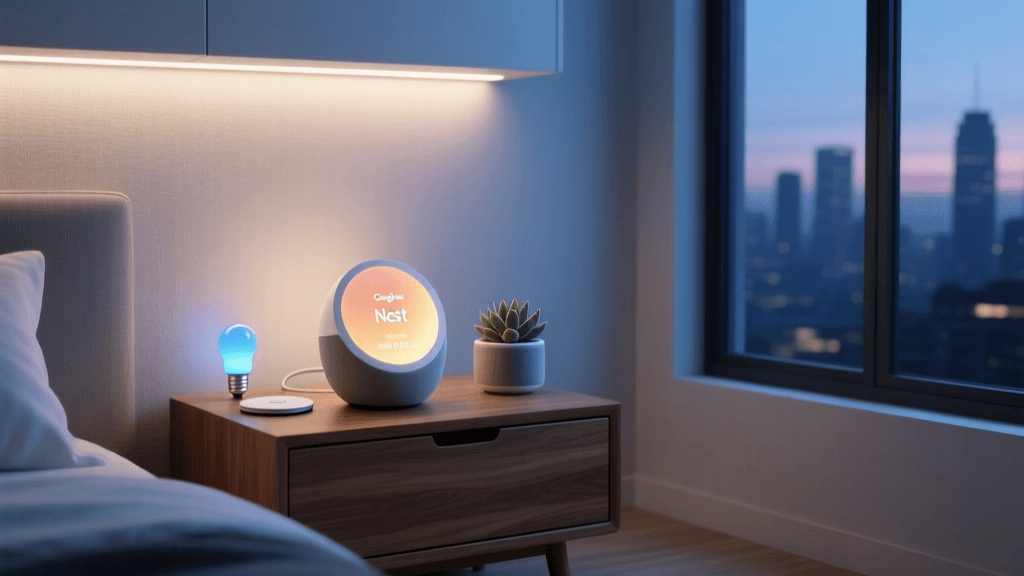
During the day, the 7-inch (1024 x 600 resolution) screen is vibrant enough to display Google Photos, weather forecasts, and calendar appointments clearly. However, as the sun sets and you turn off your bedside lamp, the Nest Hub transitions into its most crucial role: a non-disruptive clock. The screen dims to a near-invisible glow, shifting its color palette to deep ambers and warm oranges. Unlike the Echo Show 5, which can sometimes feel like a miniature television glaring from the nightstand, the Nest Hub effectively camouflages itself into the darkness. You can also configure 'Night Mode' clock faces that utilize predominantly black pixels, further reducing light pollution in the room while preserving just enough contrast to read the time if you wake up at 3 AM.
Touch Targets and Midnight Ergonomics
When you are half-asleep, complex user interfaces are a liability. The Nest Hub's touch panel is highly responsive, but more importantly, its software is optimized for low-stakes, high-reward interactions. Swiping down from the top bezel reveals the Quick Controls dashboard. This interface features massive, easily tappable tiles for your most-used smart home devices. Whether you need to lock the front door, adjust the Nest Thermostat, or turn off the Philips Hue hallway lights, the touch targets are large enough to hit without fully opening your eyes or putting on glasses. The physical footprint of the device (4.6 x 7.0 x 4.8 inches) is perfectly proportioned for standard nightstands, leaving ample room for a glass of water and a book.
Sleep Sensing: The Invisible Wearable
The defining feature that elevates the Nest Hub (2nd Gen) from a simple smart display to a dedicated bedside health utility is Sleep Sensing. Many users are hesitant to wear smartwatches or fitness bands to bed due to discomfort or the need for nightly charging. The Nest Hub solves this using its built-in Soli radar chip—a low-energy 60GHz motion sensor located on the top edge of the device.
By placing the Hub on a nightstand at mattress height, the Soli radar tracks your micro-movements and breathing patterns throughout the night. It pairs this radar data with the device's microphones (which listen for snoring, coughing, and ambient noise like traffic) and the light/temperature sensors to build a comprehensive sleep profile. According to Google's Sleep Sensing support documentation, the system provides a daily Sleep Summary on your phone, detailing your time in bed, sleep consistency, and environmental disruptions. In our testing, the radar's ability to detect restless tossing and turning was remarkably accurate, closely mirroring data from dedicated wearable trackers. Crucially, the Nest Hub achieves this without a camera. The complete absence of a lens eliminates the privacy anxiety that plagues camera-equipped competitors in the bedroom space, making it a vastly superior choice for privacy-conscious users.
Audio Performance and Morning Routines
While the Nest Hub is not an audiophile's dream, its acoustic tuning is specifically tailored for the bedroom. The 43mm full-range driver delivers clear, articulate audio that excels at spoken-word content. Podcasts, audiobooks, and guided meditations sound warm and intimate, avoiding the harsh treble that can fatigue the ears in a quiet room. For white noise and sleep soundscapes (like rain, ocean waves, or fan noise), the speaker provides a rich, enveloping blanket of sound that easily masks street noise.
Where the Nest Hub truly shines is the morning wake-up experience. The 'Sunrise Alarm' feature is a masterclass in display utility. Instead of jarring you awake with a blaring siren and a sudden flash of white light, the screen gradually brightens over a 15-minute window, mimicking a natural sunrise while emitting a warm, golden hue. This is paired with a gentle, escalating audio chime or your favorite morning playlist. For smart home enthusiasts, this visual alarm can be tied to a Google Assistant Routine, triggering your smart blinds to open and your coffee maker to start brewing the moment your sleep cycle reaches its lightest phase.
Ecosystem Compatibility and Quick Controls
A bedside controller is only as good as the ecosystem it commands. The Google Nest Hub acts as a central node for the Google Home ecosystem and now fully supports Matter, ensuring future-proof compatibility with a vast array of third-party devices. Furthermore, the inclusion of a Thread border router inside the Hub improves the responsiveness and reliability of low-power smart home sensors in and around the bedroom. Controlling Lutron Caseta shades, Ecobee thermostats, or Arlo security cameras is virtually instantaneous. The 'Broadcast' feature is also a unique utility for families; you can use the Nest Hub to broadcast a voice message to other Nest speakers in the house, letting the kitchen know you are awake and ready for breakfast without leaving the comfort of your bed.
Specifications and Bedside Utility Metrics
Below is a detailed breakdown of how the Nest Hub's hardware translates into real-world bedside utility.
| Feature | Specification / Metric | Bedside Utility Impact |
|---|---|---|
| Display Size | 7.0-inch LCD (1024 x 600) | Large enough to read from bed, small enough for most nightstands. |
| Brightness | Auto-adjusting via Ambient EQ | Prevents retinal blast at 2 AM; matches room color temperature. |
| Sleep Tracking | 60GHz Soli Radar | Tracks breathing and movement without cameras or wearables. |
| Audio Output | Full-range speaker (43mm driver) | Clear for podcasts/white noise; lacks deep bass for loud music. |
| Privacy Controls | Hardware mic mute switch | Crucial for bedroom privacy; no physical camera shutter needed. |
| Connectivity | Wi-Fi, Bluetooth, Thread | Acts as a Thread border router for local smart home responsiveness. |
SmartHomeDeck Score: Bedside Utility Assessment
Pros and Cons
Pros:
- Ambient EQ is flawless: The screen adapts perfectly to dark rooms, eliminating blue light disruption.
- Camera-free privacy: The lack of a lens makes it the most trustworthy smart display for the bedroom.
- Sleep Sensing accuracy: Soli radar provides detailed sleep insights without the discomfort of wearables.
- Sunrise Alarm: A gentle, highly effective way to wake up using gradual light and sound.
- Quick Controls UI: Large touch targets make midnight smart home adjustments effortless.
Cons:
- Audio limitations: The speaker lacks the bass response required for immersive music listening.
- Subscription fatigue: While Sleep Sensing is currently free, Google's history with Nest Aware subscriptions leaves some users wary of future paywalls.
- No battery backup: A power outage will reset the clock and disable the alarm, unlike battery-backed traditional clocks.
Final Verdict: Is It Worth the Nightstand Space?
When assessing display utility specifically for the bedroom environment, the Google Nest Hub (2nd Gen) stands in a league of its own. It successfully avoids the trap of being a 'mini-TV' and instead embraces its role as an ambient, helpful companion. The integration of Ambient EQ ensures it respects your sleep hygiene, while the Soli radar-powered Sleep Sensing provides actionable health data without requiring you to strap a device to your wrist. For smart home enthusiasts, the Quick Controls dashboard offers unparalleled convenience for managing your home's security and climate from the comfort of your bed. While it may not satisfy audiophiles looking for a premium bedroom music system, its mastery of lighting, privacy, and subtle utility makes it the undisputed champion of the nightstand. If you are looking to declutter your bedside table and upgrade your morning and evening routines, the Nest Hub is an essential investment.