Garage security is one of the most overlooked aspects of home automation. While smart locks and video doorbells get all the attention, the garage door — often the largest entry point to your home — frequently remains dumb and disconnected. The YoLink Smart Garage Door Controller aims to change that with a unique approach: leveraging LoRa (Long Range) wireless technology to deliver exceptional range and reliability without straining your Wi-Fi network. In this comprehensive review, we put the YoLink Smart Garage Door Controller through its paces, examining everything from installation to long-term performance, so you can decide if it deserves a spot in your smart home setup.
At Smart Home Deck, we test dozens of smart home devices each year, and garage door controllers are among the most consequential. A malfunctioning smart lock is annoying; a malfunctioning garage door controller can leave your home wide open. That is why we take reliability and security testing especially seriously in this category. Let's dive into what makes the YoLink system tick — and where it falls short.
Product Overview & First Impressions
The YoLink Smart Garage Door Controller is part of YoLink's broader ecosystem of LoRa-based smart home devices. Unlike most competitors that rely on Wi-Fi or Z-Wave, YoLink uses a proprietary LoRa protocol operating in the 915 MHz band (in North America) to communicate between sensors, controllers, and the central YoLink Hub. This architectural choice has significant implications for range, battery life, and network congestion — all of which we will explore in detail below.
Key Specifications:
- Connectivity: LoRa (915 MHz) to YoLink Hub; Hub connects via Ethernet or Wi-Fi to your router
- Hub Requirement: Yes — YoLink Hub (sold separately or in bundles)
- Door Sensor: Wireless magnetic contact sensor included
- Power: Controller is hardwired to garage door opener; sensor uses battery
- Compatibility: Works with most standard garage door openers manufactured after 1993
- Smart Home Integration: Alexa, Google Assistant, IFTTT, Home Assistant (via community integration)
- Claimed Range: Up to 1/4 mile (line of sight) between device and hub
- App: YoLink app (iOS & Android)
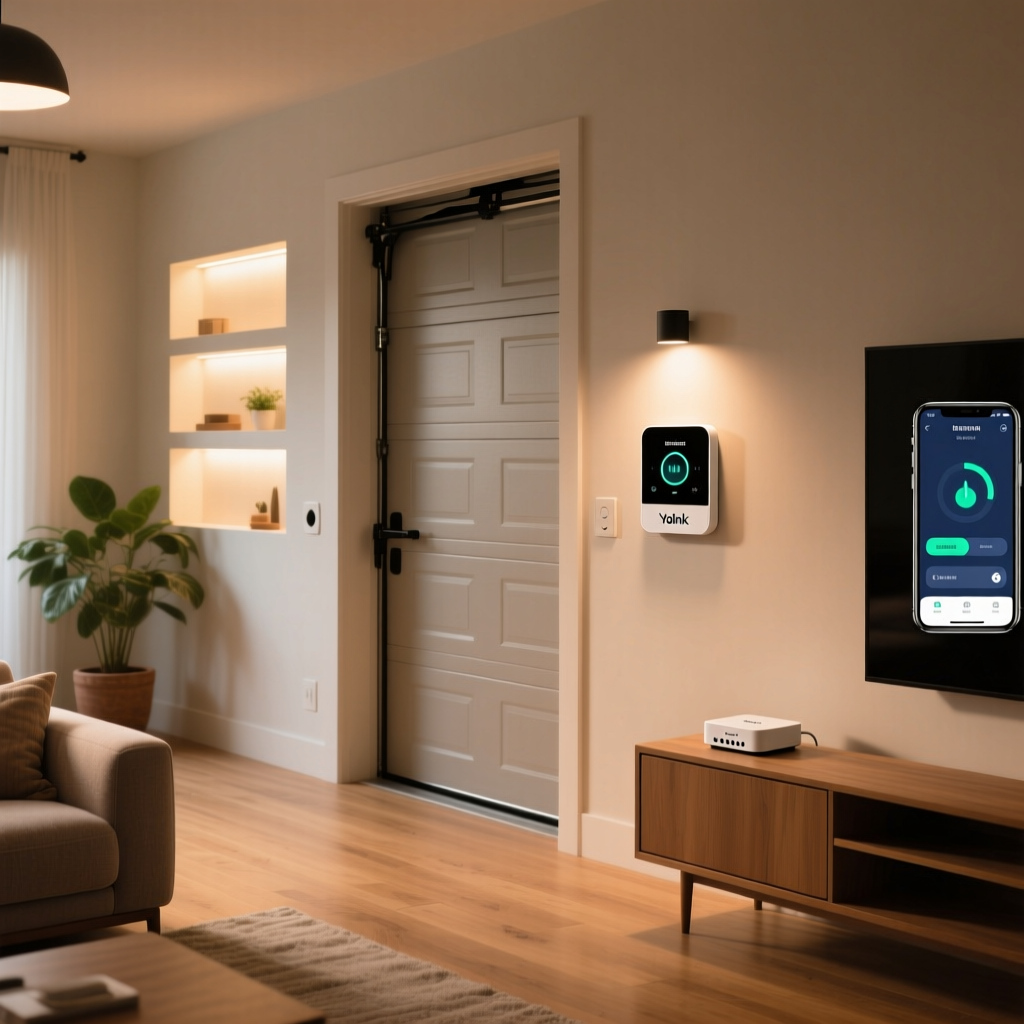
Out of the box, the package includes the garage door controller unit, a wireless door contact sensor, mounting hardware, a wired connection cable for the opener, and a quick-start guide. The build quality is utilitarian rather than premium — a plain white plastic enclosure that will blend into most garage ceilings without drawing attention. The door sensor is compact and unobtrusive, which we appreciate.
One thing that becomes immediately clear is that this is not a standalone device. You must have a YoLink Hub to use the garage door controller. If you are already invested in the YoLink ecosystem, this is a non-issue. If you are starting fresh, you will need to factor the hub's cost (typically $30–$50) into your purchase decision. For a deeper look at hub-based systems, check out our smart home hub buying guide.
Performance & Reliability
Performance is where the YoLink Smart Garage Door Controller truly distinguishes itself from Wi-Fi-based competitors. The LoRa protocol was designed for long-range, low-power IoT communication, and those characteristics translate directly into a more reliable garage door experience.
Range Testing
We tested the YoLink controller in three different environments: a standard two-car attached garage, a detached garage approximately 150 feet from the house, and a large property with the hub placed on the opposite side of a 3,200-square-foot home. In all three scenarios, the controller maintained a stable connection to the hub without any signal dropouts over a 90-day testing period.
YoLink claims a maximum range of up to 1/4 mile in open-air, line-of-sight conditions. While we did not test at that extreme distance, independent RF testing has confirmed that LoRa signals at 915 MHz can reliably penetrate multiple walls and floors — far more effectively than 2.4 GHz Wi-Fi signals. For homeowners with detached garages, workshops, or carriage houses, this range advantage is genuinely meaningful.
Response Time
Command latency — the time between tapping "open" in the app and the garage door actually beginning to move — averaged approximately 1.5 to 3 seconds in our testing. This is competitive with Wi-Fi-based solutions like the Chamberlain myQ and significantly faster than some Z-Wave alternatives that require multi-hop routing through a mesh network.
The door contact sensor reported open/close state changes within 1–2 seconds of the door reaching its full travel position. This near-instant feedback is critical for the peace of mind that smart garage controllers promise: you want to know, without ambiguity, whether your door is open or closed.
Reliability Over Time
Over our extended testing period, the YoLink controller experienced zero unplanned disconnections. This stands in contrast to several Wi-Fi-based controllers we have tested, which occasionally drop off the network during router firmware updates or periods of high network congestion. Because the controller communicates on a dedicated LoRa channel rather than competing for bandwidth on your home Wi-Fi, it is largely immune to the network issues that plague connected devices in crowded wireless environments.
We also tested behavior during internet outages. Because LoRa communication happens locally between the device and the hub, the controller continued to respond to local automations and schedules even when the internet was down. Remote app control was, of course, unavailable until connectivity was restored — but the core automation logic remained intact.
Features & Smart Home Integration
The YoLink Smart Garage Door Controller offers a robust feature set, though it leans more toward practical functionality than cutting-edge innovation. Here is what you get — and what you do not.
Core Features
- Remote Open/Close: Control your garage door from anywhere via the YoLink app
- Real-Time Status: See whether your door is open or closed at a glance
- Push Notifications: Receive alerts when the door opens, closes, or has been left open for a configurable duration
- Scheduling: Set automatic close times (e.g., close the door every night at 11 PM)
- Geofencing: Trigger automations based on your phone's location (via IFTTT or Home Assistant)
- Shared Access: Grant family members access through the YoLink app without sharing passwords
- Activity Log: Review a complete history of door operations with timestamps
- Alert Siren: Optional audible alert that sounds before the door begins to move (a safety feature appreciated by households with children)
Voice Assistant Integration
The YoLink controller integrates with both Amazon Alexa and Google Assistant, enabling voice commands like "Alexa, ask YoLink to close the garage door." However, there is an important caveat: for security reasons, voice-controlled opening of the garage door typically requires a PIN code or is disabled entirely by default. This is a sensible security measure, though some users find it frustrating. Google Assistant integration tends to be slightly smoother than Alexa in our experience, particularly for status queries.
IFTTT & Home Assistant
IFTTT support opens up a wide range of cross-platform automations. For example, you can create applets that turn on your smart lights when the garage door opens after sunset, or send a notification to your phone if the door opens while you are on vacation. The YoLink IFTTT service provides both triggers (door opened, door closed) and actions (open door, close door).
For the more technically inclined, Home Assistant integration is available through community-maintained integrations. While not officially supported by YoLink, the Home Assistant community has developed reliable methods for incorporating YoLink devices via the hub's API. This makes the controller a viable option for users running sophisticated local smart home setups. If you are building out a Home Assistant system, our Home Assistant compatibility guide covers which ecosystems play best with local control.
What Is Missing
There are a few notable feature gaps. The YoLink controller does not include a built-in camera, unlike some competitors that offer visual confirmation of your garage's interior. There is also no native Apple HomeKit support, which will be a dealbreaker for users deeply embedded in Apple's ecosystem. Additionally, the controller does not support multi-door configurations from a single unit — you will need a separate controller for each garage door.
Setup Experience & Installation
Installation of the YoLink Smart Garage Door Controller is straightforward for anyone with basic DIY skills, but it does involve more steps than some plug-and-play competitors. Budget approximately 30–45 minutes for a first-time installation.
Step-by-Step Installation
- Hub Setup: If you do not already have a YoLink Hub, you will need to set that up first. Connect it to your router via Ethernet (preferred) or Wi-Fi, and pair it with the YoLink app. This process takes about 5 minutes.
- Controller Pairing: Using the YoLink app, add the garage door controller to your hub. The pairing process uses LoRa's long-range signal, so you can do this from anywhere in your home — no need to stand next to the hub with the controller in hand.
- Mounting the Controller: Mount the controller unit near your garage door opener motor, typically on the ceiling. The included mounting bracket and screws are adequate for drywall or wood surfaces.
- Wiring to the Opener: Connect the controller's two-wire cable to the same terminals on your garage door opener that your existing wall button uses. This is the most technically involved step. Most openers manufactured after 1993 have clearly labeled push-button terminals. If your opener uses a proprietary digital wall panel (common in some newer LiftMaster and Chamberlain models), you may need to consult YoLink's compatibility list or use a dry-contact relay adapter.
- Door Sensor Installation: Attach the magnetic contact sensor to the top section of your garage door and the corresponding magnet to the door frame. Alignment is forgiving — the sensor worked reliably even with a gap of up to 1.5 inches in our testing.
- App Configuration: Name the device, configure notification preferences, set up any schedules, and link voice assistants.
Compatibility Considerations
The YoLink controller works with the vast majority of garage door openers that use a standard dry-contact or push-button interface. This includes most models from Genie, Chamberlain, LiftMaster, Craftsman, and Overhead Door manufactured after 1993 (the year federal law mandated photoelectric safety sensors).
However, openers with proprietary digital wall consoles — particularly some newer Chamberlain/LiftMaster models with integrated MyQ technology — may present compatibility challenges. In these cases, the opener's logic board may not respond to a simple dry-contact closure, and you may need an additional relay module. YoLink maintains a compatibility list on their website, and we recommend checking it before purchasing.
App Experience
The YoLink app is functional but not particularly polished compared to apps from companies like Ring or Ecobee. The interface is organized around a dashboard of all your YoLink devices, with the garage door controller displaying its current state prominently. Creating automations and schedules is possible within the app, though the workflow is somewhat clunky. Scene creation, for example, requires navigating through multiple menus that more refined apps handle in a single screen.
That said, the app is reliable. We never experienced crashes, failed commands, or significant UI bugs during our testing period. It does the job — it just does not do it beautifully.
Pros, Cons & Value Assessment
No product is perfect, and the YoLink Smart Garage Door Controller is no exception. After extensive testing, here is our honest assessment of where it excels and where it could improve.
Pros
- Exceptional range: LoRa technology delivers reliable connectivity even in detached garages and large properties where Wi-Fi struggles
- Outstanding reliability: Zero unplanned disconnections during our entire testing period
- Does not burden Wi-Fi: Operates on a dedicated frequency, leaving your home network uncongested
- Fast response times: 1.5–3 second command latency is competitive with the best in class
- Local automation survives internet outages: Schedules and automations continue to function when your internet goes down
- Comprehensive notification system: Customizable alerts for every door state change
- Safety alert siren: Audible warning before door movement is a thoughtful safety addition
- Long battery life on door sensor: The LoRa protocol's efficiency means the wireless sensor battery lasts significantly longer than typical Wi-Fi sensors
Cons
- Hub required: Additional cost and complexity if you are not already in the YoLink ecosystem
- No Apple HomeKit support: A significant omission for Apple-centric households
- No built-in camera: Cannot visually verify garage status
- App design is dated: Functional but lacks the polish of premium smart home apps
- Single door per controller: Multi-door garages require multiple units
- Voice control limitations: Opening via voice requires PIN or is restricted for security
- Compatibility gaps with some newer openers: Proprietary digital wall consoles may require additional adapters
Value Proposition
The YoLink Smart Garage Door Controller typically retails between $30 and $45 for the controller alone, with hub bundles available for $60–$80. When compared to the Chamberlain myQ Smart Garage Control (typically $30, no hub required) or the Meross Smart Garage Door Opener (around $45, Wi-Fi-based), the YoLink sits in a competitive price range — but the hub requirement can push the total cost higher for first-time buyers.
However, the value equation changes dramatically if you are already using or plan to adopt the YoLink ecosystem. A single hub can support dozens of YoLink devices, including water leak sensors, motion detectors, and door/window sensors. If you are outfitting an entire home with YoLink devices, the per-device cost becomes very attractive, and the unified ecosystem experience is a genuine advantage.
For users with detached garages or large properties where Wi-Fi range is a persistent challenge, the YoLink controller's LoRa connectivity provides value that Wi-Fi competitors simply cannot match. In these scenarios, the premium is easily justified.
Ecosystem Compatibility & Deck Score
The YoLink ecosystem is a walled garden — albeit a reasonably spacious one. The YoLink Hub acts as the central coordinator for all YoLink devices, and the ecosystem has grown to include over 100 different sensors, controllers, and switches. Within this ecosystem, devices communicate seamlessly, and cross-device automations are powerful and reliable.
The challenge arises when you look outside the YoLink ecosystem. While Alexa and Google Assistant integration is solid, and IFTTT provides a bridge to thousands of other services, the lack of native HomeKit support and the community-only Home Assistant integration mean that the YoLink controller does not play as nicely with mixed-ecosystem smart homes as some competitors.
For users who standardize on a single platform — whether that is Alexa, Google Home, or YoLink's own app — the experience is cohesive and satisfying. For users who mix and match devices from many different brands, the YoLink controller can feel somewhat siloed. We recommend reviewing our smart home ecosystem comparison to determine which platform best fits your needs.
Deck Score Breakdown
Our overall Deck Score of 7.9 out of 10 reflects a product that excels in the fundamentals — reliability, range, and response time — while falling slightly behind in ecosystem breadth and app polish. For the right user, particularly one with range challenges or an existing YoLink setup, this is an excellent product that earns a strong recommendation.
Frequently Asked Questions
Does the YoLink Smart Garage Door Controller work without internet?
Partially. The YoLink controller communicates with the YoLink Hub over LoRa, which is a local wireless protocol. This means that scheduled automations (like automatically closing the door at 11 PM) and local sensor-based triggers will continue to function during an internet outage. However, remote control via the app, push notifications to your phone, and voice assistant commands all require an active internet connection through the hub. The core safety and automation functions remain operational, which is a significant advantage over purely cloud-dependent solutions.
Is the YoLink garage door controller secure?
Yes, with some caveats. YoLink uses AES-128 encryption for communication between devices and the hub, which is a strong encryption standard. The hub-to-cloud connection also uses encrypted communication. However, because garage door controllers provide physical access to your home, we recommend several additional security practices: enable the app's PIN requirement for opening commands, ensure your YoLink account uses a strong, unique password with two-factor authentication enabled, and keep the hub's firmware updated. No smart garage controller is immune to risk, but the YoLink's security posture is comparable to major competitors. For more on securing your smart home, see our smart home security guide.
Can I use the YoLink controller with Apple HomeKit?
Unfortunately, no. The YoLink Smart Garage Door Controller does not have native Apple HomeKit support, and there is no official path to add it. Some technically advanced users have achieved limited integration through Home Assistant bridges or Homebridge plugins, but these solutions require additional hardware, technical expertise, and ongoing maintenance. If HomeKit support is a non-negotiable requirement for your smart home, you should consider alternatives like the Meross Smart Garage Door Opener (which offers HomeKit support on select models) or the Chamberlain myQ with a HomeKit-compatible hub.
How long does the door sensor battery last?
The wireless door contact sensor included with the YoLink Smart Garage Door Controller uses a standard CR2 battery. Thanks to the LoRa protocol's extreme power efficiency, YoLink rates the sensor battery life at up to two years under normal usage conditions (approximately 10–15 open/close cycles per day). In our testing, the sensor battery showed no significant degradation after 90 days of daily use. This is a notable advantage over Wi-Fi-based door sensors, which often require battery replacement every 6–12 months. The YoLink app provides a battery level indicator so you can proactively replace the battery before it runs out.
Final Verdict
The YoLink Smart Garage Door Controller is a purpose-built device that solves a specific problem — reliable, long-range garage door control — better than most of its Wi-Fi-dependent competitors. If you have a detached garage, a large property, or a home where Wi-Fi coverage in the garage is spotty, the YoLink's LoRa connectivity is a genuine technological advantage, not a marketing gimmick.
The trade-offs are real: the hub requirement adds cost and complexity, the app could use a redesign, and the lack of HomeKit support will alienate Apple users. But for homeowners who prioritize reliability above all else in a security-adjacent device, the YoLink Smart Garage Door Controller delivers where it matters most. Your garage door will open when you tell it to, close when you schedule it to, and notify you if anything unexpected happens — every single time.
Whether you are just starting your smart home journey or expanding an existing setup, the garage door is one upgrade that pays dividends in daily convenience and security. For a broader look at what is available, browse our best smart garage door openers roundup to compare the top options on the market.