Transforming Your Bedroom with Circadian Automation
The bedroom is more than just a place to sleep; it is a sanctuary designed for recovery, relaxation, and preparation for the day ahead. While many smart home enthusiasts focus their automation efforts on the living room or kitchen, the bedroom offers the most profound opportunity to enhance your daily life. By aligning your smart home technology with your body's natural circadian rhythm, you can drastically improve your sleep quality, morning energy levels, and overall well-being.
According to the National Institute of General Medical Sciences, circadian rhythms are natural, internal processes that regulate the sleep-wake cycle and repeat roughly every 24 hours. Light and temperature are the two primary environmental cues that dictate these rhythms. By programming your bedroom's lighting, window treatments, and climate control to mimic the natural progression of the sun, you can biohack your environment for optimal health.
In this comprehensive guide, we will break down the three critical phases of bedroom automation: the Morning Wake-Up, the Evening Wind-Down, and the Away/Security mode. We will explore specific device recommendations, budget tiers, and the exact logic needed to build these routines in platforms like Apple HomeKit, Amazon Alexa, and Home Assistant.
The Morning Routine: Waking Up Gently and Naturally
Waking up to a blaring alarm clock in a pitch-black room triggers a spike in cortisol, leaving you feeling groggy and disoriented—a phenomenon known as sleep inertia. A smart morning routine replaces this jarring experience with a gradual, natural awakening.
Core Devices for the Morning Routine
- Smart Lighting: Philips Hue White and Color Ambiance (approx. $50 per bulb). These bulbs can be programmed to simulate a sunrise, gradually increasing in brightness and shifting from a deep, warm amber (2000K) to a bright, energizing daylight (4500K) over 30 minutes.
- Smart Blinds: SwitchBot Curtain 3 (approx. $90) or Lutron Serena (starting at $600). Automated window treatments allow natural sunlight to enter the room, which is the most effective way to halt melatonin production.
- Smart Thermostat: Ecobee SmartThermostat Premium (approx. $249). Waking up in a freezing room makes it incredibly difficult to leave the covers. The Ecobee can automatically raise the temperature 30 minutes before your alarm.
Building the 'Sunrise' Routine Logic
To create this routine in your smart home hub, use the following IF/THEN logic structure:
- Trigger: Time is 6:30 AM on weekdays OR motion is detected by a bedside sensor after 6:00 AM.
- Action 1 (Lighting): Turn on bedside lamps to 10% brightness at 2000K (warm amber).
- Action 2 (Blinds): Open smart curtains to 50% to allow soft, diffused natural light.
- Action 3 (Climate): Adjust smart thermostat to 72°F (22°C).
- Action 4 (Audio): Slowly fade in a smart speaker (e.g., Sonos Era 100) playing a 'Morning Birds' soundscape or a gentle news briefing at 15% volume.
Pro Tip: If you share a bed with a partner who has a different wake-up schedule, utilize localized lighting (like a smart reading lamp on your specific nightstand) and a vibrating smart alarm (like the Fitbit Sense or a specialized under-pillow shaker) to avoid disrupting their sleep cycle.
The Evening Routine: Winding Down for Deep Sleep
Just as light signals the brain to wake up, the absence of blue light and a drop in ambient temperature signal the brain to produce melatonin and prepare for deep sleep. Modern screens and harsh overhead lighting severely disrupt this process. Your evening automation routine should act as a digital sunset, actively removing sleep-disrupting stimuli from your environment.
Core Devices for the Evening Routine
- Air Purifier & White Noise: Dyson Purifier Cool Autoreact (approx. $549). This device not only scrubs the air of allergens and volatile organic compounds (VOCs) but also features a customizable oscillation that can act as a soothing, consistent white noise machine.
- Smart Mattress Cooling: Eight Sleep Pod 3 (starting at $2,295). Core body temperature needs to drop by about 1 to 2 degrees Fahrenheit to initiate and maintain deep sleep. The Pod 3 uses water-based cooling to dynamically adjust the bed's temperature throughout the night.
- Smart Switches: Lutron Caseta Wireless Dimmers (approx. $60). Essential for ensuring overhead 'big lights' remain off, forcing the use of ambient, low-level lighting.
Building the 'Sunset & Sleep' Routine Logic
- Trigger: Time is 9:30 PM OR a 'Goodnight' voice command is issued OR a bedside button (e.g., Philips Hue Dimmer Switch) is pressed.
- Action 1 (Lighting): Turn off all overhead ceiling lights. Dim all floor and table lamps to 20% brightness and shift color temperature to 100% warm red/amber (eliminating blue light).
- Action 2 (Privacy & Security): Close all smart blinds completely. Lock the front door smart lock (e.g., Yale Assure) and arm the home security system to 'Stay' mode.
- Action 3 (Climate & Air): Set the Dyson purifier to 'Night Mode' (reducing fan speed and noise) and lower the room thermostat to 65°F (18°C), which sleep experts widely recommend for optimal rest.
- Action 4 (Power): Cut power to smart plugs connected to TVs or charging stations to eliminate standby power drain and reduce electromagnetic fields (EMFs) near the bed.
The Away Routine: Maximizing Security and Energy Efficiency
When you leave for work or head out on vacation, your bedroom should transition into a state of conservation and security. The 'Away' routine is heavily reliant on geofencing—using your smartphone's location to trigger automations when you leave a predefined perimeter (usually a 500-meter radius around your home).
Core Devices for the Away Routine
- Smart Plugs: Kasa Smart Plug Mini (approx. $15 for a 4-pack). According to the U.S. Department of Energy, 'phantom loads' or standby power from idle electronics can account for up to 10% of your residential electricity use. Smart plugs physically sever this connection.
- Occupancy Sensors: Aqara Presence Sensor FP2 (approx. $70). Uses mmWave radar to detect micro-movements (even breathing) to ensure the room is truly empty before triggering the Away mode, preventing false triggers if you are just reading quietly in bed.
Building the 'Vacation & Work' Routine Logic
- Trigger: Last person's smartphone leaves the home geofence OR manual activation via a 'Leaving Home' dashboard button.
- Action 1 (HVAC Setback): Adjust the smart thermostat to an eco-friendly setback temperature (e.g., 78°F in summer, 60°F in winter). The U.S. Department of Energy notes that you can save as much as 10% a year on heating and cooling by simply turning your thermostat back 7°-10°F for 8 hours a day.
- Action 2 (Phantom Load Elimination): Turn off all smart plugs powering bedroom TVs, gaming consoles, and secondary chargers.
- Action 3 (Security Simulation): If activated for a multi-day vacation, enable 'Lighting Mimicry' or 'Vacation Mode' on your smart bulbs, which will randomly turn lights on and off in the evening to simulate occupancy and deter potential intruders.
Budget Tiers: Starter, Mid, and Pro Setups
Building a fully automated bedroom doesn't have to break the bank. Below is a breakdown of three distinct budget tiers to help you prioritize your upgrades based on your financial comfort zone.
| Category | Starter Tier (Under $150) | Mid Tier ($150 - $600) | Pro Tier ($600+) |
|---|---|---|---|
| Lighting | Wyze Bulb Color ($15) | Philips Hue White Ambiance ($35/bulb) | Lutron Caseta + Ketra Tunable Fixtures ($800+) |
| Window Treatments | Manual blackout curtains ($40) | SwitchBot Curtain 3 + Remote ($110) | Lutron Serena Honeycomb Shades ($700+) |
| Climate Control | Smart Plug for Window AC ($15) | Amazon Smart Thermostat ($80) | Ecobee Premium + Smart Vents ($350+) |
| Sleep Tech | Standard White Noise App (Free) | Hatch Restore 2 Alarm ($130) | Eight Sleep Pod 3 Mattress Cover ($2,295) |
| Total Estimated Cost | ~$70 - $110 | ~$355 - $550 | ~$4,145+ |
Visualizing Energy Savings
One of the most compelling reasons to implement 'Away' and 'Sleep' routines is the measurable impact on your monthly utility bills. While lighting automation provides incredible convenience and health benefits, the bulk of your financial return on investment (ROI) comes from climate control and phantom load management. The chart below illustrates the estimated monthly energy savings generated by different bedroom automation categories in an average 150-square-foot master bedroom.
Estimated Monthly Energy Savings by Bedroom Automation Type
Design, Aesthetics, and Installation Tips
A truly smart bedroom should not look like a server room. The technology should seamlessly blend into your interior design, remaining invisible until you need it.
Hiding Sensors and Hubs
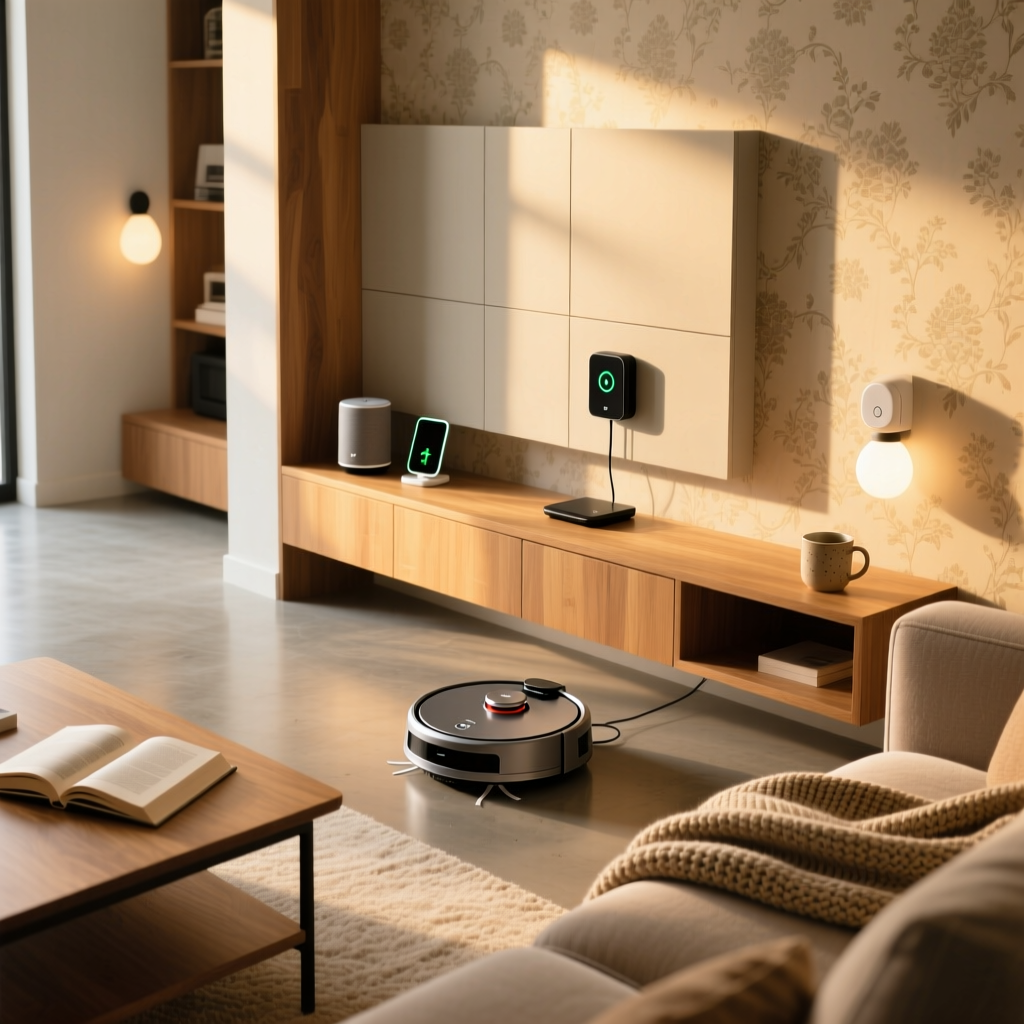
Motion and presence sensors are vital for automation, but they can be unsightly. Consider mounting mmWave sensors like the Aqara FP2 behind headboards, on top of tall bookshelves, or using recessed ceiling mounts. For smart hubs (like the HomePod mini or Echo Dot), utilize furniture with built-in cable management or floating shelves with hidden cord channels to keep power wires completely out of sight.
The 'Big Light' Problem
Interior designers often refer to harsh, overhead ceiling fixtures as the 'big light,' which can ruin the cozy ambiance of a bedroom. To combat this, install smart dimmer switches (like the Lutron Aurora) directly over your existing dumb switches. This prevents guests or family members from accidentally blasting the overhead lights, ensuring your carefully curated evening lighting routines remain intact.
Troubleshooting Common Routine Failures
Even the best-planned automations can fail if the underlying network or device protocols are unstable. Here are the most common issues and how to resolve them:
- Wi-Fi Congestion: Bedrooms often have multiple devices (TVs, phones, tablets, smart bulbs). If your Wi-Fi drops, your routines fail. Solution: Migrate as many devices as possible to a dedicated Zigbee or Thread mesh network (using a hub like the Aeotec Smart Home Hub or Apple TV 4K) rather than relying on your main Wi-Fi router.
- Geofencing Delays: Sometimes, the 'Away' routine triggers while you are still in the driveway, or fails to trigger until you are miles away. Solution: Use a multi-factor trigger. Combine smartphone geofencing with a physical 'Leaving Home' button by the door, or use a smart lock auto-lock feature as a secondary confirmation that the house is empty.
- Sensor Latency: If your lights turn on 3 seconds after you walk into the bedroom, the sensor is likely polling too slowly or suffering from network lag. Solution: Invest in Matter-over-Thread devices, which offer significantly lower latency and better local processing than cloud-dependent Wi-Fi devices.
Conclusion
Mastering bedroom automation is about more than just voice commands and flashy gadgets; it is about designing an environment that actively supports your biological needs and protects your home when you are away. By implementing structured Morning, Evening, and Away routines, you transform your bedroom from a static room into a dynamic, responsive sanctuary. Whether you are starting with a simple smart bulb and a sunrise alarm or investing in a fully integrated climate and lighting ecosystem, the dividends paid in better sleep, enhanced security, and lower energy bills make the bedroom the most valuable room to automate in your entire home.