Does IKEA Smart Lighting Work With Google Home? Complete Room-by-Room Setup Guide
If you have been wondering whether IKEA smart lighting works with Google Home, the short answer is a resounding yes. The IKEA DIRIGERA hub & TRÅDFRI smart lighting ecosystem integrates beautifully with Google Home, giving you voice control, automated routines, & seamless smart home management across every room in your house. This comprehensive guide walks you through exactly how to set up, configure, & maximize IKEA smart lighting with Google Home in every room of your home.
Whether you are just starting your smart home journey or looking to expand an existing setup, understanding how IKEA & Google Home work together is essential. The combination offers one of the most affordable & reliable smart lighting solutions on the market today. In this guide, we break down everything room by room, complete with budget tiers, device recommendations, installation tips, automation routines, & design ideas.
Understanding the IKEA Smart Lighting & Google Home Ecosystem
Before diving into room-specific setups, it is important to understand the core components that make IKEA smart lighting compatible with Google Home. The IKEA smart lighting system primarily revolves around the DIRIGERA smart hub (the newer generation) & the legacy TRÅDFRI gateway. Both serve as the bridge between your smart bulbs, panels, & sensors & the broader smart home ecosystem.
The DIRIGERA hub connects to your home Wi-Fi network & communicates with IKEA smart lighting products using the Zigbee protocol. Once connected, the hub links directly to Google Home through the IKEA Home smart skill, enabling voice commands through Google Assistant, routine creation in the Google Home app, & integration with other Google-compatible devices like Nest thermostats, Chromecast, & Google Nest displays.
Here is what you need to know about the core components:
- DIRIGERA Hub: The central brain of your IKEA smart home. It supports Matter protocol, ensuring future compatibility & broader device integration beyond just Google Home.
- TRÅDFRI LED Bulbs: Available in various sizes, color temperatures, & full-color options. These are the workhorses of the IKEA smart lighting lineup.
- STYRBAR Remote Control: A physical remote that pairs with your bulbs for manual control when voice commands are not convenient.
- TRÅDFRI Driver: Powers LED panels, strips, & specialty lighting like cabinet lights & countertop illumination.
- VALLHUND & RODRET: Wireless dimmers & remotes that offer additional control options.
The integration process is straightforward: set up your DIRIGERA hub using the IKEA Home smart app, add your lighting products, then link the hub to Google Home through the Google Home app by enabling the IKEA Home smart service. Once linked, all your IKEA lights appear as controllable devices within Google Home.
For a deeper dive into specific products, check out our IKEA DIRIGERA Hub review & our TRÅDFRI LED bulb comparison.
Living Room: The Entertainment Hub
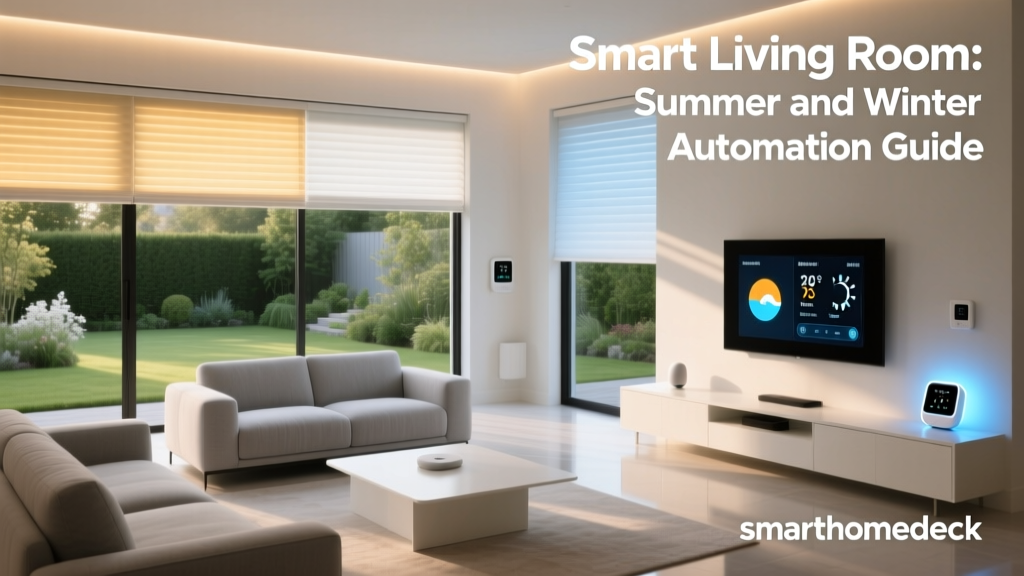
The living room is typically the most versatile space in your home when it comes to smart lighting. It serves as an entertainment center, a reading nook, a gathering space for guests, & sometimes even a home office. IKEA smart lighting paired with Google Home gives you the flexibility to transform this room for any occasion with just a voice command or automated routine.
Budget Tiers for Living Room Setup
Starter Tier ($80–$150)
At the starter level, focus on the essentials. You will need the DIRIGERA hub (if you do not already own one) & two to three TRÅDFRI white spectrum LED bulbs for your main light fixtures. Add a STYRBAR remote for manual dimming control. This setup gives you voice control through Google Home, the ability to adjust brightness & color temperature, & basic scheduling.
- DIRIGERA Hub (one-time purchase shared across all rooms)
- 2–3 TRÅDFRI white spectrum bulbs
- 1 STYRBAR remote control
Mid Tier ($150–$350)
The mid-tier living room expands the experience significantly. Add full-color TRÅDFRI bulbs for accent lamps, a TRÅDFRI LED panel for ambient wall lighting, & a wireless dimmer. You can create distinct lighting zones — one for the main overhead lights, another for accent lamps near the sofa, & a third for media wall lighting.
- 3–4 TRÅDFRI white spectrum bulbs for overhead fixtures
- 2 TRÅDFRI color bulbs for accent lamps
- 1 TRÅDFRI LED panel or FLOALT panel
- 1 RODRET wireless dimmer
- 1 STYRBAR remote
Pro Tier ($350–$600+)
The professional-tier living room is a fully immersive smart lighting experience. Incorporate LED light strips behind your TV for bias lighting, multiple color bulbs in table & floor lamps, smart plugs for decorative lamps that do not use smart bulbs, & motion sensors for automated entry lighting. Combine this with Google Nest speakers for room-specific voice control & a Nest Hub for visual control.
- Complete overhead bulb replacement with TRÅDFRI white spectrum
- 4–6 TRÅDFRI color bulbs in accent fixtures
- LED strip lighting behind TV & media console
- FLOALT LED panels for ambient wall lighting
- TRÅDFRI motion sensor
- Smart plugs for decorative fixtures
- Multiple STYRBAR remotes for different zones
Recommended Devices & Installation Tips
For the living room, placement & zoning are everything. Start by mapping out your lighting zones: overhead lighting, task lighting (reading lamps), accent lighting (decorative fixtures & shelves), & ambient lighting (TV backlighting & wall panels).
Install TRÅDFRI bulbs in all overhead fixtures first, as these provide the most impact. For floor lamps & table lamps that use standard E26 or E12 bases, TRÅDFRI bulbs fit directly. For fixtures with non-standard bases or integrated LEDs, use a TRÅDFRI smart plug instead to control the entire fixture.
When mounting FLOALT panels, position them at eye level on walls opposite your seating area for the best ambient effect. The panels can be mounted horizontally or vertically & connect to the DIRIGERA hub through the included TRÅDFRI driver.
For TV bias lighting, use a TRÅDFRI LED strip behind your television. This reduces eye strain during evening viewing & creates a cinematic atmosphere. Connect the strip to a TRÅDFRI driver & link it to your DIRIGERA hub.
Learn more about optimizing your entertainment space in our home theater lighting guide.
Google Home Automation Routines for the Living Room
Google Home routines are where the magic truly happens. Here are some powerful automation routines to set up for your living room:
"Movie Time" Routine: When you say "Hey Google, it is movie time," the overhead lights dim to 10%, the TV bias lighting activates at a warm white, accent lamps turn off, & your smart TV or streaming device powers on. If you have smart blinds, they close automatically.
"Good Morning" Routine: At a scheduled time each morning, the living room lights gradually brighten from 0% to 70% over 15 minutes using a cool white color temperature. This simulates a natural sunrise & helps you wake up more comfortably.
"Guest Mode" Routine: When entertaining, trigger a routine that sets all living room lights to a warm white at 80% brightness, turns on accent lighting at full brightness, & activates decorative smart plugs for ambient lamps.
"Leaving Home" Routine: When your phone leaves the home geofence, all living room lights turn off automatically. This is a simple but effective energy-saving automation that requires no thought once configured.
"Reading Mode" Routine: Activates the reading lamp near your favorite chair at 100% brightness with a cool daylight color temperature while dimming all other lights to 20%.
Design Tips for Living Room Smart Lighting
Layering is the key principle in living room lighting design. Use warm white tones (2700K–3000K) for ambient & accent lighting to create a cozy atmosphere. Reserve cooler tones (4000K+) for task lighting where you need focus, such as reading areas or a desk corner.
Avoid placing smart bulbs in enclosed fixtures unless they are rated for enclosed use. TRÅDFRI bulbs generate heat like any LED, & restricted airflow can shorten their lifespan. For enclosed fixtures, consider using a smart plug to control a standard LED bulb instead.
Consider the color rendering index (CRI) of your bulbs when selecting lighting for spaces where color accuracy matters, such as near artwork or in areas where you apply makeup. TRÅDFRI bulbs offer a CRI of approximately 80–90, which is suitable for most residential applications.
Bedroom: Rest & Relaxation
The bedroom is perhaps the room where smart lighting has the most profound impact on daily life. Proper smart lighting in the bedroom supports your circadian rhythm, helps you wind down at night, & makes mornings significantly more pleasant. IKEA smart lighting with Google Home excels in this space because of its scheduling capabilities & gradual brightness transitions.
Budget Tiers for Bedroom Setup
Starter Tier ($50–$100)
For a simple bedroom setup, two TRÅDFRI white spectrum bulbs in your bedside lamps & a RODRET wireless dimmer are all you need. This lets you control bedside lighting from bed without getting up, set sleep schedules, & use Google Home voice commands for lights-off when you are already under the covers.
- 2 TRÅDFRI white spectrum bulbs for bedside lamps
- 1 RODRET wireless dimmer
Mid Tier ($100–$250)
Expand the bedroom setup with overhead smart bulbs, a TRÅDFRI motion sensor for nighttime bathroom trips, & a color bulb in a decorative lamp. The motion sensor is particularly valuable — set it to activate a dim warm light at 5% brightness when it detects movement after 10 PM, providing enough light to navigate without disrupting your sleep cycle.
- 2 TRÅDFRI white spectrum bulbs for bedside lamps
- 1–2 TRÅDFRI bulbs for overhead fixtures
- 1 TRÅDFRI motion sensor
- 1 TRÅDFRI color bulb for accent lighting
- 1 STYRBAR remote for bedside control
Pro Tier ($250–$450+)
The ultimate bedroom smart lighting setup includes full room coverage with smart bulbs, LED strip lighting under the bed frame or behind the headboard, a FLOALT panel for soft ambient wall lighting, smart plugs for decorative fixtures, & integration with a Google Nest Hub for visual alarm & control. Add a second motion sensor for the closet area.
- Complete bulb replacement with TRÅDFRI white spectrum
- LED strip lighting for headboard or bed frame
- FLOALT panel for ambient wall lighting
- 2 TRÅDFRI motion sensors
- Smart plugs for decorative lamps
- Multiple remotes for different zones
Recommended Devices & Installation Tips
Bedroom smart lighting installation should prioritize ease of use from bed. Mount a STYRBAR remote on the nightstand using the included magnetic holder so it is always within reach. The remote can control up to four different device groups, making it perfect for managing overhead lights, bedside lamps, & accent lighting from one device.
For under-bed LED strips, mount the strip along the inner edge of the bed frame facing downward. This creates a soft glow that illuminates the floor without casting harsh light upward. Connect the strip to a TRÅDFRI driver positioned where it can be easily accessed for pairing with the DIRIGERA hub.
Position the TRÅDFRI motion sensor at ankle height near the path to the bathroom. This placement ensures it detects nighttime movement without being triggered by pets on the bed or minor movements during sleep. Set the sensor sensitivity to medium & configure it to only activate during nighttime hours through Google Home routines.
If your bedroom has a ceiling fan with integrated lighting, check whether the fan uses standard bulb bases. Many ceiling fans use candelabra (E12) bases, & TRÅDFRI offers bulbs in this size. If your fan uses a proprietary lighting system, use a smart plug on the wall switch that controls the fan light instead.
Google Home Automation Routines for the Bedroom
"Goodnight" Routine: This is arguably the most-used smart home routine in any household. Say "Hey Google, goodnight" & all bedroom lights fade to off over 60 seconds, the motion sensor activates in low-light mode for bathroom trips, & any connected white noise machine or smart speaker begins playing ambient sounds.
"Wake Up" Routine: Schedule a gradual sunrise effect starting 30 minutes before your alarm. Bedroom lights slowly increase from 0% to 50% brightness using a warm-to-cool white transition. At alarm time, lights jump to 80% brightness with a cool daylight tone to help you feel alert.
"Wind Down" Routine: Triggered at a set time each evening or by voice command. All bedroom lights shift to warm white (2200K equivalent) at 40% brightness. This warm, dim lighting signals to your body that it is time to prepare for sleep by reducing blue light exposure.
"Night Light" Routine: When the motion sensor detects movement between 11 PM & 6 AM, activate under-bed LED strips & bathroom pathway lights at 5% brightness with a warm amber tone. Lights automatically turn off after 5 minutes of no detected motion.
Design Tips for Bedroom Smart Lighting
The bedroom demands the warmest color temperatures in your home. Stick to 2200K–2700K for all ambient & accent lighting. Avoid cool white or daylight tones in bedside lamps, as blue-rich light suppresses melatonin production & can interfere with sleep quality.
Consider installing TRÅDFRI bulbs in closet lighting as well. A well-lit closet with accurate color rendering makes getting dressed easier, & you can automate the closet light to turn on when the closet door opens using a TRÅDFRI door sensor or a third-party contact sensor compatible with Google Home.
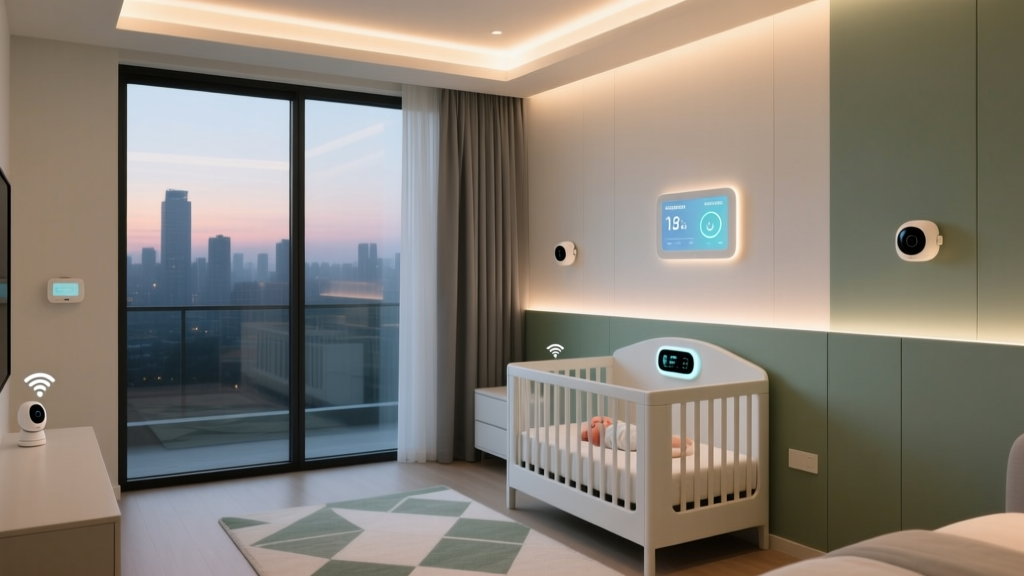
For nurseries & children's rooms, TRÅDFRI color bulbs are especially useful. Set a soft red or amber glow for nighttime feedings & diaper changes — red light has the least impact on sleep cycles. Older children can use voice commands to control their own lights, giving them a sense of independence while parents maintain scheduling control through the Google Home app.
Kitchen: The Heart of the Home
The kitchen is a high-activity space that demands versatile lighting. You need bright, accurate task lighting for food preparation, warm ambient lighting for dining & entertaining, & subtle accent lighting for late-night snacking. IKEA smart lighting excels in the kitchen because of its range of under-cabinet lighting solutions & panel lights that integrate seamlessly with Google Home.
Budget Tiers for Kitchen Setup
Starter Tier ($60–$120)
Start with smart bulbs in your main overhead fixtures & a wireless dimmer mounted near the kitchen entrance. This gives you voice control & the ability to adjust brightness for different activities. If you have under-cabinet lighting on a standard plug, add a smart plug to bring it into the smart ecosystem.
- 2–3 TRÅDFRI white spectrum bulbs for overhead fixtures
- 1 RODRET wireless dimmer
- 1 smart plug for under-cabinet lighting
Mid Tier ($120–$300)
At the mid tier, add dedicated under-cabinet LED strips using the TRÅDFRI driver system, a motion sensor for hands-free activation when your hands are full, & smart bulbs in pendant lights over an island or dining area. The TRÅDFRI under-cabinet lighting solutions are specifically designed for kitchen use & provide excellent task illumination.
- 3–4 TRÅDFRI white spectrum bulbs for overhead & pendant fixtures
- TRÅDFRI LED strip for under-cabinet lighting with driver
- 1 TRÅDFRI motion sensor
- 1 STYRBAR remote mounted near entrance
Pro Tier ($300–$500+)
The professional kitchen setup includes complete overhead smart lighting, multiple zones of under-cabinet LED strips, in-cabinet lighting for glass-front cabinets, a FLOALT panel for ambient fill lighting, & integration with other kitchen smart devices. Add a Google Nest Hub mounted under a cabinet for visual recipe display & voice control.
- Complete overhead smart bulb replacement
- Multiple TRÅDFRI LED strip zones under cabinets
- In-cabinet LED lighting for display cabinets
- FLOALT panel for ambient lighting
- TRÅDFRI motion sensor
- Smart plugs for decorative fixtures
Recommended Devices & Installation Tips
Kitchen smart lighting installation requires attention to moisture & heat considerations. While TRÅDFRI bulbs are not rated for wet locations, standard kitchen environments are well within their operating range. Avoid installing them directly above stovetops where steam & grease accumulation could be an issue.
For under-cabinet lighting, the IKEA TRÅDFRI driver system is purpose-built for this application. The driver mounts under the cabinet & powers LED strips or puck lights. Multiple strips can be daisy-chained to a single driver, simplifying your setup. Run the LED strips along the front edge of the cabinet bottom for the most even light distribution across your countertop.
Mount the motion sensor near the kitchen entrance at waist height. This allows it to detect when someone enters the kitchen & automatically activate task lighting. Set the auto-off timer to 10–15 minutes to avoid lights turning off while you are standing relatively still during food preparation.
For kitchens with recessed can lighting, ensure you purchase TRÅDFRI bulbs in the correct base size (typically BR30 for standard recessed cans). The bulb shape matters for proper light distribution in recessed fixtures — a standard A19 bulb in a recessed can will create uneven, focused light rather than the wide flood pattern you want.
Explore more kitchen automation ideas in our complete smart kitchen setup guide.
Google Home Automation Routines for the Kitchen
"Cooking Mode" Routine: Activates all kitchen lights to 100% brightness with a cool white color temperature (4000K). This provides maximum visibility for food preparation & accurate color rendering for checking food doneness. Under-cabinet task lighting also activates at full brightness.
"Dinner Time" Routine: Dims overhead lights to 60% warm white, turns off under-cabinet task lighting, & activates pendant lights over the dining area at 80% warm white. If you have in-cabinet display lighting, it activates at full brightness to create ambiance.
"Late Night Snack" Routine: When the motion sensor detects movement after 10 PM, activate only under-cabinet LED strips at 15% brightness with a warm amber tone. This provides enough light to navigate the kitchen without flooding the space with bright light that could disrupt sleepiness.
"Morning Coffee" Routine: Scheduled to activate 15 minutes before your typical wake time. Kitchen pendant lights or a single overhead light activates at 30% warm brightness, providing gentle illumination for your morning routine without being jarring.
Design Tips for Kitchen Smart Lighting
Kitchen lighting should be layered into three categories: task, ambient, & accent. Task lighting (under-cabinet strips & bright overhead lights) should use cool white tones for maximum visibility. Ambient lighting (pendants & dimmed overhead) should use warm tones for dining & socializing. Accent lighting (in-cabinet & toe-kick lighting) adds visual interest & nighttime navigation.
Color temperature consistency within each layer is important. Do not mix warm & cool bulbs within the same fixture group. A pendant light with a warm bulb next to a recessed can with a cool bulb creates visual discord & makes the space feel poorly designed.
Consider the reflective surfaces in your kitchen. Glossy countertops, stainless steel appliances, & glass backsplashes all reflect light. Smart bulbs with adjustable brightness let you fine-tune the light level to avoid harsh reflections while maintaining adequate illumination.
Bathroom: Functional & Relaxing
Bathroom smart lighting serves two distinct purposes: bright, accurate lighting for grooming tasks & soft, relaxing lighting for baths & nighttime visits. IKEA smart lighting with Google Home handles both scenarios beautifully, though the bathroom presents unique challenges related to moisture & fixture compatibility.
Budget Tiers for Bathroom Setup
Starter Tier ($40–$80)
A basic bathroom setup focuses on the vanity light fixture. Replace existing bulbs with TRÅDFRI white spectrum bulbs & add a motion sensor near the doorway. This gives you automatic lighting when you enter the bathroom & voice control for adjusting brightness.
- 2–3 TRÅDFRI white spectrum bulbs for vanity fixture
- 1 TRÅDFRI motion sensor
Mid Tier ($80–$180)
Expand the bathroom setup with a TRÅDFRI color bulb in a secondary fixture for ambient mood lighting during baths, a second zone of lighting (such as a ceiling fixture separate from the vanity), & a STYRBAR remote mounted inside the bathroom for easy control.
- 2–3 TRÅDFRI white spectrum bulbs for vanity
- 1 TRÅDFRI color bulb for ambient fixture
- 1 TRÅDFRI bulb for overhead fixture
- 1 motion sensor
- 1 STYRBAR remote
Pro Tier ($180–$350+)
The premium bathroom includes LED strip lighting around the mirror for shadow-free grooming, smart-controlled exhaust fan integration through a smart plug, a FLOALT panel for even ambient lighting, & separate lighting zones for the shower area (using appropriately rated fixtures) & vanity.
- TRÅDFRI LED strips for mirror framing
- Multiple TRÅDFRI bulbs for vanity & overhead
- FLOALT panel for ambient ceiling lighting
- Smart plug for exhaust fan control
- Motion sensor with customized day/night settings
Recommended Devices & Installation Tips
Moisture is the primary concern for bathroom smart lighting. TRÅDFRI bulbs are designed for indoor use but are not IP-rated for wet locations. Install them only in areas where direct water contact will not occur — vanity fixtures, ceiling fixtures, & enclosed fixtures away from the shower are all appropriate locations.
For lighting near the shower or tub, use a fixture rated for damp or wet locations with a standard bulb base, then install a TRÅDFRI bulb inside. The enclosed, rated fixture protects the bulb from moisture while still giving you smart control. Always verify that the fixture is rated for the bulb wattage & that there is adequate ventilation to prevent heat buildup.
Mount the motion sensor outside the shower area & away from direct steam paths. Position it near the bathroom entrance at approximately chest height. Configure different behaviors based on time of day: bright, cool lighting during morning hours for grooming, & dim, warm lighting during evening & nighttime hours.
For mirror lighting, LED strips mounted on either side of the mirror provide the most flattering & shadow-free illumination for grooming tasks. Mount the strips vertically at the edges of the mirror rather than horizontally above it — side lighting eliminates the shadows under eyes & chin that overhead-only lighting creates.
Google Home Automation Routines for the Bathroom
"Morning Routine" Bathroom Sequence: When your bedroom "Wake Up" routine triggers, the bathroom lights pre-activate at 80% brightness with cool white color temperature. This ensures the bathroom is fully lit & ready when you walk in.
"Bath Time" Routine: Say "Hey Google, bath time" & the overhead lights dim to 20% warm white, the color accent bulb shifts to a soft amber or candlelight tone, & any connected smart speaker begins playing relaxing music or nature sounds.
"Night Visit" Routine: The motion sensor activates bathroom lighting at just 10% brightness with a warm tone between 11 PM & 6 AM. Lights automatically turn off 3 minutes after motion is no longer detected.
"Get Ready" Routine: All bathroom lights activate at 100% brightness with daylight color temperature, the exhaust fan smart plug turns on, & mirror LED strips activate at full brightness for optimal grooming visibility.
Design Tips for Bathroom Smart Lighting
Bathroom lighting should prioritize high CRI (color rendering index) for accurate skin tone representation. While TRÅDFRI bulbs offer adequate CRI for most tasks, consider supplementing with a high-CRI dedicated fixture for the primary vanity light if precise color accuracy is important to you.
Layer your bathroom lighting so that no single fixture provides all the illumination. A combination of vanity lights, overhead ambient lighting, & accent lighting creates a more comfortable & functional space. Smart controls let you adjust each layer independently for different activities.
Warm lighting in the bathroom is particularly important in the evening. Exposure to bright, cool light before bed suppresses melatonin production. Your "Wind Down" routines should extend to the bathroom, ensuring that late-night bathroom visits use warm, dim lighting that will not interfere with your ability to fall back asleep.
Home Office & Multi-Purpose Rooms
Home offices & multi-purpose rooms benefit enormously from smart lighting because the lighting needs change dramatically throughout the day & depending on the activity. Video calls require flattering, even lighting. Focused work demands bright, cool-toned task lighting. Evening relaxation in the same space calls for warm, dim ambient lighting. IKEA smart lighting with Google Home handles all these transitions seamlessly.
Budget Tiers for Home Office Setup
Starter Tier ($50–$100)
A basic home office setup includes smart bulbs in your desk lamp & overhead fixture, plus a wireless dimmer for quick adjustments. This gives you the ability to shift between focused work lighting & relaxed ambient lighting throughout the day.
- 1–2 TRÅDFRI white spectrum bulbs
- 1 RODRET wireless dimmer
Mid Tier ($100–$250)
Add video call lighting (a FLOALT panel or ring light on a smart plug), bias lighting behind your monitor, & additional bulbs for ambient room lighting. This tier is ideal for remote workers who spend significant time on video calls.
- 2–3 TRÅDFRI white spectrum bulbs for overhead & task
- 1 FLOALT panel for video call fill lighting
- LED strip for monitor bias lighting
- 1 STYRBAR remote
Pro Tier ($250–$450+)
The complete home office setup includes full room coverage, multiple lighting zones, color bulbs for creative work or mood adjustment, automated scheduling that follows your work hours, & integration with calendar-based routines through Google Home.
- Complete overhead smart lighting
- FLOALT panels for even, shadow-free lighting
- Monitor bias lighting
- Color bulbs in accent fixtures
- Motion sensor for auto on/off
- Multiple remotes for desk & room entrance
Google Home Automation Routines for the Home Office
"Work Hours" Routine: Scheduled to activate at your typical start time. Overhead lights come on at 80% cool white, desk lamp activates at 100%, & monitor bias lighting turns on. This signals the start of your workday & provides optimal lighting for productivity.
"Video Call" Routine: Say "Hey Google, video call" & the FLOALT panel activates at 70% brightness facing you, overhead lights dim to 40% to reduce harsh shadows, & monitor bias lighting adjusts to match the ambient level.
"End of Day" Routine: At your scheduled end time, overhead lights shift to warm white at 50%, task lighting turns off, & accent lighting activates. This creates a clear transition between work & personal time, which is especially important for mental health when working from home.
"Focus Mode" Routine: Activates bright, cool-toned overhead lighting at 100%, turns off all accent & ambient lighting, & sets desk lamp to maximum brightness. This high-alert lighting environment supports concentration during demanding tasks.
Design Tips for Home Office Smart Lighting
Position your primary task light to the side opposite your mouse hand to avoid casting shadows while writing or sketching. For video calls, place your FLOALT panel or primary fill light directly behind your monitor at eye level. This creates even, flattering lighting that eliminates under-eye shadows & makes you look more professional on camera.
Avoid placing bright light sources behind you during video calls, as this creates a silhouette effect. If your office has a window behind your desk, use smart blinds or curtains in conjunction with your lighting routines to manage backlighting throughout the day.
For creative professionals, TRÅDFRI color bulbs can be used to set mood lighting that supports different types of creative work. Warm amber tones support relaxed brainstorming, while cool blue-white tones support analytical & detail-oriented tasks.
Whole-Home Tips for IKEA Smart Lighting & Google Home
Beyond individual rooms, there are several whole-home strategies that maximize the value of your IKEA smart lighting & Google Home integration.
Network & Hub Placement
The DIRIGERA hub communicates with your bulbs using Zigbee, which creates a mesh network. Each Zigbee device acts as a repeater, extending the network range. Place your DIRIGERA hub centrally in your home for the best coverage. In larger homes, the mesh network typically self-heals & extends as you add more devices, but extremely large homes may benefit from a TRÅDFRI signal repeater to bridge distant rooms.
Grouping & Naming Conventions
Google Home relies heavily on device names & room assignments for voice control. Name your devices descriptively: "Bedroom Overhead," "Kitchen Under Cabinet," "Living Room Accent Lamp." Assign each device to the correct room in the Google Home app. This allows commands like "Hey Google, turn off all bedroom lights" to work correctly.
Create device groups for multi-room control. A "All Lights" group lets you turn off everything in the house with one command. A "Downstairs Lights" group is useful for bedtime routines when you want to ensure all main-floor lights are off.
Integrating With Other Smart Home Devices
One of the greatest strengths of Google Home is its ability to orchestrate devices from different manufacturers. Your IKEA smart lighting can work in concert with smart thermostats, smart locks, security cameras, & smart speakers from any Google-compatible brand. For example, when your smart lock detects that the front door has been unlocked after sunset, your entryway & living room lights can automatically turn on.
Explore compatible devices in our best smart home devices for Google Home guide & learn about building a complete ecosystem in our smart home starter kit guide.
Troubleshooting Common Issues
The most common issue users encounter when connecting IKEA smart lighting to Google Home is device discovery failure. If your lights are not appearing in Google Home after linking the IKEA Home smart skill, try these steps:
- Ensure your DIRIGERA hub firmware is up to date through the IKEA Home smart app
- Verify that both the hub & your Google Home device are on the same Wi-Fi network
- Unlink & relink the IKEA Home smart skill in the Google Home app
- Restart the DIRIGERA hub by unplugging it for 30 seconds
- Ensure your lights are properly paired with the DIRIGERA hub before attempting to link to Google Home
Another common issue is delayed response times. If your lights take several seconds to respond to Google Home voice commands, check your Wi-Fi signal strength near the DIRIGERA hub. A weak Wi-Fi connection between the hub & your router is the most common cause of latency. Consider moving the hub closer to your router or adding a Wi-Fi extender.
For more detailed troubleshooting, visit our IKEA smart lighting troubleshooting guide.
Frequently Asked Questions
Do I need the DIRIGERA hub to use IKEA smart lights with Google Home?
Yes, a hub is required. The DIRIGERA hub (or the older TRÅDFRI gateway) acts as the bridge between your IKEA smart bulbs & Google Home. The bulbs use Zigbee to communicate with the hub, & the hub connects to your Wi-Fi network to communicate with Google Home through the cloud. Without the hub, the bulbs cannot connect to your network or respond to Google Assistant voice commands. The DIRIGERA hub is the recommended choice for new setups because it supports the newer Matter protocol, ensuring better long-term compatibility & faster response times.
Can I use IKEA TRÅDFRI bulbs without the IKEA app & just use Google Home directly?
No, you need the IKEA Home smart app for initial setup & configuration. The app is used to pair bulbs with the DIRIGERA hub, create device groups, & configure the hub itself. However, once everything is set up & linked to Google Home, you can control your lights entirely through Google Home voice commands, the Google Home app, & Google Home routines without ever opening the IKEA app again. The IKEA app remains useful for firmware updates & advanced Zigbee configuration, but daily operation happens entirely within Google Home.
Will IKEA smart lighting work if my internet goes down?
Partial functionality remains during internet outages. Your physical remotes (STYRBAR, RODRET) & motion sensors will continue to work because they communicate directly with the bulbs via Zigbee through the hub, which operates on your local network. However, Google Home voice commands will not work because they require cloud processing through Google servers. Scheduled routines stored on the DIRIGERA hub will continue to execute, but any routines that depend on Google Home cloud services (such as geofencing or cross-brand automations) will be unavailable until your internet connection is restored.
How many IKEA smart lights can I connect to one DIRIGERA hub with Google Home?
The DIRIGERA hub supports up to approximately 200 Zigbee devices, which is more than sufficient for even the largest homes. In practice, most homes use between 20 & 60 smart lighting devices. Google Home itself supports up to 400 devices per home, so you are unlikely to hit either limit. If you do have an exceptionally large property with hundreds of smart devices, you can use multiple DIRIGERA hubs — each hub links to the same Google Home account & all devices from all hubs appear in a unified device list.
Is IKEA smart lighting with Google Home secure & private?
Yes, the integration is secure when configured properly. Communication between the DIRIGERA hub & Google Home is encrypted, & both IKEA & Google maintain robust security practices for their smart home platforms. To maximize security, use strong unique passwords for both your IKEA Home smart account & your Google account, enable two-factor authentication on both accounts, keep your hub firmware updated, & ensure your home Wi-Fi network uses WPA2 or WPA3 encryption. Google does not record or store the specific state of your lights — it simply sends commands to the hub. Voice command history can be reviewed & deleted through your Google account privacy settings.
Final Thoughts
IKEA smart lighting works exceptionally well with Google Home, offering one of the most affordable & reliable smart lighting ecosystems available. The combination of IKEA's affordable hardware & Google Home's powerful automation & voice control capabilities creates a smart lighting experience that rivals much more expensive systems.
Start with a single room & the Starter tier to get comfortable with the setup process & daily usage patterns. Once you experience the convenience of voice-controlled lighting, automated schedules, & one-tap routines, you will naturally want to expand to additional rooms. The beauty of the IKEA & Google Home ecosystem is that it scales gracefully — adding new bulbs takes just a few minutes, & they immediately become part of your existing routines & voice commands.
Whether you are illuminating a cozy bedroom, a productive home office, or an entertainment-ready living room, IKEA smart lighting with Google Home delivers the flexibility, reliability, & affordability that every smart home enthusiast needs. Browse our complete collection of smart home device reviews & setup guides to continue building your perfect smart home.