The Living Room Energy Paradigm
The living room is the undisputed hub of the modern home, but it is also a silent energy drain. Between the constant draw of entertainment systems, the thermal transfer through large windows, and the ambient lighting left on in empty rooms, this single space can account for a disproportionate amount of your monthly utility bill. According to the U.S. Department of Energy, heating and cooling alone make up nearly half of a typical home's energy consumption, and the living room's large footprint makes it particularly vulnerable to HVAC inefficiencies.
Transforming your living room into an energy-saving smart space is not about sacrificing comfort; it is about intelligent automation. By deploying the right combination of smart thermostats, motorized window treatments, and energy-monitoring smart plugs, you can slash phantom loads and optimize climate control. This comprehensive guide will walk you through the exact devices, budget tiers, and automation routines required to build an energy-efficient living room configuration that pays for itself over time.
Core Devices for an Energy-Efficient Living Room
Smart Thermostats and Zoning
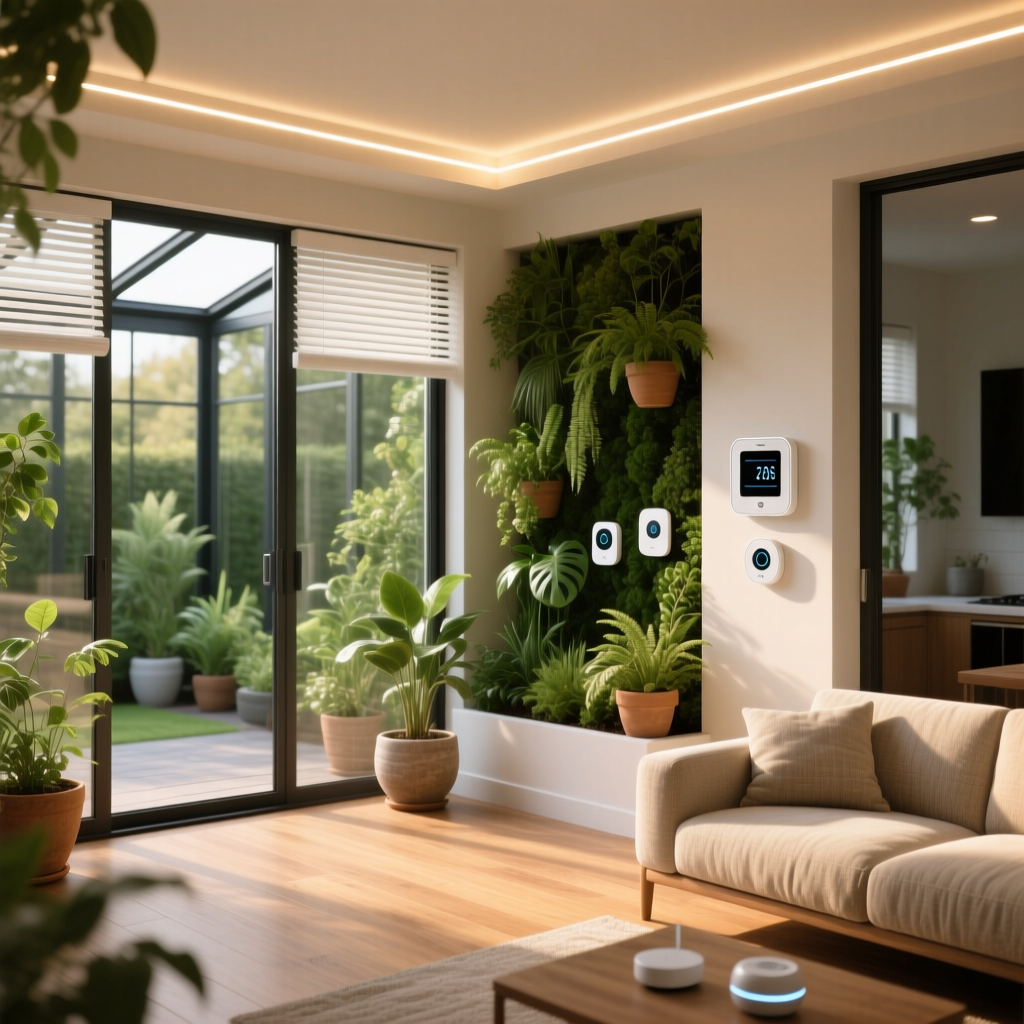
The foundation of any energy-saving living room is a smart thermostat equipped with room sensors. Traditional thermostats read the temperature from a central hallway, often leaving the living room too hot or too cold. The Ecobee Smart Thermostat Premium (approx. $249) solves this with its SmartSensor technology. The sensor boasts a 45-foot range and a 5-year battery life, allowing you to prioritize the living room's temperature only when it is occupied.
Alternatively, the Google Nest Learning Thermostat (approx. $229) uses advanced machine learning to map your living room habits, automatically setting back the temperature when it detects you have left for work. Both devices require a C-wire (common wire) for continuous 24V power. If your home lacks a C-wire, you will need to install a 24V adapter or use the manufacturer's power extender kit to ensure the Wi-Fi and sensor radios do not drain the backup battery.
Motorized Smart Blinds
Windows are responsible for 25% to 30% of residential heating and cooling energy use due to solar heat gain in the summer and thermal loss in the winter. Motorized smart blinds are a game-changer for passive climate control. The SwitchBot Blind Tilt (approx. $99) is a budget-friendly, retrofit solution that clamps onto your existing blind wands. It utilizes a built-in light sensor to automatically tilt slats based on the sun's intensity, blocking harsh afternoon rays that force your AC to work overtime.
For a more premium, integrated look, the IKEA Fyrtur or Kadrilj roller blinds (approx. $150-$180) offer complete blackout capabilities. When paired with the IKEA Dirigera hub, these blinds can be scheduled to drop during the hottest part of the day, significantly reducing the Solar Heat Gain Coefficient (SHGC) of your living room windows and lowering your cooling costs.
Smart Plugs and Phantom Load Elimination
Phantom loads—the electricity consumed by devices in standby mode—can account for up to 10% of your annual electricity use. The living room is a primary culprit, housing TVs, soundbars, gaming consoles, and streaming boxes. The Eve Energy Smart Plug (approx. $49) is an essential tool here. Supporting both Matter and Thread protocols, it offers real-time energy monitoring down to 0.1W and calculates projected annual costs via its app.
By plugging your entire entertainment center into a high-capacity smart power strip or a heavy-duty smart plug like the TP-Link Kasa Smart Plug Mini (EP25) (approx. $25, 15A max), you can completely sever the power supply to these devices when the living room is unoccupied, eliminating vampire power draw entirely.
Smart Lighting and Dimming
While LED bulbs are inherently efficient, smart dimming takes energy savings a step further. According to ENERGY STAR, dimming an LED bulb by just 25% can yield noticeable energy reductions while extending the bulb's lifespan. The Lutron Caseta Wireless Dimmer (approx. $60) is the gold standard for living rooms. Using Lutron's proprietary Clear Connect RF protocol, it handles up to 60W of LED lighting per switch and integrates seamlessly with Pico remotes, ensuring you never leave lights at 100% brightness when a softer, 60% ambient glow will suffice.
Budget Tiers: Starter, Mid, and Pro Configurations
Building an energy-efficient living room does not require a massive upfront investment. Below is a structured breakdown of configurations based on your budget and technical comfort level.
| Tier | Estimated Cost | Core Components | Best For |
|---|---|---|---|
| Starter | $120 - $180 | 2x Smart Plugs (Kasa), 1x Smart Thermostat (Wyze or Amazon Smart Thermostat) | Renters and beginners looking to eliminate phantom loads and gain basic scheduling. |
| Mid-Tier | $350 - $550 | Ecobee Smart Thermostat + 1 Sensor, SwitchBot Blind Tilt (x2 windows), Eve Energy Plug | Homeowners wanting automated solar management and precise room-level temperature tracking. |
| Pro | $800 - $1,200+ | Nest Learning Thermostat, Lutron Caseta Hub + Dimmers, IKEA Fyrtur Motorized Blinds, Thread Border Router | Tech enthusiasts demanding local processing, Matter compatibility, and premium aesthetic integration. |
Advanced Automation Routines for Maximum Savings
Hardware alone will not save you money; the magic lies in the automation logic. Using platforms like Apple HomeKit, Home Assistant, or Samsung SmartThings, you can create routines that actively manage your living room's energy profile.
1. The Phantom Load Kill Switch
Trigger: Ecobee sensor detects the living room is unoccupied for 45 minutes AND the time is between 9:00 AM and 5:00 PM.
Action: Turn off the Kasa Smart Plug controlling the entertainment center. Turn off all living room Hue/Caseta lights.
Why it works: This prevents your gaming console and soundbar from drawing standby power during the workday, while ensuring the TV doesn't accidentally stay on if someone fell asleep on the couch.
2. Solar Heat Gain Management (Summer)
Trigger: Local weather API reports outdoor temperature > 80°F AND the living room's western windows are receiving direct sunlight (based on solar position data or lux sensors).
Action: Close SwitchBot Blinds to 80%. Set Ecobee to 'Away' profile if no motion is detected.
Why it works: Blocking solar radiation before it penetrates the glass is vastly more efficient than using your AC to cool the room after the ambient temperature has already spiked.
3. Entertainment Dimming Curve
Trigger: TV smart plug detects power draw > 80W (indicating the TV has been turned on).
Action: Dim Lutron Caseta living room lights to 40% brightness and set color temperature to 2700K (warm white).
Why it works: Lowering the brightness of your LEDs reduces wattage draw and creates an optimal, glare-free viewing environment without requiring manual intervention.
Energy Savings Visualization
To understand where your investment yields the highest return, it is crucial to look at the data. The chart below illustrates the estimated average annual energy savings (in USD) by device category for a standard 400-square-foot living room in a mixed-climate region.
As visualized, smart thermostats offer the most aggressive ROI due to the sheer cost of HVAC operation. However, when combined, motorized blinds and smart plugs provide a compounded effect that drastically reduces the baseline load your HVAC system must overcome. For a deeper understanding of how these electrical savings translate to environmental impact, the EPA Greenhouse Gas Equivalencies Calculator is an excellent resource for converting your reduced kilowatt-hours into tangible carbon footprint metrics.
Installation, Design, and Protocol Considerations
The Shift to Matter and Thread
When selecting devices for your living room, prioritize those that support Matter over Thread. Unlike Wi-Fi, which is power-hungry and prone to network congestion, Thread is a low-power, low-latency mesh networking protocol. Devices like the Eve Energy plug and Nanoleaf bulbs use Thread to communicate locally. This not only reduces the micro-watt power consumption of the smart devices themselves but also relieves strain on your primary Wi-Fi router, ensuring your smart home remains responsive even if your internet connection drops.
Aesthetic Integration
An energy-efficient living room should not look like a server room. Design considerations are paramount:
- Hiding Smart Plugs: Use recessed wall outlets or flat-plug extensions to hide smart plugs behind the media console. Bulky plugs can prevent furniture from sitting flush against the wall.
- Sensor Placement: Do not place Ecobee or Nest room sensors in direct sunlight or near drafty windows, as this will skew temperature readings and cause your HVAC system to short-cycle, wasting energy.
- Blind Motor Concealment: If using retrofit motors like SwitchBot, consider 3D-printed or commercially available cord covers painted to match your wall color to hide the charging cables.
Conclusion
Configuring an energy-saving smart living room is a strategic blend of hardware selection and behavioral automation. By addressing the three main pillars of living room energy consumption—HVAC inefficiency, solar heat gain, and phantom standby loads—you can reclaim hundreds of dollars annually. Start with a smart thermostat and a few energy-monitoring plugs, map your room's unique usage patterns, and gradually layer in motorized blinds and advanced Thread-based lighting. The result is a living space that is not only kinder to your wallet and the environment but also vastly more comfortable and responsive to your daily life.