Introduction to Living Room Energy Dynamics
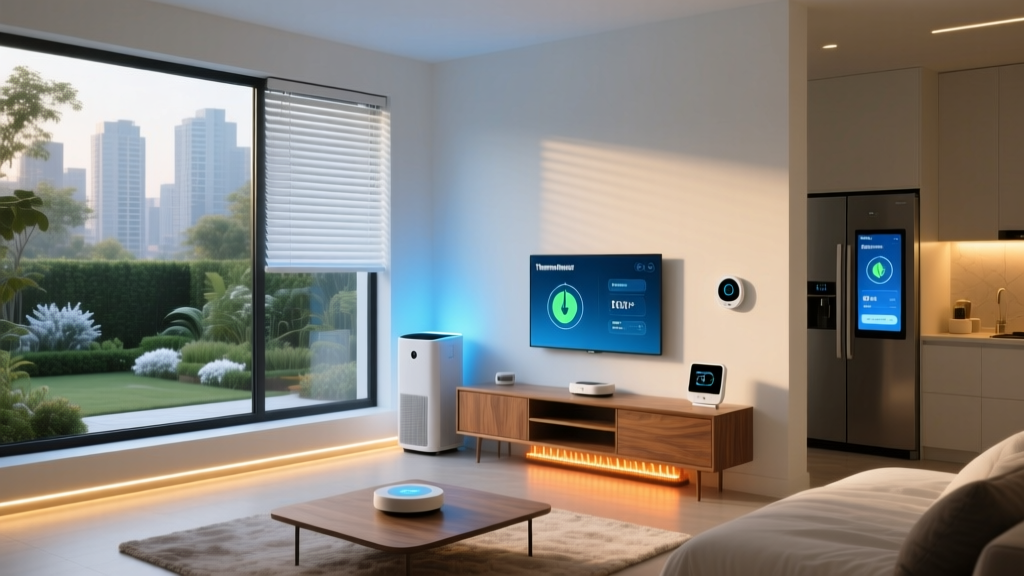
The living room is the heart of the modern home, serving as a hub for entertainment, relaxation, and socialization. However, this high-traffic space is also one of the most energy-intensive rooms in the house. Between the heating and cooling demands of a large, open area, the constant draw of entertainment systems, and the illumination required for various activities, the living room can significantly inflate your monthly utility bills. Transitioning to an energy-saving smart living room configuration is not just about reducing your carbon footprint; it is about leveraging intelligent automation to eliminate waste without sacrificing an ounce of comfort.
According to the EPA, heating and cooling account for nearly half of a typical home's energy use. When you combine HVAC costs with lighting and 'vampire power' from electronics, the living room presents a massive opportunity for optimization. In this comprehensive guide, we will break down the best smart home devices, budget tiers, installation tips, and automation routines to transform your living room into a highly efficient, eco-friendly sanctuary.
The Core: Smart Climate Control and Zoning
Climate control is the undisputed heavyweight champion of home energy consumption. A standard thermostat operates based on the temperature of a single hallway or central room, often leading to overheating or overcooling of the living space. To solve this, an energy-saving smart living room requires a combination of smart thermostats, remote sensors, and intelligent zoning.
Smart Thermostats and Room Sensors
Upgrading to an ENERGY STAR Certified Smart Thermostat is the single most impactful change you can make. Devices like the Ecobee SmartThermostat Premium or the Google Nest Learning Thermostat utilize machine learning to understand your schedule, automatically adjusting the temperature when the house is empty. However, the true magic for the living room lies in remote room sensors. By placing an Ecobee SmartSensor or Nest Temperature Sensor on your living room wall, the system prioritizes the comfort of the room you are actually using, rather than an empty guest bedroom down the hall. This prevents the HVAC system from overworking to compensate for poor airflow in the main living area.
Smart Ceiling Fans
Do not overlook the ceiling fan. Smart fans, such as the Big Ass Fans Haiku or the Hunter Symphony, can be integrated into your climate routines. The Department of Energy notes that using a ceiling fan allows you to raise your thermostat setting by up to 4°F in the summer with no loss in comfort. By linking your smart fan to your thermostat via IFTTT or native integrations, the fan can automatically spin up when the room reaches a certain temperature, delaying the need for power-hungry air conditioning.
Illumination: Smart Lighting and Switches
Lighting is another major factor in living room energy dynamics. The Department of Energy highlights that transitioning to efficient lighting is one of the fastest ways to cut energy bills, as detailed in their guide on Energy-Efficient Light Bulbs. However, in a smart home, the type of smart lighting control you choose drastically impacts your energy footprint.
Smart Switches vs. Smart Bulbs
While color-changing smart bulbs like Philips Hue are fantastic for ambiance, they suffer from a hidden energy drain: standby power. A smart bulb must remain 'on' at the switch to receive wireless commands, drawing a small amount of phantom wattage 24/7. If your living room has recessed lighting or multiple fixtures, this standby draw adds up. For general living room illumination, smart switches like the Lutron Caseta Wireless Dimmer are vastly more energy-efficient. They cut power completely to the fixture when off, and when paired with high-efficiency LED bulbs, they offer dimming capabilities that reduce active wattage consumption without the phantom load.
Motorized Smart Blinds
Passive solar heating and cooling are critical to an energy-efficient room. In the summer, direct sunlight can turn a living room into a greenhouse, forcing your AC into overdrive. In the winter, bare windows leak precious heat. Motorized smart blinds, such as the Lutron Serena or the budget-friendly SwitchBot Blind Tilt, can be programmed to react to the sun's position. By integrating a light sensor or using astronomical time routines, your blinds can automatically close during the peak heat of a summer afternoon, drastically reducing your cooling load.
Taming Vampire Power: Entertainment and Plug Loads
The modern living room is packed with electronics: OLED TVs, AV receivers, gaming consoles, and soundbars. Many of these devices never truly turn off; they enter a standby mode that continues to draw 'vampire power.' An AV receiver and a next-gen gaming console can easily pull 15 to 30 watts continuously, even when the screen is black.
To combat this, utilize smart plugs with energy monitoring, such as the Eve Energy (which supports the low-latency Thread protocol) or the Kasa Smart Plug Slim with Energy Monitoring. By grouping your entertainment center into a smart power strip or a cluster of smart plugs, you can create an automation that completely severs power to these devices when the living room is unoccupied for more than an hour, eliminating phantom loads entirely.
Budget Tiers for Energy-Saving Setups
Building an energy-efficient living room does not require an unlimited budget. Below is a structured breakdown of three configuration tiers designed to maximize your return on investment.
| Budget Tier | Core Devices Included | Estimated Cost | Primary Energy Benefit |
|---|---|---|---|
| Starter | Smart Thermostat, 2x Smart Plugs, Smart Bulbs | $200 - $350 | Eliminates HVAC waste when away; cuts AV standby power. |
| Mid-Range | Smart Thermostat + Sensor, Smart Switches, Smart Hub | $500 - $850 | Room-specific climate zoning; eliminates bulb phantom loads. |
| Pro | Thermostat + Sensors, Motorized Blinds, Smart Fan, Lutron Switches | $1,500 - $2,500+ | Total passive/active climate management and zero-waste lighting. |
Visualizing the Savings
Understanding where your money goes is the first step toward saving it. The following chart illustrates the estimated annual energy savings by device category in a standard 400-square-foot living room, based on average national utility rates and typical usage patterns.
Automation Routines for Maximum Efficiency
Hardware is only half the battle; the software logic is where the true energy savings are realized. Whether you use Apple HomeKit, Samsung SmartThings, or Home Assistant, implementing the following routines will ensure your living room operates at peak efficiency.
The 'Leaving Home' Geofence
- Trigger: All registered users' smartphones exit a 1-mile geofence radius.
- Action: Set thermostat to Eco mode (e.g., 78°F in summer, 65°F in winter).
- Action: Turn off all living room lights and smart switches.
- Action: Cut power to the AV receiver and gaming console smart plugs.
- Action: Close smart blinds if the indoor temperature exceeds 74°F.
The 'Summer Afternoon' Solar Block
- Trigger: Time is between 1:00 PM and 5:00 PM AND outdoor temperature is above 80°F.
- Action: Lower living room smart blinds to 75% to block direct UV and heat.
- Action: Turn on the smart ceiling fan to low speed to circulate air, allowing the thermostat setpoint to be raised by 2°F without triggering the AC compressor.
The 'Movie Night' Dimmer
- Trigger: Voice command or virtual switch activated.
- Action: Dim Lutron Caseta overhead lights to 15% (reducing LED wattage draw).
- Action: Turn off adjacent hallway and kitchen smart switches to prevent light bleed and unnecessary power consumption.
Installation Tips and Aesthetic Integration
When retrofitting a living room for energy efficiency, technical hurdles and interior design must be balanced carefully.
Electrical Requirements
Before purchasing a smart thermostat, open your current thermostat's faceplate and check for a C-wire (common wire). This wire provides continuous 24V power to the smart unit. If you lack a C-wire, you may need to use an adapter kit or hire an electrician to run one. Similarly, smart switches like the Lutron Caseta require a neutral wire in the electrical box to function properly. Always turn off the breaker and verify with a multimeter before working with home wiring.
Sensor Placement and Aesthetics
Remote temperature sensors must be placed away from direct sunlight, exterior doors, and drafty windows to provide accurate readings to your thermostat. Aesthetically, consider mounting sensors on interior walls or bookshelves where they blend in. For motorized blinds, if you lack an outlet near the window, opt for battery-powered options like the SwitchBot Blind Tilt, or invest in Lutron's rechargeable battery packs that hide discreetly behind the headrail.
Consolidating Hubs
Every smart home hub plugged into your wall draws a small amount of continuous power. To maintain your energy-saving ethos, try to consolidate your ecosystem. Choose devices that support the Matter or Thread protocols, which allow devices from different brands to communicate locally without requiring a proprietary cloud hub for each brand. A single Thread border router (like an Apple TV 4K or Nest Hub) can manage dozens of low-power sensors and switches efficiently.
Conclusion
Configuring an energy-saving smart living room is a highly rewarding project that pays dividends in both comfort and cost. By intelligently managing your HVAC system with zoned sensors, eliminating phantom power from entertainment centers, and utilizing automated shading to fight solar heat gain, you can drastically reduce your home's overall energy footprint. Start with the Starter tier to address the biggest energy hogs, and gradually expand your automation routines as your budget allows. Ultimately, a truly smart living room is one that works quietly in the background, conserving energy so you can focus on enjoying the space.