The Renter's Dilemma: Smart Tech Without the Security Deposit Loss
Living in an apartment or rental property often feels like a tug-of-war between wanting a modern, automated living space and the strict rules of a lease agreement. Landlords typically prohibit drilling into walls, hardwiring new switches, or replacing exterior fixtures. For renters, the fear of losing a security deposit is enough to deter most smart home upgrades. However, the smart home ecosystem has evolved dramatically. Today, you can build a fully integrated, voice-controlled, and automated smart apartment without picking up a single power drill.
This comprehensive guide explores the ultimate no-drill, portable smart apartment setup. We will cover room-by-room recommendations, budget tiers, renter-specific installation hacks, and automation routines that you can pack up and take with you when it is time to move.
Core Principles of a No-Drill Smart Home
Before buying any devices, it is crucial to understand the three pillars of a renter-friendly smart home:
- Non-Destructive Mounting: Relying on tension rods, freestanding fixtures, and heavy-duty adhesive strips (like 3M Command Strips) rather than screws and drywall anchors.
- Plug-and-Play Power: Utilizing smart plugs, battery-operated sensors, and USB-powered devices to avoid touching the home's electrical wiring.
- Portability and Reversibility: Every device must be easily removable. If a device replaces an existing fixture (like a peephole or lock thumbturn), you must keep the original hardware in a labeled box to reinstall upon moving out.
Room-by-Room No-Drill Device Recommendations
Entryway & Security
Security is a top priority, but renters cannot replace exterior hardware or hardwire video doorbells. The solution lies in interior replacements and non-destructive cameras.
- Smart Lock: The August Wi-Fi Smart Lock is the gold standard for renters. It replaces only the interior thumbturn of your existing deadbolt, leaving the exterior keyhole completely untouched. It requires a standard single-cylinder deadbolt and takes about 15 minutes to install using just a Phillips head screwdriver.
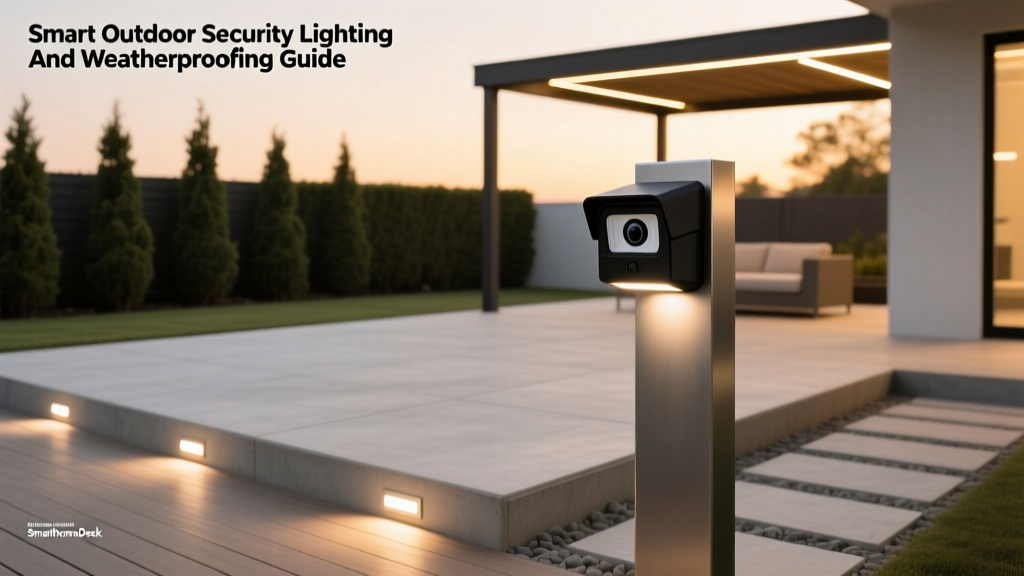
- Video Surveillance: The Ring Peephole Cam replaces your door's standard peephole. You simply unscrew the old peephole, insert the Ring camera, and tighten it. Keep the old peephole in a drawer to swap back when your lease ends. For a completely non-invasive option, a battery-powered Blink Outdoor camera can be mounted using heavy-duty outdoor Command Strips or placed on a nearby entryway shelf.
Living Room Lighting & Entertainment
The living room is the hub of your apartment, requiring ambient lighting and entertainment controls without running wires through walls.
- Smart Curtains: Drilling holes for curtain rods is often forbidden. Instead, use a heavy-duty steel tension rod (minimum 1-inch diameter to support the motor's torque) paired with the SwitchBot Curtain Rod 2. This motor clamps directly onto the tension rod, allowing you to automate your blinds via voice or schedule.
- Bias Lighting: The Philips Hue Play Gradient Lightstrip adheres to the back of your TV or entertainment center using 3M VHB tape, providing immersive bias lighting without drilling into the wall behind the display.
- Freestanding Lamps: Avoid hardwired sconces. Use smart bulbs (like Wyze Bulb Color or Philips Hue White and Color) in freestanding floor and table lamps to create dynamic scenes.
Kitchen & Utility
Apartments often lack modern kitchen fixtures, but smart plugs and sensors can bridge the gap.
- Appliance Automation: Use a TP-Link Kasa Smart Plug to automate your coffee maker or slow cooker. Ensure the appliance has a physical 'on' switch that remains engaged when power is cut and restored.
- Leak Detection: Apartment water damage can result in massive liability fees. Peel-and-stick the Aqara Water Leak Sensor under the kitchen sink and behind the refrigerator. It connects via Zigbee and will instantly alert your phone if a pipe bursts.
Bedroom & Climate Control
Comfort and sleep hygiene are paramount, but renters rarely have control over central HVAC systems or smart thermostats.
- Portable AC Control: If your apartment uses a window unit or portable air conditioner with an IR remote, the Sensibo Sky or Mysa Smart AC Controller is essential. These devices sit on a dresser, learn your AC's infrared signals, and allow you to control the temperature via your phone or set geofencing routines.
- Sleep Automation: A SwitchBot Motion Sensor mounted to the bedframe or nightstand can trigger a smart plug connected to a dim amber lamp when you get out of bed at night, ensuring you do not stub your toe without waking up your partner with overhead lights.
Bathroom
High humidity and tile walls make drilling a nightmare in bathrooms. Stick to battery-operated, IP-rated devices.
- Smart Ventilation: If your bathroom exhaust fan is on a standard switch, use a smart switch cover like the SwitchBot SwitchBot Bot (a physical button pusher that adheres over the existing switch) to automate humidity removal after showers.
- Audio: A waterproof JBL Clip 4 or a portable Sonos Roam provides smart speaker functionality without requiring permanent installation in damp zones.
Budget Tiers: Starter, Mid, and Pro
Building a smart apartment does not require spending thousands of dollars on day one. Here is how you can scale your setup based on your budget.
| Tier | Estimated Cost | Key Devices Included | Best For |
|---|---|---|---|
| Starter | $200 - $350 | Smart plugs, 4-pack smart bulbs, Peephole Cam, Motion sensor | First-time renters wanting basic convenience and security. |
| Mid | $400 - $800 | Starter + August Smart Lock, SwitchBot Curtain motor, Smart AC controller | Tech-savvy renters wanting automated climate and entry. |
| Pro | $800 - $1,500 | Mid + Full Hue lighting ecosystem, Leak sensors, Smart Hub, Portable blinds | Enthusiasts wanting a seamless, fully integrated ecosystem. |
Visualizing the Investment
Understanding the financial commitment across different tiers helps renters plan their upgrades over time. The chart below illustrates the average cost distribution for a complete no-drill smart apartment setup.
Installation Hacks for Renters
To ensure you get your full security deposit back, follow these renter-specific installation guidelines:
- The 70% Rule for Adhesives: When using 3M Command Strips to mount lightweight cameras or hubs, never exceed 70% of the strip's advertised weight limit. For example, if a Jumbo hook holds 20 lbs, do not mount anything heavier than 14 lbs to account for humidity and temperature fluctuations.
- Tension Rod Placement: When installing tension rods for smart curtains, use rods with rubberized ends to prevent slipping on smooth drywall or window frames. Measure the width of your window frame and buy a rod whose maximum extension is only 2-3 inches wider than the frame to ensure maximum outward pressure.
- Cable Management Without Nails: Use Command Cord Clips to route Ethernet and power cables along baseboards. Paintable cord covers can also be applied using removable adhesive tape, keeping wires hidden without damaging the paint.
- Hub Placement: Smart home hubs (like the Aeotec Smart Home Hub or SwitchBot Hub 2) need central placement for optimal Zigbee/Bluetooth range. Instead of wall-mounting, place the hub on top of kitchen cabinets, bookshelves, or use a Command Strip-mounted wire basket hidden behind a sofa.
Network Considerations for Apartment Dwellers
Apartment buildings are notorious for WiFi congestion. Dozens of neighboring routers operating on the 2.4GHz band can cause your smart bulbs to drop offline or respond slowly to voice commands.
To combat this, rely heavily on Zigbee or Matter/Thread protocols rather than WiFi for your sensors and bulbs. Devices like the Aqara leak sensors and Philips Hue bulbs connect to a central hub, which then communicates with your router as a single device. This keeps your apartment's WiFi bandwidth free for streaming and working, while creating a robust, low-interference mesh network for your smart home.
Essential Automation Routines
The true magic of a smart home lies in automation. Here are three routines tailored for apartment living:
1. The 'Renter's Departure' Routine
Triggered when you lock the August Smart Lock from the outside or when your phone leaves the geofence.
- Turns off all smart plugs (coffee maker, iron, fans).
- Sets smart bulbs to 'Away' mode (randomized on/off schedules to simulate presence).
- Arms the Ring Peephole Cam motion alerts.
- Adjusts the portable AC controller to an eco-friendly 78°F (25°C) to save on electricity.
2. 'Movie Night' Scene
Triggered by a voice command or an NFC tag tapped on your coffee table.
- SwitchBot Curtain motor closes the living room blinds.
- Philips Hue Play Gradient Lightstrip turns on behind the TV.
- Overhead smart bulbs dim to 10% brightness with a warm 2700K color temperature.
3. 'Leak Panic' Protocol
Triggered if the Aqara Water Leak Sensor detects moisture under the sink.
- Sends a critical push notification to your phone.
- Flashes all living room and bedroom smart bulbs red to alert anyone home.
- Triggers a smart speaker to announce, 'Water leak detected in the kitchen.'
Safety and Privacy in Rental Units
When deploying smart tech in a rental, safety and privacy must remain top priorities. While you cannot replace hardwired smoke detectors, you can augment them. According to the National Fire Protection Association (NFPA), working smoke alarms are critical for survival in residential fires. Renters should use devices like the Ring Alarm Smoke and CO Listener, which uses a microphone to listen for the sound of existing dumb alarms and sends an alert to your phone, ensuring you are notified of a fire even if you are not home.
Furthermore, managing the energy consumption of your portable setup is vital. Utilizing smart plugs and automated climate controllers can significantly reduce phantom power draw and optimize cooling. The U.S. Department of Energy notes that smart climate controls and automated scheduling can lead to substantial energy savings, which is especially beneficial for renters who pay their own utility bills.
Design & Aesthetic Considerations
Smart home devices can easily look cluttered if not managed properly. To maintain a sleek, modern apartment aesthetic:
- Color Temperature Matching: Ensure all smart bulbs in an open-concept living space are set to the same color temperature. Use 4000K (Cool White) in the kitchen for task lighting, and 2700K (Warm White) in the living room and bedroom for relaxation.
- Hide the Tech: Avoid placing smart hubs and routers on open display shelves. Use decorative woven baskets or hollowed-out faux books to conceal ugly black plastic boxes and blinking LED lights.
- Matte Finishes: When purchasing smart plugs and switches, opt for matte white or matte black finishes that blend seamlessly with standard apartment baseboards and outlets.
Conclusion
Living in a rental property no longer means sacrificing the convenience, security, and ambiance of a smart home. By focusing on non-destructive mounting, plug-and-play power, and portable devices like the August Smart Lock, tension-rod curtain motors, and smart AC controllers, you can build a highly automated living space that respects your lease agreement. Whether you are starting with a basic $250 starter kit or building out a comprehensive $1,500 pro ecosystem, the key is to invest in devices that move with you. When it is time to break down your apartment and move to the next city, your smart home packs up in boxes, leaving the walls pristine and your security deposit safely in your pocket.