Introduction: Moving Beyond Random Gadgets
Building a smart home is often a piecemeal process. You buy a smart speaker for the kitchen, a video doorbell for the porch, and a few smart bulbs for the living room. While this approach offers immediate gratification, it inevitably leads to a fragmented ecosystem characterized by clashing apps, delayed responses, and incompatible protocols. To achieve true domestic automation, you need a cohesive, whole-home room-by-room automation plan.
This blueprint is designed to help you transition from a house full of disjointed gadgets to a unified, intelligent environment. By standardizing your network foundation, selecting ecosystem-compatible devices, and designing room-specific automation routines, you can create a home that anticipates your needs rather than simply responding to voice commands. According to the Connectivity Standards Alliance, the recent rollout of the Matter protocol has significantly reduced fragmentation, allowing devices from different manufacturers to communicate seamlessly across local networks.
The Foundation: Network and Hub Selection
Before purchasing a single smart bulb, you must fortify your home's digital infrastructure. A whole-home automation plan will easily exceed 50 connected devices, which will quickly overwhelm a standard ISP-provided router.
Network Requirements
- Mesh Wi-Fi System: Invest in a tri-band mesh system (e.g., Eero Pro 6E or TP-Link Deco XE75). These systems dedicate a backhaul band to ensure that your smart home hubs and cameras do not bottleneck your streaming and browsing traffic.
- Thread Border Routers: Thread is a low-power, mesh-networking protocol that keeps IoT traffic off your main Wi-Fi network. Devices like the Apple TV 4K, Nest Hub Max, and Amazon Echo (4th Gen) act as Thread border routers, bridging Thread devices to your IP network.
- Dedicated IoT VLAN: For advanced users, setting up a Virtual Local Area Network (VLAN) specifically for IoT devices enhances security and reduces broadcast traffic on your primary network.
The Brain of the Operation
Choose a primary ecosystem to act as the central logic engine. Home Assistant is the gold standard for local control, privacy, and cross-brand compatibility, running on a Raspberry Pi or dedicated mini-PC. For those preferring a managed, cloud-assisted experience, Apple Home (via HomePod) or SmartThings (via Samsung Station) offer robust, user-friendly interfaces with excellent Matter support.
Living Room: Entertainment and Ambiance
The living room is the hub of daily life, requiring a balance of high-fidelity entertainment, dynamic lighting, and climate control.
Device Recommendations
- Lighting: Philips Hue Gradient Lightstrip (mounted behind the TV for bias lighting) and Hue Ambiance downlights. Look for a Color Rendering Index (CRI) of 90+ for accurate color representation.
- Window Treatments: SwitchBot Curtain Rod 2 or Lutron Serena smart shades to manage glare and passive solar heating.
- Climate: Ecobee Smart Thermostat Premium, utilizing remote room sensors to ensure the living area is comfortable during occupied hours, regardless of the hallway temperature.
- Media Control: A universal smart remote like the SofaBaton X1 or an Apple TV 4K integrated into your HomeKit ecosystem.
Budget Tiers
- Starter ($250): Wyze Bulb Color (4-pack), SwitchBot Bot (for existing switches), TP-Link Kasa Smart Plug for lamps.
- Mid ($600): Philips Hue White and Color Ambiance Starter Kit, SwitchBot Curtain, Ecobee3 Lite.
- Pro ($1,500+): Full Lutron Caseta lighting system, Lutron Serena shades, Ecobee Premium, Sony Bravia XR with native HomeKit/AirPlay.
Automation Routine: 'The Cinematic Wind-Down'
Trigger: Apple TV turns on and opens the Netflix app between 6:00 PM and 11:00 PM.
Actions: Overhead lights fade to 0% over 5 seconds. Bias lighting behind the TV turns on to a soft amber (2200K) at 40% brightness to reduce eye strain. Smart blinds close to eliminate window glare. The thermostat adjusts down by 2 degrees to compensate for the heat generated by the media equipment and occupants.
Kitchen: Efficiency, Safety, and Convenience
The kitchen demands hands-free operation, rigorous safety monitoring, and morning efficiency protocols.
Device Recommendations
- Smart Display: Amazon Echo Show 15 or Google Nest Hub Max, mounted flush under cabinetry or on a dedicated stand for recipe viewing and family calendar management.
- Safety Sensors: Aqara Water Leak Sensors placed under the sink and behind the refrigerator. The Nest Protect smoke and CO detector is essential here. The National Fire Protection Association emphasizes that interconnected smoke alarms drastically improve survival rates; smart alarms fulfill this wirelessly by sending alerts to your phone and triggering全屋 lighting to flash in an emergency.
- Appliance Control: Heavy-duty smart plugs (rated for 15A/1800W) for coffee makers and slow cookers.
Budget Tiers
- Starter ($150): Echo Show 5, Wyze Leak Sensor, basic smart plug for the coffee maker.
- Mid ($400): Echo Show 15, Aqara Leak Sensor (with Hub M2), Nest Protect (Wired).
- Pro ($900+): Samsung Family Hub Smart Fridge, built-in under-cabinet smart displays, hardwired smart leak shutoff valves (e.g., Moen Flo).
Automation Routine: 'Morning Brew & Safety Check'
Trigger: Motion sensor detects movement in the kitchen between 5:30 AM and 8:00 AM.
Actions: Under-cabinet LED strips turn on to 3000K (warm white) at 50% brightness. The smart plug powering the coffee maker turns on. The smart display reads the daily weather, traffic, and calendar events. If a water leak is detected at any point, the main water shutoff valve closes immediately, and a critical alert is pushed to all household smartphones.
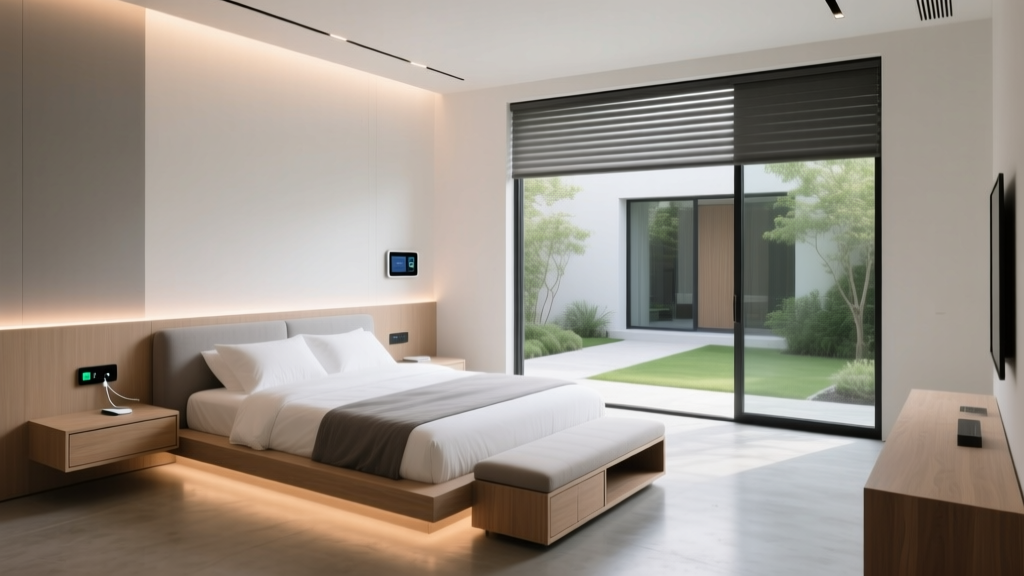
Bedroom: Circadian Rhythms and Climate Control
The bedroom should be a sanctuary optimized for deep sleep and gentle waking. Automation here should be entirely passive and silent.
Device Recommendations
- Sleep Tracking: Withings Sleep Tracking Mat (placed under the mattress) or Eight Sleep Pod for active temperature regulation.
- Circadian Lighting: Nanoleaf Essentials Bulbs or Philips Hue, programmed to follow the sun's natural color temperature curve—cool blue during the day, fading to deep red/orange at night to promote melatonin production.
- Air Quality: Ecobee Smart Thermostat Premium (features a built-in VOC and CO2 monitor) or a dedicated Awair Element to track bedroom air quality.
Budget Tiers
- Starter ($200): Smart plugs for bedside lamps, Wyze Climate Sensor, basic smart bulbs.
- Mid ($550): Philips Hue Bedroom Kit, Withings Sleep Mat, SwitchBot Smart Lock for bedroom privacy.
- Pro ($1,200+): Eight Sleep Pod 4, Lutron Caseta Serena Shades, Dyson Purifier Humidify+Cool Formaldehyde (with smart app integration).
Automation Routine: 'Deep Sleep & Gentle Wake'
Sleep Trigger: Withings Mat detects you have entered bed.
Actions: All lights in the house turn off. Bedroom fan turns on to low. Thermostat drops to the optimal sleep temperature (typically 65°F / 18°C).
Wake Trigger: Withings Mat detects you have left the bed between 6:00 AM and 9:00 AM.
Actions: Smart blinds slowly raise over 10 minutes. Bedroom lights fade on to a bright, cool white (5000K) at 80% brightness to halt melatonin production. The hallway thermostat resumes the daytime schedule.
Outdoor and Entryway: Security and Curb Appeal
Outdoor automation focuses on perimeter security, package management, and landscape aesthetics. All outdoor devices must carry a minimum IP65 weather-resistance rating.
Device Recommendations
- Access Control: Yale Assure Lock 2 or Schlage Encode Plus (featuring native Apple Home Key and NFC support).
- Video Monitoring: Ring Battery Doorbell Plus or Ubiquiti UniFi Protect G4 Doorbell Pro for 24/7 local recording without subscription fees.
- Landscape Lighting: Philips Hue Outdoor Discover Floodlight and low-voltage pathway lights with integrated smart transformers.
Budget Tiers
- Starter ($300): Wyze Cam v3 (Outdoor rated), Ring Wired Doorbell, basic smart porch bulb.
- Mid ($700): Ring Battery Doorbell Plus, Yale Assure Lock 2, Ring Pathway smart lighting kit.
- Pro ($1,800+): UniFi Protect Camera Suite (PoE hardwired), Schlage Encode Plus, dedicated smart irrigation controller (Rachio 3), and architectural landscape lighting.
Automation Routine: 'Away Mode & Night Perimeter'
Trigger: Geofencing detects all household members have left the premises.
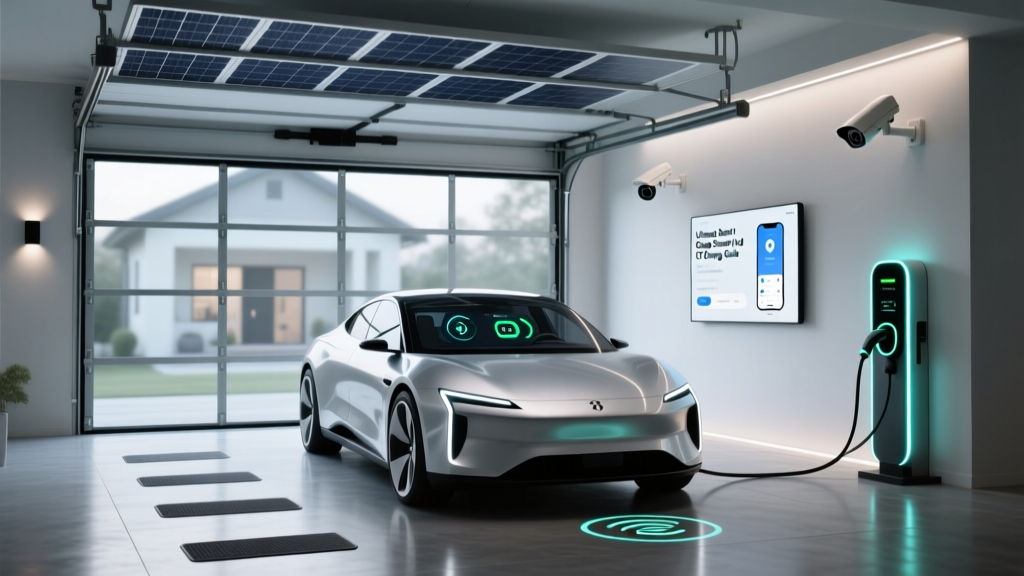
Actions: All interior lights turn off. Thermostat switches to 'Eco' mode. The smart lock automatically deadbolts. The garage door closes (if equipped with a smart controller like Chamberlain myQ).
Night Trigger: Local sunset.
Actions: Pathway lights turn on to 40% brightness. Floodlights remain off but are armed to flash and trigger cameras if motion is detected in designated 'alert zones' (driveway and porch), ignoring street traffic.
Budgeting Your Whole-Home Transformation
Understanding the financial commitment is crucial for planning. The chart below illustrates the estimated investment required across different rooms based on the tier of equipment selected.
As shown, outdoor security and high-end living room AV/lighting setups command the highest premiums, while kitchen automation remains relatively affordable unless you opt for smart appliances.
Ecosystem Compatibility Matrix
Choosing the right 'brain' for your home dictates which devices you can purchase. Refer to the matrix below to align your ecosystem choice with your technical expertise and privacy requirements.
| Ecosystem | Best For | Protocol Support | Local Control |
|---|---|---|---|
| Apple Home | Privacy & iOS Users | Thread, Matter, Wi-Fi | Yes (via Hub) |
| Home Assistant | Tinkerers & Privacy | Zigbee, Z-Wave, Matter, Wi-Fi | Yes (Native) |
| Amazon Alexa | Voice & Broad Compatibility | Wi-Fi, Zigbee, Matter | Limited |
| Google Home | AI Assistants & Nest | Thread, Matter, Wi-Fi | Limited |
Design and Aesthetic Considerations
A truly smart home should not look like a server room. Aesthetics and physical integration are just as important as software logic.
- Hide the Hubs: Utilize ventilated media enclosures or mount hubs (like the Home Assistant Green or SmartThings Station) inside closets or above drop ceilings. Ensure Zigbee and Z-Wave hubs remain centrally located to maintain mesh network integrity.
- Recessed Outlets: When installing smart blinds or wall-mounted displays, hire an electrician to install recessed outlets. This eliminates the unsightly 'wall wart' power brick bulge and allows furniture to sit flush against the wall.
- Switch Plates: If using smart switches (like Lutron Caseta or Leviton Decora Smart), invest in screwless, premium wall plates. Match the finish to your room's hardware—matte black for modern interiors, or satin nickel for traditional spaces.
- Sensor Placement: Millimeter-wave presence sensors (like the Aqara FP2) are highly accurate but visually intrusive. Mount them in corners, paint them to match the ceiling, or hide them behind acoustically transparent fabrics.
Energy Efficiency and Long-Term Savings
While the upfront cost of a whole-home automation plan is significant, the long-term return on investment via energy savings is substantial. Smart thermostats, automated blinds, and intelligent lighting routines prevent energy waste. As noted by the U.S. Department of Energy, properly programmed smart thermostats can save homeowners an average of 10% to 15% annually on heating and cooling costs. By integrating passive solar heating (opening south-facing blinds on winter days) and automated phantom-load shutoffs (cutting power to entertainment centers at night), your home's automation plan pays for itself over time.
Conclusion
A successful room-by-room smart home automation plan requires foresight, a robust network foundation, and a commitment to a unified ecosystem. By treating your home as a single, interconnected organism rather than a collection of isolated rooms, you unlock the true potential of smart living. Start with the foundation, prioritize high-impact areas like the living room and entryway, and gradually expand your automation routines as your comfort and technical expertise grow.