Introduction: The Seasonal Smart Home
As the seasons shift from the sweltering heat of summer to the biting cold of winter, your home's environmental needs change drastically. A static smart home setup is an inefficient one. To truly maximize comfort, energy efficiency, and device longevity, your smart home must adapt to the changing climate. Seasonal room adjustments involve reconfiguring smart thermostats, motorized blinds, lighting scenes, and air quality monitors to combat summer solar heat gain and winter heat loss. According to the U.S. Environmental Protection Agency's ENERGY STAR program, properly programmed smart thermostats can save households up to 8% on heating and cooling bills annually, but these savings are only fully realized when seasonal schedules and room-specific sensors are optimized. This comprehensive guide breaks down how to transition your living room, bedroom, kitchen, and bathroom from summer to winter, ensuring your home remains a sanctuary year-round.
The Living Room: Climate and Lighting Transitions
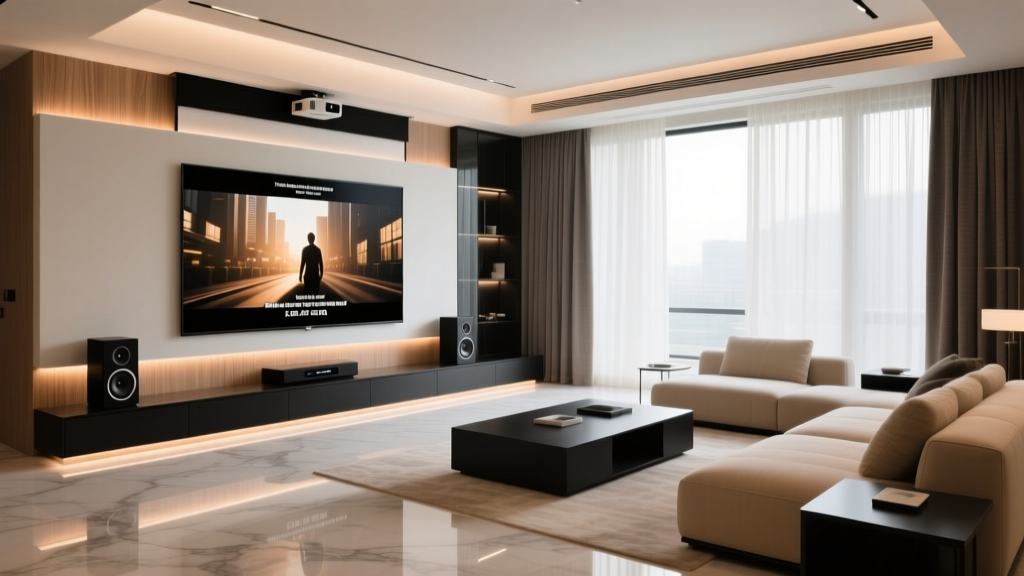
The living room is typically the largest and most utilized space in a home, making it the primary battleground for seasonal temperature control and lighting adjustments. In the summer, the goal is to reject solar heat and maintain cool, energizing lighting. In the winter, the objective shifts to passive solar heating and creating a warm, cozy ambiance.
Summer Configuration: Blocking Heat and Energizing Light
During the summer months, solar heat gain through windows can account for a massive portion of your cooling load. To combat this, integrate motorized smart blinds, such as the Lutron Serena Roller Shades. By connecting these to your smart home hub (like Lutron Caseta or a compatible bridge), you can program the blinds to automatically lower during peak sunlight hours (typically 10 AM to 4 PM) on south and west-facing windows. The U.S. Department of Energy notes that highly reflective window coverings can reduce heat gain by up to 45%. Pair this with the Ecobee SmartThermostat Premium. Utilize Ecobee's remote room sensors placed in the living room to ensure the space is cooled to 74°F (23°C) only when occupancy is detected, preventing the AC from overworking in an empty room.
For lighting, summer calls for cooler color temperatures that mimic natural daylight. Program your Philips Hue White and Color Ambiance bulbs to emit a crisp, cool white light (around 4000K-5000K) during the late afternoon and evening to counteract the glare of the setting sun and keep the space feeling alert and vibrant.
Winter Configuration: Trapping Heat and Warming Ambiance
When winter arrives, reverse the blind automation. Program the Lutron Serena shades to open fully during daylight hours to allow passive solar heating to warm the living room naturally, then close them precisely at sunset to provide an extra layer of insulation against the cold glass. Adjust the Ecobee thermostat to a comfortable 68°F (20°C) during active hours, utilizing the 'Smart Recovery' feature so the system learns how long it takes to heat your specific living room based on dropping outdoor temperatures.
Shift your Philips Hue lighting to a warm, amber glow (2000K-2700K) in the evenings. This not only creates a psychological feeling of warmth but also supports your natural circadian rhythm by reducing blue light exposure before bedtime. Incorporate smart plugs, like the Eve Energy Smart Plug, to manage localized heating solutions. For instance, plug a high-efficiency ceramic space heater or a heated throw blanket into the Eve Energy plug, setting it to turn on only when the living room temperature drops below 66°F (18°C) and someone is present.
The Bedroom: Sleep Optimization Year-Round
The bedroom requires the most precise environmental control, as temperature and light directly impact sleep architecture. The Sleep Foundation emphasizes that the optimal bedroom temperature for sleep is surprisingly cool, generally between 60°F and 67°F (15.5°C to 19.5°C), regardless of the season. However, achieving this efficiently requires different smart home strategies depending on the time of year.
Summer: Active Cooling and Circadian Lighting
Air conditioning can be noisy and drying. Instead of blasting the central AC all night, invest in the Eight Sleep Pod 4. This smart mattress cover uses water-based thermal regulation to actively cool your bed to your exact preferred temperature (e.g., 64°F) without altering the ambient room temperature. It operates quietly and uses significantly less energy than cooling the entire house. To manage summer humidity, which can make the bedroom feel clammy, use a smart plug to control a compact dehumidifier, triggering it via a smart humidity sensor if the room exceeds 55% relative humidity.
Winter: Humidity Control and Thermal Retention
Winter air is notoriously dry, which can lead to respiratory irritation and poor sleep quality. The Eight Sleep Pod 4 can be adjusted to gently warm the bed (e.g., 72°F) before you get in, and then gradually cool down to 65°F as you enter deep sleep. To combat dry winter air, integrate a smart humidifier like the Dyson Purifier Humidify+Cool Formaldehyde. Connect it to your smart home ecosystem via the MyDyson app or a compatible IR blaster, setting an automation to maintain bedroom humidity strictly between 40% and 50%. Additionally, ensure your smart blinds are fully closed at night to prevent cold drafts from disrupting your sleep environment.
The Kitchen and Bathroom: Air Quality and Ventilation
While often overlooked in climate discussions, the kitchen and bathroom are critical zones for managing seasonal humidity, odors, and indoor air quality (IAQ).
Managing Summer Humidity and Kitchen Heat
In the summer, cooking generates immense heat and humidity, forcing your AC to work harder. Install a smart vent controller or integrate your smart range hood to automatically trigger when your smart stove turns on. Use an IAQ monitor like the Aranet4 Home to track CO2 and humidity levels. If summer humidity in the kitchen spikes above 60% during meal prep, set an automation to turn on your smart exhaust fan or a connected portable dehumidifier until levels normalize.
Combating Winter Dryness and Mold Risks
Winter bathrooms are prone to condensation and mold growth because warm showers meet cold surfaces, and windows are kept sealed. Automate your bathroom exhaust fan using a smart switch (like the Lutron Caseta Smart Switch) paired with a humidity sensor. Configure the fan to run during the shower and remain on for 20 minutes after the humidity drops back to baseline, ensuring all moisture is evacuated without freezing the room. In the kitchen, utilize smart displays like the Amazon Echo Show 15 to monitor outdoor weather and indoor air quality, reminding you to run the kitchen exhaust fan if you are boiling water or baking, which adds unnecessary moisture to an already sealed winter home.
Visualizing Seasonal Energy Savings
Understanding where your smart home investments yield the highest return is crucial for prioritizing upgrades. The chart below illustrates the estimated seasonal energy savings percentages across major smart device categories, highlighting how different technologies excel in different seasons.
As the data suggests, smart thermostats provide massive summer cooling savings, while motorized blinds actually edge out thermostats in winter by preventing catastrophic heat loss through glass panes during the night.
Automation Routines: Summer vs. Winter
To make these seasonal shifts seamless, you must update your smart home hub routines (via Apple HomeKit, Google Home, or Amazon Alexa) twice a year. Below is a structured comparison of the essential automations you should configure for each season.
| Room | Summer Automation Routine | Winter Automation Routine | Primary Trigger |
|---|---|---|---|
| Living Room | Close blinds at 10 AM; set AC to 76°F when empty. | Open blinds at 9 AM; set heat to 68°F when occupied. | Time of Day / Geofencing |
| Bedroom | Cool smart bed to 64°F; run dehumidifier if >55%. | Warm smart bed to 72°F at 9 PM; humidify if <40%. | Sleep Schedule / Humidity Sensor |
| Kitchen | Trigger exhaust fan if temp >78°F during cooking hours. | Monitor CO2; prompt smart display to open window if >1000ppm. | Temperature / IAQ Sensor |
| Bathroom | Run exhaust fan for 10 mins post-shower. | Run exhaust fan for 25 mins post-shower to prevent condensation. | Humidity Sensor Delta |
Budget Tiers for Seasonal Upgrades
Upgrading your home for seasonal adaptability does not require an unlimited budget. Here is how you can approach these adjustments based on your financial comfort zone.
Starter Tier (Under $300)
If you are working with a tight budget, focus on high-impact, low-cost devices. Start with an Amazon Smart Thermostat (approx. $60-$80) to replace your legacy dial, allowing for basic summer/winter scheduling via your phone. Add two SwitchBot Smart Plugs (approx. $30) to automate a summer window AC unit and a winter space heater. Finally, use Wyze Bulbs (approx. $40 for a 4-pack) to manually shift your color temperatures from cool summer whites to warm winter ambers. Total investment: ~$150-$200.
Mid Tier ($300 - $1,000)
The mid-tier introduces premium sensors and localized climate control. Upgrade to the Ecobee SmartThermostat Premium (approx. $250) with included room sensors for multi-room accuracy. Invest in a high-quality air quality monitor like the Aranet4 (approx. $240) to perfectly manage winter humidity and summer ventilation. Add a few Philips Hue White Ambiance starter kits (approx. $150) to automate circadian lighting transitions based on the changing sunset times of summer and winter. Total investment: ~$650-$800.
Pro Tier ($1,000+)
The professional tier delivers ultimate, invisible comfort. This includes the Eight Sleep Pod 4 (starting around $2,000) for active, dual-zone bed temperature regulation. Add custom-fitted Lutron Serena Motorized Shades (approx. $600+ per window) integrated with a Lutron Caseta hub for automated passive solar heating and cooling. Top it off with the Dyson Purifier Humidify+Cool (approx. $900) for master bedroom air and moisture management. Total investment: $3,500+.
Design and Aesthetic Considerations
Seasonal smart home adjustments should not compromise your interior design. When selecting motorized blinds for seasonal solar management, opt for dual-roller systems. These allow you to use a sheer, light-filtering fabric during the winter to maintain views while diffusing harsh low-angle sunlight, and switch to a blackout, thermally insulated fabric during the summer to block UV rays and heat. For smart thermostats and sensors, choose models with minimalist designs and neutral colors (like the matte white or black finishes on Ecobee or Nest devices) so they blend seamlessly into both bright summer decors and cozy, dark winter interiors. Hide smart plugs and bulky air quality monitors behind furniture or inside cabinetry, utilizing their wireless connectivity to keep your living spaces visually uncluttered.
Conclusion
Transitioning your smart home from summer to winter is about more than just changing the setpoint on your thermostat. It requires a holistic, room-by-room approach that leverages motorized shading, intelligent lighting, active sleep surfaces, and precise air quality monitoring. By implementing the automation routines and device recommendations outlined in this guide, you will not only drastically reduce your seasonal energy consumption but also create a living environment that intuitively supports your health, comfort, and circadian rhythms all year long. Take the time this season to audit your smart home routines, update your schedules, and let your technology do the heavy lifting of seasonal adaptation.