The Renter’s Dilemma: Smart Tech Without the Security Deposit Loss
Moving into a new apartment often means facing a blank canvas with strict rules. Landlords and property management companies routinely prohibit drilling into tiles, hardwiring smart switches, replacing exterior locks, or mounting heavy equipment on drywall. Yet, the desire for a connected, automated, and secure living space remains just as strong for renters as it is for homeowners. The challenge lies in building a robust smart home ecosystem that is entirely portable, leaves zero damage behind, and complies with standard lease agreements.
This comprehensive guide explores the ultimate smart apartment no-drill portable setup. We will break down the best renter-friendly devices, provide room-by-room recommendations, outline budget tiers, and share actionable installation hacks that rely on tension, adhesives, and freestanding mounts rather than screws and anchors. Whether you are in a compact studio or a multi-bedroom rental, you can achieve a premium smart home experience without risking your security deposit.
Core Pillars of a No-Drill Smart Apartment
Before diving into specific rooms, it is essential to understand the core pillars of a renter-friendly smart home. These pillars dictate the types of devices you should purchase to ensure maximum portability and zero structural damage.
1. Lighting: Bulbs and Plugs Over Switches
Hardwired smart switches often require a neutral wire, which many older apartment buildings lack. Furthermore, replacing wall switches requires electrical work that violates most lease agreements. The solution is smart bulbs and smart plugs. By replacing standard LED bulbs with smart alternatives like the Philips Hue White and Color Ambiance line, you gain scheduling, dimming, and color control without touching the wall plate. For dumb lamps, smart plugs like the TP-Link Kasa EP25 offer energy monitoring and voice control via Alexa or Google Home.
2. Security: Retrofit and Freestanding
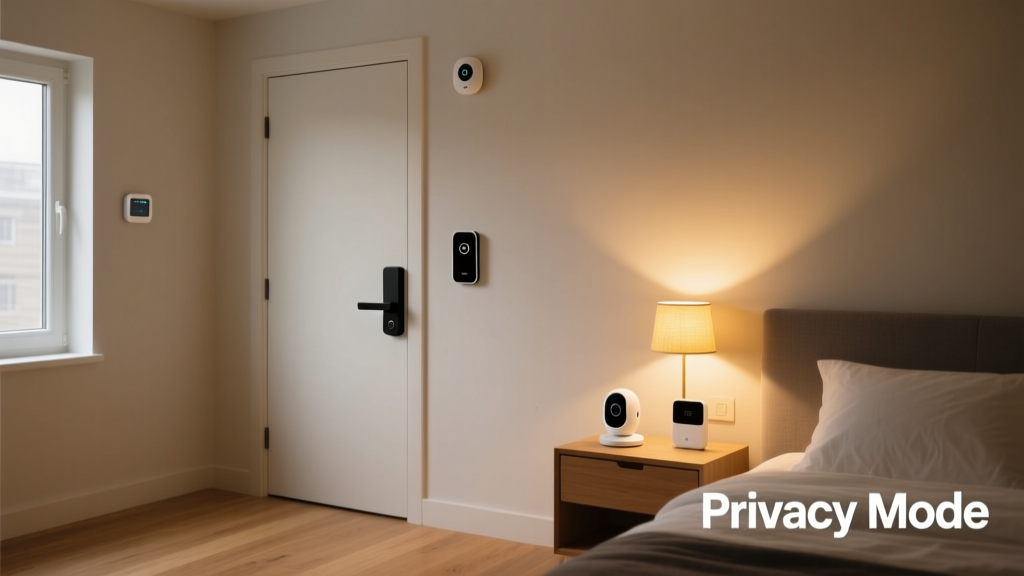
You cannot replace your apartment's main entry lock without landlord permission, and exterior cameras are usually banned in shared hallways. Instead, opt for retrofit smart locks like the August Wi-Fi Smart Lock or the SwitchBot Lock. These devices attach to the interior thumbturn of your existing deadbolt, leaving the exterior completely unchanged. For surveillance, rely on freestanding indoor cameras or window-mounted sensors that use tension or peel-and-stick adhesives.
3. Climate: Infrared and Portable Control
Many apartments rely on wall-mounted split systems, window AC units, or baseboard heaters rather than central HVAC. Traditional smart thermostats like the Nest or Ecobee are useless here. Instead, utilize smart IR blasters like the Sensibo Sky or SwitchBot Universal Remote. These devices learn the infrared signals of your AC or heater and allow you to control the temperature via your smartphone. According to the ENERGY STAR program, smart climate control can significantly reduce energy waste, a crucial factor for renters who pay their own utility bills.
Networking in an Apartment: Mesh Without the Mounts
Apartment buildings are notorious for Wi-Fi dead zones caused by concrete walls, metal studs, and interference from neighboring networks. While homeowners might run Ethernet cables through walls to mount access points, renters must rely on wireless mesh networks. Systems like the Eero Pro 6 or TP-Link Deco are designed to sit flat on bookshelves, TV consoles, or desks.
Pro Tip: Place your primary mesh node on a high shelf near the center of your apartment, elevated at least four feet off the ground. Avoid hiding routers inside metal entertainment centers or behind large aquariums, as these block signal propagation. Using a wireless mesh system ensures you can pack up your entire network in a single box when your lease ends.
Room-by-Room No-Drill Device Recommendations
Living Room & Entertainment
- SwitchBot Curtain Rod (Tension Version): This is a game-changer for renters. It uses a heavy-duty tension rod to hang inside your window frame, requiring absolutely no drilling. The robotic motor glides your existing curtains open and closed based on your schedule or sunlight sensors.
- Govee Immersion TV Backlight: Instead of mounting bias lighting with permanent adhesives, use the Govee camera-based or HDMI-sync kits that sit on top of your TV or use removable 3M Command strips to attach the light bar to the back of your entertainment center.
- Freestanding Soundbar: Avoid wall-mounting speakers. Opt for a Sonos Beam or Bose Smart Soundbar that rests cleanly on your media console, delivering premium audio without a single hole in the drywall.
Kitchen & Dining
- Smart Plugs for Appliances: Use a heavy-duty smart plug for your coffee maker or slow cooker. Ensure the appliance has a physical 'on' switch so the smart plug can control the power flow safely.
- Govee Under-Cabinet Lighting: Kitchen under-cabinet lighting usually requires hardwiring or drilling for screws. Govee offers battery-operated or plug-in LED puck lights that attach via heavy-duty, removable adhesive tape, providing brilliant task lighting for cooking.
- Eve Aqua (Balcony/Patio): If your apartment has a private outdoor space or balcony with a hose bib, the Eve Aqua smart water controller attaches directly to the faucet, allowing you to automate plant watering without modifying the plumbing.
Bedroom & Bathroom
- Hatch Restore 2: A smart alarm clock and sound machine that sits on your nightstand. It integrates with your smart home routines to gradually wake you up with light and sound, replacing the need for hardwired smart switches on bedside lamps.
- Withings Body Scan: A smart scale that sits on the bathroom floor, tracking body composition and syncing to your phone. It requires no installation and provides deep health metrics.
- Wyze Cam v3 on a Shelf: For renters who want to monitor their pets while away, the Wyze Cam v3 is compact enough to sit on a high bookshelf or use a peel-and-stick magnetic mount on the side of a refrigerator or metal door frame.
Budget Tiers: Starter, Mid, and Pro Portable Setups
Building a smart apartment doesn't require a massive upfront investment. Here is how you can scale your setup based on your budget and commitment level.
| Tier | Estimated Cost | Key Devices | Best For |
|---|---|---|---|
| Starter | $150 - $300 | Smart Plugs, Smart Bulbs, IR Blaster, Basic Hub | First-time renters, studio apartments |
| Mid | $300 - $700 | Plus: Retrofit Lock, Tension Curtains, Mesh Wi-Fi | Tech-savvy renters, 1-2 bedroom units |
| Pro | $700 - $1,500+ | Plus: Freestanding Security, Smart Blinds, Advanced Lighting, Smart Displays | Long-term luxury rentals, smart home enthusiasts |
Visualizing Cost vs. Portability
When selecting devices for a rental, you must balance the upfront cost against how easily the device can be packed up and moved to your next home. The chart below illustrates this relationship for popular renter-friendly devices.
As the data shows, smart plugs and IR blasters offer the highest portability scores at the lowest cost, making them the ideal starting point for any apartment setup. Retrofit locks carry a higher price tag and a slightly lower portability score due to the calibration required when moving to a new door, but they remain entirely non-destructive.
Essential Automation Routines for Apartment Living
The true magic of a smart home lies in automation. Here are three essential routines tailored for apartment living, utilizing platforms like Apple HomeKit, Google Home, or Amazon Alexa.
1. The 'Leaving for Work' Routine
When your phone leaves the geofenced radius of your apartment building, or when you tap a smart button by the door:
- August Lock: Auto-locks the deadbolt.
- Philips Hue / Govee: Turns off all interior lights.
- Sensibo / SwitchBot IR: Sets the window AC or split system to an eco-friendly 78°F (25°C) to save on electricity.
- Smart Plugs: Cuts power to the coffee maker and space heater (a critical safety measure for renters).
2. The 'Movie Night' Routine
Triggered by a voice command or a tap on your smartwatch:
- SwitchBot Curtain: Glides the living room curtains closed to eliminate screen glare.
- Govee TV Backlight: Turns on and syncs to the screen's colors.
- Smart Plugs: Turns on the popcorn maker or ambient LED strip behind the sofa.
3. The 'Quiet Hours' Routine
Apartment living means shared walls. This routine ensures your tech doesn't disturb neighbors late at night:
- Smart Speakers/Displays: Lowers volume limits and enables 'Do Not Disturb' mode to prevent loud notification chimes.
- Robot Vacuum: Ensures the vacuum is docked and prohibited from running until 9:00 AM.
- Lighting: Shifts all smart bulbs to a warm, dim 2000K color temperature to promote melatonin production.
Installation Tips: Tension Rods, Adhesives, and Freestanding Mounts
Avoiding drills requires creativity. Here are the best installation hacks for renters:
The Power of Tension
Tension rods are a renter's best friend. Beyond curtains, heavy-duty tension rods can be placed inside doorways to hang lightweight security cameras, or inside window frames to mount plant grow lights. They use outward spring pressure to stay in place, leaving walls completely unmarked.
Command Strips and Removable Adhesives
Never use the factory adhesive that comes with LED light strips or camera mounts, as they will rip the paint off your drywall when removed. Instead, apply 3M Command Strips or Alien Tape to the wall first, and then attach the device's adhesive to the strip. When it is time to move, pull the Command Strip tab, and the wall remains flawless. This is especially vital for cord covers; use paintable, removable cord channels to hide ugly power cables running along baseboards.
Freestanding and Shelf Mounts
Many security camera brands, like Ring and Arlo, sell specialized freestanding floor mounts or shelf brackets. These allow you to position a camera in the corner of a room or on top of kitchen cabinets without drilling into studs. For doorbell cameras, consider a freestanding doorbell mount that wedges between the door and the storm door, or a heavy rubber doorstop mount that sits on the porch floor.
Security and Privacy in Shared Spaces
Living in an apartment complex means sharing networks, walls, and entrances. Securing your smart home is paramount. The Cybersecurity and Infrastructure Security Agency (CISA) strongly recommends securing IoT devices by changing default passwords, enabling multi-factor authentication, and keeping firmware updated. In an apartment, where neighbors might attempt to access unsecured Wi-Fi networks, ensuring your smart home hub and cameras are on a separate guest network or a secure VLAN is a wise precaution.
Furthermore, be mindful of audio privacy. Smart speakers can inadvertently pick up conversations through thin apartment walls. Utilize the physical microphone mute buttons on your devices when hosting gatherings or having sensitive discussions.
Design and Aesthetic Considerations
Smart home tech can easily look cluttered and industrial, which clashes with the aesthetic of a well-designed apartment. To maintain a cohesive interior design:
- Hide the Hubs: Smart home hubs, mesh Wi-Fi nodes, and IR blasters don't need to be on display. Hide them inside woven baskets, behind decorative books on a shelf, or inside a mid-century modern credenza. Ensure the material is not solid metal, which blocks signals.
- Color Match Your Bulbs: When using smart bulbs in exposed fixtures, choose bulbs with a sleek, matte finish that matches the fixture's hardware. Philips Hue's filament bulbs offer a vintage look that blends beautifully with industrial or rustic apartment aesthetics.
- Conceal the Wires: Nothing ruins an apartment's aesthetic like a tangle of black cords. Use flat, paintable cord covers that blend into your baseboards, or route cables behind furniture using velcro cable ties.
Conclusion: Your Portable Smart Sanctuary
Renting an apartment does not mean you have to sacrifice the convenience, security, and energy efficiency of a modern smart home. By focusing on no-drill solutions, retrofit technology, and freestanding devices, you can create a highly automated living space that adapts to your lifestyle. According to the U.S. Department of Energy, smart climate and lighting controls can lead to substantial utility savings over the course of a year-long lease, effectively paying for your starter or mid-tier setup. When your lease is up, simply unplug, pack your tension rods and smart bulbs into a single box, and take your smart sanctuary with you to your next home.