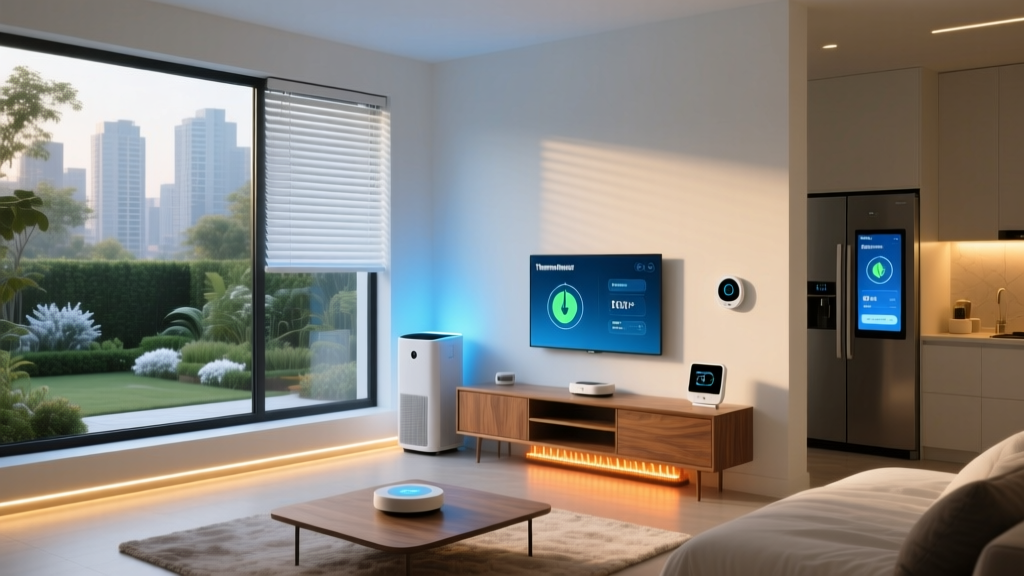
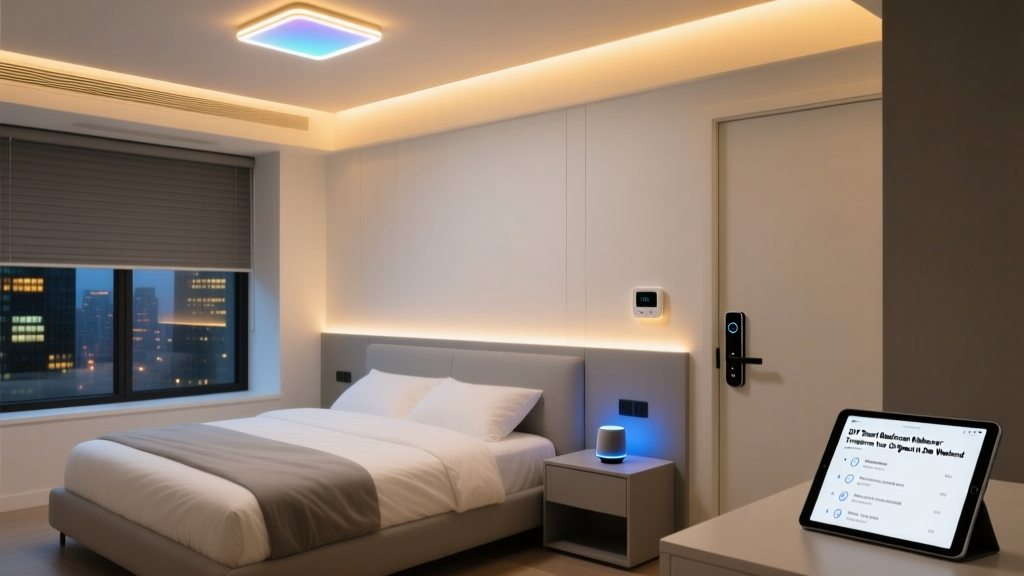
A dedicated learning space at home deserves more than just a desk and a chair. Whether you are homeschooling, tutoring, supporting remote learning, or carving out a quiet study zone, a smart home classroom can dramatically improve concentration, comfort, and long-term health. Two of the most impactful upgrades you can make are focus-oriented lighting and intelligent air quality management. Together, they create an environment where the brain stays alert, eyes stay comfortable, and the air stays clean throughout long study sessions.
This room-by-room guide walks you through everything you need to build a smart classroom that supports deep focus. We cover lighting strategies backed by circadian science, air quality sensors and purifiers that respond in real time, automation routines that transition the room between lessons and breaks, and practical installation advice that works for any home layout.
Room Overview: Why Lighting & Air Quality Define the Smart Classroom
The classroom is unique among smart home spaces. Unlike a living room that prioritizes entertainment or a bedroom that prioritizes rest, a classroom must sustain cognitive performance for hours at a time. Research consistently shows that two environmental factors dominate learning outcomes indoors: light quality and air composition.
Poor lighting leads to eye strain, headaches, and afternoon fatigue. Stale air with elevated CO2 levels reduces attention span and decision-making speed. A smart classroom solves both problems automatically. Tunable white bulbs shift color temperature throughout the day, mimicking natural sunlight to keep circadian rhythms aligned. Air quality monitors detect rising pollutants and trigger purifiers or ventilation before students even notice a change.
When these systems integrate through a central hub, the room essentially teaches itself to adapt. Morning lessons begin under cool, energizing light with fresh filtered air. Afternoon study sessions transition to warmer tones that reduce glare on screens. Breaks trigger a ventilation burst and a lighting shift that signals the brain to reset. This is the promise of a truly smart classroom.
For a broader look at how smart home technology can be applied room by room, explore our complete smart home room guides.
Budget Tiers: Starter, Mid-Range & Pro Classroom Setups
Every home classroom has different constraints. Below are three budget tiers that scale from essential coverage to a fully automated learning environment. Prices are approximate and reflect typical retail ranges.
Starter Tier: The Essentials
The Starter tier focuses on the highest-impact devices at the lowest cost. You will get tunable lighting for focus and a basic air quality monitor to keep you informed.
- Tunable White Smart Bulbs (2-pack) — Affordable Wi-Fi or Zigbee bulbs with adjustable color temperature (2700K–6500K). Place one in the main overhead fixture and one in a desk lamp.
- Entry-Level Air Quality Monitor — A compact sensor that tracks CO2, particulate matter (PM2.5), and humidity. Displays readings on a companion app.
- Smart Plug for Existing Fan or Purifier — Rather than replacing your current air purifier, control it with a smart plug that turns it on during class hours.
- Smart Speaker or Hub — A basic voice assistant to control lights and check air quality with simple commands.
Estimated total investment: $120–$200. See our roundup of the best budget smart home devices for specific model recommendations.
Mid-Range Tier: Integrated Comfort
The Mid-Range tier adds automation and better hardware. Lighting becomes multi-zone, and air quality management becomes proactive rather than passive.
- Smart LED Panel or Light Strip System — Replace overhead fixtures with a tunable LED panel that delivers even, flicker-free illumination across the desk surface. Add a light strip behind the monitor to reduce contrast strain.
- Smart Air Purifier with Auto Mode — A purifier with built-in sensors that adjusts fan speed based on real-time air quality readings. Look for HEPA filtration with a carbon layer for VOC removal.
- Dedicated CO2 Sensor — A standalone sensor that provides accurate CO2 readings and can trigger ventilation routines when levels exceed 1000 ppm.
- Smart Blinds or Shades — Motorized window treatments that adjust throughout the day to manage natural light and glare on screens.
- Central Smart Hub — A hub that connects Zigbee, Z-Wave, and Wi-Fi devices for unified automation.
Estimated total investment: $400–$700. Browse our device reviews for detailed comparisons of mid-range purifiers and lighting panels.
Pro Tier: The Fully Automated Learning Lab
The Pro tier creates a classroom that anticipates needs before they arise. Every environmental variable is monitored, adjusted, and logged.
- Circadian Lighting System — A multi-fixture setup with independent zone control. Overhead panels, task lighting, and ambient accent lights all shift color temperature and brightness on a programmed schedule that matches natural daylight patterns.
- Medical-Grade Air Purification — A high-CADR purifier with HEPA H13 or higher, UV-C sterilization, and real-time VOC breakdown. Capable of cleaning a classroom-sized room multiple times per hour.
- Multi-Parameter Environmental Sensor — A professional sensor that tracks CO2, PM2.5, PM10, VOCs, formaldehyde, temperature, humidity, and barometric pressure.
- Smart HVAC Integration — A smart thermostat and inline duct fan that coordinate with air quality sensors to bring in fresh outdoor air when CO2 rises.
- Occupancy & Presence Sensors — Detect when the student sits down and automatically activate the focus lighting scene and air purification cycle.
- Dashboard Display — A wall-mounted tablet or e-ink display showing real-time environmental metrics, schedule, and focus session timers.
Estimated total investment: $1,200–$2,500. For deep dives into premium devices, check our best smart air purifiers guide and best smart lighting systems guide.
Focus-Enhancing Lighting for Learning
Lighting is the single most influential environmental factor for sustained concentration. The goal in a smart classroom is to deliver light that keeps the brain alert during study periods, reduces eye strain during screen work, and signals relaxation during breaks. Here is how to achieve that with smart lighting technology.
Understanding Color Temperature & Focus
Color temperature, measured in Kelvin (K), describes how warm or cool light appears. Lower values (2700K–3000K) produce a warm, amber glow similar to sunset. Higher values (5000K–6500K) produce a cool, blue-white light similar to midday sky. Research in chronobiology shows that cool light suppresses melatonin and increases alertness, while warm light promotes relaxation and melatonin production.
For a classroom, the ideal approach is tunable white lighting that shifts throughout the day:
- Morning (8 AM – 12 PM): 5000K–6500K at high brightness. This mimics natural morning light and promotes peak cognitive performance.
- Early Afternoon (12 PM – 3 PM): 4000K–5000K at moderate brightness. A neutral white that maintains focus without the intensity of morning light.
- Late Afternoon (3 PM – 5 PM): 3000K–4000K at reduced brightness. A warmer tone that eases the transition toward evening and reduces blue light exposure.
- Evening Study (after 5 PM): 2700K–3000K at low brightness. Warm, dim light that supports focus without disrupting sleep preparation.
Layering Light for the Classroom
A single overhead fixture is rarely enough. Professional lighting design uses three layers:
- Ambient Light: The general illumination that fills the room. In a classroom, this should be even and shadow-free. A tunable LED panel or multiple smart bulbs in ceiling fixtures work well.
- Task Light: Focused illumination on the work surface. A smart desk lamp with adjustable color temperature and brightness provides targeted light for reading and writing without increasing overall room brightness.
- Accent & Bias Light: Light placed behind monitors or along shelves to reduce contrast between the screen and the surrounding environment. Bias lighting significantly reduces eye strain during extended screen time. A smart LED strip with tunable white capability is ideal here.
For specific product recommendations, read our reviews of the best smart desk lamps and best smart LED light strips.
Flicker, CRI & Glare Considerations
Not all smart bulbs are created equal. When selecting lighting for a classroom, pay attention to three specifications:
- Flicker-Free Operation: Cheap LED bulbs can flicker at frequencies invisible to the eye but detectable by the brain, causing fatigue over time. Look for bulbs labeled as flicker-free or IEEE PAR1789 compliant.
- Color Rendering Index (CRI): CRI measures how accurately a light source renders colors compared to natural sunlight. A CRI of 90 or above is recommended for classroom environments where students read printed materials and view artwork.
- Glare Management: Position lights so that no bare bulb is visible from the seated position. Use diffusers, indirect fixtures, or bounced light to soften illumination.
Air Quality Monitoring & Purification
Indoor air quality is an invisible but powerful factor in learning performance. CO2 levels above 1000 parts per million (ppm) measurably impair cognitive function, decision-making, and information retention. Particulate matter, volatile organic compounds (VOCs), and allergens further degrade comfort and health. A smart classroom addresses all of these with sensors, purifiers, and automated ventilation.
Key Pollutants to Monitor
A comprehensive classroom air quality setup tracks the following:
- Carbon Dioxide (CO2): The primary indicator of ventilation adequacy. Outdoor levels sit around 420 ppm. Indoor levels above 1000 ppm signal insufficient fresh air exchange. Above 1500 ppm, students will experience noticeable drowsiness and reduced concentration.
- PM2.5 & PM10: Fine particulate matter from outdoor pollution, cooking, candles, and dust. PM2.5 particles are small enough to penetrate deep into the lungs and bloodstream.
- Volatile Organic Compounds (VOCs): Gases emitted by paints, adhesives, cleaning products, furniture, and markers. Some VOCs cause headaches and respiratory irritation at elevated levels.
- Humidity: Ideal classroom humidity sits between 40% and 60%. Below 40%, mucous membranes dry out and viral transmission increases. Above 60%, mold growth becomes a risk.
- Temperature: Cognitive performance peaks between 20°C and 22°C (68°F–72°F). Temperatures above 25°C (77°F) measurably reduce test scores and task accuracy.
Choosing a Smart Air Quality Monitor
Entry-level monitors track CO2 and PM2.5 with reasonable accuracy. Mid-range models add VOC detection and humidity. Professional units include formaldehyde sensors, data logging, and API access for custom automations.
When selecting a monitor, prioritize sensor accuracy over feature count. NDIR (non-dispersive infrared) CO2 sensors are significantly more accurate than estimated CO2 algorithms used in budget devices. Look for monitors that allow calibration against outdoor air for long-term accuracy.
Placement matters as much as the device itself. Mount or position the sensor at breathing height (approximately desk level for a seated student), away from windows, doors, and direct airflow from purifiers. This ensures readings reflect the air the student actually breathes.
Compare top models in our best smart air quality monitors review.
Smart Air Purifiers: What to Look For
A smart air purifier for the classroom should meet these criteria:
- Adequate CADR Rating: Clean Air Delivery Rate should match the room size. For a typical 150–200 square foot classroom, a CADR of 200+ cubic feet per minute provides multiple air changes per hour.
- True HEPA Filtration: H13 HEPA or better captures 99.95% of particles down to 0.3 microns, including dust, pollen, mold spores, and bacteria.
- Activated Carbon Layer: Essential for removing VOCs, odors, and chemical off-gassing from art supplies, markers, and adhesives commonly used in classrooms.
- Auto Mode with Sensor Integration: The purifier should increase fan speed automatically when particulate levels rise and return to quiet operation when the air is clean.
- Low Noise at Operating Speed: A purifier that runs at 40 dB or below on its auto setting will not distract from lessons. Check noise specifications at each fan speed.
- Smart Home Integration: Compatibility with your hub or voice assistant allows the purifier to participate in automation routines.
Read our detailed comparisons in the best smart air purifiers guide.
Smart Automation Routines for Class Time
The true power of a smart classroom emerges when devices work together through automation. Rather than manually adjusting lights and purifiers, routines handle environmental transitions automatically based on time, occupancy, and sensor data. Below are the core routines every smart classroom should implement.
The Morning Focus Routine
Triggered by schedule (e.g., 8:00 AM on weekdays) or by occupancy detection, this routine prepares the room for deep learning:
- Lights ramp to 5500K at 80% brightness over a 5-minute fade-in period.
- Air purifier switches to high speed for a 15-minute cleaning burst, then drops to auto mode.
- Smart blinds open to 70% to allow natural light while minimizing screen glare.
- Dashboard display activates and shows the day's schedule and current air quality metrics.
- Smart speaker announces a brief morning greeting and reads the first scheduled task.
The Screen Work Routine
Triggered manually by voice command or automatically when a computer monitor is detected as active:
- Overhead lights dim to 50% brightness to reduce ambient glare.
- Bias lighting behind the monitor activates at 4000K to balance screen contrast.
- Task light adjusts to illuminate the keyboard and desk surface without reflecting on the screen.
- Air purifier remains in auto mode, ready to respond to any particulate increase.
The Break & Ventilation Routine
Triggered after 50 minutes of continuous occupancy or by a scheduled break time:
- Lights shift to 3500K at 60% brightness, signaling a transition away from intense focus.
- If CO2 exceeds 900 ppm, smart blinds open fully and any inline ventilation fan activates for a 10-minute fresh air exchange.
- Air purifier runs at maximum speed for 5 minutes to clear accumulated particulates.
- Smart speaker plays a gentle chime and announces break time.
- After 10 minutes, the system returns to the appropriate focus routine based on the time of day.
The Wind-Down Routine
Triggered at the end of the school day (e.g., 3:30 PM) or when the student leaves the room:
- Lights transition to 2700K at 30% brightness over 10 minutes.
- Air purifier runs a final high-speed cycle for 10 minutes, then powers off.
- Smart blinds close partially to reduce afternoon heat gain.
- Dashboard display shows a summary of the day's environmental metrics: average CO2, peak PM2.5, and total focus time.
- All non-essential devices power down after the student has been absent for 15 minutes.
For a complete walkthrough of building these automations in popular platforms, see our smart home automation routines guide.
Installation Tips & Design Considerations
Even the best devices underperform if installed poorly. This section covers the practical details that make or break a smart classroom setup.
Electrical & Network Requirements
Before purchasing devices, audit the classroom's infrastructure:
- Outlet Availability: Count available outlets and plan for the purifier, monitor, hub, desk lamp, and any charging stations. A smart power strip can expand capacity while adding energy monitoring.
- Wi-Fi Coverage: Smart devices require reliable connectivity. If the classroom is far from the router, consider a mesh Wi-Fi node or a dedicated access point. Zigbee and Z-Wave hubs extend range through mesh networking and are less dependent on Wi-Fi strength.
- Circuit Load: A high-CADR air purifier and multiple LED fixtures can draw significant power. Ensure the classroom circuit is not already near capacity with computers and other electronics.
Lighting Placement & Fixture Selection
The physical placement of lights determines whether your classroom feels professional or improvised:
- Overhead Panel: Center the main light panel above the desk, not in the middle of the room. This ensures the brightest light falls on the work surface. A 2x2 foot LED panel provides excellent coverage for a standard desk.
- Desk Lamp: Position on the opposite side of the dominant hand to prevent shadow casting while writing. A lamp with an adjustable arm allows precise beam direction.
- Bias Lighting: Mount the LED strip to the back edge of the monitor, facing the wall. The light should bounce off the wall behind the screen, creating a soft halo that reduces perceived screen brightness.
- Avoid Direct Line of Sight: No light source should be directly visible from the seated position. Use diffusers, louvers, or indirect mounting to eliminate glare.
Sensor & Purifier Placement
Air quality devices only work if they sample representative air:
- Air Quality Monitor: Place at desk height, at least 3 feet from the purifier intake, and away from windows and doors. Wall mounting at seated breathing height is ideal.
- Air Purifier: Position with the intake facing the center of the room and the output directed toward the student. Avoid corners and enclosed shelves that restrict airflow. Maintain at least 12 inches of clearance on all sides.
- CO2 Sensor: If separate from the main monitor, mount at breathing height on the wall nearest the student. CO2 is slightly heavier than air and tends to accumulate at desk level in poorly ventilated rooms.
Acoustic & Aesthetic Design
A smart classroom should look and sound like a place designed for focus:
- Sound Dampening: Add acoustic panels, thick curtains, or a rug to reduce echo and outside noise. This improves concentration and makes voice assistant commands more reliable.
- Color Palette: Neutral walls with a single accent color reduce visual distraction. Warm whites and soft greens are associated with calm focus.
- Cable Management: Use cable trays, sleeves, and clips to keep cords organized and out of sight. A cluttered visual field competes for attention.
- Biophilic Elements: A small indoor plant improves perceived air quality and mood, even if its actual purification contribution is minimal. Smart plant sensors can remind students to water it.
For more on designing smart spaces that look as good as they function, visit our smart home interior design guide.
Frequently Asked Questions
What color temperature is best for studying?
The optimal color temperature for studying depends on the time of day. During morning and early afternoon hours, cool white light between 5000K and 6500K promotes alertness and concentration by suppressing melatonin production. During late afternoon and evening study sessions, warmer light between 3000K and 4000K maintains adequate visibility while reducing blue light exposure that could interfere with sleep. Tunable white smart bulbs allow you to program these shifts automatically throughout the day, ensuring the light always matches the body's natural circadian rhythm.
How often should I run the air purifier in a home classroom?
During active class time, the air purifier should run continuously in auto mode. Auto mode uses built-in or external sensors to adjust fan speed based on real-time particulate levels, running quietly when the air is clean and ramping up when pollutants increase. Running the purifier only when you notice odors or dust means you are reacting too late. For best results, start the purifier 15 minutes before class begins on a high-speed cycle, then let auto mode maintain air quality for the duration of the session. Replace HEPA filters according to the manufacturer's schedule, typically every 6 to 12 months depending on usage and local air quality.
Can smart lights really improve concentration?
Yes, but the effect depends on proper implementation. Smart lights improve concentration when they deliver the right color temperature at the right time, eliminate flicker, provide adequate brightness without glare, and reduce eye strain through bias lighting around screens. A single smart bulb in a ceiling fixture will not transform focus on its own. The meaningful improvement comes from a layered lighting system that addresses ambient, task, and accent lighting as a coordinated whole. Studies in educational environments consistently show that students under tunable, high-CRI lighting demonstrate better reading speed, fewer errors, and longer sustained attention compared to those under fixed fluorescent lighting.
What CO2 level is acceptable in a classroom?
Outdoor CO2 levels typically range from 400 to 420 ppm. Indoor levels up to 800 ppm are considered excellent and indicate good ventilation. Levels between 800 and 1000 ppm are acceptable but suggest the room could benefit from increased fresh air exchange. Levels above 1000 ppm are where cognitive impairment begins to appear in research studies, with measurable declines in decision-making speed and accuracy. Above 1500 ppm, drowsiness, headaches, and significant concentration loss are common. In a smart classroom, set your automation to trigger ventilation or a break alert when CO2 reaches 900 ppm, giving a buffer before performance is affected.
Do I need a smart hub for my classroom setup?
A smart hub is not strictly required if all your devices use Wi-Fi and a single ecosystem like Google Home, Amazon Alexa, or Apple HomeKit. However, a dedicated hub becomes valuable as your setup grows. Hubs provide local processing, meaning automations continue to work even if your internet connection drops. They also support Zigbee and Z-Wave protocols, which offer lower latency, better range through mesh networking, and less congestion on your Wi-Fi network. For a classroom with multiple lights, sensors, a purifier, and motorized blinds, a hub ensures reliable, instant automation without depending on cloud servers. Popular options include universal hubs that bridge multiple protocols into a single dashboard.
How do I reduce eye strain during long screen-based lessons?
Eye strain during screen work results from excessive contrast between the bright screen and the darker surrounding environment, combined with reduced blink rate and fixed focal distance. Smart lighting addresses the first factor directly. Install bias lighting behind the monitor at a color temperature that matches the screen's white point, typically around 6500K for standard displays. This reduces the perceived brightness difference and allows the pupils to maintain a more stable aperture. Additionally, program your overhead lights to dim slightly when screen work begins, and use a task light to illuminate any paper materials without creating reflections on the screen. Combine this with the 20-20-20 rule: every 20 minutes, look at something 20 feet away for 20 seconds. A smart speaker can be programmed to deliver gentle reminders at this interval.
Building a smart home classroom is one of the most rewarding projects in home automation. The investment pays dividends in focus, comfort, and long-term health for every student who uses the space. Start with the essentials, expand as your needs evolve, and let automation handle the environment so the student can focus entirely on learning. For more room-specific smart home guides, return to our complete room-by-room setup hub.