Smart Home Office Setup: The Ultimate Room-by-Room Guide
Your home office is more than just a desk and a chair — it is the command center where productivity, comfort, and technology converge. A thoughtfully designed smart home office setup can eliminate distractions, streamline your daily workflow, reduce energy waste, and create an environment that adapts to the way you work. Whether you are building a dedicated workspace from scratch or upgrading an existing corner of your home, integrating smart technology into your office is one of the highest-impact improvements you can make.
In this comprehensive guide, we will walk you through everything you need to know about creating a smart home office that works as hard as you do. From lighting and climate control to security and automation routines, every element of your workspace can be optimized with the right devices and strategies. We have organized our recommendations into three budget tiers so you can find the perfect setup regardless of how much you want to invest.
Smart Home Office Overview: Why Your Workspace Deserves an Upgrade
The modern home office has evolved far beyond a simple laptop on a kitchen table. Today's remote workers, freelancers, and entrepreneurs spend anywhere from six to twelve hours a day in their home workspaces, making the quality of that environment directly tied to professional output and personal well-being. A smart home office addresses several critical needs simultaneously:
- Productivity Enhancement: Automated lighting scenes, distraction-blocking routines, and seamless device integration help you enter and maintain a state of deep focus.
- Energy Efficiency: Smart thermostats, plugs, and lighting ensure that your office consumes power only when you are actively using it, reducing utility bills without any sacrifice in comfort.
- Comfort & Ergonomics: Automated climate control, motorized standing desks, and adaptive lighting reduce physical strain during long work sessions.
- Professional Presentation: Smart lighting, automated backgrounds, and high-quality audio make video calls look and sound polished without extra effort.
- Security & Privacy: Smart locks, cameras, and network management protect both your physical equipment and your digital workspace.
Before diving into specific devices, it is worth noting that a smart home office does not require a massive budget to get started. Even a few well-chosen devices can dramatically improve your daily experience. Let us explore what is possible at every price point.
Budget Tiers: Smart Home Office Setups for Every Budget
Not every home office needs to look like a futuristic control room. The beauty of smart home technology is its modularity — you can start small and expand over time. Below, we break down three budget tiers that cater to different needs and investment levels. Each tier builds on the previous one, so you can always upgrade your setup as your needs evolve.
Starter Tier: The Essentials ($150 – $400)
The Starter tier is perfect for anyone who wants to add meaningful smart functionality to their home office without a significant financial commitment. At this level, you focus on the devices that deliver the most noticeable daily impact:
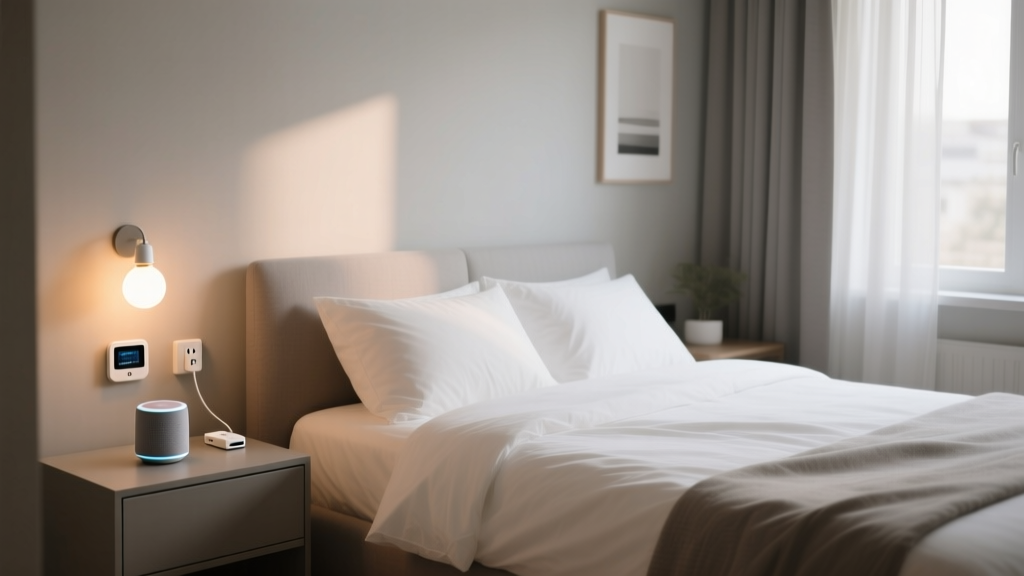
- Smart Speaker or Display: A central hub for voice commands, calendar management, and quick information lookups. Devices like the Amazon Echo Dot or Google Nest Mini serve as an affordable entry point into voice-controlled automation.
- Smart Bulbs or Smart Plug: Replace your desk lamp bulbs with smart LED bulbs or use a smart plug to control existing lamps. This gives you scheduling, dimming, and voice control over your primary lighting.
- Smart Plug Strip: Control multiple peripherals — monitors, printers, desk fans — from a single app or voice command, and schedule automatic shutoff to eliminate phantom power draw.
- Smart Power Strip with Surge Protection: Protect your valuable electronics while gaining remote control over individual outlets.
At this tier, your total investment stays comfortably under $400, and you gain voice-controlled lighting, scheduled routines, and basic automation capabilities that make a real difference in your daily workflow.
Mid Tier: The Productivity Powerhouse ($400 – $1,200)
The Mid tier is where your smart home office begins to feel truly intelligent. This level adds environmental control, enhanced audio and video, and more sophisticated automation:
- Smart Thermostat or Smart Radiator Valve: Maintain your ideal working temperature without manually adjusting settings throughout the day. If your office is in a separate room, a smart radiator valve or a zone-controlled smart thermostat ensures you are not heating or cooling the entire house just for one room.
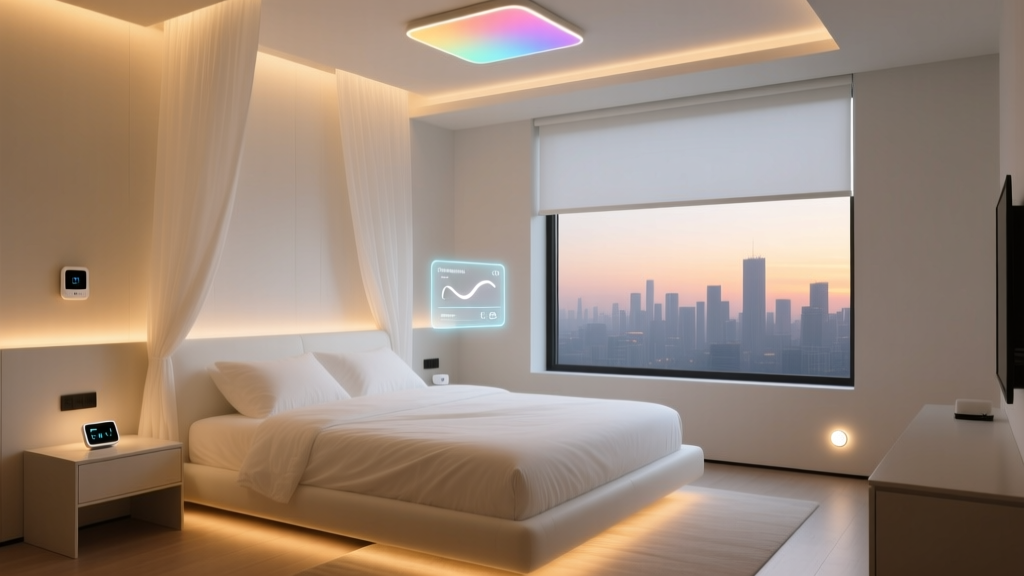
- Smart Lighting System: Upgrade to a multi-light setup with color temperature adjustment. Cooler, blue-toned light during focused work sessions and warmer tones during evening wrap-up help regulate your circadian rhythm.
- Smart Display with Video Calling: A larger smart display like the Amazon Echo Show or Google Nest Hub Max doubles as a secondary screen for quick video calls, calendar viewing, and smart home dashboard access.
- Smart Blinds or Curtain Motor: Automate natural light management throughout the day. Motorized blinds can open with your morning routine and close to reduce screen glare in the afternoon.
- Smart Noise Machine or Speaker: Create consistent ambient sound or play focus-enhancing background audio controlled by voice or schedule.
- Mesh Wi-Fi Node: Ensure your office has rock-solid connectivity with a dedicated mesh node, eliminating dead zones and buffering during critical video calls.
This tier transforms your office from a room with a few smart gadgets into a cohesive, responsive environment that actively supports your work habits.
Pro Tier: The Executive Suite ($1,200 – $3,500+)
The Pro tier is for professionals who want a fully integrated, premium smart office experience. At this level, every element of the room works in concert:
- Motorized Standing Desk with Memory Presets: Smart desks that remember your preferred heights and remind you to alternate between sitting and standing throughout the day.
- Full Smart Lighting Ecosystem: Multiple light sources — overhead panels, desk lamps, accent lighting, and bias lighting behind monitors — all synchronized and scene-controlled through a single platform like Philips Hue or LIFX.
- Smart Air Purifier & Humidity Monitor: Maintain optimal air quality and humidity levels for comfort and cognitive performance. Smart air purifiers adjust their fan speed based on real-time air quality readings.
- Dedicated Smart Home Hub: A central hub like the Home Assistant Green, Hubitat, or Samsung SmartThings station ties all your devices together for complex, multi-step automations that run locally without cloud dependency.
- Smart Lock & Door Sensor: Secure your office door and receive notifications when someone enters or exits, ideal for protecting sensitive documents or expensive equipment.
- Smart Whiteboard or Display: Interactive displays that integrate with your calendar, allow digital note-taking, and can be shared with remote collaborators in real time.
- Acoustic Panels with Integrated Lighting: Premium sound-dampening panels that double as ambient light sources, creating a professional studio-quality environment for calls and recordings.
- UPS with Smart Management: An uninterruptible power supply with network connectivity that gracefully shuts down your equipment during outages and sends you alerts.
At the Pro tier, your home office rivals — and often surpasses — a corporate executive workspace, with every detail optimized for peak performance and comfort.
Essential Smart Devices for Your Home Office
Now that you understand the budget landscape, let us take a deeper look at the specific device categories that make up a comprehensive smart home office setup. Each category plays a distinct role in creating a workspace that is efficient, comfortable, and professional.
Smart Lighting: The Foundation of a Productive Workspace
Lighting is arguably the single most impactful smart upgrade you can make to your home office. Poor lighting causes eye strain, headaches, and fatigue, while well-designed lighting enhances focus, mood, and video call quality. A smart lighting setup for your office should include several layers:
Overhead Lighting: Your primary light source should offer adjustable brightness and color temperature. Smart LED panels or smart bulbs in your ceiling fixture allow you to shift from bright, cool white light (around 5000K) during focused morning work to warmer tones (around 3000K) as the day winds down. Many professionals find that mimicking natural daylight patterns helps maintain energy and focus throughout the day.
Task Lighting: A smart desk lamp provides concentrated light exactly where you need it. Look for lamps with adjustable color temperature and brightness that can be controlled independently from your overhead lights. Some smart desk lamps include built-in wireless charging pads and USB ports, reducing cable clutter on your desk.
Bias Lighting: LED strips placed behind your monitor reduce eye strain by balancing the contrast between your bright screen and the surrounding darkness. Smart bias lighting can be set to automatically adjust its color and brightness based on what is displayed on your screen or the time of day.
Accent Lighting: Subtle accent lighting — such as smart LED strips along shelving or behind a bookcase — adds depth and professionalism to your video call background. This is especially valuable if you regularly participate in client-facing meetings or create video content.
For a complete look at the best options available, check out our best smart bulbs roundup and our smart desk lamp reviews. If you are building a larger lighting system, our Philips Hue setup guide covers everything from initial pairing to advanced scene creation.
Climate Control & Air Quality
Temperature and air quality have a profound effect on cognitive performance. Research consistently shows that office environments that are too warm or too cold reduce productivity significantly, and poor air quality — elevated CO2 levels, low humidity, or particulate matter — impairs decision-making and concentration.
Smart Thermostat: If your home office has its own HVAC zone, a smart thermostat is an essential investment. You can program it to warm up or cool down your office before your workday begins and return to an energy-saving temperature when you leave. Even if your office shares a zone with the rest of your home, smart radiator valves or smart vent controllers can give you room-level temperature management. Explore our best smart thermostats comparison to find the right model for your setup.
Smart Air Purifier: A smart air purifier with HEPA filtration removes dust, allergens, and volatile organic compounds from your office air. Models with built-in air quality sensors automatically increase filtration when pollutant levels rise — for example, when you open a window near a busy street or when cooking odors drift into your workspace.
Smart Humidity Monitor & Humidifier: Maintaining humidity between 40% and 60% prevents dry eyes, static electricity, and respiratory discomfort. A smart humidity sensor paired with a smart plug-connected humidifier can automatically maintain your target range without any manual intervention.
CO2 Monitor: In a small, closed office, CO2 levels can rise surprisingly quickly, leading to drowsiness and reduced concentration. A dedicated smart CO2 monitor can trigger automations — such as turning on an exhaust fan or sending you a notification to open a window — when levels exceed recommended thresholds.
Smart Power Management & Connectivity
Your home office likely contains thousands of dollars worth of sensitive electronics. Protecting that investment while managing energy consumption is a critical — and often overlooked — aspect of a smart office setup.
Smart Plugs & Smart Power Strips: Smart plugs are among the most affordable and versatile smart home devices available. In your office, they can control desk lamps, fans, printers, coffee makers, and any other device with a physical on/off switch. Smart power strips extend this control to multiple devices simultaneously and often include surge protection. Schedule your entire desk setup — monitors, speakers, peripherals — to power on when your workday begins and shut down completely at the end of the day, eliminating standby power consumption that can add up to significant energy costs over time.
Mesh Wi-Fi System: A reliable internet connection is non-negotiable in a home office. If your router is located far from your office, a mesh Wi-Fi system with a dedicated node in your workspace ensures consistent, high-speed connectivity. Some mesh systems offer quality-of-service (QoS) settings that prioritize your office devices over other household traffic, preventing lag during video calls even when family members are streaming video or gaming. Browse our best mesh Wi-Fi systems guide for top recommendations.
UPS with Network Management: An uninterruptible power supply protects your work from sudden outages and power surges. Models with smart management capabilities can send you alerts when power events occur, report battery health, and initiate graceful shutdowns of connected computers and network equipment.
Network-Attached Smart Switch: For offices with multiple wired devices — desktop computers, NAS drives, printers — a smart managed network switch provides remote port control, bandwidth monitoring, and the ability to restart unresponsive devices without physically accessing the switch.
Security, Privacy & Access Control
A home office often contains sensitive business documents, expensive equipment, and access to confidential digital information. Smart security devices provide peace of mind and practical protection.
Smart Lock: If your office has a dedicated door, a smart lock allows you to control access remotely, grant temporary access codes to cleaning services or visitors, and receive notifications when the door is locked or unlocked. This is particularly valuable if you handle confidential client information or maintain expensive professional equipment. Read our best smart locks review for detailed comparisons.
Smart Door & Window Sensors: Contact sensors on your office door and windows provide real-time awareness of who is entering and exiting your workspace. They can also trigger automations — for example, turning on the lights and adjusting the thermostat when the door opens at the start of your workday.
Smart Camera: A small indoor camera positioned to monitor your office entrance provides a visual record of activity and can alert you to unauthorized access. For privacy, choose models with physical lens covers or the ability to disable recording during working hours via automation. Our indoor security camera reviews cover the top options for home office use.
Network Security: Beyond physical security, protecting your digital workspace is equally important. A smart router with built-in threat detection, automatic firmware updates, and network segmentation keeps your work devices isolated from potentially vulnerable IoT devices elsewhere in your home.
Audio, Video & Communication
Clear audio and professional video are essential for remote collaboration. Smart devices in this category enhance both the quality of your calls and the ease with which you manage them.
Smart Speaker & Soundbar: A high-quality smart speaker in your office serves multiple purposes: it provides clear audio for conference calls, plays background music or white noise for focus, and acts as a voice assistant for hands-free control of your other smart devices. Some professionals prefer a smart soundbar mounted below their monitor for directional audio that does not disturb others in the household.
Smart Display: A smart display on your desk or mounted on the wall provides at-a-glance access to your calendar, upcoming meetings, smart home status, and weather. During video calls, it can serve as a secondary camera angle or a dedicated device for quick check-ins with colleagues.
Smart Webcam & Ring Light: Dedicated smart webcams with auto-framing, background blur, and low-light correction dramatically improve your video presence. Paired with a smart ring light that adjusts its brightness and color temperature based on ambient conditions, you will look professional on every call regardless of the time of day or natural light available.
Smart Home Office Automation Routines That Boost Productivity
The true power of a smart home office is not in individual devices — it is in the automations that tie them together into seamless routines. Well-designed automations remove friction from your day, handle repetitive tasks automatically, and create an environment that responds to your habits without requiring conscious thought. Here are several high-impact automation routines that we recommend for any smart home office setup.
The Morning Kickoff Routine
Start your workday with a single trigger — a voice command, a button press, a scheduled time, or even your phone connecting to your home Wi-Fi. This routine sets the stage for a productive day:
- Smart blinds open gradually over five minutes, letting natural light ease you into the workday.
- Overhead lights turn on at 70% brightness with a cool white color temperature (5000K) to promote alertness.
- The smart thermostat adjusts to your preferred working temperature (most studies suggest between 70°F and 73°F for optimal productivity).
- Your smart speaker reads out your calendar summary, weather forecast, and any priority notifications.
- The smart plug strip powers on your monitors, speakers, and peripherals.
- Your smart coffee maker (connected via a smart plug) begins brewing if it was prepped the night before.
- A focus playlist starts playing at a low volume on your office speaker.
This entire sequence unfolds automatically, meaning you walk into a workspace that is already prepared for you — lights on, temperature comfortable, coffee brewing, and your day's agenda ready for review.
The Deep Focus Routine
When you need uninterrupted concentration, trigger your Deep Focus routine with a voice command like