Introduction to the Smart Media Room
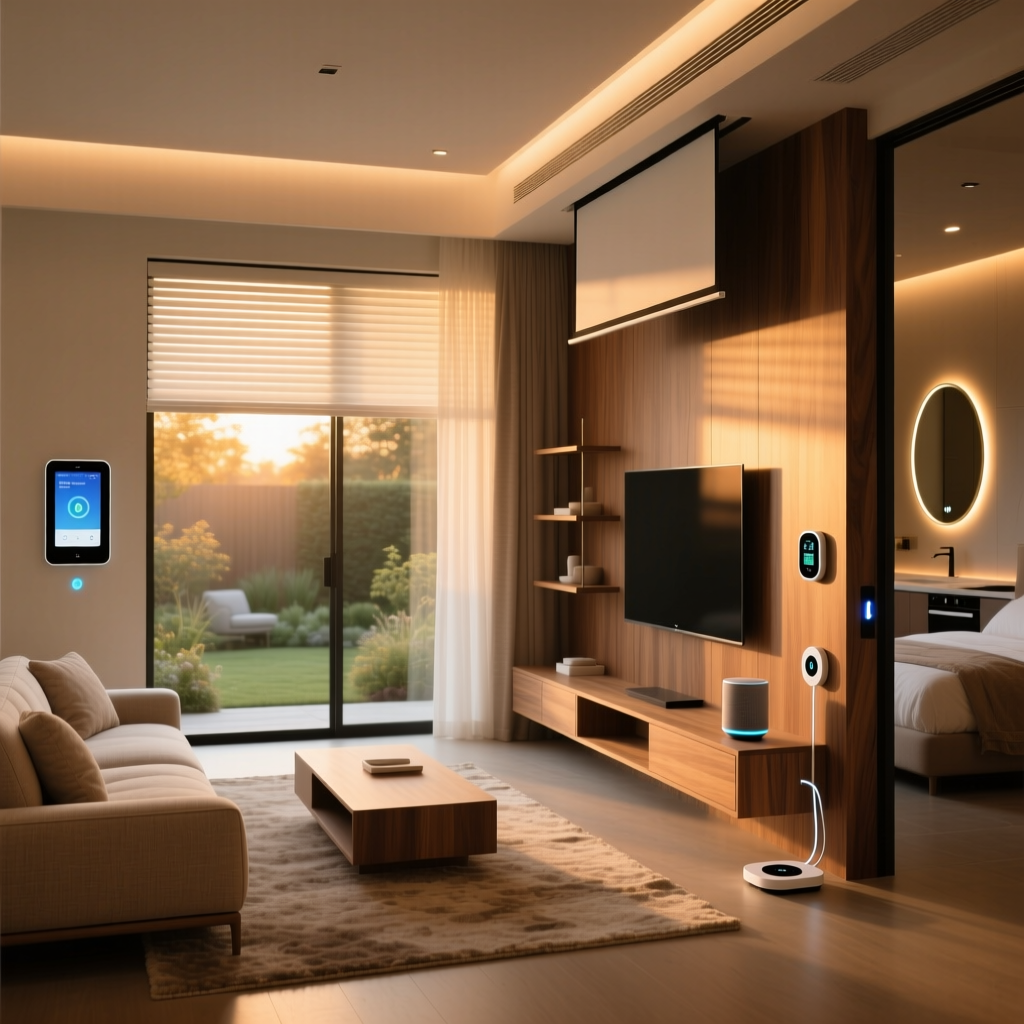
The concept of the home theater has evolved dramatically over the past decade. What was once a dedicated, windowless basement room with rigid seating and tangled AV cables has transformed into a dynamic, multi-purpose smart media room. Today's entertainment spaces seamlessly blend high-fidelity audio, stunning visual displays, and intelligent ambient lighting into a cohesive, automated ecosystem. Whether you are carving out a corner of your living room or designing a dedicated cinematic sanctuary, integrating smart home technology elevates the experience from merely watching a movie to feeling entirely immersed in it.
Building the ultimate smart home theater requires a strategic approach. You must balance visual performance, acoustic accuracy, network reliability, and intelligent automation. In this comprehensive guide, we will break down the core components of a modern media room, provide actionable installation tips, explore budget-friendly to professional-tier setups, and design automation routines that bring your theater to life with a single voice command or button press.
Core Visual Technologies: OLED vs. UST Laser Projectors
When building a smart media room, the display is the undeniable focal point. The debate among home theater enthusiasts often centers around OLED televisions versus Ultra-Short-Throw (UST) laser projectors. According to comprehensive display testing by RTINGS, OLED panels offer perfect blacks, infinite contrast ratios, and pixel-level dimming, making them the undisputed champions of dark-room viewing. Models like the LG G4 or Sony A95L QD-OLED deliver reference-level color accuracy and support advanced HDR formats like Dolby Vision, which is crucial for cinematic content.
However, if you desire a massive screen footprint exceeding 85 inches, a UST laser projector paired with an Ambient Light Rejecting (ALR) screen is the superior choice. Projectors like the Formovie Theater or Samsung Premiere 8K can project a crisp 120-inch to 150-inch image while sitting mere inches from the wall. When integrating a UST projector into a smart home, ensure it supports IP control or has an HDMI-CEC bridge so your smart hub can reliably power it on and off without relying on easily blocked infrared signals.
Immersive Audio: Decoding Dolby Atmos Configurations
A breathtaking picture without immersive sound is merely a digital billboard. For a true cinematic experience, object-based audio is mandatory. As detailed in the official Dolby Atmos documentation, this format allows sound designers to place audio cues in a three-dimensional space, rather than restricting them to traditional surround channels. To achieve this, you need a minimum of a 5.1.2 channel setup, though a 7.1.4 configuration is the gold standard for dedicated rooms.
For mid-tier setups, high-end smart soundbars like the Sonos Arc or Samsung HW-Q990C offer incredible virtualized height effects and seamless multi-room audio integration. For professional, no-compromise setups, a discrete Audio/Video Receiver (AVR) like the Denon AVR-X3800H paired with KEF R-Series speakers and dual SVS subwoofers provides room-shaking, reference-quality sound. Crucially, ensure your TV and AVR support HDMI eARC (Enhanced Audio Return Channel) to pass uncompressed Dolby TrueHD and Atmos bitstreams directly from your streaming apps or media server.
Network Infrastructure for Uninterrupted 4K Streaming
Modern home theaters consume massive amounts of bandwidth. Streaming 4K HDR content from Netflix, Apple TV+, or a local Plex server requires a stable, high-throughput network. Relying on Wi-Fi for your primary media player is a recipe for buffering and dropped frames. Always run Cat6a Ethernet cables directly to your AV rack, smart TV, and dedicated media streamers like the Nvidia Shield TV Pro or Apple TV 4K.
If running Ethernet is impossible, invest in a Wi-Fi 6E or Wi-Fi 7 mesh system, dedicating a specific 6GHz SSID exclusively for your theater equipment. Furthermore, configure Quality of Service (QoS) rules on your router to prioritize traffic to your theater's IP addresses, ensuring that a large file download on a PC in another room does not interrupt your movie night.
Smart Lighting and Acoustic Treatments
Bias lighting and smart ambient illumination are critical for reducing eye strain and enhancing the perceived contrast of your display. The Philips Hue Play Gradient Lightstrip, mounted to the back of your TV or projection screen, syncs with on-screen colors to create a breathtaking halo effect. For the rest of the room, smart recessed lighting or Nanoleaf 4D wall panels can be programmed to dim automatically when playback begins.
Equally important is acoustic treatment. Smart speakers cannot fix a room with terrible acoustics. Bare walls cause severe flutter echo and bass buildup. Install acoustic absorption panels at the primary first-reflection points on your side walls, and place thick bass traps in the front corners to tighten up low-frequency response. For a clean aesthetic, wrap rigid fiberglass acoustic boards in breathable, acoustically transparent fabric that matches your room's decor.
Budget Tiers: Starter, Mid-Range, and Pro Setups
Designing a smart media room is highly scalable. Below is a structured breakdown of three distinct budget tiers to help you plan your investment.
| Tier | Display | Audio System | Lighting & Control | Estimated Cost |
|---|---|---|---|---|
| Starter | 65-inch 4K LED/LCD TV | Sonos Beam Gen 2 + Sub Mini | Philips Hue White & Color Ambiance Bulbs | $1,500 - $2,500 |
| Mid-Range | 77-inch OLED TV or 100-inch UST Projector | Sonos Arc + Sub + Era 300 Rears | Hue Gradient Lightstrip + Lutron Caseta Dimmers | $4,500 - $7,500 |
| Pro | 83-inch QD-OLED or 150-inch UST + ALR Screen | Denon AVR + 7.1.4 KEF Speaker Package + Dual Subs | Full Lutron RadioRA + Motorized Blackout Shades | $12,000 - $25,000+ |
Automation Routines for the Perfect Movie Night
The true magic of a smart home theater lies in its automation routines. To ensure cross-brand compatibility and local processing speed, utilizing a centralized hub that supports the Matter smart home standard is highly recommended. Platforms like Home Assistant, Hubitat, or Apple HomeKit allow you to chain complex actions together.
The 'Movie Time' Routine
When you trigger the 'Movie Time' scene via voice or a smart remote, the following sequence should execute:
- Lighting: Main overhead lights fade to 0% over 5 seconds. Bias lighting activates at 30% brightness in a warm cinematic orange.
- Climate: Smart thermostat drops the temperature by 2 degrees to compensate for the heat generated by the AVR and projector.
- Window Treatments: Motorized blackout shades lower completely to eliminate screen glare.
- AV Equipment: TV/Projector powers on via HDMI-CEC or IP control. AVR switches to the correct HDMI input and sets volume to the reference level (-15dB).
The 'Intermission' Routine
Pausing the movie for a bathroom break or snack run should trigger a subtle lighting shift. Using an HDMI-CEC snooper or integrating directly with your Plex/Jellyfin server via webhooks, detecting a 'Pause' state can trigger the aisle lights to illuminate at 15% brightness, allowing safe navigation without ruining the dark adaptation of your eyes or washing out the paused screen.
Visualizing Cost vs. Performance
Understanding the law of diminishing returns is vital when budgeting for a home theater. The chart below illustrates how costs scale exponentially as you approach reference-level performance scores.
Design, Aesthetics, and Haptic Feedback
A premium media room should hide the technology when it is not in use. Consider framing your TV with custom woodwork that matches your built-in shelving, or utilize the Gallery Mode found on modern OLEDs to display classical art or personal photography during the day. Equipment racks should be housed in a ventilated, sound-isolated AV closet outside the theater room to eliminate the ambient hum of cooling fans and amplifiers.
For the ultimate tactile experience, integrate haptic bass shakers, such as the ButtKicker LFE, directly into your seating. These transducers attach to the frame of your couch and are powered by a dedicated mini-amplifier. By feeding them the Low-Frequency Effects (LFE) channel from your AVR, you physically feel the rumble of explosions and the roar of dinosaur footsteps without having to push your subwoofers to ear-damaging decibel levels. This is particularly useful in apartments or homes with shared walls, allowing you to experience massive bass impact at low volumes.
Installation Tips for Long-Term Reliability
When running cables, always use high-certified HDMI 2.1 cables for 4K at 120Hz and 8K at 60Hz support. For long runs exceeding 15 feet, active optical HDMI cables are mandatory to prevent signal degradation. Label every single cable at both ends, and use velcro straps instead of zip ties to prevent cable damage and make future upgrades easier. Finally, invest in a high-quality power conditioner with automatic voltage regulation (AVR) to protect your expensive AV equipment from power surges and dirty electricity.
Conclusion
Creating the ultimate smart home theater is a rewarding endeavor that blends cutting-edge audio-visual technology with intelligent home automation. By carefully selecting your display technology, investing in object-based surround sound, optimizing your network, and designing thoughtful automation routines, you can build a media room that rivals commercial cinemas. Whether you are starting with a high-quality smart soundbar and OLED TV or diving into a fully treated 7.1.4 discrete Atmos setup, the integration of smart home ecosystems ensures that your theater is not just a room for watching movies, but a responsive, immersive environment tailored perfectly to your lifestyle.