The New Battleground: Matter, Thread, and the Hub Revolution
The smart home landscape has fundamentally shifted. For years, the ecosystem wars were defined by rigid walled gardens: you either bought into Amazon Alexa, Google Home, or Apple HomeKit, and your hardware choices were strictly dictated by that allegiance. Today, the introduction of the Matter protocol by the Connectivity Standards Alliance (CSA) has shattered those walls, promising universal compatibility across platforms. However, while Matter standardizes the application layer, the underlying hubs that anchor your smart home still dictate your daily experience, privacy posture, and network architecture.
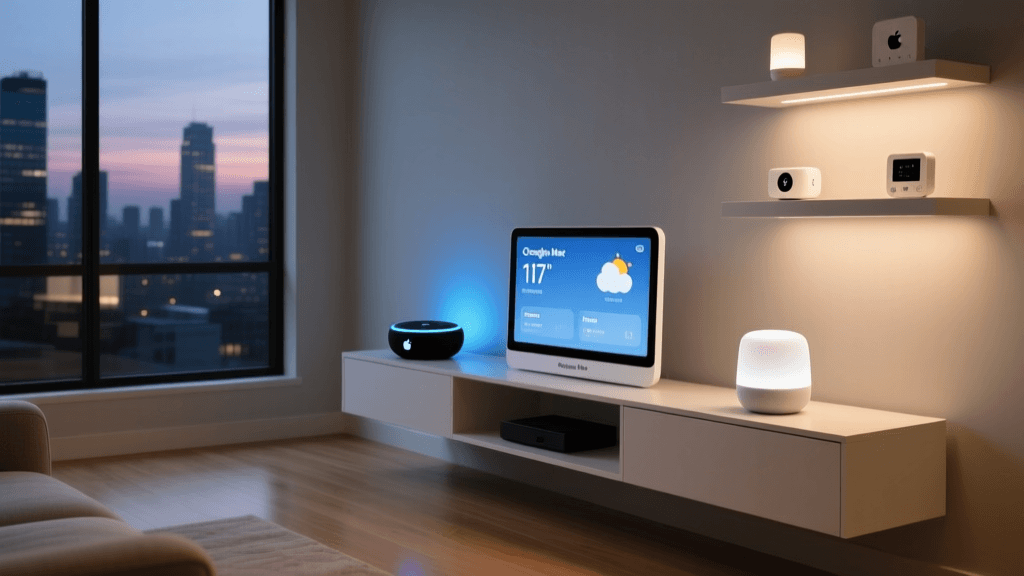
In this comprehensive showdown, we are moving beyond generic voice assistant comparisons to evaluate the core hardware that serves as the brain of your modern, Matter-ready home. We are putting the Amazon Echo (4th Gen), the Google Nest Hub (2nd Gen), and the Apple HomePod Mini head-to-head. These three $99 devices represent the pinnacle of their respective ecosystems, but they approach smart home control, local processing, and wireless protocols like Thread and Zigbee in vastly different ways.
Whether you are integrating a complex Lutron Caseta lighting system, managing Ecobee SmartThermostats, or deploying Thread-enabled Eve sensors, choosing the right hub is the most critical decision you will make. Let us dive into the technical specifications, ecosystem strengths, and practical realities of living with each platform.
Amazon Echo (4th Gen): The Protocol Juggernaut
At $99, the spherical Amazon Echo (4th Gen) is arguably the most versatile piece of smart home hardware on the market from a pure connectivity standpoint. Unlike its competitors, Amazon has packed this device with a multi-radio array that includes Wi-Fi, Bluetooth, Zigbee, and Thread. This makes it a true border router and a universal bridge for legacy and modern devices alike.
Zigbee and the Hue Bridge Bypass
The inclusion of a built-in Zigbee hub is a massive cost-saver for smart lighting enthusiasts. If you are deploying Philips Hue bulbs, Sengled smart switches, or Aqara sensors, the Echo (4th Gen) can connect directly to them without requiring a dedicated Philips Hue Bridge or SmartThings Hub. While purists may argue that a dedicated Hue Bridge offers more robust local API control and faster group syncing, the Echo's Zigbee radio is more than capable of handling a standard home's lighting load, saving you $50 to $100 in bridge hardware.
Amazon Sidewalk and Range Extension
Amazon has also integrated Sidewalk support into the Echo (4th Gen). Sidewalk uses a low-frequency 900 MHz signal to create a low-bandwidth mesh network that extends the range of your smart home into the yard. This is highly practical for outdoor Ring security cameras, smart sprinkler controllers, or Tile trackers at the edge of your property. While Sidewalk is currently an Amazon-exclusive ecosystem play rather than an open standard like Thread, it provides tangible utility for suburban homes with large footprints.
Alexa Routines and Ecosystem Breadth
Alexa remains the undisputed king of third-party integrations, boasting over 140,000 native skills and compatibility with virtually every smart home brand in existence. The Alexa app's routine builder is highly granular, allowing for complex conditional logic. For example, you can set a routine that checks the local weather API, verifies if your Ecobee thermostat is in 'Away' mode, and triggers a specific lighting scene on your Govee LED strips—all without touching a cloud-based IFTTT webhook. However, Alexa's reliance on cloud processing for voice commands means that if your internet drops, your voice-controlled smart home effectively goes mute, though Zigbee routines will continue to run locally.
Google Nest Hub (2nd Gen): The Visual Commander
Google's approach to the smart hub is fundamentally visual. The Nest Hub (2nd Gen), priced at $99, features a 7-inch touchscreen that serves as a dedicated control panel for the Google Home ecosystem. With the recent overhaul of the Google Home app architecture, Google has heavily invested in local processing and automation reliability, making it a formidable competitor in the Matter era.
Thread Support and the Nest Mesh
While the Nest Hub lacks a Zigbee radio, it is a fully certified Thread border router. Thread is the low-power, mesh-networking backbone of the Matter protocol. Devices like the Nanoleaf Essentials bulb or Eve MotionBlinds connect directly to the Nest Hub via Thread, creating a self-healing mesh network that does not congest your primary Wi-Fi router. If you have multiple Nest Hubs or Nest Wi-Fi routers, your Thread mesh becomes incredibly resilient, ensuring that a smart lock in the basement communicates instantly with the hub in the living room.
Visual Control and Nest Aware Integration
The primary advantage of the Nest Hub is the screen. When a visitor presses your Nest Doorbell, the live video feed instantly pops up on the Hub. The integration with Nest Aware (Google's subscription service, starting at $6/month for basic event history or $12/month for 24/7 recording) provides a seamless security dashboard. Furthermore, the 2nd Gen Hub includes Soli radar technology for Sleep Sensing, turning your bedside table into a passive health monitor without the need for wearable devices or invasive optical cameras.
The Google Assistant Contextual Advantage
Google Assistant's natural language processing remains superior to both Alexa and Siri. It handles conversational context and complex, multi-part queries with ease. Asking, 'Hey Google, turn off the lights in the kitchen and set the thermostat to 70 degrees if nobody is home,' is parsed with high accuracy. However, Google's ecosystem has historically suffered from fragmented app experiences, though the unified Google Home app is finally resolving this pain point, offering a much more stable local control foundation for Matter devices.
Apple HomePod Mini: The Secure Local Fortress
Apple's HomePod Mini ($99) is the gateway to the HomeKit ecosystem, a platform renowned for its strict security requirements, local processing, and premium user experience. While Apple's hardware compatibility list is smaller than Amazon's, the devices that do carry the 'Works with Apple Home' badge are rigorously tested for reliability and latency.
Thread, UWB, and the Handoff Experience
Like the Nest Hub, the HomePod Mini serves as a Thread border router, natively supporting Matter over Thread devices. However, Apple adds a layer of hardware magic with the U1 Ultra-Wideband (UWB) chip. This allows for spatial awareness; if you have an iPhone 12 or newer, simply bringing your phone close to the HomePod Mini seamlessly 'hands off' your audio or triggers proximity-based home automations. The latency of this handoff is near-zero, providing a tactile, premium feel that voice commands simply cannot match.
HomeKit Secure Video and iCloud+ Costs
Apple's killer feature for the privacy-conscious is HomeKit Secure Video (HKSV). Compatible cameras, such as the Logitech Circle View or Eufy HomeKit models, process video locally through the HomePod Mini to detect people, animals, and packages. The encrypted video is then uploaded directly to your iCloud. Unlike Nest or Ring, Apple does not charge a monthly subscription for camera recording. However, HKSV requires an iCloud+ subscription (starting at $0.99/month for one camera, up to $9.99/month for unlimited cameras on the 2TB plan). While this locks you into Apple's cloud storage pricing, it ensures your video feeds are end-to-end encrypted and inaccessible even to Apple.
Siri and Local Processing
Siri's general knowledge and conversational AI lag behind Alexa and Google, but for smart home control, it is exceptionally fast and reliable. Because Apple mandates that HomeKit accessories support local control, commands sent to the HomePod Mini rarely leave your local network. If your ISP goes down, your Siri voice commands for lights, locks, and thermostats will continue to function flawlessly, provided your local router and mesh network remain powered.
Head-to-Head Specification Breakdown
| Feature | Amazon Echo (4th Gen) | Google Nest Hub (2nd Gen) | Apple HomePod Mini |
|---|---|---|---|
| Price | $99.99 | $99.99 | $99.00 |
| Matter Support | Yes (via update) | Yes | Yes |
| Thread Border Router | Yes | Yes | Yes |
| Zigbee Radio | Yes | No | No |
| Ultra-Wideband (UWB) | No | No | Yes (U1 Chip) |
| Visual Display | No (LED Ring only) | 7-inch Touchscreen | No (Touch surface only) |
| Local Voice Processing | Limited (Basic commands) | Moderate (On-device ML) | High (Core HomeKit commands) |
| Camera Subscription | Ring Protect ($4.99/mo+) | Nest Aware ($6/mo+) | iCloud+ ($0.99/mo+) |
The Matter Protocol: Leveling the Playing Field
The introduction of Matter fundamentally changes how we evaluate these hubs. According to the Connectivity Standards Alliance (CSA), Matter operates over existing IP-based networks like Wi-Fi, Ethernet, and Thread. This means that a Matter-certified smart plug from a brand like TP-Link or Eve will connect to an Echo, a Nest Hub, and a HomePod Mini simultaneously, without requiring the manufacturer to build three separate cloud integrations.
However, the true unsung hero of the Matter ecosystem is the Thread networking protocol. Thread creates a low-power, mesh network that bypasses your Wi-Fi router entirely. Because all three of these hubs act as Thread Border Routers, they bridge the gap between low-power Thread sensors (like door contacts and leak detectors) and your main IP network. If you are building a new smart home today, prioritizing Thread-enabled devices and utilizing one of these three hubs as your border router is the most future-proof strategy available.
Privacy and Local Processing: The Invisible Differentiator
While hardware specs are easy to compare, privacy postures are where these ecosystems diverge wildly. Amazon and Google operate on an ad-supported, data-gathering business model. Their voice assistants are designed to capture audio snippets, send them to the cloud for processing, and return a result. While both companies have introduced local processing for basic wake-word detection and simple commands, complex queries and third-party skill invocations still rely heavily on cloud servers.
Apple, conversely, sells hardware and services, not user data. As highlighted by the Mozilla Privacy Not Included guide, Apple's HomeKit architecture is built around end-to-end encryption and local processing. When you ask Siri to lock your Yale Assure lock via the HomePod Mini, that command is processed locally on the hub and sent directly to the lock via Thread or Bluetooth. It never touches an Apple cloud server. For users who are deeply uncomfortable with internet-connected microphones in their bedrooms and kitchens, the HomePod Mini remains the only viable option among the big three.
Visualizing the Ecosystem Strengths
Final Verdict: Which Hub Anchors Your Smart Home?
The 'best' hub is entirely dependent on your existing hardware, your tolerance for cloud reliance, and how you prefer to interact with your home.
Choose the Amazon Echo (4th Gen) if:
- You are a Tinkerer with Legacy Hardware: The built-in Zigbee radio makes it the ultimate bridge for older, non-Matter smart home devices. If you have drawers full of Zigbee sensors and older Hue bulbs, the Echo eliminates the need for extra dongles.
- You Value Ecosystem Breadth: If you want to buy the cheapest smart plug on Amazon and know it will work instantly with your voice assistant, Alexa's massive third-party library is unmatched.
- You Need Outdoor Range: Amazon Sidewalk provides unique utility for large properties with scattered outdoor sensors and cameras.
Choose the Google Nest Hub (2nd Gen) if:
- You Prefer Visual Control: The 7-inch screen is invaluable in the kitchen for following recipes, viewing Nest doorbell feeds, and managing Google Calendar schedules via touch.
- You Rely on Nest Security: The integration with Nest Aware and Nest Cams is seamless, making it the best choice for a security-focused front porch or driveway setup.
- You Want the Best Voice AI: Google Assistant's natural language understanding is vastly superior for answering questions, setting complex contextual timers, and managing multi-user voice recognition.
Choose the Apple HomePod Mini if:
- Privacy is Your Top Priority: Apple's commitment to local processing and end-to-end encryption ensures your home's data remains yours.
- You are Deep in the Apple Ecosystem: The U1 chip handoff, Apple Music integration, and iMessage-based home control make it a magical experience for iPhone and Apple Watch users.
- You Want True Local Reliability: HomeKit's strict requirement for local control means your smart home survives internet outages without missing a beat.
Ultimately, the rise of Matter means you are no longer permanently locked into a single ecosystem based on the lightbulbs you buy. However, the hub you choose will define the speed, privacy, and daily interface of your smart home for years to come. Evaluate your network needs, prioritize your privacy comfort level, and select the border router that best aligns with your digital lifestyle.