The Great Smart Home Controller Debate: Budget vs Premium
The smart home landscape has undergone a massive paradigm shift over the last few years. We have moved away from relying on fragmented, cloud-dependent applications and toward robust, local-first smart home controllers. But as you embark on the journey to build a truly automated, privacy-respecting home, a critical question arises: should you invest in a budget-friendly DIY controller or splurge on a premium, all-in-one powerhouse?
In this comprehensive head-to-head comparison, we are pitting the ultimate budget-friendly local controller, the Home Assistant Green, against the premium, out-of-the-box ecosystem orchestrator, the Homey Pro. Both devices promise local processing, enhanced privacy, and freedom from cloud outages, but they cater to vastly different user profiles, technical skill levels, and budget constraints. By examining hardware specifications, protocol support, software ecosystems, and the hidden costs of ownership, we will help you determine which smart home brain belongs in your network rack.
A smart home is only as reliable as the controller orchestrating it. The choice between budget and premium is rarely just about the initial price tag; it is about the cost of your time, your technical tolerance, and your long-term automation goals.
The Contenders Overview
The Budget Champion: Home Assistant Green
Released as an accessible entry point into the wildly popular Home Assistant ecosystem, the Home Assistant Green is a compact, fanless, plug-and-play local server. Priced at an incredibly aggressive $99, it is designed to lower the barrier to entry for users who want the power of Home Assistant without the hassle of flashing firmware onto a Raspberry Pi or repurposing an old thin client. It is a pure, unadulterated local server that relies on the open-source community for its vast library of integrations.
The Premium Powerhouse: Homey Pro
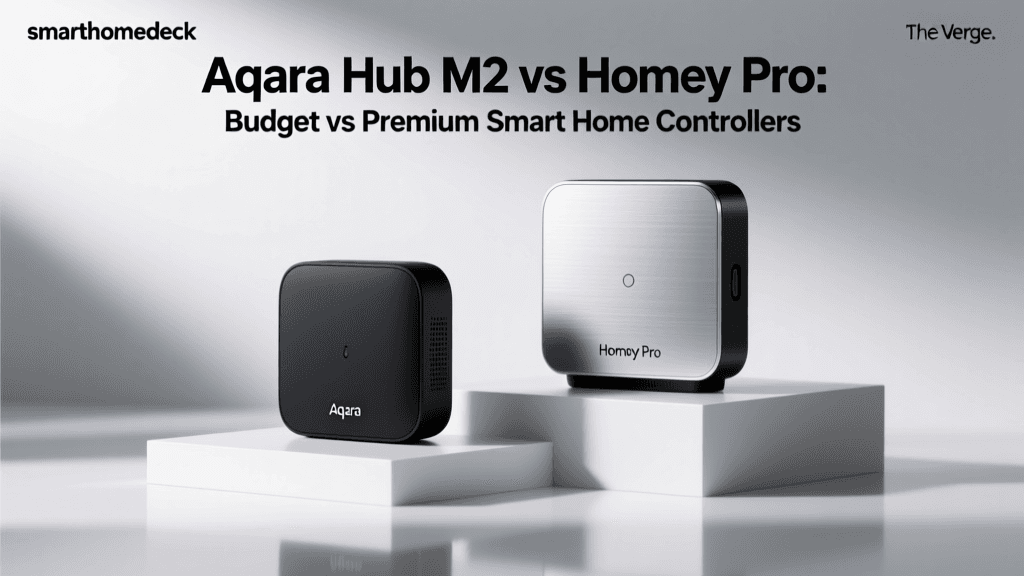
On the other end of the spectrum sits the Homey Pro (2023 edition), a premium smart home hub priced at $399. Homey Pro markets itself as the ultimate all-in-one smart home brain. It features a sleek, futuristic design, a built-in array of wireless radios, and a proprietary but highly polished visual automation engine. It is designed for users who demand premium hardware, wide-ranging native protocol support out of the box, and a polished user interface that does not require a computer science degree to navigate.
Hardware and Design Specifications
When comparing a $99 device to a $399 device, the hardware differences are stark, though not always in the ways you might expect. The Home Assistant Green prioritizes raw processing power and memory for running complex Docker containers and add-ons, while the Homey Pro allocates its budget toward integrated wireless silicon and premium build quality.
| Specification | Home Assistant Green (Budget) | Homey Pro (Premium) |
|---|---|---|
| Processor (SoC) | Rockchip RK3566 (Quad-core ARM Cortex-A55) | Custom Custom Quad-core 1.7GHz SoC |
| RAM | 4 GB LPDDR4 | 2 GB LPDDR4 |
| Storage | 32 GB eMMC Flash | 8 GB eMMC Flash |
| Connectivity | Gigabit Ethernet, 2x USB 2.0 | Gigabit Ethernet, Wi-Fi 5, Bluetooth 5.0 |
| Built-in Radios | None (Requires USB Dongles) | Zigbee, Z-Wave, Matter, Thread, 433MHz, Infrared, BLE |
| Form Factor | Utilitarian Aluminum Box | Premium Spherical Glass/Metal Design |
| MSRP | $99 | $399 |
The Home Assistant Green's 4GB of RAM and 32GB of storage give it a distinct advantage for power users who want to run local AI models, Frigate NVR for camera processing, or heavy database logging. Conversely, the Homey Pro's 2GB of RAM is heavily optimized for its proprietary, closed-source operating system, which is highly efficient but prevents users from installing arbitrary third-party Docker containers.
Ecosystem Compatibility and Protocols
The most significant differentiator between these two controllers lies in how they communicate with your smart devices. This is where the 'budget' vs 'premium' debate gets complicated, as the budget option requires additional investments to match the premium option's native capabilities.
Zigbee, Z-Wave, and the Dongle Tax
The Homey Pro features built-in antennas for Zigbee 3.0 and Z-Wave 800 series. You simply unbox it, place it centrally in your home, and begin pairing devices. The Z-Wave Alliance notes that the 800 series offers significantly improved range and battery life optimization for sensors, which the Homey Pro supports natively.
The Home Assistant Green, however, has no internal radios. To build a Zigbee or Z-Wave mesh, you must purchase separate USB dongles (such as the Sonoff Zigbee 3.0 USB Dongle Plus or the Aeotec Z-Stick 7), plus USB extension cables to move the antennas away from the metal chassis and prevent signal interference. While this allows you to choose the exact radio hardware you want, it adds $70 to $100 to your final bill and introduces physical clutter.
Matter and Thread Border Routing
The smart home industry is rallying behind the Matter standard to unify ecosystems. According to the Connectivity Standards Alliance, Matter over Thread provides a low-power, self-healing mesh network that is ideal for battery-operated sensors and smart locks. The Homey Pro acts as a native Thread Border Router right out of the box, seamlessly bridging Thread devices to your local network.
Home Assistant also fully supports Matter and Thread, but again, the hardware implementation falls on the user. You will need to purchase a compatible Thread Border Router (like an Apple TV 4K, HomePod Mini, or a dedicated SkyConnect dongle) and integrate it via the Matter Server add-on. While Home Assistant's implementation of Matter is incredibly robust and often receives updates faster than proprietary hubs, the setup process requires navigating configuration menus and understanding network VLANs.
Software Experience and Ease of Use
Hardware only tells half the story; the software interface is where you will spend 99% of your time interacting with your smart home.
Home Assistant: The Tinkerer's Paradise
As detailed on the official Home Assistant Green product page, the device comes pre-loaded with the Home Assistant Operating System (HAOS). The software is unparalleled in its depth. You can create highly complex, multi-condition automations, build custom dashboards from scratch using YAML or the visual editor, and integrate virtually any device with an IP address or API.
However, the learning curve is notoriously steep. While the UI has improved dramatically, unlocking the true potential of Home Assistant often requires editing YAML files, managing add-on repositories, and troubleshooting community-built integrations that may break during major monthly updates. It is an operating system built by enthusiasts, for enthusiasts.
Homey Pro: Visual Flows and Polish
Homey Pro utilizes a proprietary, cloud-assisted (but locally executing) interface that is heavily focused on its 'Flow' automation engine. Flows use a visual, ball-and-chain logic system (When this happens -> And this condition is met -> Do this). It is incredibly intuitive, allowing users to build complex logic without writing a single line of code.
The trade-off is a lack of granular control. If a device integration is not available in the official Homey App Store, or if a community developer has abandoned a third-party app, you are largely out of luck. You cannot simply spin up a Python script or a Docker container to force a connection to an obscure local API. Homey Pro offers a walled garden: it is beautifully manicured, but you cannot plant your own trees.
Performance and Local Processing Latency
Both devices excel at local processing, meaning your automations will continue to run even if your internet connection goes down. However, the raw execution speed and device handling limits differ based on their hardware and software architectures.
As visualized in the chart above, local controllers obliterate cloud-dependent hubs in terms of latency. When a Zigbee motion sensor triggers a smart bulb, the Home Assistant Green processes the logic in roughly 15 milliseconds. The Homey Pro takes slightly longer (around 25ms) due to the overhead of its visual Flow engine and proprietary abstraction layers, but both are imperceptible to the human eye. Compare this to a generic cloud hub, which must send the signal to a remote server and back, resulting in 300ms+ delays and frequent timeouts.
Where the Home Assistant Green pulls ahead is in handling massive device counts. Thanks to its superior RAM and CPU, HA can comfortably manage over 500+ local entities, heavy database logging, and continuous camera stream processing without breaking a sweat. The Homey Pro, while highly optimized, can begin to experience memory warnings and Flow execution delays if you push past 250-300 complex devices and heavy community apps.
The True Cost of Ownership
At first glance, the Home Assistant Green is a $99 device, and the Homey Pro is a $399 device. But the 'Budget' controller requires a hidden ecosystem of accessories to match the 'Premium' controller's baseline functionality.
- Home Assistant Green Base: $99
- Required Zigbee Dongle: ~$35
- Required Z-Wave Dongle: ~$45
- USB Extension Cables (for interference): ~$15
- Thread/Matter Border Router: ~$30 (or repurpose existing Apple hardware)
- Total 'Budget' Setup Cost: ~$224
While the fully kitted Home Assistant setup is still roughly $175 cheaper than the Homey Pro, the real cost is measured in time and frustration. Troubleshooting USB passthrough, managing Z-Wave network heals, and updating Python dependencies are part of the Home Assistant experience. With Homey Pro, the $399 price tag buys you a unified, tested, and supported hardware-software package that simply works the moment you plug it into your router.
The Verdict: Which Controller Should You Buy?
Choosing between a budget DIY controller and a premium all-in-one hub ultimately comes down to your technical background and how you view your smart home: as a hobby or as a utility.
Choose the Home Assistant Green (Budget) If:
You are an IT professional, a tinkerer, or someone who views home automation as a rewarding hobby. You want absolute, uncompromising control over your data, the ability to run local AI and NVR software, and you do not mind spending a weekend reading documentation, soldering extension cables, and configuring YAML files. The Home Assistant Green is the best value in the smart home space, provided you are willing to invest the sweat equity required to build your radio network.
Choose the Homey Pro (Premium) If:
You want a premium, 'set-it-and-forget-it' smart home experience. You have a diverse mix of Zigbee, Z-Wave, 433MHz, and Infrared devices, and you want a single, beautifully designed hub to manage them all without buying external dongles. You prefer visual automation builders over code editors, and you value a polished, curated app store over the wild-west nature of open-source repositories. The Homey Pro is an expensive investment, but it buys you convenience, reliability, and time.
In the battle of Budget vs Premium, there is no objective loser. The Home Assistant Green proves that local, privacy-first smart home control is accessible to the masses, while the Homey Pro demonstrates that premium hardware and polished software can eliminate the friction of modern home automation.