The Smart Home Brain Dilemma: Budget vs. Premium Controllers
As the smart home ecosystem matures, the days of relying solely on cloud-dependent Wi-Fi devices are rapidly fading. Today's advanced smart homes require a central nervous system—a dedicated hub or controller that processes logic locally, manages mesh networks, and bridges disparate protocols. For consumers, the market generally splits into two distinct tiers: the budget-friendly, enthusiast-grade local hubs, and the premium, design-forward all-in-one commanders.
In this comprehensive comparison, we are putting the Hubitat Elevation (Model C-8) head-to-head against the Homey Pro. Hubitat represents the pinnacle of budget-conscious, local-first automation, beloved by tinkerers, coders, and privacy advocates. Homey Pro stands as the premium, aesthetically pleasing powerhouse packed with seven different radios and a highly visual automation engine. Which controller deserves the central spot on your network rack or living room shelf? Let us break down the specifications, performance benchmarks, and ecosystem compatibility to help you decide.
Hubitat Elevation: The Local Automation Powerhouse
The Hubitat Elevation, particularly the latest Model C-8, is a hub built by engineers for engineers. Priced typically between $100 and $150, it represents the 'budget' tier in this comparison, though its capabilities punch far above its weight class. Hubitat's core philosophy is uncompromising local processing. Unlike many mainstream hubs that route your commands through a cloud server, Hubitat processes automations on its internal processor, ensuring that your lights turn on and your locks engage even if your internet connection goes down.
The C-8 model features an upgraded internal Z-Wave 800 chip and a robust Zigbee 3.0 radio. According to the Hubitat Official Store, the C-8 offers improved range and antenna design over previous generations, mitigating the need for external USB dongles in most standard-sized homes. However, the trade-off for this raw power and local reliability is the user interface. Hubitat's web-based dashboard and mobile app are highly functional but notoriously utilitarian, resembling a router configuration page more than a modern consumer app.
Homey Pro: The Premium All-in-One Commander
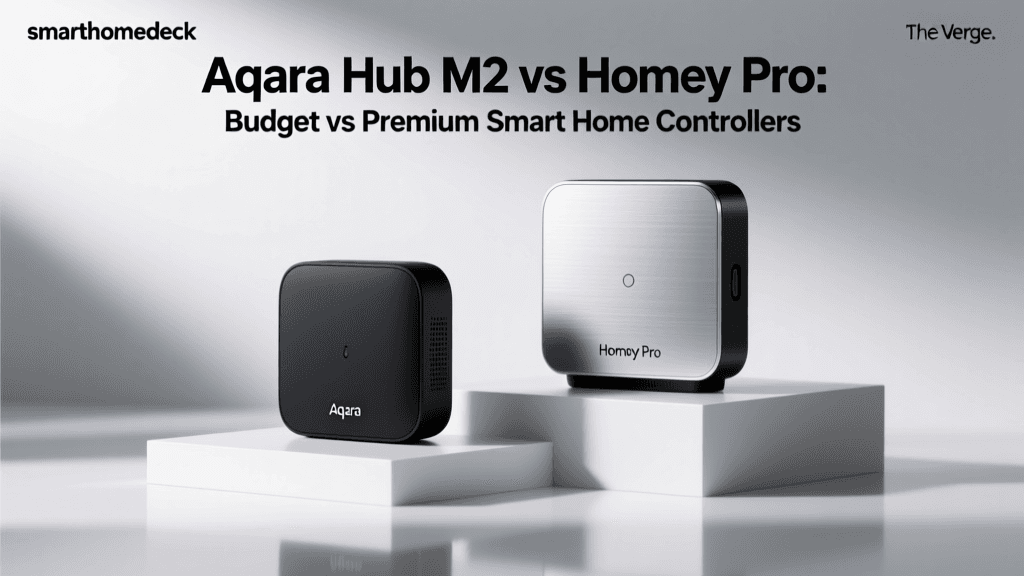
On the opposite end of the spectrum sits the Homey Pro, a premium smart home controller retailing at $399. Homey Pro is designed to be the ultimate, no-compromise hub that bridges every conceivable smart home protocol into one beautiful, cohesive ecosystem. The latest iteration of Homey Pro features a striking spherical design meant to be displayed openly, doubling as an ambient smart home status indicator.
Where Hubitat relies on two primary radios, the Homey Pro boasts an astonishing seven: Zigbee, Z-Wave, Matter, Thread, Wi-Fi, Bluetooth, and Infrared. This built-in IR blaster allows Homey to control legacy dumb appliances, such as older TVs or air conditioners, without requiring secondary dongles. As detailed on the Homey Pro Official Page, the hub is engineered to act as a Thread Border Router and a Matter controller, positioning it perfectly for the next generation of smart home interoperability standards championed by the Connectivity Standards Alliance (CSA).
Head-to-Head Specification Comparison
To understand the fundamental hardware and ecosystem differences between these two controllers, review the specification table below.
| Feature | Hubitat Elevation (C-8) | Homey Pro |
|---|---|---|
| Market Position | Budget / Enthusiast | Premium / All-in-One |
| Approximate Price | $100 - $150 | $399 |
| Primary Radios | Z-Wave (800), Zigbee (3.0) | Zigbee, Z-Wave, Matter, Thread, Wi-Fi, BLE, IR |
| Processing Architecture | 100% Local (Optional Cloud for Remote) | Local with Cloud Backup / Sync |
| Automation Engine | Rule Machine (Logic / Code-heavy) | Flow (Visual / Card-based) |
| User Interface | Web Dashboard (Utilitarian) | Polished Mobile & Web App |
| Infrared (IR) Blaster | No | Yes (Built-in) |
| Energy Monitoring | Community Dashboards | Native Energy Tab |
Protocol Support and Hardware Radios
When building a smart home, protocol fragmentation is the enemy. The Hubitat Elevation excels at the two most reliable mesh protocols: Zigbee and Z-Wave. The inclusion of the Z-Wave 800 chip on the C-8 means superior range and lower power consumption for your sensors and locks. However, if you want to integrate Wi-Fi devices, Bluetooth sensors, or IR-controlled media equipment, Hubitat requires you to rely on third-party LAN integrations or external bridges.
Homey Pro's premium price tag is largely justified by its hardware density. By including Wi-Fi and Bluetooth natively, Homey can pull data from devices like smart scales, Wi-Fi robot vacuums, and BLE temperature sensors without congesting your primary home router. Furthermore, the built-in Infrared blaster is a massive advantage for home theater automations, allowing you to trigger 'Movie Time' scenes that dim the Zigbee lights, lower the Z-Wave blinds, and send an IR power-on signal to your legacy AV receiver simultaneously.
The Automation Engine: Rule Machine vs. Flow
The true test of a smart home controller is not just what it connects to, but how intelligently it orchestrates those devices.
Hubitat Rule Machine
Hubitat's 'Rule Machine' is legendary in the smart home community for its depth. It is a highly granular, logic-driven engine that supports variables, arrays, complex conditionals, and loops. If you can write pseudo-code, you can build it in Rule Machine. For example, creating a circadian lighting routine that adjusts color temperature based on the exact solar elevation angle in your geographic location, while pausing if a specific media player is active, is entirely possible natively. The learning curve is steep, but the ceiling for complexity is virtually nonexistent.
Homey Flow
Homey uses a visual automation builder called 'Flow'. Flow operates on an 'If This, Then That' style card system, utilizing 'When' (triggers), 'And' (conditions), and 'Then' (actions) columns. It is incredibly intuitive for beginners and visually satisfying to map out. While Homey has introduced advanced logic features like variable tags and nested conditions, it can sometimes feel restrictive for hardcore programmers who prefer the raw, unfiltered logic gates available in Hubitat's Rule Machine.
Local Processing, Speed, and Reliability
Both hubs advertise local processing, but their approaches to reliability and cloud dependency differ. Hubitat is militant about local execution. Your hub will continue to run your security automations and lighting schedules even if the Hubitat cloud servers experience a total outage. Remote access is an optional add-on service.
Homey Pro also processes flows locally on the device itself, ensuring low latency. However, Homey relies more heavily on its cloud infrastructure for initial setup, app updates, and certain third-party API integrations (like pulling weather data or syncing with cloud-based Wi-Fi devices). Below is a performance benchmark visualization comparing local execution latency and overall cloud dependency.
Note: Lower latency and lower cloud dependency indicate a more resilient, locally-focused architecture.
User Interface, App Experience, and Dashboards
This category is where the premium price of the Homey Pro shines brightest. Homey's mobile app is a masterclass in user experience. It features a beautiful, unified dashboard where you can group devices by room, view live security camera feeds, and monitor the status of your entire home at a glance. The app is designed to be handed to a guest or a family member without requiring a tutorial.
Hubitat's mobile app, by contrast, is essentially a remote control for the web dashboard. It is functional, allowing you to toggle devices and run hubs, but it lacks the visual polish, room-based grouping, and intuitive dashboards of Homey. To get a beautiful dashboard out of Hubitat, most enthusiasts turn to third-party interfaces like SharpTools or ActionTiles, which require additional subscription fees and setup time.
Energy Monitoring and Management
With rising energy costs, smart home controllers are increasingly being used to monitor and optimize power consumption. Homey Pro features a native, beautifully integrated 'Energy' tab. It automatically calculates the estimated power draw of your smart plugs, Zigbee bulbs, and thermostats, presenting you with easy-to-read graphs and cost estimates based on your local electricity rates.
Hubitat does not have a native, polished energy dashboard out of the box. However, because Hubitat exposes its device data via local APIs (Maker API), users can easily pipe this data into Home Assistant, Node-RED, or Grafana to build highly customized, enterprise-grade energy monitoring dashboards. Again, Hubitat rewards the tinkerer, while Homey caters to the consumer who wants insights immediately.
Community, Support, and Extensibility
When you run into a niche compatibility issue with a new Zigbee sensor, community support is invaluable. Hubitat boasts one of the most active, highly technical forums on the internet. The 'Hubitat Package Manager' (HPM) is a community-driven tool that allows you to install, update, and manage hundreds of custom community drivers and apps with a few clicks.
Homey also has a robust App Store with thousands of integrations maintained by both the Homey team and the community. However, because Homey's architecture is slightly more locked down to maintain system stability and security, you will not find the same level of raw, user-generated code injection that you find on Hubitat. Homey's official support is generally more responsive to average consumers, whereas Hubitat's support often involves collaborative troubleshooting with community engineers.
The Verdict: Which Controller Should You Choose?
Choosing between the Hubitat Elevation and the Homey Pro ultimately comes down to your budget, your technical expertise, and your aesthetic requirements.
Choose the Hubitat Elevation (C-8) If:
- You are on a budget: At roughly $100-$150, it is the most powerful local hub per dollar on the market.
- You are a tinkerer or coder: You want to write complex, multi-variable logic rules and don't mind a utilitarian interface.
- Privacy and offline reliability are paramount: You want a system that is 100% functional even if the internet is completely severed.
- You primarily use Zigbee and Z-Wave: You don't care about native IR blasters or Wi-Fi integrations.
Choose the Homey Pro If:
- You want a premium, all-in-one solution: You are willing to pay $399 for a device that natively supports seven protocols, including IR and Thread.
- User experience and aesthetics matter: You want a beautiful app that your family will actually enjoy using, and a hub that looks good on a shelf.
- You want native energy tracking: You value built-in power monitoring dashboards without needing to set up external databases.
- You prefer visual automation: You like the idea of mapping out automations visually using Flow cards rather than configuring logic gates.
SmartHomeDeck's Final Take: The Hubitat Elevation is the undisputed champion of budget-friendly, local-first logic processing, offering unparalleled reliability for the technically inclined. However, the Homey Pro justifies its premium price tag by eliminating hardware fragmentation, offering a gorgeous user experience, and providing the most comprehensive out-of-the-box protocol support in the smart home industry today.