The Evolution of the Nest Learning Thermostat
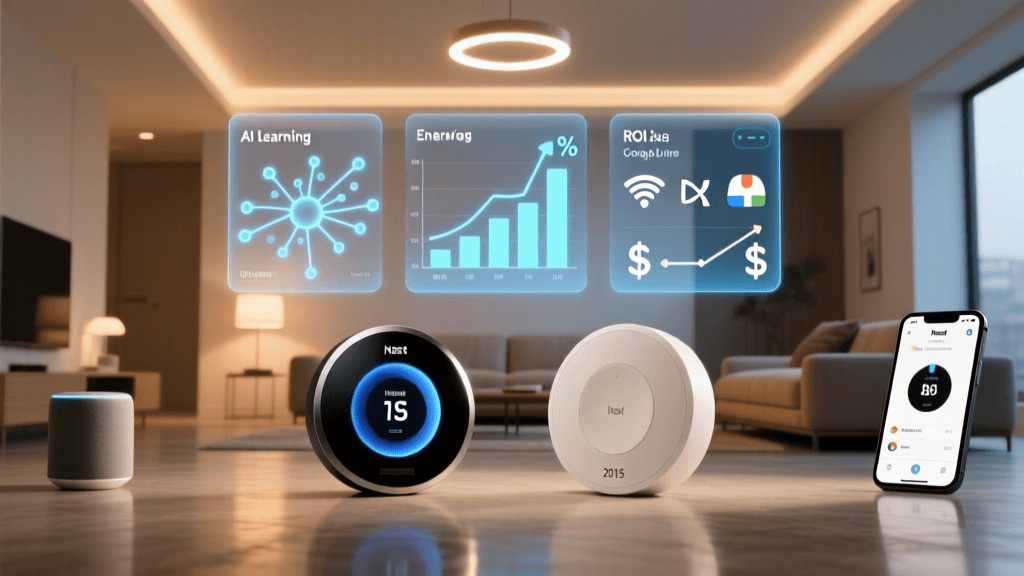
For nearly a decade, the Nest Learning Thermostat (3rd Generation) has been the undisputed heavyweight champion of smart climate control. Released in 2015, its iconic stainless steel ring and intuitive dial became synonymous with the modern smart home. However, the smart home landscape has shifted dramatically over the last ten years. The introduction of the Nest Learning Thermostat 4th Generation marks a massive paradigm shift in hardware design, artificial intelligence, and ecosystem integration. But for existing Nest users, the ultimate question remains: Is the new generation worth the cost and effort of an upgrade?
In this comprehensive head-to-head comparison, we are putting the Nest Learning Thermostat 4th Gen against the legendary 3rd Gen. We will break down the hardware redesign, the shift from passive infrared to advanced radar sensors, the nuances of their respective AI algorithms, and the long-term return on investment regarding energy savings. Whether you are a long-time Nest loyalist or a new homeowner looking to automate your HVAC system, this guide will help you decide if the new gen is worth your hard-earned money.
Design and Hardware: Stainless Steel vs. Domed Glass
The most immediate difference between the two devices is their physical footprint and aesthetic philosophy. The 3rd Generation features a 3.25-inch display surrounded by a rotating stainless steel ring. It is a beautiful, industrial piece of hardware that acts as a physical dial for temperature adjustment. The screen boasts an 800x800 resolution, which was class-leading at the time of its release.
The 4th Generation abandons the rotating dial entirely, opting instead for a sleek, anodized aluminum body topped with a 3.2-inch domed glass display. While the raw resolution is technically lower (480x480), Google has utilized advanced optical bonding and anti-reflective coatings that make the display appear significantly sharper, brighter, and more vibrant in direct sunlight or brightly lit hallways. The removal of the mechanical dial means all interactions are now touch-based or handled via the Google Home app, which streamlines the manufacturing process but may alienate users who loved the tactile click of the 3rd Gen's rotating ring.
Sensors and Presence Detection: Farsight vs. Soli Radar
Where the 4th Generation truly leaves the 3rd Generation in the dust is in presence detection. The 3rd Gen relies on Farsight, a combination of Passive Infrared (PIR) sensors and ambient light sensors. PIR is excellent at detecting large movements, like walking down the hallway, but it is notoriously bad at detecting stationary presence. If you are sitting on the couch reading a book, the 3rd Gen might assume the house is empty and trigger Eco Temperatures, leaving you shivering.
The 4th Generation solves this by integrating Google's Soli radar technology. Operating at 60GHz, the Soli sensor can detect micro-movements, including the subtle rise and fall of your chest as you breathe. This means the thermostat knows you are in the room even if you are completely still. Furthermore, the Soli radar enables gesture controls, allowing you to wave your hand in front of the device to snooze an alarm or adjust settings without ever touching the glass. This leap in sensor technology fundamentally improves the accuracy of the thermostat's Auto-Away and home-occupancy algorithms.
Software and AI: Auto-Schedule Meets Adaptive Eco
The 3rd Generation built its reputation on Auto-Schedule. During your first week of ownership, the thermostat learned your manual temperature adjustments and built a customized weekly schedule. While innovative for 2015, it required active participation from the user and often struggled to adapt to sudden changes in routine or unseasonal weather shifts.
The 4th Generation introduces a much more sophisticated, proactive AI suite driven by Adaptive Eco and advanced thermal modeling. Instead of just memorizing your schedule, the 4th Gen analyzes the unique thermal dynamics of your specific home—how quickly it heats up in the morning sun, how fast it loses heat when the wind picks up, and how your local micro-climate affects your indoor environment. It pre-cools or pre-heats your home using predictive algorithms, ensuring the exact target temperature is reached precisely when you walk through the door, rather than blindly kicking on the HVAC system at a set time.
Installation, Compatibility, and HVAC Health
Both thermostats generally require a C-wire (common wire) for continuous power, though the 3rd Gen can sometimes pulse power from existing HVAC lines in a pinch (a practice Google no longer recommends due to potential damage to modern HVAC control boards). The 4th Gen is much stricter about requiring a dedicated C-wire or the use of the Nest Power Connector.
However, the 4th Gen brings vastly improved HVAC Health Monitoring. While the 3rd Gen can alert you if your system takes too long to reach a target temperature, the 4th Gen's AI can detect subtle anomalies in power draw and system cycling. It can alert you to a failing compressor, a stuck relay, or a degrading blower motor weeks before the system actually breaks down, potentially saving you thousands in emergency repair bills during peak summer or winter months.
Head-to-Head Specifications
| Feature | Nest Learning Thermostat (3rd Gen) | Nest Learning Thermostat (4th Gen) |
|---|---|---|
| Display | 3.25" LCD (800x800) | 3.2" Domed Glass (480x480, Optically Bonded) |
| Presence Sensors | PIR (Passive Infrared) | Soli Radar (60GHz) + PIR |
| Interaction | Rotating Steel Ring + Touch | Touch Screen + Gesture Control |
| Included Accessories | Thermostat, Baseplate, Trim Kit | Thermostat, Nest Temperature Sensor (2nd Gen) |
| Smart Home Protocol | Wi-Fi, Thread (Border Router via update) | Wi-Fi, Thread, Native Matter Support |
| Typical Retail Price | ~$249 | ~$279 |
Ecosystem Integration and Matter Support
If you are heavily invested in the modern smart home ecosystem, the 4th Generation is a massive leap forward. It is built from the ground up with Matter and Thread support in mind. While Google has pushed Thread border router capabilities to the 3rd Gen via firmware updates, the 4th Gen natively supports Matter out of the box, allowing for seamless, local-control integration with Apple HomeKit, Samsung SmartThings, and Amazon Alexa without relying on cloud-to-cloud bridges. The 3rd Gen remains largely walled within the Google Home / Nest ecosystem, making it a tough sell for users who prefer a multi-platform approach.
Energy Savings and ROI: Crunching the Numbers
The primary justification for any smart thermostat is energy savings. According to the U.S. Department of Energy, homeowners can save as much as 10% a year on heating and cooling by adjusting their thermostat by 7°-10°F for 8 hours a day. Furthermore, ENERGY STAR notes that certified smart thermostats save on average 8% on heating and cooling costs annually by eliminating human error and optimizing run-times.
But does the 4th Gen save more money than the 3rd Gen to justify the upgrade? The 3rd Gen already captures the bulk of these savings through basic Auto-Away and scheduling. The 4th Gen's Adaptive Eco might squeeze out an additional 2% to 4% in efficiency through superior thermal modeling and the inclusion of the Nest Temperature Sensor (2nd Gen) in the box. This sensor (a $39 value) allows the thermostat to prioritize the temperature of the room you are actually in, rather than the hallway where the thermostat is mounted. When you factor in the cost of the included sensor, the actual price gap between the two models shrinks from $80 to roughly $40, making the ROI on the 4th Gen highly attractive for new buyers.
SmartHomeDeck Performance Scoring
Bar chart comparing SmartHomeDeck scores across five categories for the Nest 3rd Gen and 4th Gen thermostats.
The Final Verdict: Should You Upgrade?
Deciding whether to rip a perfectly good 3rd Generation Nest off your wall requires looking at your specific smart home profile. Here is our actionable advice based on different user scenarios:
1. The Current 3rd Gen Owner (The Holdout)
Verdict: Do Not Upgrade (Yet).
If your 3rd Generation Nest is functioning properly, connecting to Wi-Fi reliably, and maintaining your comfort, the upgrade to the 4th Gen is not strictly necessary. The core function of turning your HVAC on and off remains largely the same. The energy savings differential will not pay for the cost of the new hardware in a reasonable timeframe. Wait until your 3rd Gen experiences hardware failure or severe battery drain issues before making the jump.
2. The Multi-Ecosystem Power User (The Upgrader)
Verdict: Upgrade Immediately.
If you use Apple HomeKit, Samsung SmartThings, or Home Assistant alongside Google products, the 3rd Gen's lack of native Matter support is a massive bottleneck. Upgrading to the 4th Gen unlocks local Matter control, vastly improves presence detection via Soli radar (eliminating the annoying Auto-Away triggers when you are sitting still), and future-proofs your home for the next decade of smart home standards.
3. The New Buyer (The Blank Canvas)
Verdict: Buy the 4th Gen.
If you are buying a smart thermostat for the first time or moving into a new home, the 4th Generation is the undisputed winner. The inclusion of the Nest Temperature Sensor in the box immediately bridges the value gap between the two models. You get cutting-edge radar presence detection, native Matter support, and a stunning domed glass display that looks like a piece of modern art rather than a legacy tech gadget. The 3rd Gen is a legendary device, but its era has officially come to an end.
SmartHomeDeck Pro-Tip: Before purchasing either generation, open your current thermostat's wall plate and verify the presence of a C-wire (usually a blue or black wire connected to the 'C' terminal). While older Nests could sometimes 'steal' power, modern smart thermostats and advanced HVAC control boards require a dedicated C-wire to prevent system damage and ensure the radar sensors remain active 24/7.