Smart Home Hub Comparison: Alexa vs. HomeKit vs. SmartThings vs. Hubitat
Building a reliable, automated home requires more than just buying smart bulbs and sensors; it requires a central brain to coordinate everything. Choosing the right smart home hub is the most critical decision you will make in your home automation journey. The hub dictates how fast your lights turn on, whether your automations run when the internet goes down, and how seamlessly your devices communicate.
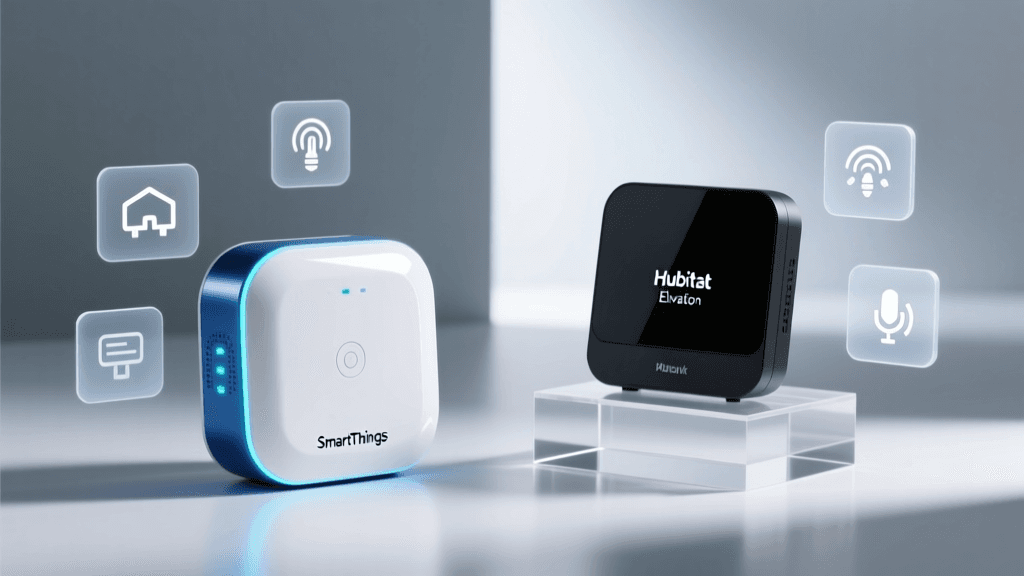
In this comprehensive smart home hub comparison, we are putting the four titans of the industry head-to-head: Amazon Alexa, Apple HomeKit, Samsung SmartThings, and Hubitat Elevation. Whether you are a beginner looking for simple voice control or an advanced tinkerer demanding local processing and complex logic, this guide will help you find the perfect match. For a deeper dive into the underlying technology, be sure to read our guide on local vs. cloud smart home processing.
Side-by-Side Specification Table
Before we dive into the nuances of performance and ecosystem, let us look at the raw specifications and core capabilities of each platform. This table provides a high-level overview of what each hub brings to the table.
| Feature | Amazon Alexa (Echo Hub/Show) | Apple HomeKit (HomePod/Apple TV) | Samsung SmartThings (Station/Hub) | Hubitat Elevation |
|---|---|---|---|---|
| Primary Protocols | Wi-Fi, Bluetooth, Matter, Zigbee (select models) | Wi-Fi, Bluetooth, Thread, Matter | Wi-Fi, Zigbee, Z-Wave, Matter, Thread | Zigbee, Z-Wave, Wi-Fi, LAN, Matter |
| Local Processing | Limited (Mostly Cloud) | High (for native HomeKit devices) | Hybrid (Edge Drivers for local) | Maximum (Core logic is 100% local) |
| Voice Assistant | Alexa (Built-in) | Siri (Built-in) | Bixby/Alexa/Google (via speakers) | None (Integrates with others) |
| Automation Complexity | Basic to Intermediate | Intermediate | Intermediate to Advanced | Expert (Rule Machine) |
| Best Suited For | Voice control & beginners | Apple users & privacy advocates | Samsung users & broad compatibility | Advanced tinkerers & reliability |
Performance & Reliability: Local vs. Cloud Execution
When evaluating smart home hubs, performance is not just about speed; it is about reliability. The biggest differentiator in performance is how the hub handles local execution versus cloud reliance.
The Cloud Conundrum
Amazon Alexa and, to a certain extent, Samsung SmartThings rely heavily on cloud servers to process automations. When you create a routine in the Alexa app, that logic lives on Amazon's servers. If your internet connection drops, or if Amazon's AWS servers experience an outage, your smart home becomes remarkably dumb. Lights will not turn on based on motion, and scheduled routines will fail. However, when the internet is active, cloud processing is generally fast and allows for easy integration with third-party web services.
The Power of Local Processing
Hubitat Elevation is the undisputed king of local performance. The hub processes all Zigbee, Z-Wave, and LAN automations directly on the physical device sitting in your living room. This results in near-instantaneous execution times—often measured in milliseconds rather than seconds. Furthermore, your automations will continue to run flawlessly even if your internet service provider goes down. Apple HomeKit also excels here, provided you are using native HomeKit-certified accessories. HomeKit processes logic locally via the HomePod or Apple TV, ensuring that your morning routines trigger instantly without pinging a server in another state.
Samsung SmartThings has made massive strides in local reliability with the introduction of Edge Drivers. By pushing processing logic to the hub itself rather than the cloud, SmartThings has bridged the gap, though it still requires cloud connectivity for initial setup and certain integrations. To understand how mesh networks affect this performance, check out our breakdown of Zigbee vs. Z-Wave vs. Thread.
Features & Automation Capabilities
A hub is only as good as the automations it can execute. The four platforms cater to vastly different levels of technical expertise.
Amazon Alexa: Simplicity & Voice
Alexa routines are designed for the masses. You can easily set up triggers based on time, voice commands, device states, or even Alexa Guard (listening for smoke alarms or breaking glass). However, Alexa struggles with complex, multi-condition logic. You cannot easily create a routine that says, "Turn on the lights IF motion is detected AND the lux level is below 50 AND the TV is turned off." It is an excellent system for basic scheduling and voice control, but it falls short for advanced home automation.
Apple HomeKit: Elegant & Secure
HomeKit offers a beautifully designed, user-friendly interface. The Home app makes setting up rooms, zones, and basic automations incredibly intuitive. Apple also offers HomeKit Secure Video, which processes camera footage locally and stores it securely in iCloud, a feature unmatched by competitors in terms of privacy. However, native HomeKit automations still lack deep conditional logic without relying on third-party apps like Home+ or Controller for HomeKit.
Samsung SmartThings: The Middle Ground
SmartThings offers a robust routine builder that allows for multiple conditions and actions. The "SmartThings Find" feature and integration with Samsung appliances (like smart refrigerators and washing machines) give it a unique edge in the kitchen & laundry room. The platform also supports virtual switches and webhooks natively, making it a favorite for users who want more power than Alexa but do not want to write custom code.
Hubitat Elevation: The Tinkerer's Paradise
Hubitat features the legendary Rule Machine. This built-in app allows you to create incredibly complex, multi-layered logic trees. You can utilize variables, loops, wait conditions, and conditional IF/THEN/ELSE statements. If you can imagine a scenario, Hubitat can automate it. The trade-off is a steep learning curve. The interface is utilitarian and requires a fundamental understanding of programming logic, making it overwhelming for casual users but an absolute dream for automation enthusiasts.
Ecosystem & Device Compatibility
The smart home landscape is fragmented, and your hub must speak the right languages. The ongoing rollout of the Matter protocol is changing the game, but legacy protocols still dominate.
- Amazon Alexa: Alexa boasts the largest library of compatible devices on the market. If a device is smart, it likely works with Alexa. However, this massive compatibility often relies on cloud-to-cloud integrations, which can introduce latency and reliability issues.
- Apple HomeKit: Historically, HomeKit was notorious for its strict, expensive certification process, leading to a smaller, more expensive device ecosystem. Today, with the advent of Matter and Thread border routers built into the latest HomePods and Apple TVs, the ecosystem is rapidly expanding, allowing non-native Matter devices to join the Home app seamlessly.
- Samsung SmartThings: SmartThings is a compatibility powerhouse. The SmartThings Hub includes dedicated radios for both Zigbee and Z-Wave, allowing it to connect directly to hundreds of sensors, locks, and switches without clogging up your Wi-Fi network. Its "Works With SmartThings" (WWST) program ensures a high baseline of quality for third-party integrations.
- Hubitat Elevation: Hubitat also includes both Zigbee and Z-Wave radios. Where Hubitat truly shines is its community-driven package manager. If a niche device is not officially supported, there is a high probability that a community developer has written a custom driver for it. Hubitat also excels at LAN integrations, communicating directly with devices like Philips Hue bridges, Lutron Caseta, and Sonos over your local network.
Privacy & Security
In an era of data breaches and targeted advertising, the privacy implications of your smart home hub cannot be ignored.
Apple HomeKit and Hubitat are the clear winners for privacy advocates. Apple's ecosystem is built on a foundation of user privacy; data is encrypted end-to-end, and Apple does not monetize your smart home usage data. Hubitat keeps your automation logic and device states entirely on the local hub. While it uses the cloud for remote access (via Hubitat Remote) and dashboard hosting, your core data remains in your home.
Conversely, Amazon Alexa and Samsung SmartThings operate on a data-harvesting business model. Voice recordings, device usage patterns, and routine schedules are processed in the cloud and used to train AI models and target advertising. While both companies offer options to delete voice recordings and opt-out of certain data sharing, the fundamental architecture requires your data to leave your home.
Value & Total Cost of Ownership
When calculating the value of a smart home hub, you must look beyond the initial hardware cost and consider subscriptions, required accessories, and longevity.
- Amazon Alexa: Echo devices are heavily subsidized by Amazon, making them incredibly cheap to acquire. However, to get the most out of the ecosystem, you may find yourself paying for subscriptions like Alexa Together or subscribing to third-party skills. Furthermore, relying on Wi-Fi for devices can lead to the hidden cost of needing enterprise-grade Wi-Fi routers to handle the traffic.
- Apple HomeKit: The barrier to entry is high. You need an Apple TV or HomePod to act as a hub, both of which are premium-priced devices. Additionally, unlocking advanced features like HomeKit Secure Video requires an ongoing iCloud+ subscription. The hardware is beautiful and long-lasting, but it is an expensive ecosystem to buy into.
- Samsung SmartThings: The SmartThings Station is an incredibly affordable entry point that doubles as a wireless charger. The full SmartThings Hub is moderately priced. SmartThings offers a mostly free experience, though some advanced AI features and energy monitoring tools are beginning to move behind paywalls or require Samsung premium appliances.
- Hubitat Elevation: Hubitat requires a higher upfront investment for the hub itself, and the optional C-8 Pro model with upgraded antennas is even more. However, there are zero mandatory subscriptions. You buy the hardware, and you own the platform outright. For users with dozens of devices, the reliability and lack of monthly fees make it the best long-term value.
The Verdict: Which Hub is Right for You?
There is no single "best" smart home hub; there is only the best hub for your specific lifestyle, technical skills, and existing hardware. Here is our final verdict based on different user profiles.
1. The Beginner & Voice Control Enthusiast: Amazon Alexa
If your primary goal is to turn on lights with your voice, play music, and set basic timers, Alexa is the undisputed champion. The hardware is affordable, the voice recognition is top-tier, and the sheer volume of compatible devices means you will never struggle to find a smart plug or bulb that works. It is perfect for apartments, dorm rooms, and users who do not want to spend time troubleshooting network settings.
2. The Apple Purist & Privacy Advocate: Apple HomeKit
If you are already deeply invested in the Apple ecosystem (iPhone, iPad, Apple Watch), HomeKit is the most seamless experience available. The integration with Siri, the Control Center, and Apple Watches is unmatched. It is the best choice for users who prioritize privacy, want a beautifully designed app, and are willing to pay a premium for hardware that just works without requiring a degree in computer science.
3. The Samsung Fan & Appliance Integrator: Samsung SmartThings
SmartThings is the ultimate middle ground. It offers broad compatibility via Zigbee, Z-Wave, and Matter, making it ideal for users who want to mix and match brands. If you own Samsung smart appliances, the integration is phenomenal. It provides enough local processing to be reliable, while maintaining a user-friendly app that is easy for the whole family to navigate.
4. The Advanced Tinkerer & Reliability Maximizer: Hubitat Elevation
If you view your smart home as a hobby and demand absolute reliability, Hubitat is the only choice. The ability to execute complex logic locally, combined with support for legacy Z-Wave devices and modern Matter/Thread accessories, makes it the most powerful hub on the market. It is built for users who want their home to react intelligently to dozens of variables without ever relying on an external server.
Frequently Asked Questions
Do I really need a dedicated smart home hub?
If you only have a few Wi-Fi-enabled smart bulbs or plugs, you might not need a dedicated hub. However, as your smart home grows, a hub becomes essential. Wi-Fi devices congest your home network, leading to dropped connections and slow router performance. A dedicated hub utilizes low-power mesh networks like Zigbee, Z-Wave, or Thread, which keeps your Wi-Fi clear for laptops and phones while providing faster, more reliable communication for your smart devices. Furthermore, a hub enables cross-device automations that cloud-based apps often struggle to execute reliably.
How does the Matter protocol change the hub landscape?
Matter is designed to be the great unifier of the smart home. It allows devices to communicate over your local network using standard IP protocols, meaning a Matter-certified lock can work with Apple HomeKit, Amazon Alexa, and Samsung SmartThings simultaneously without needing proprietary cloud integrations. However, Matter still requires a "Border Router" or hub to connect Thread and Wi-Fi devices to your network. While Matter makes device compatibility easier, the hub you choose will still dictate the quality of your automations, the dashboard interface, and the privacy of your data.
Can I use multiple smart home hubs together?
Absolutely. In fact, many advanced users run a multi-hub setup to leverage the strengths of each platform. For example, you might use an Amazon Echo Show in the kitchen for voice control and recipe displays, while using a Hubitat Elevation hub in the basement to run all the complex, local lighting and security automations. Hubitat and Home Assistant excel at this, as they can share device states with other platforms via integrations like HomeKit Bridge or Alexa Skills, allowing you to use the best interface for the specific task at hand.
What happens to my smart home if the internet goes down?
This is where the distinction between local and cloud hubs becomes critical. If you are using a cloud-dependent system like Amazon Alexa, an internet outage means your voice commands will fail, app controls will not load, and scheduled routines will not trigger. If you are using a local-processing hub like Hubitat Elevation or Apple HomeKit, your physical switches, motion sensor automations, and scheduled routines will continue to function perfectly. The only features you will lose during an internet outage are remote access (controlling devices while away from home) and integrations with cloud-based services like weather forecasting or streaming music.
Choosing the right smart home hub is the foundation of a seamless automated life. Whether you prioritize the voice-first convenience of Alexa, the secure elegance of HomeKit, the broad compatibility of SmartThings, or the local power of Hubitat, understanding your personal needs is the key to unlocking the true potential of your smart home. Explore our latest smart home reviews to find the perfect sensors, locks, and lights to pair with your new hub.