The Battle of the Smart Home Brains: Budget vs. Premium
Building a smart home is no longer just about buying a few smart bulbs and a voice assistant. As your ecosystem grows, the need for a centralized smart home controller—often called a hub or bridge—becomes critical. The controller acts as the brain of your home, translating different wireless protocols, executing automations, and providing a unified app interface. But with options ranging from $70 to nearly $400, how do you know if you need a premium powerhouse or if a budget-friendly hub will suffice?
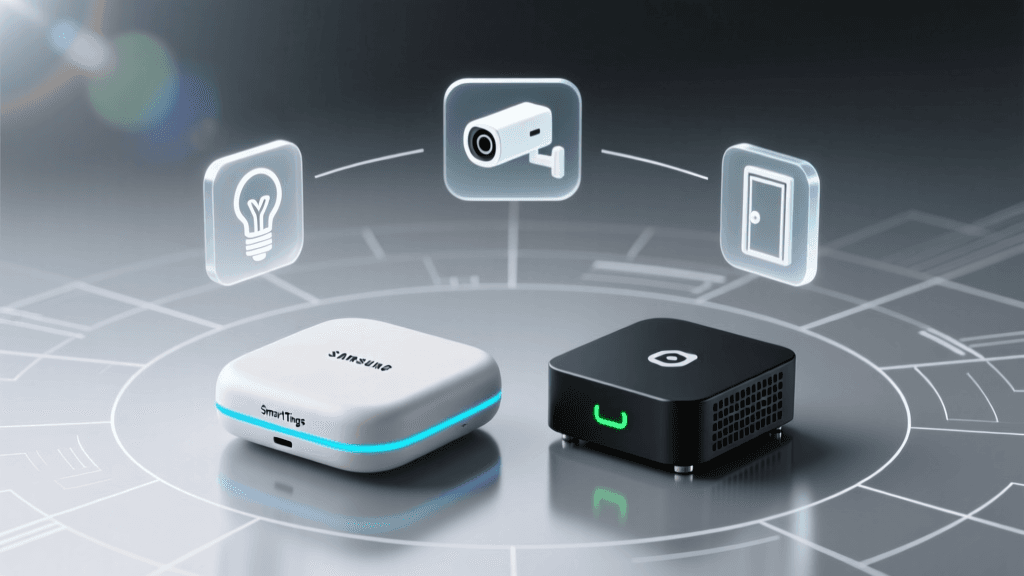
In this comprehensive comparison, we are putting the ultimate budget champion, the Samsung SmartThings Hub (and its Aeotec equivalent), head-to-head against the undisputed premium heavyweight, the Homey Pro. We will analyze protocol support, local vs. cloud processing, automation capabilities, and overall value to help you decide which controller deserves the central spot in your home network.
The Budget Champion: Samsung SmartThings Hub
Priced typically around $70 to $80, the Samsung SmartThings Hub (including the identical hardware sold by Aeotec) has long been the default entry point for serious smart home enthusiasts. It offers a compelling mix of essential wireless protocols and deep integration with the broader SmartThings ecosystem.
Key Specifications and Features
- Price: ~$75
- Protocols: Wi-Fi, Zigbee, Z-Wave, and Matter (via recent firmware updates)
- Max Devices: Officially supports up to 230 devices (with a recommended limit of around 100-150 for optimal mesh stability)
- Processing: Hybrid (Cloud-dependent for most automations, limited local execution for specific device categories)
The SmartThings Hub excels in accessibility. The mobile app is highly polished, user-friendly, and backed by Samsung's massive development resources. Out of the box, it connects seamlessly with thousands of certified devices. According to the Z-Wave Alliance, Z-Wave remains one of the most reliable mesh networking protocols for smart homes, and SmartThings provides one of the most stable Z-Wave radios on the budget market.
However, the budget nature of the SmartThings Hub reveals itself in its reliance on the cloud. If your internet connection drops, many of your automations will fail to trigger. Furthermore, advanced logic—such as conditional statements based on multiple variables or complex webhooks—requires third-party workarounds, limiting its appeal to hardcore programmers who want total control over their environment.
The Premium Powerhouse: Homey Pro
Retailing at approximately $399, the Homey Pro is a premium smart home controller designed for users who demand absolute control, privacy, and unmatched protocol support. It is a beautifully designed, spherical hub that packs an astonishing amount of radio hardware into a compact footprint.
Key Specifications and Features
- Price: ~$399
- Protocols: Wi-Fi, Zigbee, Z-Wave, Bluetooth, Thread, Matter, Infrared (IR), and 433MHz
- Max Devices: 500+ devices
- Processing: 100% Local (Automations run on the device itself, ensuring zero latency and total privacy)
The Homey Pro's biggest selling point is its local processing engine. Every automation, script, and device state change is processed on the hub's internal processor. This means your lights will still turn on via motion sensors even if your ISP is experiencing an outage. Additionally, the inclusion of Infrared and 433MHz radios allows the Homey Pro to control legacy devices like older air conditioners, TVs, and cheap RF smart plugs that the SmartThings Hub simply cannot see.
Homey's automation engine, known as "Flows," uses a highly intuitive "When... And... Then..." logic card system that rivals advanced programming environments like Node-RED, but with a visual interface that remains accessible to non-coders. It bridges the gap between consumer-friendly design and enterprise-grade logic.
Head-to-Head Specification Comparison
To understand the hardware and software differences at a glance, review the comparison table below.
| Feature | Samsung SmartThings Hub (Budget) | Homey Pro (Premium) |
|---|---|---|
| Retail Price | $75 | $399 |
| Zigbee & Z-Wave | Yes | Yes |
| Thread & Matter | Matter (via update) / No Thread Border Router | Yes (Full Thread Border Router) |
| Infrared & 433MHz | No | Yes |
| Automation Execution | Mostly Cloud | 100% Local |
| Advanced Logic | Limited (Requires API/3rd Party) | Native (Flows & HomeyScript) |
| Energy Dashboard | Basic (via SmartThings Energy) | Advanced (Insights & Historical Graphs) |
Setup, Onboarding, and Device Pairing
When bringing a new hub into your home, the onboarding experience sets the tone for your long-term satisfaction. The SmartThings Hub utilizes a simple QR code scan via the SmartThings app. Device pairing is generally straightforward, especially for Works With SmartThings (WWST) certified products. However, pairing generic or older Zigbee devices can sometimes result in them showing up as "Unknown Devices," requiring community-created edge drivers to function properly.
The Homey Pro takes a slightly more hands-on approach. During setup, the Homey app guides you through adding devices by protocol. Because Homey supports so many radios, you can pair an infrared remote, a Zigbee motion sensor, and a Wi-Fi smart plug all within the same session. The community-driven app store means that if a device isn't natively supported out of the box, a user-created integration is usually just one click away. While the initial learning curve is steeper than Samsung's plug-and-play approach, the long-term stability of paired devices on Homey is vastly superior due to its local polling and mesh-healing capabilities.
Protocol Support and Future-Proofing
The smart home landscape is currently undergoing a massive shift with the introduction of Matter and Thread. The Connectivity Standards Alliance (CSA) designed the Matter protocol to create a unified, secure, and reliable standard across all major ecosystems. While both hubs support Matter over Wi-Fi and Ethernet, their approach to the underlying Thread network differs vastly.
The Homey Pro features a dedicated Thread Border Router, allowing it to natively manage Thread devices and route them into your local network. According to the Thread Group, Thread enables low-power, self-healing mesh networks that do not rely on Wi-Fi bandwidth. The SmartThings Hub, while receiving Matter updates, lacks native Thread border router capabilities in its current hardware generation, meaning you must rely on other Thread border routers (like an Apple TV or Nest Hub) to utilize Thread devices in a SmartThings setup.
Furthermore, the Homey Pro's inclusion of Bluetooth, Infrared, and 433MHz makes it a universal translator. If you have a split-system AC unit that only uses an IR remote, or a budget weather station that broadcasts on 433MHz, the Homey Pro can integrate them into your main dashboard. The SmartThings Hub strictly limits you to its supported IP, Zigbee, and Z-Wave ecosystems.
Bar chart comparing the number of supported wireless protocols and estimated maximum device capacity between the budget SmartThings Hub and the premium Homey Pro.
Cloud vs. Local Processing: The Reliability Factor
When evaluating a smart home controller, the most critical question to ask is: What happens when the internet goes down?
With the Samsung SmartThings Hub, the answer is often frustrating. While basic device control (like using a physical Zigbee switch to turn on a Zigbee bulb) works locally due to direct association, complex automations—such as turning on lights based on a virtual geofence or a cloud-based weather API—will fail during an internet outage. Samsung has improved local execution over the years with their Edge Drivers initiative, but it remains a hybrid system heavily tethered to Samsung's cloud servers for app access, push notifications, and advanced logic.
Conversely, the Homey Pro is built on a local-first architecture. The hub runs a robust Linux-based operating system internally. When you create a Flow (automation), it is compiled and stored directly on the hub. If your router dies or your ISP goes offline, your motion sensors will still trigger your lights, your leak sensors will still sound local alarms, and your Zigbee mesh will remain fully operational. For users who prioritize reliability, security, and privacy (keeping device telemetry off external servers), the premium price of the Homey Pro is easily justified by this local-first philosophy.
Advanced Automations: Routines vs. Flows
The true magic of a smart home lies in its automations. Here, the budget and premium tiers diverge sharply in their capabilities.
SmartThings Routines
SmartThings uses "Routines," which are straightforward "If This, Then That" statements. They are perfect for beginners. You can easily set a routine to turn off all lights when the last person leaves the house. However, you quickly hit a wall when you want to introduce variables. For example, creating a routine that says, "Turn on the AC only if the temperature is above 75°F and someone is home and the sun is shining" requires cumbersome workarounds, virtual switches, or third-party webhooks.
Homey Flows & HomeyScript
Homey utilizes "Flows," a visual logic builder that separates triggers (When), conditions (And), and actions (Then). This allows for infinitely complex logic trees without writing a single line of code. You can easily create local variables, use math formulas to calculate exact heating requirements, and send custom push notifications with dynamic data tags.
For power users, Homey also includes HomeyScript, a JavaScript-based engine that runs locally on the hub. This allows developers to write custom scripts to parse complex JSON data from local APIs, manipulate arrays, and execute advanced logic that would be impossible on a cloud-restricted budget hub.
Energy Monitoring and Sustainability Tracking
As energy costs rise, monitoring the power consumption of your smart home devices has become a priority for many users. The SmartThings Hub integrates with the SmartThings Energy dashboard, providing a clean, easy-to-read interface that shows real-time power draw for supported devices. It is excellent for casual monitoring and works exceptionally well with Samsung smart appliances.
However, the Homey Pro takes energy tracking to an entirely different level with its "Insights" feature. Every single data point—from temperature fluctuations to exact wattage drawn by a smart plug—is logged locally and presented in granular, interactive graphs. You can export this data via CSV for external analysis, create custom dashboards that calculate the exact financial cost of running your home theater system, and trigger automations based on historical energy trends rather than just instantaneous values.
Final Verdict: Which Controller Should You Buy?
Choosing between a budget and a premium smart home controller ultimately comes down to your technical expertise, your existing hardware, and your tolerance for cloud dependency.
Buy the Budget Controller (SmartThings Hub) If:
- You are just starting your smart home journey and want a reliable, easy-to-use system.
- Your home primarily uses standard Zigbee and Z-Wave devices from major brands.
- You are heavily invested in the Samsung ecosystem and want native integration with Galaxy devices and SmartThings Energy.
- You are on a strict budget and do not require complex, multi-variable conditional logic.
Buy the Premium Controller (Homey Pro) If:
- You demand 100% local processing to ensure privacy, security, and zero-latency automations.
- You have a diverse collection of devices, including legacy Infrared appliances, 433MHz sensors, and modern Thread/Matter gadgets.
- You are a power user who wants to write JavaScript (HomeyScript) or build complex, multi-condition logic trees.
- You want a future-proof hub with native Thread Border Router capabilities and robust energy monitoring dashboards.
While the SmartThings Hub offers incredible value and serves the needs of 80% of smart home users, the Homey Pro is an investment in total domestic sovereignty. If you view your smart home as a long-term, mission-critical infrastructure rather than a casual hobby, the premium controller is worth every penny.