The Battle for the Smart Home Brain
Building a truly connected home requires more than just buying smart bulbs and plugs; it requires a central nervous system to coordinate them all. In the modern smart home landscape, the hub is the brain that dictates how your devices communicate, automate, and respond to your daily routines. When it comes to choosing a central hub, the market is largely divided into two distinct philosophies: the polished, consumer-friendly ecosystem of Samsung SmartThings, and the open-source, hyper-customizable powerhouse that is Home Assistant. Both platforms have evolved significantly over the past few years, but they cater to fundamentally different types of users. Whether you are a casual homeowner looking for simple plug-and-play automation or a dedicated tinkerer who wants absolute control over every byte of data, understanding the nuances between these two platforms is critical. In this comprehensive comparison, we will break down hardware options, protocol compatibility, automation depth, privacy architectures, and long-term viability to help you decide which smart home hub deserves the crown in your house.
Core Philosophies: Consumer Convenience vs. Open-Source Freedom
Samsung SmartThings operates on a consumer-first philosophy. Backed by one of the largest electronics manufacturers in the world, SmartThings is designed to be accessible, visually appealing, and easy to set up right out of the box. The platform relies heavily on a cloud-hybrid architecture, meaning that while some processing happens locally, the ecosystem is deeply integrated with Samsung's servers. This allows for seamless remote access, easy sharing with family members, and out-of-the-box compatibility with thousands of certified devices through the Works With SmartThings (WWST) program. It is an ecosystem built for convenience, aiming to minimize friction for the average user who simply wants their lights to turn on when they arrive home.
Home Assistant, on the other hand, was born from the open-source community and operates on a strict local-first, privacy-centric philosophy. It does not rely on external cloud servers to execute your automations, meaning your smart home will continue to function perfectly even if your internet connection goes down. Home Assistant is incredibly powerful, supporting over 2,500 native integrations, but this power comes with a steeper learning curve. It is designed for users who view their smart home as an ongoing project, offering unparalleled flexibility at the cost of requiring more technical knowledge to configure and maintain. According to the official Home Assistant project, the platform's core mission is to prioritize local control and data privacy, ensuring that users own their smart home experience without being locked into proprietary cloud ecosystems.
Hardware Ecosystem and Cost Breakdown
The physical hardware required to run these platforms represents a major divergence in how each company approaches the market. Samsung offers proprietary, sleek hardware, while Home Assistant provides official plug-and-play boxes alongside endless DIY options.
| Hardware Option | Ecosystem | Built-in Protocols | Local Processing | Estimated Cost |
|---|---|---|---|---|
| SmartThings Station | SmartThings | Wi-Fi, Thread, Matter | Partial (Edge) | $70 - $90 |
| Aeotec Smart Home Hub | SmartThings | Zigbee, Z-Wave, Wi-Fi | Partial (Edge) | $130 - $150 |
| Home Assistant Green | Home Assistant | Ethernet (Requires USB Dongles) | 100% Local | $99 - $119 |
| Home Assistant Yellow | Home Assistant | Zigbee, Thread, Ethernet | 100% Local | $199 - $250 |
| Raspberry Pi 4 / 5 | Home Assistant | Depends on USB Dongles | 100% Local | $80 - $150 (DIY) |
For SmartThings users, the Samsung SmartThings ecosystem offers the Station for basic Matter and Thread needs, but most power users opt for the Aeotec Smart Home Hub (essentially the SmartThings Hub v3) to gain native Zigbee and Z-Wave support. Home Assistant users have the official Green box for a hassle-free setup, or the Yellow, which features a built-in Zigbee and Thread radio, eliminating the need for messy USB dongles. However, many veteran Home Assistant users still prefer building their own servers using a Raspberry Pi or an Intel NUC mini-PC paired with high-quality USB coordinators like the Sonoff Zigbee 3.0 Dongle Plus or the Aeotec Z-Stick Gen5+.
Protocol Support: Zigbee, Z-Wave, and the Matter Standard
A smart hub is only as good as the devices it can talk to. Both platforms support the major wireless protocols, but they handle them very differently. SmartThings utilizes its hub's internal radios to create Zigbee and Z-Wave meshes. Historically, adding non-certified Zigbee devices to SmartThings was a frustrating experience requiring custom Groovy code. Today, Samsung's Edge Drivers have vastly improved local compatibility, allowing many generic Zigbee sensors to connect directly without cloud reliance.
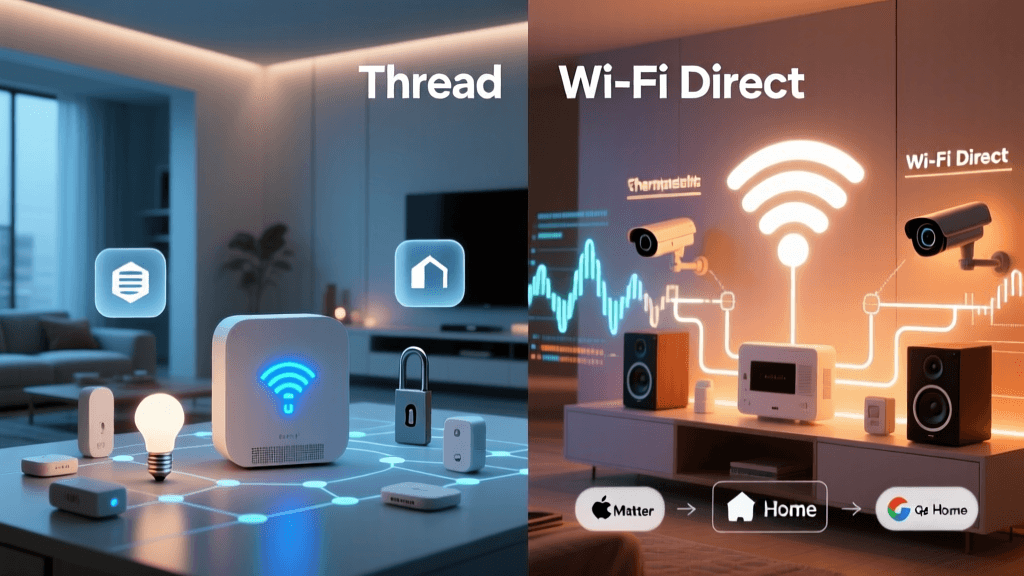
Home Assistant handles protocols through modular add-ons. For Zigbee, users can choose between ZHA (Zigbee Home Automation) or the wildly popular Zigbee2MQTT, which decouples the Zigbee network from the core software, providing incredible stability and device support. For Z-Wave, the Z-Wave JS UI add-on offers a similar level of granular control. Furthermore, the smart home industry is currently undergoing a massive shift toward the Matter standard. The CSA Group, which oversees the Matter protocol, designed it to ensure local interoperability across different ecosystems. Both SmartThings and Home Assistant have embraced Matter, with SmartThings acting as a Matter Controller and Home Assistant offering robust Matter support via Python-based integrations, ensuring that future-proofing is possible on either platform.
The Automation Engine: Routines vs. YAML and Node-RED
Where the gap between these two platforms truly widens is in the automation engine. SmartThings utilizes 'Routines,' a visual, rule-based system built on simple IF/THEN logic. You can easily set up a routine that says, 'IF the front door opens AND it is after sunset, THEN turn on the hallway lights.' While Samsung has improved the app to include basic AND/OR conditions, it still struggles with complex, multi-layered logic. If you want to create an automation that tracks the state of three different sensors, calculates a time delay based on a variable, and sends a push notification to a specific family member based on their GPS location, SmartThings will quickly hit its limits.
Home Assistant's automation engine is virtually limitless. Automations are built on a framework of Triggers, Conditions, and Actions. Users can write these in YAML (Yet Another Markup Language) or use the highly improved visual UI editor. Home Assistant supports Jinja2 templating, allowing you to write complex scripts that pull data from APIs, calculate mathematical formulas, and dynamically adjust device states. For users who prefer visual programming, the Node-RED add-on provides a flow-based, drag-and-drop canvas that can handle enterprise-level logic, webhooks, and API integrations. If you can imagine a scenario, Home Assistant can automate it.
Dashboard and User Interface: App vs. Lovelace
The SmartThings mobile app is a masterclass in consumer UI design. It is uniform, intuitive, and provides a consistent experience across iOS and Android. Device tiles are easy to read, and grouping devices by rooms is straightforward. However, what you see is what you get. You cannot fundamentally alter the layout, create custom pop-up cards, or embed live camera feeds in a highly customized grid without relying on third-party workarounds.
Home Assistant utilizes the Lovelace UI, a highly modular dashboard system that can be tailored to look like anything from a sleek, minimalist control panel to a comprehensive data center. Through the Home Assistant Community Store (HACS), users can download custom themes, icon packs, and advanced cards like the Mushroom card collection or the ApexCharts card for live data visualization. You can create a dedicated dashboard for your wall-mounted tablet in the kitchen, a simplified view for your children, and a dense, data-heavy view for your desktop. Furthermore, Home Assistant's companion apps for iOS and Android offer deep integration with mobile sensors, allowing your phone's battery state, Wi-Fi connection, and even step count to act as triggers for your home automations.
Privacy, Security, and Local Execution
Privacy is often the primary catalyst that drives users away from commercial hubs and toward Home Assistant. Because SmartThings relies on Samsung's cloud infrastructure for remote access, third-party integrations, and even some core device processing, your home's activity data is transmitted to external servers. While Samsung employs robust enterprise-grade security and encryption, the fundamental reality of cloud-dependent smart homes is that an internet outage can cripple your automations, and server-side changes can deprecate older devices.
Home Assistant operates entirely on your local network. Your automation logic, device states, and camera feeds never leave your home unless you explicitly configure them to do so. Remote access is handled securely via Home Assistant Cloud (a paid subscription that supports the open-source project) or for free through Tailscale or Cloudflare Tunnels. For privacy advocates, government officials, or anyone uncomfortable with big tech companies mapping out their daily routines, Home Assistant's local-first architecture is the undisputed gold standard.
Energy Monitoring and Advanced Integrations
As energy costs rise, whole-home monitoring has become a critical use case for smart hubs. SmartThings offers a basic energy dashboard, but it is limited to devices that natively report power consumption through the SmartThings API. You cannot easily integrate third-party electrical panel monitors without relying on cloud-based IFTTT applets or complex webhooks.
Home Assistant excels in the energy management space. It features a dedicated, built-in Energy Dashboard that can track solar production, battery storage, grid consumption, and individual circuit usage. By integrating hardware like the Emporia Vue, Shelly Pro EM50, or Sense Energy Monitor via local MQTT brokers, Home Assistant can provide real-time, granular insights into your home's power draw. You can even automate high-draw appliances to run only when your solar panels are producing excess energy, or dynamically adjust your smart thermostat based on real-time utility pricing APIs.
Final Verdict: Which Hub Should You Choose?
The choice between Samsung SmartThings and Home Assistant ultimately comes down to your technical aptitude, your budget, and how much value you place on privacy versus convenience.
Choose Samsung SmartThings If:
- You want a plug-and-play experience with minimal setup time.
- You are heavily invested in the Samsung ecosystem (Galaxy phones, Smart TVs, Family Hub refrigerators).
- You prefer a polished, uniform mobile app that is easy to share with family members or guests.
- You are renting or plan to move soon and want a system that is easy to pack up and reset.
Choose Home Assistant If:
- You prioritize 100% local execution and absolute data privacy.
- You enjoy tinkering, coding, and treating your smart home as an evolving hobby.
- You own devices from dozens of different, competing brands and need a single platform to unify them.
- You want advanced energy monitoring, custom dashboards, and complex, multi-condition automations.
Both platforms are exceptional in their own right. SmartThings remains the king of consumer accessibility, while Home Assistant stands alone as the ultimate tool for smart home enthusiasts. Whichever brain you choose to install in your home, the future of connected living has never been brighter.