The Battle for the Smart Home Brain
When building a smart home, the hub is the central nervous system that dictates how your devices communicate, automate, and respond to your daily life. For years, the market has been dominated by two fundamentally different philosophies: the commercial, cloud-integrated approach of Samsung SmartThings, and the open-source, local-first powerhouse that is Home Assistant. Choosing between them is not just about picking a piece of hardware; it is about deciding how much control, privacy, and technical involvement you want in your smart home ecosystem.
Samsung SmartThings has long been the go-to recommendation for consumers who want a polished, app-driven experience with broad commercial support. On the other hand, Home Assistant has cultivated a massive following among enthusiasts, tinkerers, and privacy advocates who demand local processing, granular control, and freedom from cloud dependencies. As the smart home industry evolves with the introduction of the Matter protocol, the lines between these two platforms are shifting, but their core identities remain distinct.
In this comprehensive comparison, we will break down SmartThings and Home Assistant across setup, compatibility, automation depth, privacy, and total cost of ownership. Whether you are looking to automate a few smart bulbs or orchestrate a whole-home HVAC and security system, this guide will help you crown the right hub for your specific needs.
At a Glance: SmartThings vs Home Assistant
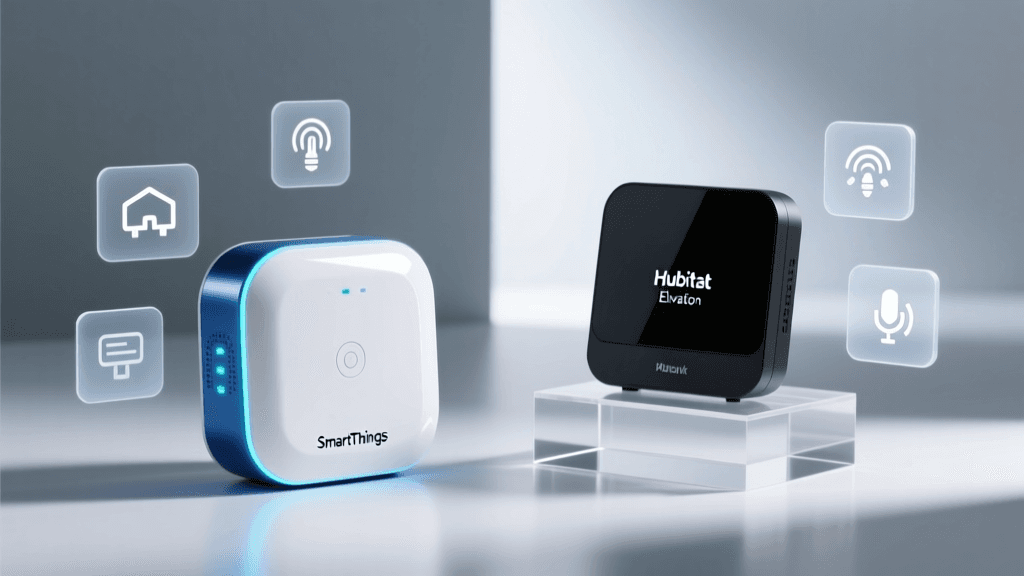
Before diving into the technical weeds, let us look at how the two platforms compare on paper. The following table highlights the core architectural and functional differences between a standard SmartThings setup (using the Aeotec Smart Home Hub or SmartThings Station) and a Home Assistant setup (using Home Assistant Green or a Raspberry Pi).
| Feature | Samsung SmartThings | Home Assistant |
|---|---|---|
| Processing Architecture | Cloud-dependent (with some local execution) | 100% Local (Cloud optional) |
| Setup Difficulty | Easy (Mobile App-driven) | Moderate to Hard (Web UI / YAML) |
| Native Protocols | Zigbee, Z-Wave, Matter, Wi-Fi, Thread | Zigbee, Z-Wave, Matter, Wi-Fi, Thread, Bluetooth, RF433 |
| Automation Engine | Visual Routine Builder (IF/THEN) | Advanced UI Editor, YAML, Node-RED |
| Privacy & Telemetry | Moderate (Cloud telemetry required) | High (Air-gapped capable, zero telemetry) |
| Hardware Cost | $70 - $130 | $99 - $300+ |
Setup and Onboarding: Plug-and-Play vs. The Project
Samsung SmartThings is designed for the mass market. Out of the box, you plug in the hub, download the SmartThings app on your iOS or Android device, and follow the on-screen prompts. Adding a Zigbee or Z-Wave device usually involves putting the hub into pairing mode via the app and pressing the inclusion button on the sensor or bulb. The interface is clean, modern, and heavily guided, making it entirely possible for a non-technical user to have a functioning smart home in under an hour.
Home Assistant, historically, required flashing an operating system onto a Raspberry Pi, managing network configurations, and editing YAML text files. However, the introduction of the Home Assistant Green plug-and-play hub has drastically lowered the barrier to entry. You now plug the Green box into your router, access the web interface via a browser, and use the highly improved visual onboarding wizard. While it is vastly easier than it was five years ago, Home Assistant still requires a fundamental understanding of networking, IP addresses, and device states. It is less of an 'app' and more of a 'home operating system'.
Device Compatibility and Protocol Support
SmartThings relies heavily on its 'Works With SmartThings' (WWST) certification program. This ensures that when you buy a branded Zigbee or Z-Wave device from companies like Aeotec, Yale, or Enbrighten, it will pair seamlessly and expose all its features in the app. However, if you venture into cheap, unbranded Tuya or AliExpress Zigbee devices, you may find them missing features or failing to pair entirely. SmartThings has also been aggressive in adopting Matter, allowing for Wi-Fi and Thread-based Matter devices to join the ecosystem natively.
Home Assistant takes a radically different approach. Through community-driven integrations and the Zigbee Home Automation (ZHA) or Zigbee2MQTT add-ons, Home Assistant supports virtually every smart device on the planet. If a device broadcasts a signal, Home Assistant can likely decode it. This includes niche protocols like 433MHz RF sensors, Bluetooth proxies, and local Wi-Fi APIs from brands like Shelly and Tuya. According to the Connectivity Standards Alliance, the rollout of the Matter protocol aims to unify these ecosystems, and while both hubs support Matter, Home Assistant's ability to pull local APIs from legacy devices gives it a massive compatibility lead today.
Automation Engine: Routines vs. Node-RED
The true test of a smart hub is how it handles automations. SmartThings uses a 'Routine' builder that operates on basic logic: 'If [Trigger] happens, then [Action] occurs.' You can set a Good Morning routine that turns on the lights and adjusts the thermostat when your phone's geofence enters your neighborhood. While Samsung has added conditions (like 'only if it is dark outside'), the logic remains relatively flat. You cannot easily nest variables, query external APIs, or perform complex mathematical calculations based on sensor data without relying on third-party cloud services like SharpTools or IFTTT.
Home Assistant's automation engine is where the platform earns its enthusiast badge. Automations are built using Triggers, Conditions, and Actions, but they can be expanded with templates using the Jinja2 templating language. For example, you can create an automation that adjusts your smart blinds based on the exact angle of the sun, cross-referenced with a local weather API and the current price of electricity from your utility provider. For visual programmers, Home Assistant integrates seamlessly with Node-RED, allowing you to build incredibly complex, multi-branch logic flows using a drag-and-drop canvas.
Privacy, Security, and Internet Outages
Privacy is the single biggest differentiator between these two platforms. SmartThings is a cloud-first ecosystem. While Samsung has improved local execution for certain routines, the app, voice assistant integrations, and remote access all rely on Samsung's servers. If your internet connection drops, your SmartThings app becomes useless, and many cloud-dependent automations will fail to trigger. Furthermore, your device telemetry and usage patterns are processed on external servers, which is a dealbreaker for privacy-conscious users.
Home Assistant was built with a local-first mandate. The hub operates entirely on your local network. If your internet goes down, your motion sensors will still trigger your lights, your smart switches will still respond, and your dashboards will remain accessible via your local Wi-Fi. Home Assistant does not phone home, and there is zero mandatory telemetry. For remote access, users can set up their own secure tunnels via Cloudflare, or subscribe to Nabu Casa, the official cloud proxy service that funds the project while maintaining strict privacy standards.
Hardware Options and Cost of Ownership
When evaluating cost, you must look beyond the initial hardware purchase. A Samsung SmartThings Station costs around $70, while the Aeotec Smart Home Hub (the gold standard for Z-Wave and Zigbee on SmartThings) retails for about $130. The SmartThings app and basic cloud services are free, though Samsung occasionally introduces premium subscriptions for advanced AI monitoring and cloud storage for cameras.
Home Assistant offers multiple hardware paths. The Home Assistant Green is a purpose-built, fanless hub that costs $99 and requires zero technical setup. For advanced users who want built-in Zigbee and Thread support, the Home Assistant Yellow (though currently facing supply chain pivots) or a custom build using a Raspberry Pi 4 with a Sonoff Zigbee 3.0 USB Dongle Plus can range from $100 to $200. The software itself is 100% free and open-source. However, many users opt for the Nabu Casa subscription at $77 per year to support the developers and enable effortless remote access and cloud-based voice assistant linking.
Community, Support, and Troubleshooting
When things go wrong, the type of support you receive will vary wildly. SmartThings users rely on Samsung SmartThings Support, which provides standard corporate troubleshooting, warranty replacements, and official documentation. While there is a community forum, official support is routed through traditional customer service channels.
Home Assistant relies on its massive, passionate open-source community. The Home Assistant forums, Discord servers, and Reddit communities are treasure troves of custom scripts, dashboard templates, and troubleshooting advice. If a new device launches, the community often reverse-engineers the API and creates a custom integration via HACS (Home Assistant Community Store) within days. However, there is no '1-800' number to call if you misconfigure your YAML file and lock yourself out of your dashboard; you are expected to research, read logs, and fix it yourself.
The Final Verdict: Which Hub Should You Choose?
The choice between SmartThings and Home Assistant ultimately comes down to your technical comfort level and your philosophy on smart home ownership.
Choose Samsung SmartThings If:
- You want a plug-and-play experience with a polished mobile app.
- You are buying mainstream, WWST-certified devices from major retail brands.
- You do not want to manage local servers, IP addresses, or network configurations.
- You are setting up a system for family members or roommates who need a simple, intuitive interface.
Choose Home Assistant If:
- You demand 100% local processing, zero latency, and total privacy.
- You want to integrate niche devices, local APIs, and multiple conflicting ecosystems into one dashboard.
- You enjoy tinkering, writing code, and building complex, multi-variable automations.
- You want a system that survives internet outages without missing a beat.
Both platforms are exceptional in their own right, but they serve two very different masters. SmartThings offers convenience and commercial reliability, while Home Assistant offers unparalleled power and freedom. Whichever brain you choose to install in your home, the future of smart home automation is in your hands.