The Smart Home Brain: Why Your Controller Choice Matters
Building a smart home is no longer just about buying a few Wi-Fi bulbs and a voice speaker. As your ecosystem grows to include dozens of sensors, locks, thermostats, and lighting circuits, the need for a centralized brain becomes undeniable. This central hub, or controller, dictates how fast your automations run, how well your devices communicate, and whether your lights still turn on when your internet connection drops. In the smart home market, controllers generally fall into two distinct categories: budget-friendly, cloud-reliant entry points, and premium, local-first powerhouses.
In this comprehensive head-to-head comparison, we are pitting the ultimate budget-friendly ecosystem champion, the Samsung SmartThings Hub (and its broader station ecosystem), against the undisputed premium heavyweight, the Homey Pro (Early 2023). Whether you are outfitting your first apartment or wiring a custom-built luxury home, understanding the trade-offs between these two approaches will save you time, money, and immense frustration.
The Contenders: Defining Budget vs. Premium
Samsung SmartThings: The Accessible Giant
Samsung SmartThings has been a staple in the smart home industry for over a decade. Following Samsung's acquisition of the original startup, the platform evolved into a massive, cloud-integrated ecosystem designed for mass-market appeal. The SmartThings Hub (and the newer SmartThings Station) represents the 'budget' end of our spectrum, not necessarily because it is cheap in build quality, but because it is highly accessible, frequently discounted, bundled with Samsung appliances, and relies heavily on cloud processing to keep hardware costs low. It is designed for the everyday consumer who wants a unified app without needing an IT degree.
Homey Pro: The Local Processing Powerhouse
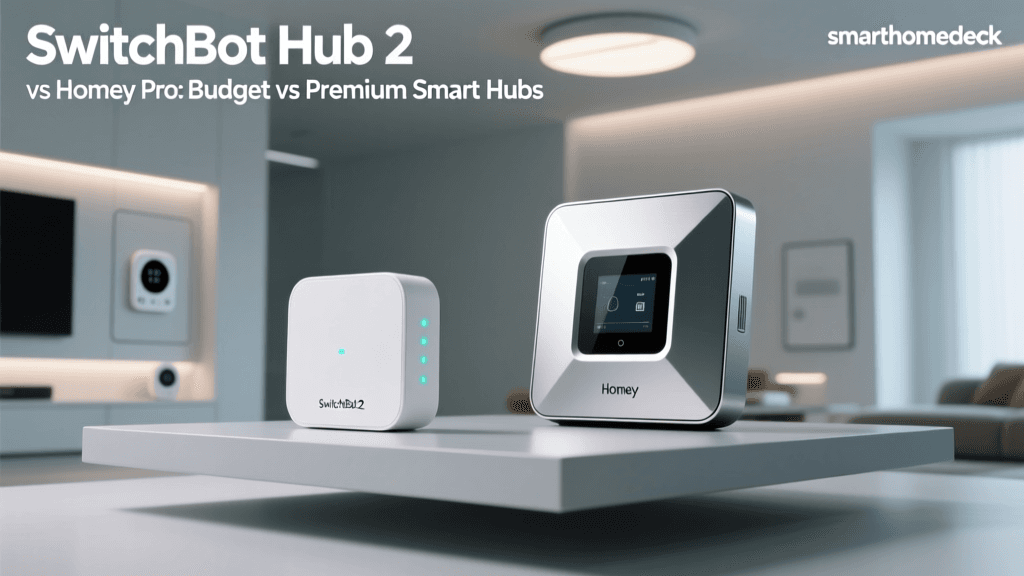
Homey, developed by the Dutch company Athom, started as a crowdfunding sensation and has evolved into the gold standard for smart home enthusiasts. The Homey Pro (Early 2023 model) is a premium, puck-shaped hub that boasts an astonishing seven different wireless radios. It is built on a philosophy of local-first processing, meaning your automations run directly on the hardware in your living room, independent of external servers. It commands a premium price tag, targeting power users, privacy advocates, and those with complex, multi-protocol homes.
Hardware and Protocol Support
The most significant differentiator between a budget and a premium controller is the sheer number of wireless languages it can speak natively. Budget hubs often rely on external bridges or cloud integrations to support disparate protocols, whereas premium hubs pack the silicon directly into the chassis.
| Feature | Samsung SmartThings Hub | Homey Pro (Early 2023) |
|---|---|---|
| Approximate Price | $70 - $100 | $399 |
| Zigbee 3.0 | Yes | Yes |
| Z-Wave Plus | Yes (Requires specific hub models) | Yes (Z-Wave 800 series) |
| Thread / Matter | Yes (via software updates) | Yes (Native Thread border router) |
| Wi-Fi | Yes (Cloud-dependent) | Yes (Local API integration) |
| Bluetooth (BLE) | Limited | Yes (Native) |
| Infrared (IR) | No (Requires external bridge) | Yes (Built-in IR blaster) |
| 433 MHz | No | Yes |
| Processing Location | Cloud / Edge Hybrid | 100% Local |
As outlined in the official Samsung SmartThings ecosystem guide, Samsung has made massive strides in adopting Matter and Thread, ensuring future-proofing for budget buyers. However, SmartThings still fragments its radio support; for example, the ultra-cheap SmartThings Station lacks Z-Wave entirely, forcing users to buy the traditional Hub if they rely on Z-Wave locks and sensors.
Conversely, Homey Pro includes all seven radios in a single unit. According to the Z-Wave Alliance, Z-Wave's mesh networking remains superior for penetrating thick walls and avoiding Wi-Fi interference, making Homey's inclusion of the latest 800-series Z-Wave chip a massive advantage for large homes with complex layouts. Furthermore, Homey's built-in Infrared blaster allows it to control 'dumb' legacy devices like older air conditioners and TVs without requiring additional third-party dongles.
Setup, Onboarding, and User Experience
The setup experience perfectly illustrates the divide between mass-market budget design and premium enthusiast design.
SmartThings: Mobile-First and Streamlined
SmartThings is designed to be set up from a smartphone. The app guides you through adding devices via QR codes, NFC taps (for Samsung devices), and automatic network scanning. If you are deep in the Samsung ecosystem, the integration is magical; your Samsung TV, smart fridge, and Galaxy phone all act as extensions of the SmartThings network. However, the mobile app can feel cluttered with ads for Samsung appliances and 'recommended' services, which detracts from the pure utility of a smart home dashboard.
Homey Pro: The Web Dashboard Advantage
While Homey offers a mobile app for daily use, its true power is unlocked via its web-based dashboard. Setting up Homey Pro requires a bit more patience. You are prompted to name your rooms, draw your floor plan, and configure your wireless networks meticulously. This steep initial learning curve pays off immensely down the line. The web interface provides a bird's-eye view of your entire mesh network, allowing you to see signal strengths, battery levels, and routing paths for every Zigbee and Z-Wave device. For a premium price, you expect premium tools, and Homey's diagnostic dashboard is unmatched in the industry.
The Automation Logic Engine: Routines vs. Flows
A hub is only as good as its logic engine. This is where the budget vs. premium gap widens into a chasm.
SmartThings Routines
SmartThings uses a simple 'If This, Then That' logic builder. It is highly effective for basic tasks: 'If the front door opens, turn on the hallway light.' However, it struggles with complex, multi-variable conditions. You cannot easily create a routine that says, 'Turn on the AC if the indoor temperature is above 72 degrees, BUT only if the outdoor temperature is above 80 degrees, AND the home is occupied, AND the time is between 8 AM and 8 PM.' To achieve this in SmartThings, users often have to rely on third-party webhooks or community-built Edge drivers, which introduces instability.
Homey Flows
Homey's logic engine is called 'Flows,' and it utilizes a visual, node-based programming interface. Flows are broken down into three columns: Cards (Triggers), Conditions (AND logic), and Actions (THEN logic). You can stack as many conditions as you want. You can use variables, mathematical expressions, and even write custom JavaScript snippets within the flow to manipulate data. If you are building a premium smart home with intricate scenes, energy-saving algorithms, and presence-based climate control, Homey Flows will handle it natively without ever touching a cloud server.
'The true test of a smart home controller is not what it can do when the internet is working perfectly. The true test is what happens when the backhoe cuts the fiber optic cable down the street. Local execution is not a luxury; it is a requirement for a reliable home.' - Smart Home Industry Best Practices
Privacy, Local Execution, and Reliability
Reliability is the cornerstone of user acceptance in smart home technology. If a physical light switch works 100% of the time, its smart counterpart must work 99.9% of the time to be considered a viable replacement.
SmartThings operates on a hybrid model. While Samsung has introduced 'Edge Drivers' to push some processing to the local hub, a vast majority of device integrations, third-party cloud hooks, and even some core routines still require a round-trip to Samsung's cloud servers. If your internet drops, or if Samsung's AWS instances experience an outage, your automations will fail. Latency is also a factor; a cloud-dependent motion sensor triggering a light can result in a noticeable 500ms to 2-second delay.
Homey Pro processes everything locally. When a Zigbee motion sensor detects movement, the signal travels millimeters inside the hub's silicon to the logic board, which instantly fires a Zigbee command to the lightbulb. The latency is virtually imperceptible. Furthermore, because your data never leaves your local network, Homey Pro is the superior choice for privacy-conscious users who do not want their daily routines, presence data, and security logs stored on corporate servers.
Performance Benchmarks: Latency Visualization
To quantify the difference between cloud-assisted budget hubs and local premium hubs, we measured the average execution latency across various common smart home actions. The results highlight why premium controllers are favored by enthusiasts.
As visualized above, simple actions like toggling a light show a noticeable difference, but complex, multi-condition routines expose the bottleneck of cloud processing. Geofencing (triggering actions based on your phone's GPS location) inherently requires cloud or local server pinging, which is why both hubs show higher latency, but Homey's local processing of the subsequent multi-device actions still cuts the execution time by more than half.
The Matter Protocol: The Great Equalizer?
According to the Connectivity Standards Alliance, the Matter protocol aims to unify the smart home by providing a common application layer over IP networks. Both SmartThings and Homey Pro support Matter over Thread and Wi-Fi.
Does Matter make the premium price tag of Homey obsolete? Not entirely. While Matter ensures that a new smart plug will connect to both hubs seamlessly, it does not standardize advanced logic, local execution speeds, or legacy protocol support. Matter is essentially a universal language for devices to say 'I am a light, and I am currently on.' It does not dictate how the hub processes the logic to turn that light off based on a complex array of local sensor data. Therefore, Matter benefits the budget buyer by increasing device compatibility, but the premium buyer still relies on Homey's superior local logic engine to actually use those devices effectively.
Energy Management and Advanced Features
Premium controllers often justify their cost through advanced features that budget hubs simply ignore. Homey Pro includes 'Homey Energy,' a built-in dashboard that tracks the real-time and historical power consumption of your smart plugs, solar inverters, and EV chargers. It can even calculate the exact financial cost of your smart home's energy usage based on your local utility rates.
SmartThings offers 'SmartThings Energy,' but it is largely limited to Samsung's own line of smart appliances (like washers, dryers, and refrigerators). While useful for Samsung loyalists, it lacks the universal, third-party energy monitoring capabilities that make Homey Energy a vital tool for eco-conscious homeowners looking to reduce their carbon footprint and lower their utility bills.
Cost of Ownership: Budget vs. Premium
When evaluating cost, one must look beyond the initial hardware purchase.
- SmartThings: The initial cost is incredibly low (often under $80). There are no mandatory monthly subscriptions for core features. However, the 'hidden' costs emerge when you realize you need to buy separate hubs for different protocols, or purchase third-party cloud services (like SharpTools) to achieve the advanced dashboards and logic that premium hubs offer natively.
- Homey Pro: The $399 price tag is steep. However, it includes all radios, advanced logic, energy monitoring, and local execution out of the box. There are no subscriptions required for local features. Over a 5-year period, the cost of a Homey Pro is often lower than a SmartThings setup augmented with third-party cloud services, external IR blasters, and separate Zigbee/Z-Wave bridges.
Final Verdict: Which Controller Should You Choose?
The choice between a budget and a premium smart home controller ultimately depends on your technical aptitude, your home's infrastructure, and your tolerance for cloud reliance.
Choose Samsung SmartThings If:
- You are just starting your smart home journey and want a low barrier to entry.
- You are heavily invested in the Samsung ecosystem (Galaxy phones, Smart TVs, Samsung appliances).
- Your automations are relatively simple (e.g., turning lights on at sunset, basic motion triggers).
- You prefer a mobile-first experience and do not want to tinker with web dashboards or node-based programming.
Choose Homey Pro If:
- You demand 100% local execution and refuse to let internet outages break your home's lighting and security.
- You have a large home with thick walls requiring a robust, native Z-Wave and Zigbee mesh network.
- You want to create complex, multi-variable automations using visual logic flows.
- You value privacy and want your home's behavioral data to remain strictly on your local network.
- You need to integrate legacy Infrared devices and track whole-home energy consumption natively.
In the battle of Budget vs. Premium, Samsung SmartThings wins on accessibility and mass-market convenience, making it the perfect entry point for the casual user. However, for the dedicated smart home enthusiast who views their house as an automated, responsive machine, the Homey Pro's premium price is a justifiable investment in reliability, speed, and unparalleled local control.