The Dawn of the Matter and Thread Era
The smart home landscape is undergoing its most significant architectural shift since the introduction of Wi-Fi-connected devices. For years, consumers were forced to navigate a fragmented ecosystem of proprietary hubs, conflicting radio frequencies, and cloud-dependent bottlenecks. Today, the industry has unified behind two transformative standards: Matter and Thread. If you are building a new smart home or upgrading an existing setup, investing in the best new smart home hubs that support these protocols is no longer optional—it is essential for future-proofing your network.
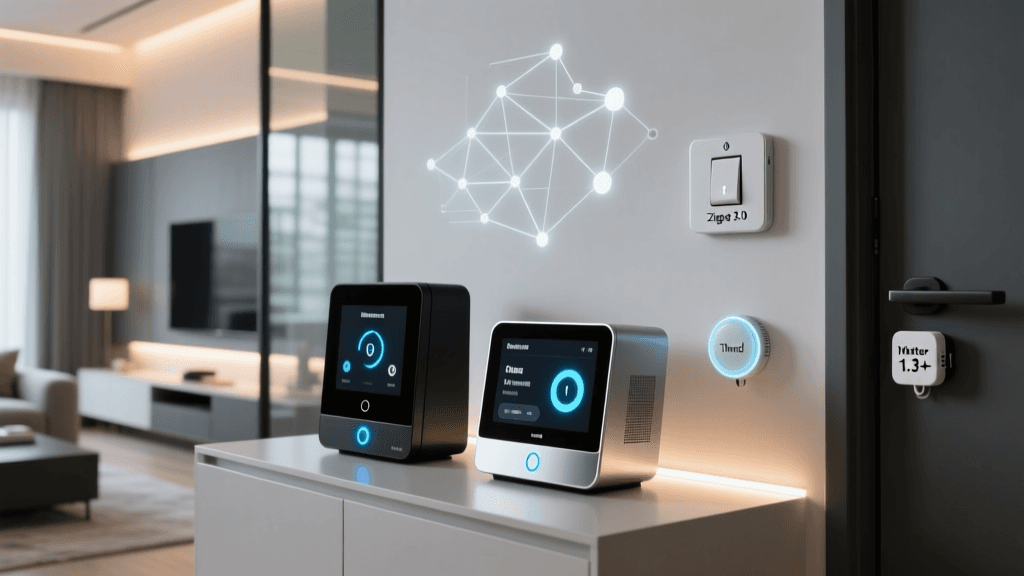
Matter, developed by the Connectivity Standards Alliance (CSA-IoT), is the universal application layer that allows devices from different brands to communicate seamlessly. Thread, on the other hand, is the underlying networking protocol—a low-power, IPv6-based mesh network that ensures your devices remain responsive even if your primary Wi-Fi router goes offline. However, Thread devices require a 'Border Router' to bridge the mesh network to your home's Ethernet or Wi-Fi. This is where the new generation of smart home hubs comes into play.
In this comprehensive buyer's guide, we evaluate the best new releases and upcoming smart home hubs that serve as Matter controllers and Thread Border Routers. Whether you are deeply embedded in the Apple HomeKit ecosystem, prefer the flexibility of Home Assistant, or want a budget-friendly Amazon Alexa integration, we have identified the top hardware to anchor your modern smart home.
Top New Smart Home Hubs for the Modern Ecosystem
1. Aqara Smart Home Hub M3: The Ultimate Border Router
The Aqara Smart Home Hub M3 is arguably the most versatile and powerful hub released in the modern Matter era. Designed for power users and those who prioritize local control, the M3 serves as a Matter controller, a Thread Border Router, and a Zigbee 3.0 hub all in one sleek, puck-shaped device. What sets the M3 apart from its predecessors is its inclusion of an RJ45 Ethernet port with Power over Ethernet (PoE) support, alongside a standard USB-C power delivery option. This means you can place the hub in a central location, such as a hallway ceiling or a central shelving unit, without worrying about power outlet proximity.
From a protocol perspective, the M3 is a bridge between the past and the future. It natively supports Matter-over-Thread, allowing you to connect the latest low-power sensors directly to the mesh. Simultaneously, it acts as a Matter Bridge for your legacy Zigbee devices, exposing them to Apple Home, Google Home, and Amazon Alexa without requiring a cloud intermediary. The built-in IR blaster also allows the M3 to control traditional air conditioners and televisions, bringing 'dumb' appliances into the Matter ecosystem via localized automations.
2. SwitchBot Hub 2: The IR and Matter Bridge
SwitchBot has built a massive following by creating clever retrofit devices for existing home infrastructure, and the SwitchBot Hub 2 is the brain that connects these devices to the broader Matter ecosystem. The Hub 2 features a brilliant E-Ink display that shows real-time temperature and humidity data, alongside customizable smart scene icons. Beneath the hood, it functions as a robust Thread Border Router and a Matter Bridge for SwitchBot's proprietary Bluetooth Low Energy (BLE) devices.
If you own SwitchBot curtain rods, smart locks, or blind tilts, the Hub 2 translates their BLE signals into Matter, making them instantly recognizable in Apple Home, Google Home, or Alexa. Furthermore, the Hub 2 includes a highly capable IR blaster with an extended range and a built-in temperature/humidity sensor that can trigger localized climate-control automations. While it lacks the Ethernet connectivity of the Aqara M3, its reliance on Wi-Fi for internet backhaul is more than sufficient for most standard home layouts, and its price point makes it an incredibly attractive entry point for Matter adoption.
3. Apple TV 4K (3rd Gen) & HomePod Mini: The Thread Mesh Pioneers
For users entrenched in the Apple ecosystem, the Apple TV 4K (3rd Generation with Wi-Fi + Ethernet) and the HomePod Mini remain the gold standard for Thread Border Routing. Apple was one of the first major tech giants to silently integrate Thread radios into its home accessories, laying the groundwork for the eventual launch of Matter. When you place an Apple TV 4K or a HomePod Mini in your home, it automatically begins broadcasting a Thread mesh network, extending the range and reliability of every compatible smart lock, sensor, and smart plug you add.
The Apple TV 4K acts as the primary Matter controller and Home Hub, processing automations locally on its powerful A15 Bionic chip. This ensures that your smart home routines execute instantly, without the latency associated with cloud-based processing. While Apple does not market these devices strictly as 'smart home hubs' in the traditional sense, their underlying architecture makes them indispensable for anyone building a Thread-based smart home centered around iOS and HomeKit Secure Video.
4. Amazon Echo (4th Gen) & Echo Hub: Budget-Friendly Matter Controllers
Amazon has aggressively updated its Echo lineup to support Matter and Thread. The spherical Amazon Echo (4th Gen) contains built-in Zigbee, Bluetooth, and Thread radios, making it a surprisingly capable Border Router for budget-conscious consumers. It serves as a Matter controller, allowing you to commission new Matter devices directly through the Alexa app and route their data securely.
More recently, Amazon introduced the Echo Hub, a dedicated 8-inch smart home control panel that mounts flush to your wall. While the Echo Hub itself relies on Wi-Fi, it acts as a centralized Matter controller and Alexa gateway, providing a visual dashboard for your Thread and Zigbee devices. For users who want voice control, visual feedback, and Matter compatibility without spending over $100, the latest Amazon Echo hardware provides an accessible on-ramp to the new smart home standard.
Feature Comparison Table
| Device | Matter Controller | Thread Border Router | Legacy Protocol Support | Local Processing | Avg. Price |
|---|---|---|---|---|---|
| Aqara Hub M3 | Yes | Yes | Zigbee 3.0, IR | Yes (Advanced) | $109 |
| SwitchBot Hub 2 | Yes (Bridge) | Yes | BLE, IR | Partial | $99 |
| Apple TV 4K (Wi-Fi + Ethernet) | Yes | Yes | HomeKit Secure Video | Yes | $129 |
| Amazon Echo (4th Gen) | Yes | Yes | Zigbee, Sidewalk | Yes (AZ1 Edge) | $99 |
Visualizing Hub Capabilities and Pricing
Understanding the Thread Mesh Network Advantage
To truly appreciate why these new hubs are necessary, it is vital to understand how Thread differs from traditional Wi-Fi. According to the Thread Group, Thread is an IP-based, low-power wireless networking protocol designed specifically for IoT devices. Unlike Wi-Fi, where every smart plug and bulb connects directly to your main router—often overwhelming it and causing network congestion—Thread devices connect to each other, forming a self-healing mesh network.
If a smart lock in your backyard needs to send a status update, it doesn't need to reach all the way back to your Wi-Fi router. Instead, it passes the data to a nearby Thread-enabled smart plug, which passes it to a motion sensor, until the data reaches a Thread Border Router (like the Aqara M3 or Apple TV 4K). The Border Router then translates the Thread data to your local network or the cloud. This architecture drastically reduces latency, improves battery life for sensors, and ensures that your smart home remains operational even if your primary Wi-Fi access point experiences interference or reboots.
Upcoming Devices and the Matter 1.3/1.4 Horizon
While the current crop of hubs supports Matter 1.0 through 1.2, the pipeline of upcoming devices is staggering. Matter 1.2 introduced support for robot vacuums, refrigerators, and dishwashers. However, the upcoming Matter 1.3 and 1.4 specifications are set to revolutionize home energy management and security.
What to expect in the next 12 to 18 months:
- EV Chargers and Solar Inverters: Matter 1.3 will standardize communication for Electric Vehicle Supply Equipment (EVSE) and solar inverters. This means your Aqara M3 or Apple HomePod will be able to natively monitor your solar production and automatically schedule your EV charging for off-peak hours without relying on third-party cloud aggregators.
- Water Management: Smart water valves and leak detectors with automatic shut-off capabilities are being standardized, allowing for localized, hub-driven emergency responses that don't depend on internet connectivity.
- Advanced Security Cameras: While HomeKit Secure Video exists, Matter is working on a unified, cross-platform standard for IP cameras, allowing you to mix and match brands while retaining local, encrypted storage routing through your primary hub.
By investing in a hub with robust processing power and Ethernet backhaul today, you are ensuring that your network can handle the increased data throughput and local automation logic required by these upcoming energy and security devices.
How to Choose the Right Hub for Your Home
Selecting the right hub depends heavily on your existing ecosystem, your home's construction, and your privacy requirements.
1. Prioritize Local Processing for Privacy and Speed
If your internet connection drops, your smart home should not become a 'dumb' home. Hubs like the Aqara M3 and Apple TV 4K excel at local processing. When you set up an automation (e.g., 'Turn on hallway lights when motion is detected'), the logic is stored directly on the hub. Look for hubs that explicitly advertise local automation engines, especially if you are integrating smart locks or security sensors where millisecond latency and reliability are paramount.
2. Consider Home Construction and Border Router Placement
Thread signals, while excellent at meshing, still operate on the 2.4 GHz spectrum, which can struggle to penetrate thick concrete walls or metal stud framing. If you have a large or multi-story home, you will need multiple Thread Border Routers to create a dense mesh. In this scenario, purchasing a few SwitchBot Hub 2 units or HomePod Minis to scatter throughout the house may be more effective than relying on a single, expensive Aqara M3.
3. The Importance of Ethernet Backhaul
While Wi-Fi is convenient, a hub that bridges dozens of Zigbee and Thread devices to your network will generate a constant stream of background telemetry data. Hubs with Ethernet ports (like the Apple TV 4K Wi-Fi + Ethernet model and the Aqara M3) offload this traffic from your Wi-Fi bands, keeping your network free for streaming, gaming, and video calls.
Conclusion
The transition to Matter and Thread is not just a software update; it is a fundamental hardware shift that requires the right central command unit. The Aqara Smart Home Hub M3 stands out as the ultimate choice for enthusiasts who demand local control, PoE flexibility, and legacy Zigbee bridging. The SwitchBot Hub 2 offers an unparalleled entry point for retrofitting existing homes with smart IR and BLE devices. Meanwhile, Apple and Amazon continue to refine their ubiquitous speakers and set-top boxes into powerful, silent mesh network anchors.
As the CSA-IoT continues to roll out new device categories through upcoming Matter specifications, the hub you choose today will serve as the foundation for tomorrow's automated, energy-efficient, and secure smart home. Assess your current ecosystem, map out your home's physical layout, and invest in a Thread-capable hub to ensure your smart home is ready for the future.