The Renter’s Dilemma: Smart Tech vs. Security Deposits
For millions of renters, the desire to build a modern, automated smart home is constantly at war with the strict clauses of a residential lease agreement. Most standard leases explicitly prohibit 'alterations to the premises,' which landlords and property managers routinely interpret as a ban on drilling holes for hardwired security cameras, replacing existing light switches, or installing new deadbolts. The fear of losing a hefty security deposit or facing eviction keeps many apartment dwellers stuck in the analog age.
Fortunately, the smart home industry has recognized the massive renter demographic. Today, you can automate your apartment's security, lighting, and climate control without picking up a single power tool. By leveraging retrofit technology, infrared blasters, advanced 3M adhesive solutions, and plug-and-play ecosystems, you can create a fully integrated smart home that leaves zero trace when it is time to move out. In this comprehensive buyer's guide, we break down the best renter-friendly smart home devices that require absolutely no permanent installation.
Top Renter-Friendly Smart Home Devices Compared
Before diving into the detailed reviews, here is a quick comparison of our top picks for apartment living. These devices prioritize reversible installation, wireless connectivity, and zero structural damage.
| Device Type | Product Name | Install Method | Est. Price | Deposit Risk |
|---|---|---|---|---|
| Smart Lock | August Wi-Fi Smart Lock | Retrofit (Interior) | $249 | None |
| Climate Control | Sensibo Sky | Freestanding IR Blaster | $119 | None |
| Security Camera | Ring Peephole Cam 2 | Peephole Replacement | $199 | Low |
| Smart Lighting | Govee RGBIC Corner Lamp | Freestanding / Adhesive | $149 | None |
| Smart Plug | TP-Link Kasa Smart Plug | Standard Outlet | $25 (2-pack) | None |
Best Smart Lock for Renters: August Wi-Fi Smart Lock
The holy grail of renter-friendly smart home tech is the smart lock, and the August Wi-Fi Smart Lock (4th Generation) remains the undisputed champion for apartment dwellers. Unlike traditional smart locks that require you to completely remove your existing deadbolt and drill new holes, the August lock is a retrofit device. It installs exclusively on the interior side of your door, attaching directly to your existing deadbolt's tailpiece.
Why It Is Perfect for Renters
From the outside, your door looks exactly the same. Your landlord's master key still works, and you can still use your original physical keys. The August lock simply turns the thumb-turn on the inside of your door into a motorized, Wi-Fi-enabled hub. Installation takes about 15 minutes and requires only a standard Phillips-head screwdriver. When your lease is up, you simply unscrew the August mount, reattach your original thumb-turn, and walk away with your full security deposit.
Compatibility and Specs
- Door Requirements: Works with most standard single-cylinder deadbolts (1.5-inch to 2.125-inch bore holes).
- Connectivity: Built-in Wi-Fi (no separate bridge required) and Bluetooth.
- Features: Auto-Unlock via geo-fencing, DoorSense technology (tells you if the door is physically closed, not just locked), and compatibility with Airbnb/Vrbo for guest access.
Best Smart Lighting for Apartments: Govee & Philips Hue
Hardwiring smart switches or replacing ceiling fixtures is a major lease violation. Instead, renters should focus on smart bulbs, freestanding lamps, and adhesive light bars. The Govee RGBIC Corner Lamp and the Philips Hue Play Light Bars are exceptional choices for creating immersive, app-controlled lighting without touching your apartment's electrical wiring.
Freestanding and Adhesive Solutions
The Govee Corner Lamp is a tall, minimalist pole that sits in the corner of your room, bouncing vibrant, multi-color light off your walls. It requires zero mounting—just plug it into a standard outlet. For entertainment centers or shelving units, the Philips Hue Play Light Bars can be mounted using the included heavy-duty 3M VHB adhesive tape. These tapes are designed to hold firmly for years but can be removed using a hairdryer and a slow, steady pull, leaving no residue on drywall or wood.
The Smart Bulb Strategy
For overhead lighting, simply unscrew your landlord's standard LED or incandescent bulbs, store them safely in a closet, and screw in Philips Hue White and Color Ambiance or Wyze Bulb Color smart bulbs. This gives you voice control and scheduling for your primary lights without altering the fixture itself. Just remember to swap the original bulbs back in before your final move-out inspection.
Best Security Cameras Without Screws: Wyze & Ring
Security is a primary concern for renters, but drilling into exterior walls or apartment doors for a wired Ring Doorbell is usually forbidden. The best workarounds are peephole cameras and magnetic indoor mounts.
Ring Peephole Cam 2
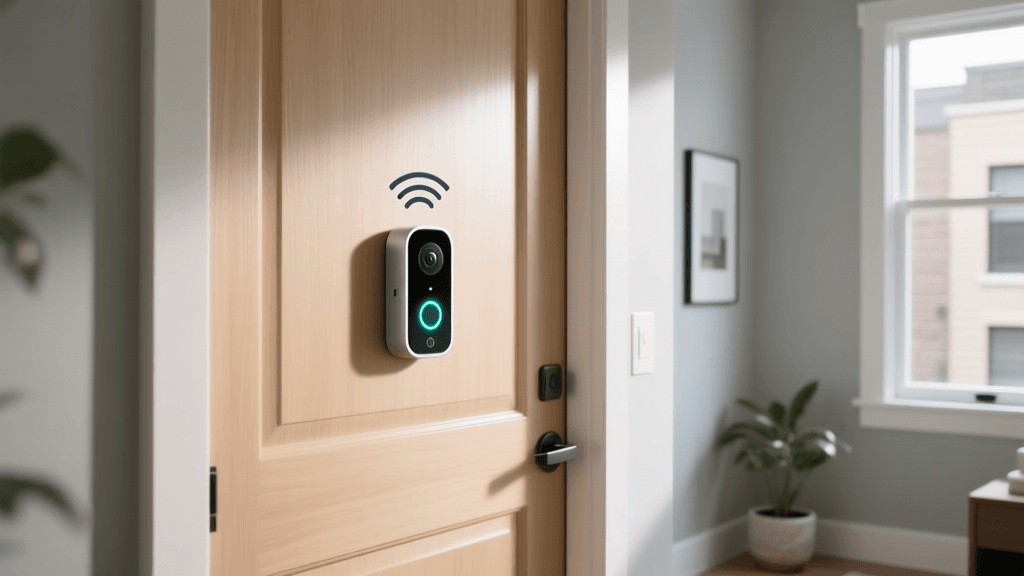
If your apartment door has a traditional peephole, the Ring Peephole Cam 2 is a brilliant solution. It replaces the existing glass peephole by sandwiching the camera on the outside and the battery/transmitter on the inside. You do not need to drill a single hole in the door. When you move out, you remove the Ring device and reinstall the original glass peephole. It features 1080p HD video, two-way talk, and advanced motion zones, ensuring you can see who is knocking without compromising your door's integrity.
Wyze Cam Pan v3
For indoor monitoring, the Wyze Cam Pan v3 is a powerhouse. Instead of mounting a camera to the ceiling or wall, place this device on a high shelf or bookcase. Its 360-degree horizontal and 180-degree vertical pan/tilt capabilities allow a single camera to cover an entire living room or open-concept apartment. It connects via 2.4GHz Wi-Fi and offers local storage via a microSD card, bypassing the need for mandatory cloud subscriptions.
Best Climate Control for Window ACs: Sensibo Sky
Renters rarely have access to smart thermostats like the Nest or Ecobee because those require wiring into a central HVAC system's C-wire. If your apartment relies on a ductless mini-split or a standard window air conditioning unit, the Sensibo Sky (or the newer Sensibo Air) is the ultimate climate hack.
The Sensibo is an Infrared (IR) blaster. It sits on a desk, shelf, or table anywhere in the room, as long as it has a clear line of sight to your AC unit. It acts as a smart remote control, translating your smartphone commands or voice assistant routines into IR signals that your 'dumb' AC unit understands. You can set geo-fencing so the AC turns off when you leave for work and cools the apartment down 10 minutes before you return, saving you money on utility bills without ever touching the thermostat wiring.
Visualizing Setup: Installation Time vs. Renter-Friendliness
When choosing smart home tech for a rental, the ease of setup and the safety of your security deposit are paramount. The chart below visualizes the average setup time (in minutes) compared to our proprietary Renter-Friendliness Score (out of 10), which accounts for reversibility and lease compliance.
Essential No-Drill Installation Hacks for Renters
To truly maximize your smart home setup without violating your lease, you need to master the art of non-destructive mounting and cable management. Here are the best hacks used by smart home enthusiasts in rental properties:
- 3M Command Strip Best Practices: Command strips are a renter's best friend, but they fail when used incorrectly. Always clean the wall or surface with isopropyl alcohol (not standard household cleaners, which leave a residue) and let it dry. Apply the strip, press firmly for 30 seconds, and then wait one full hour before attaching your device or camera mount. When removing, pull the tab straight down, parallel to the wall, to stretch the adhesive until it releases cleanly.
- Adhesive Cable Raceways: Smart devices mean power cords. Instead of using nail-in cable clips along your baseboards, use paintable, adhesive-backed cable raceways. They hide unsightly wires and can be peeled off later. If the paint peels with the adhesive, a quick touch-up with a leftover paint sample from your landlord will fix it instantly.
- Tension Rods for Smart Blinds: If you want automated window treatments but cannot drill into the window frame for a roller shade bracket, use a heavy-duty tension rod. You can mount lightweight smart curtain tracks or hang smart-compatible drapery rings from a tension rod that wedges securely inside the window alcove.
- The 'Original Hardware' Bag: Every time you remove a peephole, a light switch cover, or a deadbolt thumb-turn, place the original hardware and its specific screws into a labeled Ziploc bag. Tape this bag to the back of the device or store it in a dedicated 'Move-Out' box. Missing original hardware is a common reason landlords deduct from security deposits.
What to Check in Your Lease Agreement & Privacy Considerations
Before purchasing any smart device, review your lease agreement for clauses regarding 'alterations,' 'fixtures,' and 'security devices.' While smart bulbs and plugs are universally allowed, devices that attach to the exterior of the door (like peephole cameras) or monitor shared hallways can sometimes trigger landlord concerns regarding the privacy of other tenants.
Furthermore, smart home privacy is a critical issue, especially when using devices on a shared apartment building network or when leaving devices behind for the next tenant. According to the Mozilla Privacy Not Included project, many budget smart home devices collect excessive user data or lack robust security encryption, making them vulnerable to hacking. Always change default passwords, enable two-factor authentication (2FA), and ensure your smart home hub is on a secure, private Wi-Fi network rather than a public building guest network.
Additionally, the Electronic Privacy Information Center (EPIC) highlights the growing concerns surrounding IoT data brokering. When selecting devices like smart speakers or indoor cameras, prioritize brands that offer local processing or end-to-end encryption, ensuring your private apartment life remains private. For a deeper dive into secure IoT standards, look for devices that support the Matter standard, which not only improves security but also ensures your devices will work seamlessly across different ecosystems when you eventually move to a new home.
Frequently Asked Questions
Can I take my smart lock when I move out?
Yes, if you use a retrofit lock like the August Wi-Fi Smart Lock or the Yale Assure Lock with a retrofit kit. Because they only replace the interior thumb-turn and leave the exterior deadbolt untouched, you simply unscrew the smart module, reinstall the original hardware, and take your smart lock to your next apartment.
Will using smart bulbs damage my apartment's light fixtures?
No. Smart bulbs draw the same or less electrical current than standard LED bulbs. The only minor risk is in enclosed fixtures where heat can build up, which might shorten the lifespan of the smart bulb's internal electronics, but it will not damage the landlord's fixture.
How do I hide power cords for wall-mounted TVs or cameras without drilling?
If you cannot drill a hole behind the wall to run cables (which is standard in rentals), use flat, paintable adhesive cable channels that run down the wall to the baseboard. Alternatively, use a decorative fabric cord cover that blends in with your wall color or curtain patterns.
Do renter-friendly smart devices require a smart home hub?
It depends on the protocol. Wi-Fi and Bluetooth devices (like the August Lock or Wyze Cam) connect directly to your router. However, if you want to use low-power Zigbee or Matter devices (like many smart bulbs and sensors), you will need a plug-in hub like the Amazon Echo Show, Apple HomePod, or a dedicated Aeotec SmartThings hub, all of which simply plug into a standard wall outlet.