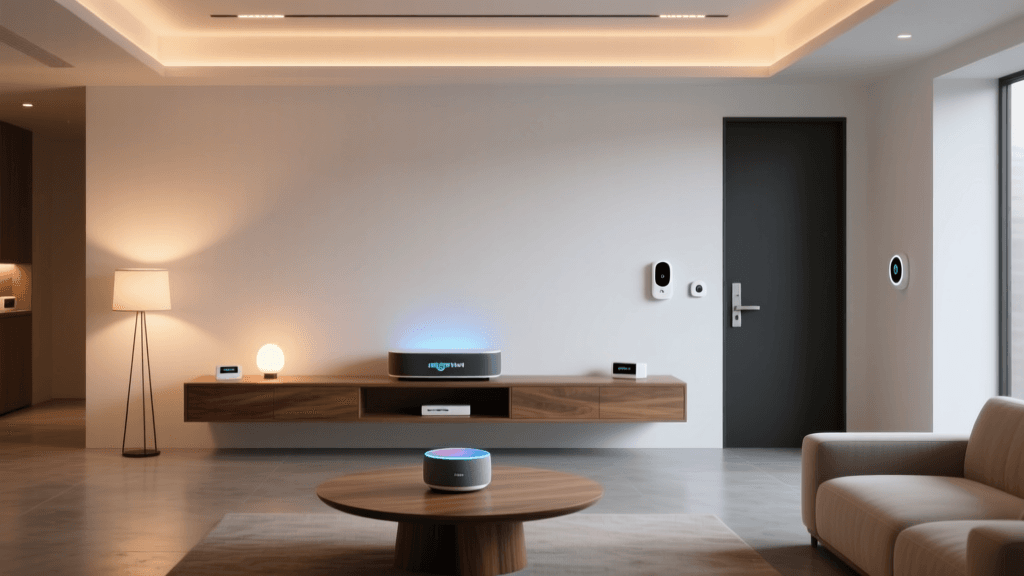
The Best Smart Home Systems: Ultimate Buyer's Guide
Building a truly intelligent living space is one of the most rewarding home improvement projects you can undertake. However, the promise of a seamless, automated home is often overshadowed by the reality of fragmented apps, incompatible devices, and unreliable connections. The secret to a cohesive, responsive, and genuinely helpful smart home lies in choosing the right central nervous system. Selecting the best smart home system is not just about picking a voice assistant; it is about choosing an ecosystem that dictates how your devices communicate, how your automations run, and how your data is protected.
At Smart Home Deck, we have spent countless hours testing hubs, configuring mesh networks, and writing complex automation routines to determine which platforms truly deliver on their promises. Whether you are looking for a simple plug-and-play solution to control your smart lighting, or you are an advanced tinkerer seeking local processing and granular control, this comprehensive guide will help you find the perfect foundation for your connected home.
How We Choose the Best Smart Home Systems
Evaluating a smart home ecosystem requires looking far beyond the surface-level features of a mobile app. We assess each platform based on a rigorous set of criteria designed to reflect real-world usability, long-term reliability, and overall value.
- Ecosystem Compatibility & Protocol Support: A great system must speak multiple languages. We evaluate support for Wi-Fi, Bluetooth, Zigbee, Z-Wave, Thread, and the new Matter standard. The more protocols a system natively supports or integrates with, the wider the selection of compatible hardware.
- Automation Engine & Logic: True smart homes act proactively, not just reactively. We test the depth of the automation engine, looking for conditional logic (if/then/else), geofencing capabilities, sensor-based triggers, and the ability to run routines without cloud dependency.
- Local vs. Cloud Processing: Cloud-dependent systems fail when your internet connection drops. We heavily favor systems that offer local processing, ensuring your lights still turn on and your smart locks still function even during an internet outage.
- Privacy & Security: Your home is your sanctuary, and your data should be treated accordingly. We examine how each platform handles data encryption, local storage options, and user privacy controls.
- User Interface & Dashboard Customization: The daily experience of interacting with your smart home should be intuitive. We evaluate the mobile app experience, web interfaces, and the ability to create custom dashboards for wall-mounted tablets or family-wide control.
Quick Comparison: The Top Smart Home Ecosystems
Before diving into our in-depth reviews, here is a high-level comparison of the best smart home systems available today.
| Smart Home System | Best For | Deck Score | Primary Protocols | Voice Assistant |
|---|---|---|---|---|
| Amazon Alexa | Overall Versatility & Device Selection | 9.2 / 10 | Wi-Fi, Zigbee, Matter, Thread | Alexa |
| Apple Home | Privacy & Apple Ecosystem Users | 8.8 / 10 | Wi-Fi, Thread, Matter | Siri |
| Google Home | AI Integration & Smart Displays | 8.9 / 10 | Wi-Fi, Thread, Matter | Google Assistant |
| Samsung SmartThings | Hub-Based Cross-Platform Control | 9.0 / 10 | Zigbee, Z-Wave, Wi-Fi, Matter | Alexa / Google |
| Home Assistant | Advanced Users & Local Privacy | 9.5 / 10 | All Major Protocols via Add-ons | Assist (Local) |
| Hubitat Elevation | Z-Wave/Zigbee Reliability & Local Rules | 8.7 / 10 | Zigbee, Z-Wave, LAN | Alexa / Google |
Amazon Alexa: The Most Versatile Smart Home Ecosystem
Deck Score: 9.2 / 10
Amazon Alexa remains the undisputed heavyweight champion when it comes to sheer device compatibility and mainstream adoption. What started as a simple voice-controlled speaker has evolved into a sprawling, deeply integrated smart home ecosystem. With thousands of third-party devices supporting Alexa out of the box, it is the easiest platform for beginners to adopt and offers enough depth for intermediate users to build complex routines.
The backbone of the Alexa ecosystem is the Echo lineup. Devices like the Echo Show and Echo Studio not only provide excellent audio and visual feedback but also serve as vital smart home hubs. Many modern Echo devices feature built-in Zigbee radios and Thread border routers, allowing them to connect directly to low-power sensors and bulbs without requiring a bridge. Furthermore, Amazon has been aggressively adopting the Matter standard, ensuring that the Alexa ecosystem remains future-proof.
Where Alexa truly shines is in its Routines engine. Users can trigger actions based on voice commands, schedules, device states, and even location. Features like Alexa Hunches allow the system to proactively suggest or execute actions, such as turning off the lights if it senses the house is empty. For those looking to expand their network outdoors, Amazon Sidewalk provides a low-bandwidth, long-range network that keeps outdoor smart security cameras and sensors connected far beyond the reach of your home Wi-Fi.
Pros
- Massive library of compatible third-party devices and Skills.
- Excellent routine engine with proactive features like Hunches.
- Many Echo devices double as Zigbee and Thread hubs.
- Wide availability of affordable, high-quality smart speakers and displays.
Cons
- Heavy reliance on cloud processing for most automations.
- Privacy concerns regarding data collection and voice recordings.
- The Alexa app can feel cluttered and overwhelming to navigate.
Apple Home: The Premium, Privacy-First Ecosystem
Deck Score: 8.8 / 10
Apple Home (formerly known as HomeKit) is the gold standard for users who prioritize privacy, security, and a polished user experience. Unlike its competitors, Apple does not monetize user data, and the entire ecosystem is built around strict hardware and software security protocols. If you are already deeply invested in the Apple ecosystem, utilizing an iPhone, iPad, and Apple Watch, Apple Home offers an unparalleled, seamless experience.
The Apple Home app is widely considered the most beautifully designed and intuitive interface in the smart home space. It provides clear, categorized rooms, easy-to-read accessory statuses, and robust facial recognition for camera feeds. To power the backend, Apple relies on hub devices like the Apple TV 4K and the HomePod. These devices not only process local automations but also act as Thread border routers, paving the way for ultra-responsive, low-power mesh networking.
One of the standout features of this ecosystem is HomeKit Secure Video. Instead of relying on third-party cloud subscriptions, compatible smart security cameras can encrypt and store video footage directly in your iCloud account, complete with intelligent person, animal, and vehicle detection. With the recent integration of Matter and full support for Thread, Apple Home has shed its historical reputation for having a limited device selection, opening the doors to a much broader range of modern smart home accessories.
Pros
- Industry-leading privacy and end-to-end encryption.
- Beautiful, intuitive, and highly responsive mobile app.
- HomeKit Secure Video eliminates the need for third-party camera subscriptions.
- Excellent local processing and Thread support via Apple TV and HomePod.
Cons
- Requires Apple hardware to act as a hub for remote access and automations.
- Historically smaller native device selection compared to Alexa, though Matter is bridging the gap.
- Siri still lags behind Alexa and Google Assistant in natural language comprehension.
Google Home: The AI-Powered Smart Display Leader
Deck Score: 8.9 / 10
Google Home leverages the company's immense expertise in artificial intelligence and machine learning to create a smart home system that feels genuinely predictive. The Google Home ecosystem is centered around the Nest lineup of products, including the Nest Hub smart displays, Nest thermostats, and Nest cameras. For users who want a highly visual, voice-driven smart home experience, Google Home is a formidable choice.
The recently redesigned Google Home app offers a much more robust dashboard experience, allowing users to create custom tiles, view live camera feeds, and manage automations with greater ease. Google Assistant remains one of the most conversational and accurate voice assistants available, capable of understanding complex, multi-step commands and contextual follow-up questions. This makes controlling your smart thermostats or querying the weather feel like a natural conversation rather than a rigid command structure.
Google has also been a founding member of the Matter standard and has aggressively integrated Thread support into its Nest Hub and Nest Wi-Fi Pro routers. This ensures that Google Home is well-positioned for the future of interconnected, low-latency smart devices. The platform's predictive automations can learn your habits over time, automatically adjusting lighting and climate based on your historical routines and real-time sensor data.
Pros
- Superior natural language processing and conversational AI.
- Excellent smart displays that serve as central control hubs.
- Strong integration with Google services like Calendar, Maps, and YouTube.
- Early and robust adoption of Matter and Thread protocols.
Cons
- Frequent shifts in branding and app architecture can be confusing for long-term users.
- Privacy concerns related to Google's broader data collection practices.
- Some advanced automation features require a Nest Aware subscription.
Samsung SmartThings: The Ultimate Cross-Platform Hub
Deck Score: 9.0 / 10
Samsung SmartThings occupies a unique space in the market. It is a platform that does not force you into a specific voice assistant ecosystem, allowing it to play nicely with Amazon Alexa, Google Assistant, and even Bixby. At its core, SmartThings is a hub-based system designed to bridge the gap between legacy protocols and modern standards, making it an ideal choice for users who have accumulated devices from various eras of smart home tech.
The modern SmartThings ecosystem relies heavily on Edge Drivers, a local processing architecture that moves device handling from the cloud directly to the hub. This drastically reduces latency and ensures that your smart lighting and automations continue to function even if your internet connection drops. The SmartThings hub hardware, often manufactured in partnership with Aeotec, features powerful radios for both Zigbee and Z-Wave, alongside Wi-Fi and the new Matter protocol.
The SmartThings app is highly customizable, offering detailed energy monitoring, complex scene creation, and integration with Samsung's broader appliance ecosystem. If you own a modern Samsung smart refrigerator, TV, or washing machine, SmartThings acts as the central command center for your entire household. The platform's Works With SmartThings (WWST) certification program also ensures that third-party devices meet strict standards for reliability and performance.
Pros
- Agnostic approach to voice assistants; works seamlessly with Alexa and Google.
- Powerful local processing via Edge Drivers improves speed and reliability.
- Native support for Zigbee, Z-Wave, Wi-Fi, and Matter.
- Deep integration with Samsung smart appliances and televisions.
Cons
- The transition to the new app and Edge Drivers caused temporary instability for legacy users.
- Advanced automation logic is not as deep as Home Assistant or Hubitat.
- Customer support for hub connectivity issues can be inconsistent.
Home Assistant: The Enthusiast's Dream for Local Control
Deck Score: 9.5 / 10
For the ultimate smart home purist, no commercial platform can match the power, privacy, and flexibility of Home Assistant. This open-source platform runs locally on your own hardware, such as a Raspberry Pi, an old laptop, or dedicated hardware like the Home Assistant Green or Yellow. Home Assistant is designed for users who want absolute control over their data, their network, and their automation logic without relying on external cloud servers.
The sheer number of integrations available in Home Assistant is staggering. With thousands of community-built add-ons, you can pull data from your solar panels, track your vehicle's location, monitor local weather stations, and integrate virtually any smart device ever made. The dashboard is entirely customizable using YAML or the visual editor, allowing you to create stunning, tablet-optimized control panels that rival any commercial offering.
While the learning curve is notoriously steep, the payoff is a smart home that operates with zero cloud latency and total privacy. For users who want the convenience of remote access and voice control without the technical headache of configuring SSL certificates and DNS routing, Nabu Casa offers an official, privacy-respecting cloud subscription that directly supports the project's development. Home Assistant is the undisputed king of complex, conditional automations.
Pros
- 100% local processing ensures maximum privacy and zero cloud dependency.
- Unmatched compatibility with thousands of integrations and add-ons.
- Highly customizable dashboards and incredibly deep automation logic.
- Open-source and community-driven, ensuring continuous innovation.
Cons
- Steep learning curve; requires technical knowledge and willingness to troubleshoot.
- Requires dedicated hardware to run the server.
- Lacks a polished, out-of-the-box consumer experience compared to Apple or Google.
Hubitat Elevation: The Reliable Hub for Z-Wave & Zigbee
Deck Score: 8.7 / 10
Hubitat Elevation was born out of a desire for a smart home hub that prioritized local processing and reliability without requiring the technical expertise of Home Assistant. It is a dedicated, plug-and-play hub that features built-in Zigbee and Z-Wave radios, designed to keep your automations running locally and instantly. Hubitat is particularly beloved by users who have large networks of motion sensors, door contacts, and smart switches.
The crown jewel of the Hubitat ecosystem is Rule Machine. This built-in app allows users to create incredibly complex, multi-conditional automations using a visual logic builder. You can easily set up routines that factor in time of day, lux levels, device states, and mode changes without writing a single line of code. Because the processing happens on the hub itself, the response time between a motion sensor triggering and a light turning on is virtually instantaneous.
While the mobile app and web interface are decidedly utilitarian and lack the visual polish of Apple Home or Google Home, they are highly functional and provide deep diagnostic tools for troubleshooting mesh network issues. Hubitat also integrates smoothly with Amazon Alexa and Google Home, allowing you to use those platforms for voice control while Hubitat handles the heavy lifting of automation in the background.
Pros
- Exceptional local processing speed and reliability.
- Rule Machine offers incredibly deep automation logic without coding.
- Excellent diagnostic tools for managing Z-Wave and Zigbee mesh networks.
- Plug-and-play setup that does not require advanced IT skills.
Cons
- User interface and mobile app are outdated and lack visual appeal.
- Smaller community and fewer third-party integrations compared to Home Assistant.
- Requires purchasing dedicated proprietary hardware.
Deep Dive: Understanding Smart Home Protocols
To truly master your smart home system, you must understand the languages your devices use to communicate. The best smart home systems are those that can seamlessly bridge multiple protocols, ensuring that every device in your home can work in harmony.
Wi-Fi: The High-Bandwidth Standard
Wi-Fi is the most common protocol in modern homes. It is excellent for high-bandwidth devices like smart security cameras, video doorbells, and smart displays. However, Wi-Fi is power-hungry and can quickly congest your home network if you have dozens of smart bulbs and plugs connected directly to your router. Modern smart home systems use Wi-Fi primarily for hubs and high-data accessories.
Zigbee & Z-Wave: The Mesh Network Pioneers
Zigbee and Z-Wave are low-power, mesh networking protocols designed specifically for smart home sensors, switches, and bulbs. Instead of connecting directly to your router, these devices connect to a central hub and to each other, creating a web of communication that extends range and improves reliability. Z-Wave operates on a sub-GHz frequency, meaning it does not interfere with your Wi-Fi network, making it highly reliable for critical devices like smart locks. Zigbee operates on the 2.4GHz band and supports a larger number of nodes, making it popular for extensive lighting setups.
Thread: The Future of Low-Power Mesh
Thread is an IP-based, low-power mesh networking protocol that is rapidly becoming the industry standard. Unlike Zigbee and Z-Wave, Thread devices do not require a proprietary hub; instead, they connect to Thread Border Routers, which are increasingly being built into smart speakers, Wi-Fi routers, and smart displays. Thread offers the reliability of a mesh network with the speed and IP-addressability of Wi-Fi.
Matter: The Unifying Application Layer
Matter is not a wireless protocol like Wi-Fi or Thread; rather, it is an application layer that runs on top of them. Backed by the Connectivity Standards Alliance (which includes Apple, Amazon, Google, and Samsung), Matter ensures that a device certified for the standard will work natively across all major smart home ecosystems. When buying new devices, looking for the Matter logo is the best way to ensure long-term compatibility and freedom from ecosystem lock-in.
Cloud vs. Local Processing: Why It Matters
One of the most critical decisions when choosing a smart home system is understanding where your automations are processed. In a cloud-based system, when a motion sensor detects movement, the signal travels from the sensor to your router, out to the internet, into the manufacturer's server, back through the internet, and finally to your smart bulb. This introduces latency and creates a single point of failure: your internet connection.
Local processing, championed by systems like Home Assistant, Hubitat, and increasingly SmartThings and Apple Home, keeps this traffic entirely within your house. The hub receives the sensor signal and instantly commands the bulb to turn on. This results in instantaneous response times and ensures that your home remains functional during internet outages. For critical automations like security alarms, leak detectors, and primary lighting, local processing is highly recommended.
Frequently Asked Questions
What is the Matter standard and how does it affect smart home systems?
Matter is a universal smart home standard developed by the Connectivity Standards Alliance. It acts as a common language that allows devices to communicate securely and reliably across different ecosystems. If a device is Matter-certified, it can be added to Apple Home, Amazon Alexa, Google Home, and Samsung SmartThings simultaneously without needing proprietary bridges or apps. Matter is fundamentally changing the industry by breaking down walled gardens and giving consumers the freedom to choose their preferred smart home system without worrying about hardware compatibility.
Can I mix and match different smart home ecosystems?
Yes, but it requires careful planning. Thanks to Matter and third-party bridge software like Home Assistant, you can mix devices from different ecosystems. For example, you might use Apple Home for your primary interface and privacy, while utilizing an Amazon Echo for its superior voice recognition in the kitchen. However, for the most stable and frustration-free experience, it is generally recommended to pick one primary ecosystem for your core automations and voice control, using other platforms only for specific, isolated devices that offer unique features not found elsewhere.
Which smart home system is the most secure?
Apple Home is widely regarded as the most secure and privacy-focused commercial smart home system. Apple's business model does not rely on advertising or data harvesting, and they employ strict end-to-end encryption for HomeKit accessories, particularly for HomeKit Secure Video. For users who want absolute control over their network security and data privacy, Home Assistant is the ultimate choice, as it operates entirely locally and allows you to firewall your smart devices from the external internet.
Do I need a dedicated smart home hub?
While many modern devices connect directly to Wi-Fi or use Matter over Thread, a dedicated smart home hub is still highly recommended for a robust setup. Hubs provide the necessary radios for Zigbee and Z-Wave devices, which are essential for low-power sensors and switches. Furthermore, a hub acts as the central brain for local processing, ensuring your automations run smoothly and quickly. Devices like the Samsung SmartThings hub, Apple TV, or Hubitat Elevation serve as vital anchors for your smart home mesh network.
How do I transition from one smart home system to another?
Transitioning between ecosystems used to mean replacing all your hardware, but the advent of Matter has made this significantly easier. If your existing devices support Matter, you can simply unpair them from your old system and add them to your new one. For legacy Zigbee or Z-Wave devices, migrating to a new hub-based system like SmartThings or Hubitat usually involves putting the devices into pairing mode and adding them to the new hub. If you are moving to Home Assistant, you can often integrate your existing cloud-based hubs directly into the platform, allowing you to unify your old and new devices under one roof without replacing your existing hardware.
Final Thoughts on Building Your Smart Home
Choosing the best smart home system is a deeply personal decision that depends on your technical expertise, your existing hardware, and your priorities regarding privacy and convenience. For the vast majority of users, Amazon Alexa and Google Home offer the most accessible, feature-rich experiences with excellent voice control. For those deeply embedded in the Apple ecosystem, Apple Home provides a beautiful, secure, and highly polished environment.
However, if you are willing to invest in a dedicated hub, Samsung SmartThings offers the best balance of cross-platform compatibility and local reliability. And for the true enthusiasts who demand total control, privacy, and limitless customization, Home Assistant remains the undisputed pinnacle of smart home automation. Whichever path you choose, building your smart home on a solid, unified foundation will transform your living space into a truly intelligent environment that works for you, not against you.