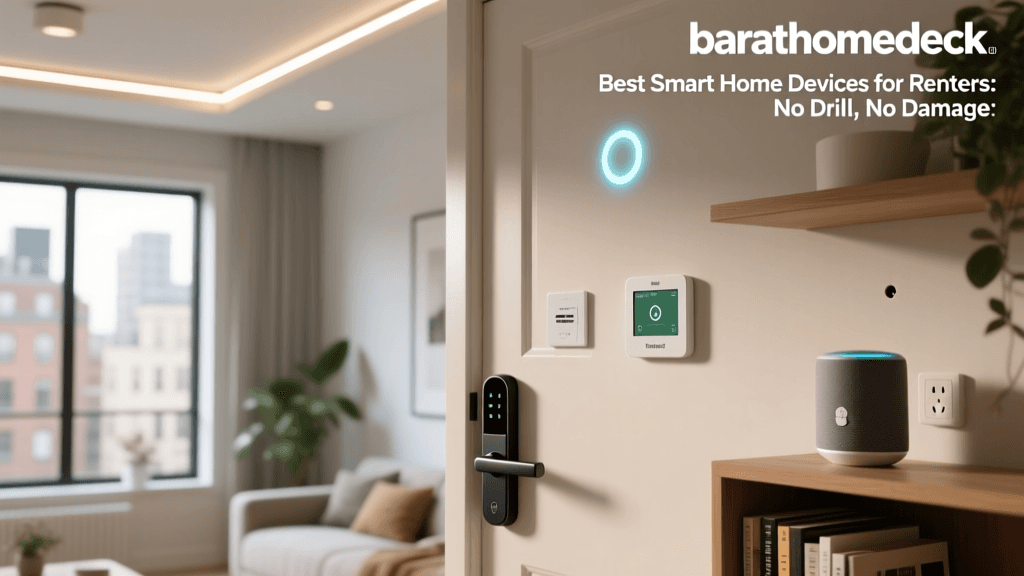
The Renter's Dilemma: Security Without the Damage Deposit Risk
Securing a rental property presents a unique set of challenges. Unlike homeowners, renters must navigate strict lease agreements that often prohibit drilling holes, altering existing deadbolts, or hardwiring new electrical systems. Yet, the need for robust home security is just as critical in an apartment or leased townhouse as it is in a owned single-family home. According to the National Institute of Standards and Technology (NIST), the proliferation of Internet of Things (IoT) devices has made smart home security more accessible, but it also requires careful consideration of network privacy and physical installation constraints.
For renters, the ideal security ecosystem must be non-destructive, easily reversible, and portable. This comprehensive buyer’s guide explores the best smart home security devices specifically curated for renters. We focus on battery-powered cameras, retrofit smart locks, adhesive-mounted sensors, and portable hubs that deliver premium protection without jeopardizing your security deposit.
Top No-Drill Smart Security Cameras
Wireless, battery-operated cameras are the cornerstone of any renter-friendly security setup. They eliminate the need for drilling cable channels and can be mounted using heavy-duty, damage-free adhesive strips or simply placed on shelves and window sills.
1. Eufy Security SoloCam S40: Best for Local Storage
The Eufy SoloCam S40 is a standout choice for renters who want to avoid monthly subscription fees. Featuring 2K resolution and an integrated solar panel option, this camera can run indefinitely when placed in a well-lit window or on a balcony. Crucially, it stores footage locally on the device, meaning your data remains private and off the cloud. The built-in spotlight and two-way audio provide excellent deterrence for porch pirates or unauthorized entry attempts in shared apartment hallways.
- Resolution: 2K HD
- Power: Rechargeable Battery (with optional solar)
- Storage: 8GB Local (No subscription required)
- Compatibility: Amazon Alexa, Google Assistant
- Estimated Cost: $130 - $150
2. Ring Stick Up Cam Battery: Best for Ecosystem Integration
If you are already invested in the Amazon Alexa ecosystem, the Ring Stick Up Cam Battery is a versatile workhorse. Its compact, cylindrical design allows it to sit discreetly on a bookshelf facing your front door or mount to a wall using 3M Command strips. While it requires a Ring Home subscription for continuous recording, its motion-activated alerts and seamless integration with Echo Show devices make it a top-tier choice for real-time monitoring.
- Resolution: 1080p HD
- Power: Quick-Release Battery Pack
- Storage: Cloud (Subscription required for history)
- Compatibility: Amazon Alexa, Samsung SmartThings
- Estimated Cost: $100 - $120
3. Blink Outdoor 4: Best Budget Pick
For renters on a tight budget, the Blink Outdoor 4 offers incredible battery life and a compact footprint. Powered by two standard AA lithium batteries, it can last up to two years under normal use. The included sync module acts as a local hub, and you can opt for local storage via a USB flash drive plugged into the sync module, bypassing the need for a cloud subscription entirely.
- Resolution: 1080p HD
- Power: 2x AA Lithium Batteries (Up to 2 years)
- Storage: Local (via Sync Module 2 + USB) or Cloud
- Compatibility: Amazon Alexa
- Estimated Cost: $70 - $100
Best Smart Locks for Renters (No-Screw & Retrofit)
Changing the locks on a rental unit is usually a violation of the lease agreement. However, retrofit smart locks solve this problem by attaching to the interior thumbturn of your existing deadbolt, leaving the exterior hardware completely untouched. This means your landlord’s master key will still work, but you gain the convenience of keyless entry and remote access.
1. SwitchBot Lock: Best No-Drill Deadbolt Actuator
The SwitchBot Lock is a marvel of renter-friendly engineering. It uses ultra-strong 3M VHB adhesive to attach a motorized actuator directly over your existing interior thumbturn. You simply insert your original key into the device, and the motor turns it for you. It supports fingerprint recognition, NFC cards, and app control. Because it requires zero tools and leaves no permanent marks, it is the ultimate portable smart lock.
- Installation: 3M VHB Adhesive (No screws)
- Power: 2x CR123A Batteries (Approx. 6 months)
- Connectivity: Bluetooth (Hub required for Wi-Fi/Remote)
- Compatibility: Alexa, Google, Siri Shortcuts, IFTTT
- Estimated Cost: $150 - $180
2. August Wi-Fi Smart Lock: Best Retrofit for Traditional Keys
The August Wi-Fi Smart Lock replaces only the interior thumbturn, requiring the removal of a few screws, but it does not alter the door or the exterior lock. It features DoorSense technology, which tells you not just if the lock is engaged, but if the door is actually closed and latched. When you move out, you simply reattach the original thumbturn and take the August lock to your next home.
- Installation: Replaces interior thumbturn (Screws required, but reversible)
- Power: 2x CR123 Batteries
- Connectivity: Built-in Wi-Fi
- Compatibility: Alexa, Google, Apple HomeKit, Samsung SmartThings
- Estimated Cost: $200 - $230
Essential Entry Sensors and Glass Break Detectors
Cameras and locks are your first line of defense, but entry sensors provide the critical alert when a perimeter is breached. For renters, adhesive-backed contact sensors are mandatory.
1. Aqara Door and Window Sensor
The Aqara sensor is incredibly small, unobtrusive, and affordable. It uses the Zigbee protocol, which means it won’t congest your Wi-Fi network, but it does require an Aqara Hub. The adhesive backing is strong, and the sensor can trigger automations, such as turning on smart lights when a door opens or sounding a siren if breached while the system is armed.
2. Ring Alarm Contact Sensor
If you are building a comprehensive system, the Ring Alarm Contact Sensor integrates perfectly with the Ring ecosystem. It features a tamper alert and a sleek design that blends into most door frames. Pairing it with the Ring Alarm Base Station allows you to add professional monitoring for a very low monthly fee, which can often be canceled at any time—perfect for short-term leases.
Comparison Table: Renter-Friendly Security Gear
| Device | Type | Power Source | Drill Required? | Est. Price |
|---|---|---|---|---|
| Eufy SoloCam S40 | Security Camera | Rechargeable | No | $140 |
| Ring Stick Up Cam | Security Camera | Rechargeable | No | $110 |
| Blink Outdoor 4 | Security Camera | AA Lithium | No | $80 |
| SwitchBot Lock | Smart Lock | CR123A | No | $160 |
| August Wi-Fi Lock | Smart Lock | CR123 | Reversible Screws | $210 |
| Aqara Sensor | Contact Sensor | CR1632 Coin | No | $20 |
Battery Life Comparison: Top Wireless Cameras
One of the most critical factors for renters is maintenance. You do not want to be constantly taking down cameras to charge them. The chart below illustrates the estimated battery life of top wireless cameras under standard usage conditions (roughly 10-15 motion events per day).
Bar chart comparing the estimated battery life in months of top wireless security cameras for renters.
Smart Lighting for Deterrence
Do not underestimate the power of smart lighting in a security setup. Burglars target dark, unoccupied homes. Smart bulbs and portable lamps can simulate occupancy even when you are on vacation.
Philips Hue Go (Portable Table Lamp)
The Philips Hue Go is a portable, battery-powered smart lamp that requires no hardwiring. You can place it on a windowsill or entryway table and set it to mimic the flickering of a television or follow a randomized on/off schedule via the Hue app. Because it is a standalone lamp, you simply unplug it and pack it in a box when your lease ends.
Wyze Bulb Color
For standard lamps that you already own, swapping in a Wyze Bulb Color provides a budget-friendly way to automate your lighting. These bulbs connect directly to Wi-Fi without a hub and feature a “Vacation Mode” that randomly turns lights on and off to simulate presence.
Understanding Wireless Protocols for Apartments
When building a smart home in an apartment, Wi-Fi congestion is a real issue. Living in close proximity to dozens of other networks can cause your 2.4GHz security cameras to drop offline. This is where alternative protocols come into play.
Zigbee and Thread: These mesh networking protocols operate on different frequencies or use low-energy mesh routing that does not bog down your primary Wi-Fi router. Devices like the Aqara sensors use Zigbee. The newer Matter protocol, championed by the Connectivity Standards Alliance, heavily relies on Thread for low-power devices, ensuring that your sensors remain responsive even if your neighbor’s Wi-Fi is interfering with yours.
Hub Placement: For renters, placing your smart home hub (like an Echo Show or SmartThings Station) near the center of your apartment, elevated off the floor, will drastically improve the signal strength for your battery-powered sensors and locks.
Smart Home Security and Privacy Best Practices
While physical security is paramount, digital security is equally important. The FBI Internet Crime Complaint Center (IC3) frequently warns consumers about the vulnerabilities associated with unsecured IoT devices. Hackers can exploit poorly configured cameras to invade your privacy.
- Segment Your Network: If your router supports it, create a separate “Guest” or “IoT” Wi-Fi network specifically for your smart home devices. This prevents a compromised smart bulb from giving a hacker access to your personal laptop.
- Enable Two-Factor Authentication (2FA): Always enable 2FA on your Ring, Eufy, and smart lock accounts. This ensures that even if your password is leaked in a data breach, your home remains secure.
- Disable Unused Features: If your camera has a microphone but you only need video, disable the audio recording feature in the app to minimize privacy risks.
Landlord Communication: Asking for Permission
Sometimes, you may want to install a more permanent solution, like a wired video doorbell or a traditional smart lock. Clear communication with your property manager is key. Here is a template you can use to request permission:
Dear [Property Manager Name],
I am writing to request permission to install a smart video doorbell at my unit. The device is battery-operated and uses damage-free adhesive mounting, meaning no drilling or permanent alterations to the door or frame will occur. I am happy to provide the product specifications for your review. I agree to remove the device and restore the surface to its original condition upon moving out. Please let me know if you approve this request.
Thank you,
[Your Name]
Moving Out: The Safe Removal Checklist
When your lease is up, removing your security devices without damaging the paint is crucial for getting your full security deposit back. Heavy-duty adhesives like 3M VHB tape can tear drywall if pulled forcefully.
- Apply Heat: Use a hairdryer on a medium heat setting to warm the adhesive tape for 60-90 seconds. This softens the glue.
- Use Dental Floss: Slide a piece of dental floss or fishing line behind the camera mount or lock actuator. Use a sawing motion to slice through the foam tape, separating the device from the wall.
- Remove Residue: Roll the remaining foam off the wall with your thumb. For stubborn sticky residue, use a citrus-based adhesive remover (test on a hidden spot first to ensure it does not strip the paint).
- Factory Reset: Before packing your devices, perform a full factory reset to wipe your Wi-Fi credentials and personal data from the hardware.
Final Verdict: Building Your No-Drill Security Stack
Renters do not have to compromise on safety. By combining the Eufy SoloCam S40 for subscription-free local monitoring, the SwitchBot Lock for non-destructive keyless entry, and Aqara Sensors for perimeter alerts, you can build a comprehensive, professional-grade security network. These devices respect the physical boundaries of your rental agreement while providing the peace of mind that comes with modern smart home technology. Always prioritize local storage options where possible, secure your network with strong passwords, and remember to safely remove your gear when it is time to move on to your next home.