The Shift to Ambient Computing: Why Sensors Matter
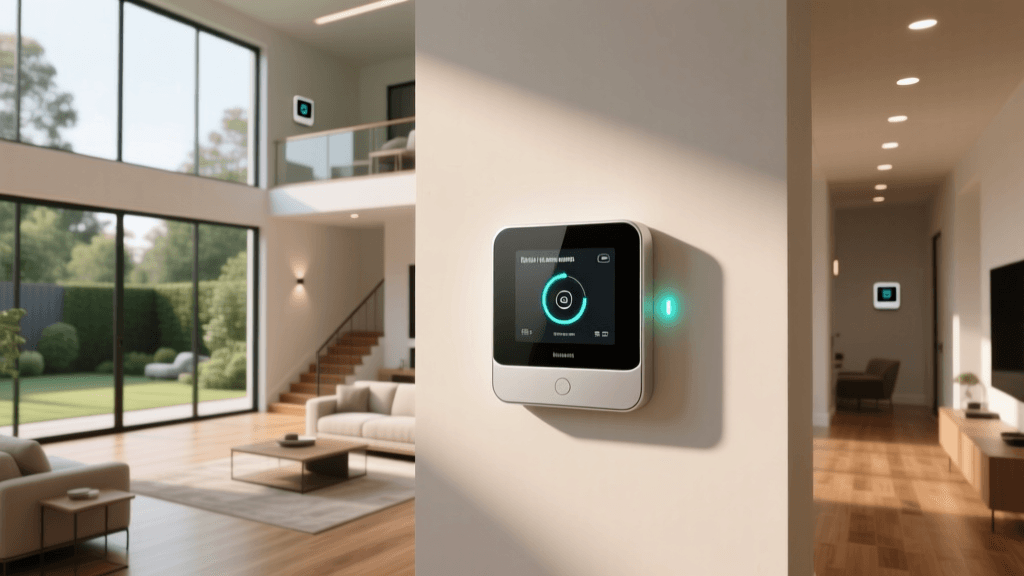
When most people first dive into the smart home ecosystem, they rely heavily on active control methods. You tap a button on your smartphone, issue a voice command to your smart speaker, or flip a smart switch. While these methods are convenient, they still require your direct input. The true pinnacle of a smart home is ambient computing—a space that anticipates your needs and reacts automatically without you ever having to lift a finger or utter a word. This seamless automation is entirely dependent on one critical category of devices: smart sensors.
Motion sensors, contact sensors, and environmental monitors act as the eyes, ears, and nervous system of your home. They trigger your lights to fade up when you enter a room, adjust your thermostat when a window is left open, or send you an alert if unexpected movement is detected while you are on vacation. However, not all sensors are created equal. Differences in wireless protocols, detection technology, battery efficiency, and ecosystem compatibility can make or break your automation routines. In this comprehensive guide, we break down the best smart motion and contact sensors on the market to help you build a truly automated, responsive home.
Our Testing Methodology
To determine the best sensors for home automation, we evaluated dozens of devices over a three-month period in real-world residential environments. Our testing focused on four core metrics:
- Latency and Reliability: We measured the time elapsed between a physical trigger (like walking into a room) and the execution of the automated action. We also monitored for dropped connections and false negatives.
- False Positives and Pet Immunity: We tested how well motion sensors differentiated between human movement and environmental factors like shifting shadows, HVAC drafts, and pets weighing up to 40 pounds.
- Battery Efficiency: We tracked battery drain rates over time to verify manufacturer claims regarding battery life, factoring in different reporting intervals and temperature conditions.
- Ecosystem Integration: We evaluated the ease of setup and the depth of automation options available within major platforms like Apple HomeKit, Amazon Alexa, Google Home, and Home Assistant.
Top Picks: Best Smart Sensors for Home Automation
Best Overall Motion Sensor: Philips Hue Smart Motion Sensor
The Philips Hue Smart Motion Sensor remains the gold standard for lighting automation, particularly for those already invested in the Zigbee-based Hue ecosystem. Unlike Wi-Fi sensors that can congest your home network, this device communicates via the Hue Bridge, ensuring lightning-fast local execution of routines. It features a 12-meter (39-foot) detection range with a 100-degree field of view, making it ideal for hallways, kitchens, and living rooms.
What sets the Hue sensor apart is its built-in ambient light sensor. You can configure your automations to only trigger the lights if the room's natural light falls below a specific lux threshold, saving energy and preventing unnecessary illumination during the day. Furthermore, it includes a temperature sensor, allowing you to create complex routines that adjust your smart thermostat if a specific room gets too warm or too cold. Powered by two AAA batteries, it reliably lasts up to two years under normal use. The only caveat is that it requires the Philips Hue Bridge, making the initial entry cost higher for those outside the ecosystem.
Best Budget Contact Sensor: Wyze Sense V2
If you are looking to monitor doors, windows, and cabinets without breaking the bank, the Wyze Sense V2 is an unbeatable value. These compact contact sensors use a magnet and a reed switch to detect when an entry point is opened or closed. They are incredibly versatile for home automation. For example, you can set your HVAC system to automatically shut off if a window is left open for more than five minutes, or trigger a smart plug to turn on a closet light the moment the door swings open.
The V2 iteration boasts an impressive 18-month battery life on a single CR1130 button cell and features an IPX3 water resistance rating, meaning it can handle the humidity of a bathroom or the occasional condensation on a window pane. It is important to note that these sensors do not connect directly to Wi-Fi; they require the Wyze Sense Hub (or the v1 Sensor Bridge) to communicate with your router. Despite the hub requirement, the low cost per sensor makes it the most affordable way to blanket an entire home with contact monitoring.
Best Premium Multi-Sensor: Aeotec MultiSensor 7
For advanced users, tinkerers, and Home Assistant enthusiasts, the Aeotec MultiSensor 7 is a powerhouse of environmental data. Utilizing the Z-Wave Plus V2 (800-series) protocol, it offers superior range, enhanced security, and lower power consumption compared to previous generations. This single, unobtrusive device packs six distinct sensors into one housing: motion, temperature, humidity, ambient light, UV index, and vibration.
The inclusion of a vibration sensor opens up highly creative automation possibilities. You can mount it to your washing machine to receive a notification when the cycle is complete, or attach it to a garage door to monitor its physical state. The motion sensor uses advanced PIR (Passive Infrared) technology with adjustable sensitivity and a customizable timeout period. Because it supports Z-Wave, it operates independently of your Wi-Fi network, ensuring your automations remain functional even if your internet connection drops. It can be powered via USB-C for permanent installations or run on two CR123A batteries for flexible placement.
Best for Apple HomeKit and Thread: Eve Motion
For users deeply embedded in the Apple ecosystem, the Eve Motion sensor offers a premium, privacy-first experience. It is one of the first sensors to natively support Thread, a low-power, mesh-networking protocol designed specifically for smart home devices. According to the Thread Group, this protocol eliminates the need for a proprietary bridge by using existing Thread Border Routers, such as the Apple TV 4K or HomePod Mini, to route signals locally.
Eve is renowned for its strict adherence to user privacy; all data is processed locally, and there is no cloud tracking or mandatory account creation. The Eve Motion sensor features a 170-degree ultra-wide field of view and a 9-meter range. Through the Eve app, users can fine-tune the motion sensitivity and the duration the sensor waits before registering a room as 'empty.' With its Matter compatibility ensured via firmware updates, as highlighted by the Connectivity Standards Alliance, the Eve Motion is a future-proof investment for Apple users and those transitioning to cross-platform Matter setups.
Comparison Table: Smart Sensor Specifications
To help you quickly compare the technical specifications and ideal use cases for our top picks, we have compiled the following data table.
| Product | Protocol | Sensor Type | Est. Battery Life | Hub Required? | Best For |
|---|---|---|---|---|---|
| Philips Hue Motion | Zigbee | Motion, Light, Temp | 24 Months | Yes (Hue Bridge) | Lighting Automation |
| Wyze Sense V2 | Proprietary/Wi-Fi | Contact | 18 Months | Yes (Wyze Hub) | Budget Entry Monitoring |
| Aeotec MultiSensor 7 | Z-Wave Plus V2 | 6-in-1 Multi | 18 Months | Yes (Z-Wave Hub) | Advanced Home Assistant |
| Eve Motion | Thread / Matter | Motion | 36 Months | No (Needs Border Router) | Apple HomeKit & Privacy |
Battery Life vs. Product Comparison
Battery longevity is a critical factor when deploying multiple sensors throughout a home. Changing batteries in a dozen sensors every six months quickly becomes a chore. The chart below visualizes the estimated battery life of our top picks under standard residential usage conditions.
Bar chart comparing the estimated battery life in months for top smart home sensors
Buying Guide: Navigating Wireless Protocols
When shopping for smart sensors, the most confusing aspect for many consumers is the alphabet soup of wireless protocols. Understanding the difference between Zigbee, Z-Wave, Thread, and Wi-Fi is crucial for building a reliable automation network.
Zigbee and Z-Wave: The Mesh Network Veterans
Both Zigbee and Z-Wave create a mesh network, meaning every plugged-in device acts as a repeater, extending the range of the network. They operate on frequencies that do not interfere with your 2.4GHz Wi-Fi, ensuring that a crowded network won't cause your motion-triggered lights to lag. The Z-Wave Alliance maintains strict certification standards, ensuring that any Z-Wave device will work with any Z-Wave hub, regardless of the manufacturer. Zigbee, while slightly faster, has more fragmented profiles, which is why many users stick to closed ecosystems like Philips Hue or Samsung SmartThings for the best Zigbee experience.
Thread and Matter: The Future of Smart Homes
Thread is a relatively new IP-based mesh networking protocol that offers the reliability of Zigbee but with native internet connectivity and no proprietary hub requirements (provided you have a Thread Border Router). Matter is the application layer that runs on top of Thread (and Wi-Fi), allowing devices from different brands to communicate seamlessly. If you are starting a new smart home from scratch, prioritizing Thread and Matter-compatible sensors will offer the most longevity and cross-platform flexibility.
PIR vs. mmWave: The Evolution of Detection
Traditional motion sensors use PIR (Passive Infrared) technology. PIR sensors detect changes in infrared radiation—essentially, the heat moving across their field of view. While excellent for walking through a hallway, PIR sensors fail when you sit perfectly still on the couch reading a book, causing the lights to abruptly turn off. This is where mmWave (millimeter wave) radar sensors come in. mmWave sensors can detect micro-movements, such as the rising and falling of your chest as you breathe. While currently more expensive and often requiring wired power due to high energy consumption, mmWave is the future of true 'presence detection' rather than simple 'motion detection.'
Expert Tips for Sensor Placement and Calibration
Even the most expensive, advanced sensor will perform poorly if placed incorrectly. To optimize your home automation routines, follow these expert placement guidelines:
- Avoid Heat Sources: PIR sensors look for changes in heat. Placing a sensor near a radiator, an HVAC vent, or in direct, shifting sunlight will cause constant false positives. Keep them away from heating and cooling sources.
- Height and Angle: For standard PIR motion sensors, the optimal mounting height is between 6.5 and 8 feet (2 to 2.4 meters), angled slightly downward. This provides the best coverage across a room while minimizing blind spots directly beneath the device.
- Pet Immunity Calibration: If you have pets, look for sensors with dedicated pet-immunity lenses or software toggles. To physically prevent pets from triggering the sensor, mount it in a corner and angle it so the lower detection zones are blocked by furniture, or rely on the sensor's sensitivity settings to ignore objects below a certain weight threshold.
- Contact Sensor Alignment: When installing magnetic contact sensors on doors and windows, ensure the gap between the sensor and the magnet does not exceed the manufacturer's specified tolerance (usually 10mm to 15mm). A gap that is too wide will result in delayed reporting or failure to trigger entirely.
Conclusion
Smart sensors are the foundational building blocks of a truly automated home. By moving beyond voice commands and app toggles, you allow your home to react intelligently to your presence and environmental changes. Whether you choose the lighting prowess of the Philips Hue Motion Sensor, the budget-friendly utility of the Wyze Sense V2, the data-rich Aeotec MultiSensor 7, or the privacy-focused Eve Motion, ensuring you match the device's protocol to your existing ecosystem is the key to success. Invest in reliable mesh networks like Thread or Z-Wave, pay attention to sensor placement, and watch as your home transforms into a responsive, automated sanctuary.