Beyond the Walled Garden: The Hidden Power of Apple HomeKit
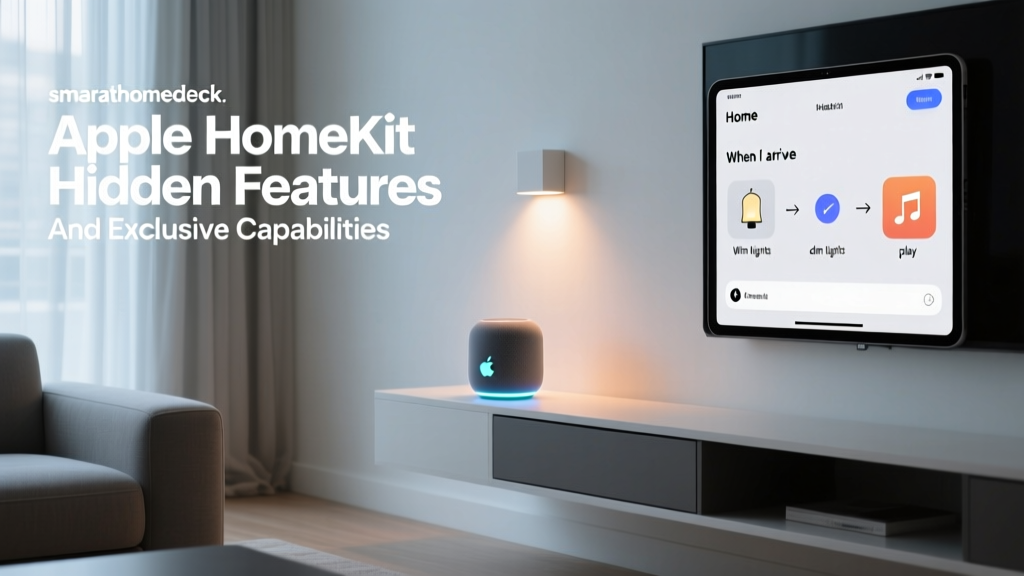
For years, the prevailing narrative in the smart home community has been that Apple HomeKit is a restrictive "walled garden" designed only for casual users who want to turn on a lamp using Siri. While it is true that Apple maintains strict security and privacy certifications for compatible hardware, this perception severely undersells the platform's true potential. Beneath the minimalist interface of the Apple Home app lies a powerhouse of exclusive features, hidden automation triggers, and advanced local processing capabilities that rival—and often surpass—enthusiast platforms like Home Assistant.
Whether you are utilizing the latest Apple TV 4K as a Thread Border Router, leveraging Near Field Communication (NFC) tags for instantaneous physical automations, or deploying HomeKit Secure Video (HKSV) for privacy-first surveillance, Apple's ecosystem offers unique tools that remain largely unexplored by the average consumer. In this comprehensive guide, we will dive deep into the exclusive features and hidden capabilities of Apple HomeKit, providing actionable advice, specific product recommendations, and cost analyses to help you transform your iOS-centric smart home into an advanced, automated fortress.
Unlocking NFC Triggers for Instant, Physical Automations
One of the most underutilized features in the Apple ecosystem is the ability to use NFC (Near Field Communication) tags as physical automation triggers. While platforms like Samsung SmartThings and Home Assistant support NFC, Apple's integration via the native Shortcuts app is unparalleled in its reliability and ease of use. By placing inexpensive NFC stickers around your home, you can trigger complex, multi-step routines with a simple tap of your iPhone or Apple Watch.
Setting Up NFC Automations
To get started, you do not need expensive proprietary hardware. You can purchase a pack of 50 NTAG215 or NTAG216 NFC sticker tags from Amazon or specialized electronics retailers for under $15. These passive tags require no power source and can be adhered to nightstands, entryways, or even inside your vehicle.
- Step 1: Open the native Shortcuts app on your iPhone and navigate to the Automation tab.
- Step 2: Tap the + icon to create a new Personal Automation and select NFC.
- Step 3: Tap Scan and hold the top edge of your iPhone near the NFC sticker to register it. Name the tag (e.g., "Bedside Sleep Trigger").
- Step 4: Build your action sequence. For a bedside trigger, you can command HomeKit to lock all doors, turn off all lights, set your Ecobee or Honeywell smart thermostat to 68°F (20°C), and start a sleep tracking shortcut.
- Step 5: Crucially, toggle off Ask Before Running to ensure the automation executes instantly without requiring a secondary confirmation prompt.
Practical Use Cases for the Advanced User
The true magic of NFC triggers emerges when you combine them with Apple's "Focus Modes." By tapping an NFC tag on your home office desk, your iPhone can automatically switch to a "Work" Focus Mode, which simultaneously triggers a HomeKit scene to adjust your Nanoleaf Essentials LED strips to a cool 5000K daylight temperature, turns on your smart plug-connected coffee maker, and mutes your HomePod mini. Because the processing happens locally on your device and communicates via your local network to your HomeKit hub, the latency is virtually non-existent, typically executing in under 200 milliseconds.
HomeKit Secure Video (HKSV): The Privacy-First Surveillance Giant
When consumers think of smart security cameras, brands like Ring, Nest, and Arlo immediately come to mind. However, these platforms rely on cloud-based processing, meaning your video feeds are sent to external servers for motion analysis. Apple's answer to this is HomeKit Secure Video (HKSV), a hidden gem that fundamentally changes how smart surveillance operates by prioritizing local processing and end-to-end encryption.
How HKSV Leverages Local Neural Engines
Unlike standard HomeKit camera streaming, HKSV requires a HomeKit Hub (an Apple TV 4K or HomePod). When an HKSV-compatible camera—such as the Aqara Camera Hub G3, Eufy Indoor Cam 2K Pan & Tilt, or Logitech Circle View—detects motion, it sends an encrypted video clip to your local hub. The hub then utilizes its onboard Neural Engine to perform AI analysis locally. This means facial recognition, pet detection, vehicle identification, and package detection happen entirely within your home, not on a remote server. Only after the analysis is complete is the encrypted clip uploaded to your iCloud account, where not even Apple can view the contents.
The Cost Advantage: iCloud+ vs. Competitor Subscriptions
One of the most compelling hidden capabilities of HKSV is its pricing structure. While competitors charge per camera, Apple bundles HKSV support into its iCloud+ subscription tiers, allowing for massive cost savings in multi-camera setups. According to The Verge's comprehensive smart home guide, Apple's approach to privacy and storage consolidation remains a major differentiator in the market.
- iCloud+ 64GB ($0.99/mo): Supports 1 HKSV camera.
- iCloud+ 200GB ($2.99/mo): Supports up to 5 HKSV cameras.
- iCloud+ 2TB ($9.99/mo): Supports an unlimited number of HKSV cameras.
Let us visualize the annual cost difference for a standard 5-camera home security setup across major ecosystems:
As the data illustrates, utilizing HKSV with an iCloud+ 200GB plan costs just $35.88 annually, covering five cameras. In contrast, outfitting five Ring cameras requires the Ring Protect Plus plan, and five Arlo cameras necessitate the Arlo Secure tier, which can cost upwards of $129.99 per year. For power users already paying for iCloud storage for their iPhone backups, HomeKit Secure Video is essentially a free, enterprise-grade surveillance upgrade.
Advanced Apple Shortcuts: Variables, APIs, and Logic
The Apple Home app provides a user-friendly interface for basic "If This, Then That" automations, but it lacks native support for complex logic, variables, or external API calls. This is where the Shortcuts app bridges the gap, acting as an advanced scripting engine for your HomeKit ecosystem. As detailed in Apple's Shortcuts User Guide, the app supports deep system integration that third-party hubs cannot replicate.
Utilizing Variables and Dictionaries
Advanced users can use the "Set Variable" and "Get Variable" actions within Shortcuts to create dynamic automations that the native Home app cannot handle. For example, if you want your smart blinds to adjust their tilt angle based on the exact solar elevation outside, you can use the "Get Contents of URL" action to ping a local weather API or a Home Assistant webhook. The shortcut can parse the JSON response, extract the solar azimuth variable, perform a mathematical calculation, and then send a specific percentage command to your Aqara Roller Shade Driver.
Integrating with IFTTT and Webhooks
While Apple's ecosystem is famously closed, Shortcuts provides a backdoor to the broader internet. By utilizing the "Get Contents of URL" action with a POST request, you can trigger IFTTT Webhooks or interact with local servers running Node-RED. This allows your HomeKit sensors to trigger non-HomeKit devices. For instance, an Aqara Door/Window sensor detecting an open garage door can trigger a Shortcut that sends a Telegram message to your phone or logs the event into a Google Sheet, bypassing the limitations of the native Home app notification system.
Thread and Matter: The Invisible Backbone of HomeKit
With the advent of the Matter standard, Apple has quietly positioned its existing hardware as the ultimate smart home backbone. Many users are unaware that the HomePod Mini and the Apple TV 4K (3rd Generation, Wi-Fi + Ethernet) double as Thread Border Routers.
What is Thread and Why Does It Matter?
Thread is a low-power, mesh networking protocol designed specifically for smart home devices. Unlike Wi-Fi, which congests your home network when you add dozens of smart bulbs and plugs, Thread devices communicate with one another to form a self-healing mesh network. If one smart plug loses power, the Thread network automatically reroutes the signal through neighboring devices to maintain connectivity.
By integrating Thread-native devices like the Eve Energy smart plug or Nanoleaf Essentials LED strips, you offload traffic from your 2.4GHz Wi-Fi band. Because your Apple TV or HomePod Mini acts as the Border Router, it seamlessly translates the Thread mesh signals into your local network and bridges them to iCloud for remote access. This hidden capability ensures that as your smart home scales to 50 or 100+ devices, your network latency remains rock solid, a common pain point for users relying solely on Wi-Fi-based ecosystems.
Ecosystem Comparison: Hidden Features Face-Off
To understand where Apple HomeKit truly stands, we must compare its hidden capabilities against its primary competitors: Google Home and Amazon Alexa. The following table highlights the differences in advanced automation, local processing, and privacy architectures.
| Feature / Capability | Apple HomeKit | Google Home | Amazon Alexa |
|---|---|---|---|
| Native NFC Triggers | Yes (via Shortcuts) | No (Requires 3rd party apps) | Limited (Requires Alexa Tags & specific routines) |
| Local Video AI Processing | Yes (HomeKit Secure Video) | No (Cloud-dependent for Nest Aware) | No (Cloud-dependent for Ring/Blink) |
| Advanced Logic & Variables | Yes (Via Shortcuts App) | Limited (Google Home Scripts) | Moderate (Alexa Routines & Hunches) |
| Thread Border Router Support | Yes (HomePod Mini, Apple TV 4K) | Yes (Nest Hub, Nest Wifi Pro) | Yes (Echo 4th Gen, eero routers) |
| Privacy Architecture | End-to-End Encrypted (Local first) | Cloud-first (Data used for ad profiling) | Cloud-first (Voice recordings stored by default) |
As highlighted by Apple's official Home app overview, the company's fundamental approach to smart home technology treats your home data as deeply personal. This philosophy dictates why features like HKSV and local Thread processing are prioritized over cloud-based monetization strategies.
Conclusion: Maximizing Your Apple Smart Home Investment
Apple HomeKit is far more than a simple voice-control interface for Siri. By unlocking hidden capabilities like NFC tag automations, leveraging the local AI processing of HomeKit Secure Video, utilizing advanced variables in the Shortcuts app, and building a robust Thread mesh network, you can create a smart home that is not only highly automated but also fiercely private and cost-effective. While the initial hardware investment for HomeKit-compatible accessories and Apple hubs may be higher than budget alternatives, the long-term savings on cloud subscriptions and the unparalleled reliability of local processing make it the premier ecosystem for the discerning smart home power user.