Beyond the Basics: Why HomeKit Stands Out
When smart home enthusiasts discuss ecosystem platforms, Amazon Alexa and Google Home often dominate the conversation regarding sheer device volume and third-party compatibility. However, Apple HomeKit operates on a fundamentally different philosophy. Rather than prioritizing an open floodgate of thousands of uncertified accessories, Apple has cultivated a 'walled garden' that emphasizes local processing, stringent privacy, and deeply integrated exclusive features. For users embedded in the Apple ecosystem, HomeKit offers hidden capabilities and advanced automation tools that are frequently overlooked by casual users.
In this comprehensive guide, we will bypass the basic 'turn on the lights' commands and dive deep into the exclusive features of Apple HomeKit. From the circadian benefits of Adaptive Lighting to the local AI processing of HomeKit Secure Video, these hidden tools transform a standard connected house into a truly intelligent, privacy-first home.
Exclusive Feature 1: Adaptive Lighting and Circadian Rhythms
One of the most powerful, yet frequently missed, exclusive features in the Apple Home app is Adaptive Lighting. While competitors require complex, multi-step routines to change bulb color temperatures throughout the day, HomeKit handles this natively at the firmware level.
How Adaptive Lighting Works
Adaptive Lighting automatically adjusts the color temperature of your compatible smart bulbs based on the time of day and your geographic location. During the morning and early afternoon, the lights emit a cool, energizing daylight spectrum (around 4000K to 5000K). As the sun sets, the spectrum gradually shifts to a warm, amber glow (down to 2000K), which helps promote melatonin production and supports healthy circadian rhythms.
Unlocking the Hidden Toggle
Many users never find this feature because it is not located in the main automation tab. To enable it:
- Open the Home app and long-press a compatible smart bulb.
- Tap the 'Settings' gear icon in the bottom right corner.
- Scroll down to the 'Lighting' section.
- Toggle on 'Adaptive Lighting' and choose your preferred transition speed (Fast, Medium, or Slow).
Compatible Hardware and Costs
To utilize this feature, you need bulbs that support dynamic white temperature tuning. Top-tier compatible options include the Philips Hue White and Color Ambiance line (typically $45-$60 per bulb), Nanoleaf Essentials A19 ($20-$25 per bulb, which also supports Thread), and LIFX Tuneable White bulbs. Note that you must have an active Home Hub (Apple TV 4K or HomePod) for Adaptive Lighting to function when you are away from home.
Exclusive Feature 2: HomeKit Secure Video (HKSV)
Most smart cameras rely on cloud-based processing to detect motion, identify faces, and store video clips. This introduces latency, requires monthly subscriptions to third-party servers, and raises significant privacy concerns. Apple's HomeKit Secure Video (HKSV) flips this model entirely.
Local AI Processing and iCloud+ Integration
With HKSV, the video stream is encrypted and sent directly to your local Home Hub (Apple TV or HomePod). The Home Hub performs all AI analysis locally—identifying people, pets, vehicles, and packages—without ever sending unencrypted footage to Apple's servers. Once analyzed, the encrypted clips are securely uploaded to your iCloud+ account.
Because Apple does not monetize your data, HKSV is bundled as a free perk with any iCloud+ subscription. The cost ranges are highly competitive compared to traditional camera subscriptions:
- iCloud+ 6GB ($0.99/month): Supports 1 HKSV camera.
- iCloud+ 50GB ($0.99/month): Supports 5 HKSV cameras.
- iCloud+ 200GB ($2.99/month): Supports 10+ HKSV cameras.
- iCloud+ 2TB ($9.99/month): Supports unlimited HKSV cameras.
Top Compatible Cameras
To take advantage of HKSV, you need specifically licensed hardware. The Logitech Circle View Doorbell ($199) offers excellent facial recognition that maps directly to your Apple Contacts app. For outdoor monitoring, the Eve Outdoor Cam ($149) provides brilliant night vision and local processing. The Aqara G3 Camera Hub ($109) is a unique option that doubles as a Zigbee hub and features a pan-and-tilt mechanism with built-in gesture recognition.
Hidden Capability: The Power of Thread and Local Execution
While Wi-Fi and Zigbee have been the standards for smart homes, Apple has heavily invested in Thread, a low-power, mesh-networking protocol designed specifically for IoT devices. Thread is a hidden superpower within the HomeKit ecosystem that drastically improves reliability and speed.
Why Local Execution Matters
In a traditional Wi-Fi smart home, a command from your phone travels to the manufacturer's cloud server, which then routes the command back to your router and finally to the smart plug or bulb. This cloud round-trip introduces latency (often 200ms to 500ms) and means your smart home breaks if your internet connection drops.
HomeKit prioritizes local execution. When you use a Thread-enabled device, the command travels directly from your iPhone to the local Thread Border Router (like an Apple TV 4K or HomePod Mini) and instantly to the device. The result is near-instantaneous latency and 100% reliability during internet outages.
Smart Home Command Latency Comparison
Building a Thread Mesh Network
Unlike Wi-Fi, where devices drain battery trying to reach a distant router, Thread devices act as nodes that pass signals to one another. A Eve Energy Smart Plug ($40) not only monitors your appliance's power consumption but also acts as a Thread router, extending the mesh network to battery-powered sensors in distant rooms. To anchor this network, the Apple TV 4K (3rd Generation with Ethernet) ($149) serves as the ultimate Thread Border Router, bridging the Thread mesh to your home's Wi-Fi and Ethernet backbone.
Advanced Automations: NFC Tags and Shortcuts Integration
Apple HomeKit's integration with the iOS Shortcuts app unlocks a layer of automation that is vastly superior to the native routine builders found in Alexa or Google Home. The most exciting hidden capability here is the use of physical NFC (Near Field Communication) tags as environmental triggers.
Setting Up NFC Triggers
You can purchase a pack of writable NFC stickers online for less than $10. By placing these tags strategically around your home, you can trigger complex HomeKit scenes with a simple tap of your iPhone or Apple Watch.
Practical Setup Example:
- Open the Shortcuts app on your iPhone and navigate to the 'Automation' tab.
- Tap 'Create Personal Automation' and select 'NFC'.
- Tap 'Scan' and hold your iPhone over the NFC sticker.
- Name the tag (e.g., 'Nightstand Tap').
- Add an action: 'Run Home Scene' and select your 'Goodnight' scene (which locks the doors, lowers the thermostat, and turns off the lights).
- Crucially, toggle off 'Ask Before Running' to make the execution instant and silent.
By sticking an NFC tag to your nightstand, you simply tap your phone before bed to secure your entire home. You can place another tag in your car to trigger the 'Leaving Home' scene, or one by the front door to trigger a 'Welcome Home' scene that plays music and adjusts the lighting.
Ecosystem Exclusive Features Comparison
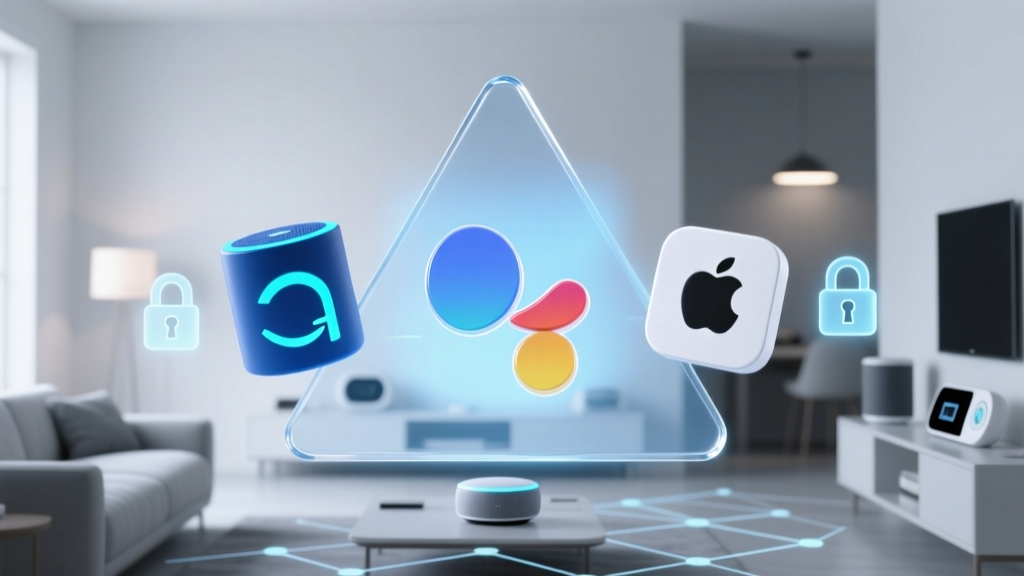
To understand where HomeKit's hidden features stand against the competition, we must compare the native capabilities of the major platforms. The following table highlights how Apple's approach to built-in features differs from the third-party reliance of its competitors.
| Feature / Capability | Apple HomeKit | Amazon Alexa | Google Home | Samsung SmartThings |
|---|---|---|---|---|
| Native Adaptive Lighting | Yes (Built-in firmware level) | No (Requires manual Routines) | No (Requires manual Routines) | No (Requires Smart Lighting App) |
| Local Secure Video AI | Yes (HKSV via Home Hub) | No (Cloud-dependent) | No (Nest Aware Cloud) | Partial (Home Monitoring) |
| Thread Border Router | Yes (HomePod / ATV 4K) | Yes (Echo Gen 4+) | Yes (Nest Hub / Audio) | Yes (Station V3) |
| Native NFC Triggering | Yes (via iOS Shortcuts) | Yes (via Alexa App) | No | No |
| Local Execution Priority | High (LAN / Thread first) | Low (Cloud first) | Low (Cloud first) | Medium (Hub dependent) |
Privacy and Data Handling: The Apple Difference
The most significant 'hidden' feature of Apple HomeKit is not a user-facing toggle, but the underlying architecture of data handling. In an era where smart speakers and cameras are frequently scrutinized for data harvesting, Apple's business model relies on hardware sales, not advertising or data brokering.
According to Apple Privacy Features, all HomeKit data is encrypted end-to-end. When you set up a HomeKit accessory, the pairing code establishes a unique cryptographic relationship between your iOS device and the accessory. Apple itself does not have the keys to decrypt your home's layout, your automation rules, or your camera feeds. Even when using HomeKit Secure Video, the footage is encrypted before it leaves your local network, meaning Apple engineers cannot view your camera clips even if compelled by a subpoena.
This strict privacy architecture is why HomeKit certification is notoriously difficult for manufacturers to achieve. The hardware must include dedicated security chips (like the MFi authentication chip) to handle the encryption locally, which is why HomeKit-compatible devices often carry a slight price premium compared to their Alexa-only counterparts.
Conclusion: Maximizing Your HomeKit Investment
Apple HomeKit is frequently criticized for having a smaller catalog of supported devices compared to Alexa or Google. However, this critique misses the forest for the trees. By focusing on deep, native integrations like Adaptive Lighting, HomeKit Secure Video, and Thread-based local execution, Apple provides a premium, privacy-centric experience that requires less troubleshooting and zero third-party subscription fees.
To truly unlock the potential of your smart home, look beyond basic voice commands. Invest in Thread-compatible hardware to build a resilient mesh network, leverage the Shortcuts app for physical NFC automations, and utilize the local AI processing of HKSV to secure your property without compromising your digital privacy. When configured correctly, HomeKit's hidden capabilities offer the most seamless and secure smart home experience available today.