The Complete Guide to the Aqara Smart Home Ecosystem & Zigbee Sensor Networks
Building a reliable, responsive, and truly intelligent smart home requires more than just buying a few Wi-Fi-connected light bulbs. It requires a robust foundation, and for millions of smart home enthusiasts worldwide, that foundation is the Aqara smart home ecosystem. Originally emerging as a subsidiary of Lumi United Technology (and closely tied to the early days of Xiaomi's smart home initiatives), Aqara has evolved into a standalone global powerhouse. Today, Aqara is synonymous with premium, affordable, and highly reliable Zigbee-based sensors and controllers.
Whether you are dipping your toes into home automation for the first time or you are a seasoned tinkerer building a complex Home Assistant setup, understanding how Aqara's Zigbee sensor network operates is crucial. This comprehensive guide will walk you through the architecture of the Aqara ecosystem, the best devices to anchor your network, advanced optimization strategies, and how to integrate these devices seamlessly into your daily life.
Why Choose Aqara? The Power of Zigbee Sensor Networks
Before diving into specific devices, it is essential to understand why Aqara's reliance on Zigbee technology gives it a massive advantage over Wi-Fi-heavy competitors. While Wi-Fi is excellent for high-bandwidth devices like security cameras and smart displays, it is notoriously inefficient for small, battery-powered sensors that only need to transmit a few bytes of data (like "door opened" or "motion detected").
The Advantages of Zigbee 3.0
Aqara primarily utilizes the Zigbee 3.0 protocol, a low-power, wireless mesh network standard designed specifically for IoT (Internet of Things) devices. Here is why a Zigbee sensor network is the gold standard for smart home automation:
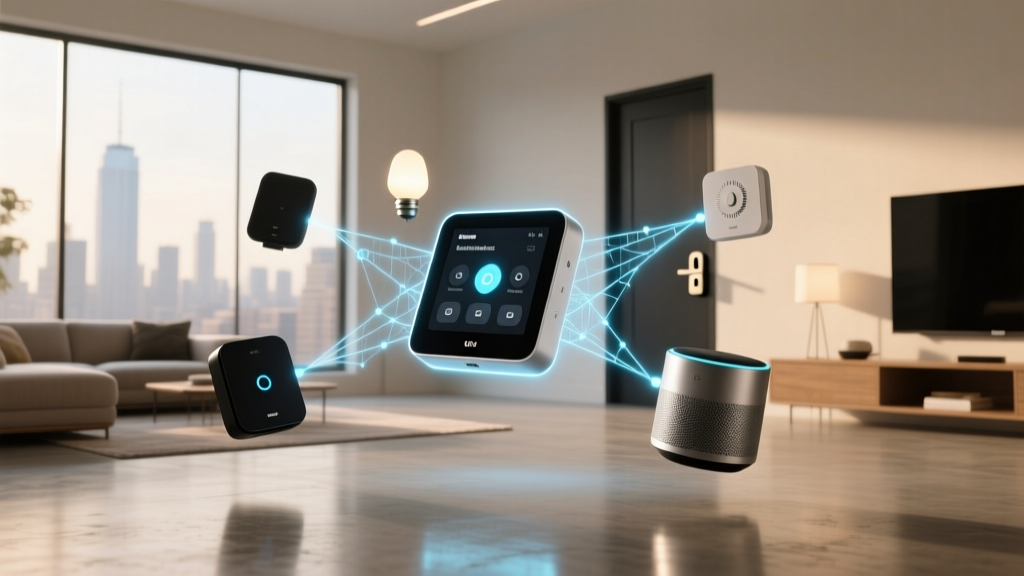
- Mesh Networking: Unlike Wi-Fi, where every device must connect directly to your central router, Zigbee creates a mesh. Mains-powered Zigbee devices (like smart plugs and wall switches) act as "routers," repeating the signal and extending the network's range. This means the more devices you add, the stronger and more reliable your network becomes.
- Exceptional Battery Life: Because Zigbee requires very little power to transmit data, Aqara's battery-operated sensors (such as door/window and motion sensors) can often run for two to five years on a single coin-cell battery.
- Network Congestion Relief: A typical home router might struggle if you connect 40+ Wi-Fi smart bulbs and sensors, leading to dropped connections and lag. By offloading these devices to a dedicated Zigbee hub, you free up your Wi-Fi bandwidth for laptops, phones, and streaming devices.
- Low Latency: Zigbee networks communicate locally between the sensor and the hub. When you open a door, the hub registers the event and triggers a light in milliseconds, without needing to ping a cloud server halfway across the world.
Aqara's Unique Position in the Market
While other brands use Zigbee, Aqara stands out due to its build quality, aesthetic design, and broad compatibility. Aqara devices are not just limited to their proprietary app; they are famous for their native Apple HomeKit support, and increasingly, they are adopting the Matter smart home standard. This cross-platform flexibility ensures that your investment in Aqara hardware is future-proof, regardless of which voice assistant or smart home platform you prefer.
Essential Aqara Devices to Build Your Network
To build a thriving Aqara ecosystem, you need a combination of hubs (the brain), routers (the backbone), and end-device sensors (the senses). Here is a breakdown of the essential hardware required to build a comprehensive Zigbee sensor network.
The Brains: Aqara Smart Hubs
Every Zigbee network requires a coordinator. Aqara offers several hubs tailored to different user needs:
- Aqara Hub M2: The workhorse of the ecosystem. It features an Ethernet port for rock-solid wired connections to your router, a built-in IR blaster for controlling legacy air conditioners and TVs, and supports local automations. It is the ideal choice for users who want maximum reliability and local execution.
- Aqara Hub M3: The flagship gateway. The M3 not only supports Zigbee but also acts as a Thread border router and a Matter controller. It is designed for users who are actively transitioning to the Matter ecosystem and want a unified hub that bridges Zigbee devices into modern Matter-compatible platforms.
- Aqara USB Hub E1: A compact, dongle-style hub that plugs directly into a USB power brick. While it lacks the Ethernet port and IR blaster of the M2, it is an excellent, budget-friendly entry point for smaller apartments or basic HomeKit setups.
The Senses: Aqara Sensor Lineup
Aqara's sensor catalog is vast, covering almost every environmental metric you can imagine:
- Door & Window Sensors: The bread and butter of smart home security and automation. These magnetic reed sensors can trigger lights when a door opens or send an alert if a window is left open while the AC is running.
- Motion & Presence Sensors: Aqara offers standard PIR (Passive Infrared) motion sensors for basic lighting automation. However, their Presence Sensor FP2 uses millimeter-wave radar to detect human presence, even if you are sitting perfectly still reading a book. This solves the classic smart home problem of lights turning off while you are relaxing on the couch.
- Temperature & Humidity Sensors: Essential for climate control. These small, unobtrusive sensors can trigger smart plugs connected to space heaters, dehumidifiers, or fans based on precise environmental thresholds.
- Water Leak Sensors: Placed under sinks, near water heaters, or behind washing machines, these sensors can detect moisture and immediately trigger a smart water valve to shut off your home's main water supply, preventing catastrophic damage.
- Vibration Sensors: A unique and highly versatile device. It can detect tilt, drop, and vibration. Users creatively attach these to mailboxes (to know when mail arrives), washing machines (to get a notification when a cycle finishes), or even garage doors.
The Backbone: Routers & Actuators
To ensure your battery-powered sensors never drop off the network, you must introduce mains-powered Zigbee devices to act as signal repeaters (routers).
- Aqara Smart Plugs: The easiest way to extend your Zigbee mesh. Plug them into walls around your home to create a web of connectivity. They also offer energy monitoring features.
- Aqara Smart Wall Switches: Available in single, double, and triple gang configurations, and crucially, in both "Neutral" and "No Neutral" wire versions. This makes them compatible with older homes that lack neutral wires in their switch boxes.
- Curtain & Roller Shade Controllers: Aqara's zigbee curtain motors are incredibly quiet and integrate beautifully with HomeKit and Alexa for voice-controlled window treatments.
Step-by-Step Setup & Network Optimization Tips
A Zigbee network is a living, breathing mesh. If you simply unbox devices and pair them randomly, you may experience latency, dropped connections, or battery drain. Follow these optimization strategies to ensure your Aqara network is bulletproof.
1. Strategic Hub Placement
The hub is the coordinator of your network. Do not hide it inside a metal media cabinet or behind a television. Metal blocks radio frequencies, and electronics cause interference. Place your Aqara Hub M2 in a central, elevated location in your home. If possible, use the Ethernet port to connect it directly to your router, ensuring that cloud communication and local network traffic do not bottleneck over Wi-Fi.
2. Build the Mesh Before Adding Sensors
A common mistake is pairing all the battery-powered sensors first. Battery sensors are "End Devices"; they sleep to save power and cannot route signals for other devices. The Golden Rule of Zigbee: Pair all your mains-powered devices (Smart Plugs, Wall Switches, Curtain Motors) first. These are "Routing Nodes." By pairing them first, you create a robust web of pathways. When you subsequently pair your battery-powered door and motion sensors, they will immediately latch onto the nearest routing node, ensuring a strong signal and optimal battery life.
3. Mitigating Wireless Interference
Zigbee operates on the 2.4 GHz radio frequency, which is the same frequency used by Wi-Fi, Bluetooth, and even microwave ovens. If your Zigbee network is sluggish, interference is likely the culprit.
- Separate Wi-Fi and Zigbee Channels: Log into your home router and set your 2.4 GHz Wi-Fi to use Channel 1, 6, or 11. Zigbee primarily uses Channels 11, 15, 20, and 25. By keeping your Wi-Fi on Channel 1 or 6, you leave the upper Zigbee channels completely clear of interference.
- Keep Away from USB 3.0: Poorly shielded USB 3.0 cables and hard drives emit massive amounts of 2.4 GHz noise. Keep your Aqara hub and Zigbee USB dongles at least a few feet away from external hard drives and gaming consoles.
4. Understanding LQI and Routing Tables
For advanced users utilizing platforms like Home Assistant with Zigbee2MQTT or ZHA, you can view the LQI (Link Quality Indicator) of your devices. An LQI above 100 is generally good, while anything below 50 indicates a weak connection that may cause delayed automations. If a sensor has a low LQI, simply plug an Aqara Smart Plug into an outlet halfway between the sensor and the hub to bridge the gap.
Advanced Automations & Cross-Platform Integration
The true magic of the Aqara ecosystem is not just in collecting data, but in acting upon it. Aqara devices can be integrated into almost every major smart home platform, each offering unique automation capabilities.
The Aqara Home App
The native Aqara Home app is surprisingly powerful. It supports complex logic, including geofencing (triggering scenes based on your phone's location), local automations (which run even if your internet is down), and detailed energy monitoring. It is the best place to configure device-specific settings, such as adjusting the sensitivity of a motion sensor or setting the exact percentage for a curtain motor.
Apple HomeKit Integration
Aqara is widely considered one of the best ecosystems for Apple HomeKit. When you pair an Aqara Hub to HomeKit, all connected child devices (sensors, switches) are exposed to Apple Home. Pro Tip: Because HomeKit supports local execution, automations run instantly via your Apple TV or HomePod hub. You can create complex HomeKit Automations, such as turning off all Aqara smart switches and arming your Aqara door sensors when the last person leaves the house.
Home Assistant & Zigbee2MQTT
For the ultimate tinkerer, bypassing the Aqara Hub entirely and using a universal Zigbee dongle (like the Sonoff Zigbee 3.0 USB Dongle Plus) with Home Assistant is a popular route. Using the Zigbee2MQTT add-on, you can pair Aqara devices directly to your local server. This unlocks hidden features, allows for hyper-granular automation logic using YAML or Node-RED, and guarantees 100% local privacy with zero cloud dependency.
Automation Inspiration: Real-World Scenarios
- The Smart Bathroom Fan: Use an Aqara Temperature & Humidity sensor. Create an automation that turns on the bathroom exhaust fan (via an Aqara Smart Plug or Wall Switch) when humidity spikes above 65% (indicating a shower), and keeps it running until humidity drops back to the baseline of the adjacent hallway.
- The Mailbox Alert: Attach an Aqara Vibration Sensor to the inside lid of your outdoor mailbox. When the mail carrier opens the box, the sensor detects the tilt and vibration, triggering a push notification to your phone or a chime on your smart speaker.
- Multi-Zone Climate Control: Place Aqara Temp/Humidity sensors in every bedroom. Use the Hub M2's built-in IR blaster to read the sensor data and automatically adjust the infrared commands sent to your window AC units or split-system heat pumps, ensuring every room is perfectly conditioned.
- Elderly Care & Fall Detection: Utilize the Aqara Presence Sensor FP2 in a bathroom or kitchen. If the sensor detects a human presence entering the room, but no micro-movements are detected for an extended period (e.g., 30 minutes), it can trigger an alert to a caregiver's phone, indicating a potential fall or medical emergency.
Privacy, Security, & Local Control
In an era where data privacy is a growing concern, understanding how your smart home devices handle your information is critical. Aqara has made significant strides in addressing the privacy and security needs of modern consumers.
Cloud vs. Local Execution
When using the native Aqara Home app, certain automations and remote access features require communication with Aqara's cloud servers. However, Aqara has heavily invested in Local Control. If you use an Aqara Hub M2 or M3, automations created within the app that do not rely on external webhooks or cloud-based weather APIs will execute locally over your LAN. This means if your internet service provider experiences an outage, your motion-sensor lights and smart switches will continue to function perfectly.
HomeKit Secure Video & Data Encryption
For users who integrate Aqara cameras (like the Aqara Camera Hub G3) into Apple HomeKit, the ecosystem supports HomeKit Secure Video. This means video feeds are analyzed locally by your Apple TV for facial recognition and motion zones, and the footage is encrypted end-to-end before being uploaded to your private iCloud storage. Aqara never has access to your camera feeds.
The Matter Standard & Future-Proofing
Aqara is a founding member of the Connectivity Standards Alliance (CSA), the body behind the Matter smart home standard. Matter promises a unified, local-first, and highly secure smart home protocol. With the release of the Hub M3, Aqara is actively bridging its legacy Zigbee devices into the Matter ecosystem, allowing you to control your Zigbee sensors securely via Apple, Google, Amazon, and Samsung platforms simultaneously, without relying on third-party cloud bridges.
Aqara vs. Competitors: How Does It Compare?
How does Aqara stack up against other major players in the smart home sensor market? Let's break down the pros & cons compared to the competition.
Aqara vs. SmartThings
Samsung SmartThings is a massive, open ecosystem that supports Z-Wave, Zigbee, and Wi-Fi. The Verdict: SmartThings offers broader native compatibility with third-party brands without needing workarounds. However, Aqara's proprietary Zigbee devices are generally more affordable, feature superior battery life, and offer a much more polished, native Apple HomeKit experience. If you are deeply embedded in the Samsung/Alexa ecosystem, SmartThings is great. If you want premium sensors that work flawlessly with HomeKit and Home Assistant, Aqara wins.
Aqara vs. Philips Hue
Philips Hue is the undisputed king of smart lighting, but they also offer a motion sensor, door sensor, and a Zigbee hub. The Verdict: Hue's Zigbee network is highly reliable, but their sensors are vastly more expensive than Aqara's. Furthermore, Hue lacks the diverse sensor catalog (like water leak, vibration, and presence sensors) that Aqara offers. Most advanced users actually use an Aqara sensor network to trigger their Philips Hue lights via HomeKit or Home Assistant automations, combining the best of both worlds.
Aqara vs. Sonoff & Tuya Zigbee
Sonoff and Tuya manufacture budget-friendly Zigbee devices that flood marketplaces like Amazon and AliExpress. The Verdict: While Tuya and Sonoff are incredibly cheap, they often suffer from inconsistent build quality, poor battery management (leading to dead sensors in months), and messy HomeKit integrations. Aqara commands a slight premium over Tuya, but the reliability, elegant industrial design, and seamless cross-platform support make Aqara the superior choice for a permanent home installation.
Frequently Asked Questions (FAQ)
Do I need an Aqara hub if I have a SmartThings or Home Assistant hub?
Not necessarily. If you have a SmartThings Station, an Amazon Echo with a built-in Zigbee hub, or a Home Assistant server with a compatible Zigbee USB dongle (like the ConBee II or Sonoff Dongle), you can pair most Aqara sensors directly to those third-party coordinators. However, using an official Aqara Hub (like the M2 or M3) guarantees 100% compatibility with all device features, ensures seamless firmware updates, and provides the easiest path to Apple HomeKit integration.
How many devices can an Aqara hub support?
Officially, Aqara states that their hubs (like the M2 and M3) can support up to 128 Zigbee devices. However, for optimal network health and low latency, it is recommended to keep the number of battery-powered end devices under 50 per hub, while utilizing plenty of mains-powered smart plugs and switches to distribute the routing load across your mesh network.
Will Aqara devices work if my internet goes down?
Yes, provided you have set up your automations correctly. If you use an Aqara Hub M2 or M3 and create "Local Automations" within the Aqara Home app, or if you use Apple HomeKit/Home Assistant, the hub will continue to process sensor data and trigger lights or alarms locally via your LAN. You will lose the ability to control devices remotely from your phone while away, and cloud-dependent triggers (like local weather APIs) will fail, but core local automations will survive an internet outage.
What is the difference between Aqara and Xiaomi Mi Smart Home?
Historically, Aqara (Lumi) manufactured devices for Xiaomi's Mi Smart Home ecosystem. Today, they are distinct. Xiaomi's current ecosystem relies heavily on Bluetooth Mesh and Wi-Fi, tailored primarily for the Asian market and the Mi Home app. Aqara has spun off into its own global brand, focusing heavily on Zigbee 3.0, Apple HomeKit compatibility, and the Matter standard. While some older Aqara devices can still be linked to the Mi Home app, it is highly recommended to use the dedicated Aqara Home app for global users to ensure proper server regions and HomeKit pairing codes.
How do I extend the range of my Aqara Zigbee network?
Zigbee is a mesh network, meaning you extend the range not by buying a more powerful hub, but by adding more routing nodes. To push your network into a detached garage, a basement, or a far bedroom, simply plug an Aqara Smart Plug or install an Aqara Wall Switch in a room halfway between the hub and the target area. The mains-powered device will catch the signal from the hub and repeat it outward, effectively expanding the footprint of your smart home.
Conclusion: Building Your Smart Home Foundation
The Aqara smart home ecosystem offers an unparalleled combination of affordability, reliability, and advanced features. By leveraging the power of a Zigbee 3.0 sensor network, you free your home from the congestion of Wi-Fi, ensuring that your automations are instantaneous and your sensors are always online. Whether you are starting with a single Hub M2 and a Door & Window sensor, or outfitting an entire estate with Presence Sensors, Curtain Motors, and Home Assistant integrations, Aqara provides the building blocks for a truly intelligent, automated, and future-proof home.
Ready to start building? Explore our comprehensive smart home device reviews and setup guides to find the perfect Aqara devices for your specific needs, and take the first step toward a smarter, more efficient living space.