The End of the Walled Garden Era
For over a decade, smart home enthusiasts and casual users alike have been trapped in a fragmented ecosystem of walled gardens. If you bought an Apple HomeKit-compatible lock, it likely wouldn't talk to your Amazon Echo. If you invested in Zigbee sensors, you needed a proprietary hub that might not survive the next firmware update. The smart home landscape was a chaotic mess of competing radios, incompatible apps, and cloud-dependent latencies. Enter the Connectivity Standards Alliance (CSA) and the Connectivity Standards Alliance (CSA), who introduced a paradigm-shifting duo: Matter and Thread. Together, these protocols are not just incremental upgrades; they represent a fundamental rewiring of how smart home devices communicate, authenticate, and execute commands.
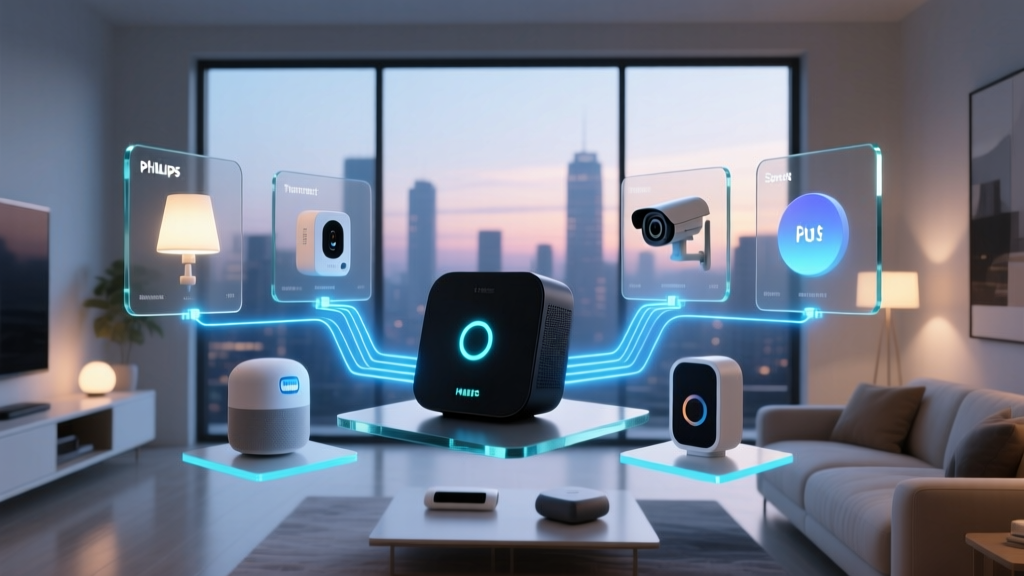
Matter is the universal language—an application layer that ensures a smart bulb from one brand can seamlessly interact with a smart switch from another, regardless of whether you use Apple, Google, Amazon, or Samsung as your primary platform. Thread, on the other hand, is the underlying road network—a low-power, mesh-networking protocol that ensures those devices can communicate locally without clogging up your Wi-Fi bandwidth or draining their batteries. In this comprehensive guide, we will explore how to build, optimize, and troubleshoot a unified smart home ecosystem leveraging the combined power of Matter and Thread.
Understanding the Stack: Matter vs. Thread
A common misconception is that Matter and Thread are competing standards. In reality, they are complementary layers of the same networking stack. To understand how they work together, we must separate the application layer from the transport layer.
Matter: The Universal Translator
Matter operates at the application layer. It defines the data models, security protocols, and commissioning processes for smart devices. When a Matter-certified smart plug receives a command to turn off, Matter ensures that the command is encrypted, authenticated, and understood universally. Matter can run over Wi-Fi (for high-bandwidth devices like cameras and smart displays) or over Thread (for low-power devices like sensors and smart locks). According to industry analyses by The Verge, Matter's primary achievement is multi-admin control, allowing a single device to be controlled simultaneously by an iPhone, an Android tablet, and a wall-mounted smart switch without complex cloud-sharing workarounds.
Thread: The Invisible Mesh
Thread is an IPv6-based, low-power wireless mesh networking protocol built on the IEEE 802.15.4 radio standard. Unlike Wi-Fi, which relies on a single, high-power router to blast signals to every device, Thread creates a decentralized mesh. Every Thread-powered device acts as a node, passing encrypted packets to its neighbors until the data reaches a Thread Border Router. This means that as you add more Thread devices to your home, your network actually becomes stronger and more resilient, not weaker. The Thread Group emphasizes that because Thread uses IPv6 natively, every smart sensor gets its own IP address, eliminating the need for clunky translation bridges and reducing local network latency to mere milliseconds.
Essential Hardware: Building Your Thread Mesh
To utilize Thread, you do not need to buy a dedicated, standalone Thread hub. Instead, the ecosystem relies on 'Thread Border Routers'—devices that bridge the Thread mesh network to your home's Wi-Fi or Ethernet network. Many modern smart home hubs already have Thread radios built-in and can act as Border Routers, often combining forces to create a single, unified Thread mesh across your entire property.
Top Thread Border Routers
- Apple TV 4K (3rd Generation, 128GB model): Priced around $149, this is the gold standard for Apple HomeKit users. The 128GB model includes an Ethernet port and a Thread radio, providing a rock-solid backbone for your mesh network. (Note: The 64GB Wi-Fi only model lacks the Thread radio).
- Apple HomePod (2nd Gen) & HomePod Mini: Ranging from $99 to $299, Apple's smart speakers serve as excellent Thread Border Routers, automatically syncing with your Apple TV to expand mesh coverage.
- Google Nest Hub (2nd Gen) & Nest Hub Max: Priced between $99 and $229, these displays act as Thread Border Routers for the Google Home ecosystem, seamlessly bridging Thread devices to your Wi-Fi network.
- Amazon Echo (4th Gen): The spherical, $99 Echo speaker contains a Zigbee hub, a smart home hub, and a Thread Border Router, making it a versatile choice for Alexa users transitioning to Matter.
Optimal Border Router Placement
Because Thread operates on the 2.4 GHz spectrum, it is susceptible to the same physical interference as Wi-Fi and Bluetooth. To ensure optimal mesh performance:
- Place Border Routers centrally in your home, elevated at least 3 to 4 feet off the ground.
- Avoid placing Border Routers near microwaves, baby monitors, or thick masonry walls, which can degrade the 802.15.4 signal.
- Aim for a maximum distance of 30 to 50 feet between Thread nodes indoors to maintain strong mesh hopping.
Top Matter-Compatible Devices for Your Ecosystem
Transitioning to Matter and Thread requires investing in compatible end-devices. Here are some of the most reliable, early-adopter products that showcase the power of local, low-latency control.
Lighting and Plugs
- Nanoleaf Essentials A19 Bulb ($24.99): One of the first and most affordable Thread-enabled smart bulbs. It supports Matter natively, offering 1100 lumens of brightness and adaptive lighting features without requiring a proprietary bridge.
- Eve Energy Smart Plug ($39.95): A premium Matter-over-Thread plug that offers highly accurate local energy monitoring. Because it uses Thread, it polls energy usage data in real-time without waking up a Wi-Fi radio, preserving network efficiency.
- Philips Hue Bridge (Matter Update): While Hue bulbs themselves use Zigbee, the Hue Bridge has received a firmware update allowing it to act as a Matter bridge, exposing your entire Hue ecosystem to any Matter-compatible platform.
Sensors and Security
- Eve Motion Sensor ($49.95): Utilizing Thread, this sensor offers adjustable motion detection ranges and precise lux (ambient light) reporting, triggering automations locally in milliseconds.
- Aqara Door and Window Sensor P2 ($29.99): Aqara's P2 line is built specifically for Matter over Thread, offering tamper alerts and battery statuses directly to your preferred platform without needing an Aqara hub.
- SwitchBot Hub 2 ($89.99): While primarily known for Bluetooth IR blasting, the Hub 2 includes a Thread Border Router and Matter support, bridging SwitchBot's vast array of blind tilts and curtain motors into the unified ecosystem.
Protocol Comparison: Thread vs. Legacy Standards
How does Thread stack up against the protocols you are likely replacing? The following table illustrates the technical advantages of upgrading your sensor network to Thread.
| Protocol | Power Consumption | Mesh Support | Bandwidth | Best Use Case |
|---|---|---|---|---|
| Wi-Fi (802.11) | High | No (Hub & Spoke) | High | Cameras, Smart Displays, Audio |
| Zigbee (802.15.4) | Low | Yes | Low | Legacy Sensors, Bulbs (Requires Proprietary Hub) |
| Z-Wave (Sub-GHz) | Low | Yes | Very Low | Locks, Garage Doors (Avoids 2.4GHz Interference) |
| Thread (802.15.4) | Ultra-Low | Yes (IPv6 Native) | Low | Matter Sensors, Smart Locks, Plugs, Local Control |
Visualizing Efficiency: Battery Life Across Protocols
One of the most significant advantages of Thread over Wi-Fi is its impact on battery life for wireless sensors. The chart below visualizes the estimated average battery life for a standard door/window contact sensor operating on different wireless protocols.
As demonstrated, Thread's optimized sleep states and efficient mesh routing allow sensors to last up to three years on a single CR2032 coin cell battery, vastly reducing the maintenance burden on smart home administrators.
Step-by-Step Migration Guide: Moving to Matter
Migrating an existing smart home to Matter does not require throwing away your current hardware. Many legacy hubs and devices support Matter bridging via firmware updates. Here is a practical, actionable roadmap for transitioning your ecosystem.
Step 1: Audit and Update Your Border Routers
Before purchasing new Matter devices, ensure your ecosystem's core hubs are updated. Open the Apple Home, Google Home, or Alexa app and check for firmware updates on your Apple TV, HomePod, Nest Hub, or Echo devices. Verify in the app's network settings that 'Thread Network' is active and healthy.
Step 2: Bridge Legacy Devices
If you own a Philips Hue Bridge, Lutron Caseta Smart Bridge, or an Aqara M2 Hub, ensure they are updated to the latest firmware. These hubs act as 'Matter Bridges,' translating their proprietary Zigbee or Clear Connect signals into Matter, allowing your existing devices to appear in competing ecosystems (e.g., viewing your Hue bulbs in the Apple Home app while controlling them via a Google Nest thermostat).
Step 3: Commissioning New Matter Devices
When adding a native Matter-over-Thread device, you will use a standardized QR code.
- Open your preferred smart home app and select 'Add Accessory'.
- Scan the Matter QR code located on the device or its packaging.
- The app will use Bluetooth Low Energy (BLE) to securely transfer your Thread network credentials to the new device.
- The device will join the Thread mesh, and the BLE connection will drop, leaving the device to communicate exclusively over the low-power Thread network.
The Power of Multi-Admin Control
Perhaps the most liberating feature of the Matter protocol is Multi-Admin control. In the pre-Matter era, if you wanted to use a smart plug with both Apple HomeKit and Google Home, you had to rely on cloud-to-cloud linking, which introduced latency, privacy concerns, and frequent disconnections.
With Matter, a device can be 'commissioned' into multiple fabrics simultaneously. This means a single Eve Energy plug can be natively controlled by an iPhone on the Apple Home fabric, an Android tablet on the Google Home fabric, and a Samsung Family Hub fridge, all at the exact same time. If the internet goes down, local automation and control remain fully functional across all platforms, as the commands are routed locally via your LAN and Thread mesh.
Privacy, Security, and Local Execution
Security is not an afterthought in the Matter and Thread ecosystem; it is the foundation. Matter requires a decentralized, blockchain-like Distributed Compliance Ledger (DCL) to verify the authenticity of device certificates. When you scan a Matter QR code, your phone cryptographically verifies that the device is genuinely certified by the CSA and has not been tampered with.
Furthermore, Thread utilizes AES-128 encryption at the network layer, while Matter applies additional encryption at the application layer. This dual-encryption model ensures that even if a malicious actor intercepts the 802.15.4 radio waves outside your home, the payload remains entirely indecipherable. Because Thread devices communicate locally through your Border Router rather than pinging a distant cloud server, your daily routines, occupancy patterns, and energy usage data remain within the physical confines of your home network, offering a massive upgrade in user privacy.
Troubleshooting Common Matter Commissioning Issues
While Matter promises a seamless experience, early adopters may encounter friction during the commissioning process. Here are solutions to the most common hurdles:
- Thread Network Credential Failure: If a device fails to join the Thread mesh during BLE setup, ensure your smartphone is connected to the exact same 2.4GHz Wi-Fi network as your Thread Border Router. Some mesh Wi-Fi systems create separate SSIDs for 2.4GHz and 5GHz bands, which can confuse the credential handoff.
- Multi-Admin Pairing Errors: If you are trying to add a Matter device to a second ecosystem (e.g., adding an Apple-paired device to Google Home), you must generate a new 'Setup Code' or QR code from the primary app. Matter devices do not automatically share their pairing credentials across fabrics for security reasons.
- Ghost Devices: If a Thread device becomes unresponsive, do not immediately reset it. Thread mesh networks occasionally undergo 'leader elections' if a primary Border Router goes offline. Wait 60 seconds for the mesh to reorganize and re-establish routing tables before attempting a hard factory reset.
Future-Proofing Your Smart Home
Investing in Matter and Thread today is an investment in the longevity of your smart home. As legacy protocols like Zigbee and Z-Wave slowly phase out of mainstream consumer hubs, Thread is poised to become the undisputed standard for low-power IoT devices. By strategically placing Thread Border Routers throughout your home and prioritizing Matter-certified end-devices, you are building a resilient, lightning-fast, and platform-agnostic network. Whether you eventually migrate from Apple to Google, or Amazon to Samsung, your physical hardware will remain entirely intact, ready to be seamlessly commissioned into whatever ecosystem you choose next.
'The true promise of Matter isn't just that devices can talk to each other—it's that the consumer finally owns the network. By moving execution to the local Thread mesh, we eliminate the cloud bottleneck and return control to the home.' — Smart Home Network Engineering Principles.