The Fragmentation Problem in Modern Smart Homes
Building a smart home is an exciting journey, but it often leads to a frustrating destination: ecosystem fragmentation. You might start with an Amazon Echo for voice control, add a Google Nest Thermostat for climate management, and later install Apple HomeKit-compatible Eve Motion sensors for security. While each device excels within its own 'walled garden,' getting them to communicate with one another can feel impossible. Amazon Alexa, Google Home, and Apple HomeKit are designed to keep you locked into their respective platforms, limiting cross-brand automation and creating a disjointed user experience.
This fragmentation forces homeowners to juggle multiple apps, deal with conflicting voice commands, and accept that their Ring doorbell might never natively trigger their Philips Hue lights if they are primarily invested in the Apple ecosystem. Fortunately, the smart home community has developed powerful bridges to solve this issue. By leveraging third-party integration platforms like IFTTT (If This Then That) and dedicated local smart home hubs, you can tear down these walled gardens and create a truly unified, automated home.
What is IFTTT and How Does It Bridge Ecosystems?
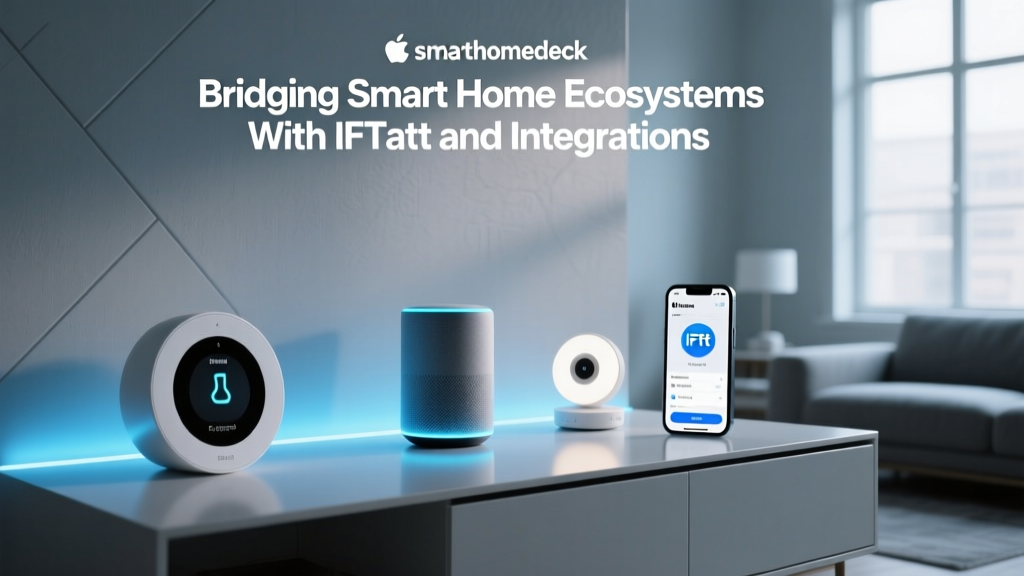
IFTTT (If This Then That) is a cloud-based web service that acts as a universal translator between disparate apps, devices, and platforms. It operates on a simple premise: if a specific trigger occurs in one service, execute a corresponding action in another. These automated workflows are called 'Applets.'
For example, you can create an Applet where the trigger is your Apple HomeKit-compatible camera detecting motion (via a supported bridge or webhook), and the action is your Amazon Alexa-enabled smart plug turning on the living room lamp. IFTTT connects to hundreds of services via APIs, making it an incredibly accessible entry point for cross-ecosystem automation.
The Cost and Limitations of IFTTT
While IFTTT offers a limited free tier, serious smart home integrators require IFTTT Pro. According to the official IFTTT subscription plans, the Pro tier costs approximately $3.99 per month or $39.99 annually. This unlocks multi-step Applets, faster execution speeds, and the ability to use custom Webhooks—a critical feature for advanced users wanting to connect unsupported local devices to the cloud.
However, IFTTT is not without its flaws. Because it relies entirely on cloud-to-cloud API calls, it introduces latency. A motion sensor triggering a light via IFTTT might experience a delay of one to three seconds, which is unacceptable for security lighting. Furthermore, if a manufacturer changes their API or drops IFTTT support, your Applets will break without warning.
Top Third-Party Hubs for Cross-Ecosystem Integration
To overcome the latency and reliability issues of cloud-based services like IFTTT, advanced users turn to local third-party hubs. These devices process automations on your local network, ensuring instant response times and continued operation even if your internet connection goes down.
Home Assistant (The Open-Source Powerhouse)
Home Assistant is the undisputed king of open-source smart home integration. As detailed in the Home Assistant official documentation, the platform supports over 2,500 integrations right out of the box. It does not care if your device is built for Alexa, Google, or Apple; if it has an API, a local network protocol, or a Zigbee radio, Home Assistant can likely control it.
With the release of the Home Assistant Green (priced around $99), the platform has become much more accessible to non-programmers. It features a visual automation editor that rivals commercial hubs, allowing you to create complex logic trees, script conditional routines, and build custom dashboards that unify every device in your home into a single pane of glass.
Hubitat Elevation (The Local Processing Champion)
For users who want local processing without the steep learning curve of Home Assistant, the Hubitat Elevation is a phenomenal choice. The Hubitat Elevation product page highlights its built-in Zigbee 3.0 and Z-Wave Plus radios, allowing it to connect directly to hundreds of sensors, switches, and locks without relying on Wi-Fi or the cloud.
Hubitat's secret weapon is its 'Rule Machine' app, a highly logical, albeit slightly dated-looking, interface that lets you build incredibly complex automations. Because it processes locally, a Hubitat routine that turns on a Z-Wave switch based on a Zigbee motion sensor executes in milliseconds. It also features native integrations to push events to Alexa, Google Home, and even IFTTT via Webhooks.
Homey Pro (The Premium All-in-One)
If budget is less of a concern and you want the most hardware protocols packed into a single, beautiful sphere, the Homey Pro (2023 edition) is the ultimate bridge. Priced at a premium $399, it includes Wi-Fi, Bluetooth, Zigbee, Z-Wave, Matter, Thread, 433MHz, and Infrared. This means it can control everything from modern Thread-based Nanoleaf bulbs to legacy 433MHz ceiling fans and IR-controlled air conditioners, bridging decades of smart and 'dumb' home technology into one unified ecosystem.
Feature and Cost Comparison Table
Choosing the right bridge depends on your technical skills, budget, and the specific devices you own. Below is a comparison of the top cross-ecosystem integration methods.
| Platform | Upfront Cost | Ongoing Cost | Processing | Best For |
|---|---|---|---|---|
| IFTTT Pro | $0 | ~$40 / year | Cloud | Beginners & Cloud APIs |
| Home Assistant Green | $99 | $0 | Local | Tinkerers & Data Privacy |
| Hubitat Elevation C-8 | $149 | $0 (Optional $) | Local | Zigbee/Z-Wave Heavy Homes |
| Homey Pro (2023) | $399 | $0 | Local | Premium Multi-Protocol Homes |
Visualizing Integration Capabilities and Costs
When evaluating ecosystem bridges, it is crucial to look beyond the initial purchase price and consider the total cost of ownership over time. Cloud subscriptions add up, whereas local hubs require a higher initial investment but eliminate recurring fees. The chart below illustrates the 3-year cost comparison of popular bridging solutions.
3-Year Cost Comparison of Ecosystem Bridges
Practical Automation Recipes Across Ecosystems
To truly understand the power of third-party integration, let us explore three practical automation recipes that bridge the gap between competing ecosystems.
Recipe 1: Cross-Platform Security Response
The Setup: You use Apple HomeKit Secure Video for your exterior cameras, but your interior smart sirens and lights are tied to Amazon Alexa and Samsung SmartThings.
The Bridge (Home Assistant / Hubitat): You integrate your HomeKit controller into Home Assistant using the HomeKit Device integration. You then write a local automation: IF the HomeKit camera detects a human between 11 PM and 6 AM, THEN trigger a Webhook to your SmartThings hub to sound the Aeotec Siren, and send an API call to Alexa to announce 'Security Alert' on all Echo devices. Because this is processed locally via the hub, the siren sounds instantly, bypassing cloud latency.
Recipe 2: Unified Climate and Presence
The Setup: You have an Ecobee SmartThermostat (Alexa ecosystem) and Google Nest temperature sensors in the bedrooms.
The Bridge (IFTTT / Home Assistant): Using Home Assistant, you pull the occupancy data from your Google Nest sensors and combine it with your SmartThings door/window contact sensors to create a master 'Home Occupancy' boolean. You then push this unified occupancy state to your Ecobee thermostat via its local API. The result? Your Ecobee adjusts the HVAC based on highly accurate, multi-brand presence detection that neither Google nor Amazon could achieve alone.
Recipe 3: The Ultimate Entertainment Routine
The Setup: A Sony Bravia TV (Android/Google), Philips Hue lights (requires Hue Bridge), and a Sonos soundbar (Sonos App/Alexa).
The Bridge (Homey Pro / Hubitat): You create a single 'Movie Time' button on your dashboard. When pressed, the hub sends an IP command to the Sony TV to turn on and launch Netflix, sends a local Zigbee command to the Hue Bridge to dim the lights to 20% and set them to a warm bias lighting color, and sends a REST API call to the Sonos system to unmute and set the volume to 15%. All three distinct ecosystems execute simultaneously in under 500 milliseconds.
Privacy, Latency, and the Shift Toward Matter
One of the most compelling reasons to move away from IFTTT and toward local hubs like Home Assistant or Hubitat is data privacy. When you use cloud-based Applets, every trigger and action is logged on third-party servers. Your daily routines, presence data, and security statuses are transmitted across the internet. Local hubs keep this sensitive data entirely within your home's firewall.
Furthermore, the recent rollout of the Matter smart home standard is changing the integration landscape. Matter aims to solve the fragmentation problem natively by allowing devices to be controlled simultaneously by Apple, Google, Amazon, and Samsung. However, Matter is primarily a device control protocol, not an automation logic engine. While Matter ensures your smart plug works with Siri and Alexa, it will not natively allow you to trigger that plug based on a local weather API, your Spotify listening history, or a complex geofencing algorithm. Therefore, third-party hubs and IFTTT will remain essential for advanced, multi-variable logic and cloud-service integrations, even as Matter handles the basic device pairing.
Final Verdict: Which Bridge Should You Build?
Unifying your smart home requires choosing the right tool for your specific needs and technical comfort level.
- For Beginners and Cloud Lovers: Stick with IFTTT Pro. It requires zero hardware, takes minutes to set up, and is perfect for bridging cloud services like Gmail, weather APIs, and basic smart home triggers where a one-second delay is acceptable.
- For the Privacy-Conscious Tinkerer: Invest in a Home Assistant Green. The learning curve is steeper, but the payoff is a completely private, infinitely customizable, and lightning-fast local smart home that respects your data and breaks down every walled garden in existence.
- For the Zigbee/Z-Wave Enthusiast: The Hubitat Elevation offers the perfect middle ground. It provides robust local processing and incredible radio range without requiring you to learn YAML coding or manage a Linux server.
- For the Premium 'Set It and Forget It' User: The Homey Pro is an expensive but brilliant piece of hardware that elegantly handles almost every wireless protocol known to man, wrapped in a highly polished, user-friendly interface.
Pro Tip: You do not have to choose just one. Many advanced users utilize a local hub (like Home Assistant) for all device control and instantaneous local automations, while simultaneously using IFTTT to connect their local hub to external cloud services like Todoist, Twitter, or external weather stations via Webhooks. The best smart home is the one that works for you, regardless of the logo on the box.