The Hidden Fragility of Cloud-Dependent Smart Homes
Imagine this scenario: a severe storm knocks out your neighborhood's broadband connection. Your Wi-Fi router is still powered and broadcasting a local network, but the WAN (Wide Area Network) link is dead. In a cloud-dependent smart home, this means your smart switches become dumb, your motion-triggered lights fail to illuminate, and your security sensors stop sending alerts. For smart home enthusiasts and everyday users alike, ecosystem reliability and offline functionality are not just niche preferences—they are fundamental requirements for a resilient home.
When we evaluate platforms like Amazon Alexa, Google Home, Apple HomeKit, Samsung SmartThings, and Home Assistant, the marketing materials heavily emphasize voice control, cloud-based AI, and remote access. However, the true test of a smart home ecosystem is not how it performs when everything is perfect; it is how it behaves when the internet goes down. In this comprehensive guide, we dissect the offline capabilities of the major smart home platforms, evaluate their local processing architectures, and provide actionable steps to bulletproof your home against cloud outages.
Why Offline Functionality is Non-Negotiable
Cloud-dependent ecosystems route your local commands through external servers. When you press a smart switch or trigger a motion sensor, the signal travels from the device to your router, out to the cloud servers, back to your router, and finally to the target device. This introduces latency (often 150ms to 300ms) and creates a single point of failure: your internet connection.
Local control, by contrast, keeps all processing within your home's LAN (Local Area Network). Commands execute in 15ms to 30ms, and the system remains fully operational even if your ISP experiences a multi-day outage. Furthermore, local processing inherently enhances privacy. Your daily routines, occupancy data, and security statuses are not continuously transmitted to third-party servers. According to the Home Assistant official project, prioritizing local control ensures that 'your home data stays in your home,' a philosophy that is rapidly becoming the gold standard for premium smart home installations.
Home Assistant: The Undisputed Local Champion
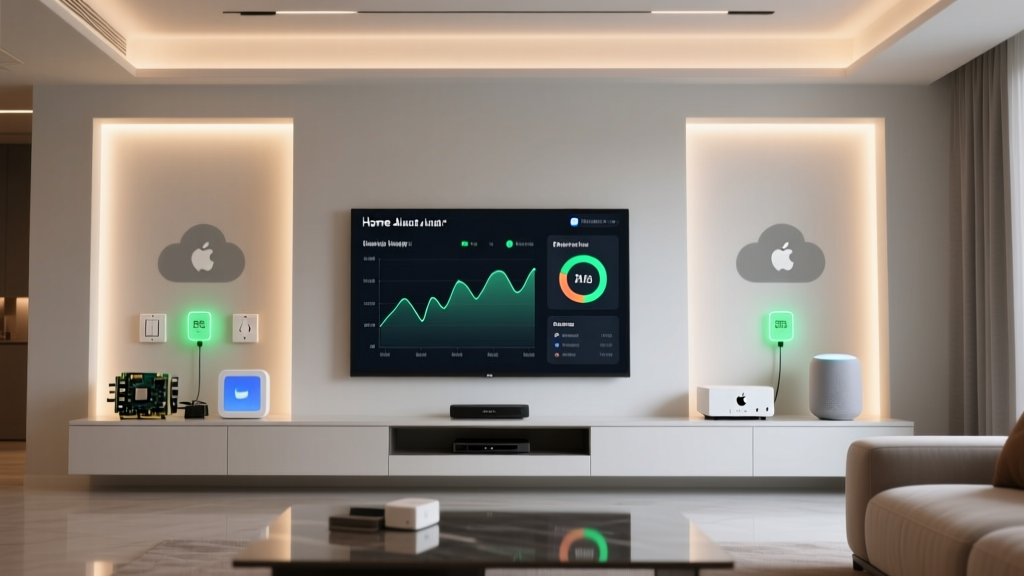
If offline reliability is your primary metric, Home Assistant is the undisputed king. Built from the ground up as a local-first, open-source platform, Home Assistant does not require an internet connection to boot, run automations, or serve its dashboard.
Hardware and Architecture
Home Assistant runs on dedicated hardware like the Home Assistant Green (approx. $99) or a repurposed Intel NUC/Mini PC. It acts as the central brain, communicating directly with local protocols via USB dongles like the Sonoff Zigbee 3.0 USB Dongle Plus ($25) or the Aeotec Z-Stick 7 ($60).
Offline Survival Capabilities
- Automations: 100% survival. YAML-based automations are executed by the local Python engine.
- Dashboards: Fully accessible via local IP address or local DNS (e.g., homeassistant.local).
- Voice Control: The Home Assistant Voice Preview Edition and local Wyoming satellites allow for wake-word detection and natural language processing entirely offline, utilizing local Whisper and Piper models.
The trade-off is complexity. Setting up integrations like Zigbee2MQTT or Z-Wave JS UI requires technical aptitude. However, for users willing to climb the learning curve, the reward is a smart home that is virtually indestructible to external network failures.
Apple HomeKit: The Consumer-Friendly Local Mesh
Apple has long championed local execution, making Apple HomeKit the most reliable out-of-the-box ecosystem for average consumers. HomeKit relies on a 'Home Hub' architecture, utilizing devices like the Apple TV 4K (3rd Generation) ($129-$149) or HomePod mini ($99) to process automations locally.
Thread and Matter Integration
Apple's aggressive adoption of Thread has significantly bolstered its offline reliability. Thread creates a low-power, IPv6 mesh network that operates independently of your Wi-Fi. Devices like the Eve Energy smart plug or Aqara Door and Window Sensor P2 communicate directly with the Thread Border Router (built into the Apple TV 4K and HomePod). The Connectivity Standards Alliance (CSA) emphasizes that Matter over Thread is designed specifically for local, IP-based mesh networking, ensuring that a single device failure or Wi-Fi dropout does not collapse the smart home network.
Limitations in Offline Scenarios
While local automations (e.g., 'turn on lights when motion is detected') survive internet outages perfectly, HomeKit is not entirely cloud-free. HomeKit Secure Video (HKSV) requires an active iCloud connection to analyze and store footage. Furthermore, remote access and certain third-party integrations (like cloud-based HVAC systems) will fail. However, for core lighting, security sensors, and climate control, HomeKit's local execution is exceptionally robust.
Samsung SmartThings: The Hybrid Compromise
Samsung SmartThings historically relied entirely on the cloud, but the introduction of Edge Drivers has fundamentally shifted its architecture toward local execution. By running Lua-based drivers directly on the SmartThings Hub v3 or the newer SmartThings Station ($70), the platform can now process many automations locally.
The Edge Driver Revolution
According to the Samsung SmartThings Edge Drivers documentation, moving device handlers to the hub reduces latency and allows local execution for Zigbee, Z-Wave, and Matter devices. If you use native SmartThings sensors or compatible Zigbee/Z-Wave devices with installed Edge drivers, your 'Good Night' routines and motion-triggered lights will continue to function during an internet outage.
The Achilles Heel: App Dependency
The critical flaw in SmartThings' offline reliability is the user interface. The SmartThings mobile app requires a cloud connection to render dashboards, pull device states, and allow manual overrides. If your internet drops, your physical wall switches and automated routines will work, but you cannot use your phone to manually turn on a smart bulb or check a sensor's battery level. This hybrid approach makes SmartThings reliable for automation, but frustrating for manual control during outages.
Ecosystem Comparison Matrix
| Ecosystem | Local Processing | Hub Requirement | Offline Automations | Offline Dashboard | Estimated Hub Cost |
|---|---|---|---|---|---|
| Home Assistant | 100% Local | Yes (Self-hosted) | Full Survival | Yes (Local Web) | $99 - $250 |
| Apple HomeKit | Mostly Local | Yes (HomePod/ATV) | High Survival | Yes (Local mDNS) | $99 - $149 |
| Samsung SmartThings | Hybrid (Edge) | Yes (Station/Hub) | Partial Survival | No (Cloud App) | $70 - $100 |
| Amazon Alexa / Google | Cloud-Dependent | Optional (Echo/Nest) | Minimal/None | No (Cloud App) | $50 - $100 |
The Protocol Hierarchy: What Survives the Outage?
Your ecosystem is only as reliable as the protocols powering your devices. When building an offline-resilient home, protocol selection is paramount.
- Zigbee & Z-Wave: These are the gold standards for local sensors and switches. They create independent mesh networks that do not rely on your Wi-Fi router. Z-Wave operates on the 908.42 MHz (US) frequency, avoiding 2.4GHz Wi-Fi interference, with an indoor range of 30-50 feet per node. Zigbee offers higher bandwidth and larger mesh limits but shares the crowded 2.4GHz spectrum.
- Thread (Matter): Thread is an IP-based mesh network. Unlike Zigbee, Thread devices are directly addressable on your local network via IPv6, making local API calls incredibly fast and reliable. It requires a Thread Border Router to bridge the mesh to your Ethernet/Wi-Fi LAN.
- Wi-Fi: Generally the weakest link for offline reliability. While Wi-Fi devices communicate over your local router, many manufacturers hardcode cloud-polling into the firmware. If the device cannot ping its cloud server, it may refuse to execute local commands or drop off the network entirely.
4 Steps to Bulletproof Your Smart Home Network
Achieving true offline reliability requires more than just picking the right hub. Follow these actionable steps to harden your network infrastructure.
1. Ditch Cloud-First Wi-Fi Devices
Audit your home for cheap Wi-Fi smart plugs and bulbs (often branded under Tuya or SmartLife). Replace critical devices—like hallway lighting, security sensors, and smart locks—with Zigbee, Z-Wave, or Thread equivalents. Reserve Wi-Fi exclusively for high-bandwidth devices like cameras and media streamers.
2. Implement Local DNS and Telemetry Blocking
Many smart devices will freeze or behave erratically if they cannot reach their cloud telemetry servers. By setting up a local DNS sinkhole like Pi-hole or AdGuard Home on a Raspberry Pi, you can block known cloud-tracking domains. This forces devices to default to their local LAN APIs, significantly improving stability during WAN dropouts.
3. Deploy a UPS for Critical Infrastructure
An internet outage is often accompanied by power fluctuations. If your router, managed switch, and smart home hub reboot simultaneously, Zigbee and Z-Wave meshes can temporarily fragment. Connect your modem, router, PoE switch, and Home Assistant server to an Uninterruptible Power Supply (UPS) with at least 30 minutes of runtime (e.g., APC BE600M1, approx. $70). This ensures your local mesh remains perfectly stable during grid hiccups.
4. Utilize Local Dashboards and Physical Fallbacks
Never rely solely on a mobile app for control. Ensure your ecosystem supports local dashboards (Home Assistant's web UI or Apple's local mDNS Home app discovery). More importantly, install smart relays behind traditional wall switches (like the Shelly Plus 1 or Aqara T1). This guarantees that even if the entire smart home network catastrophically fails, the physical wall switch will still complete the circuit and turn on the light.
Final Verdict: Which Ecosystem Should You Choose?
If your priority is absolute, uncompromising offline reliability and you possess the technical skills to manage a local server, Home Assistant is the only logical choice. It provides total sovereignty over your hardware and data, surviving any external network condition.
For users who want a highly reliable, local-first experience without the burden of server administration, Apple HomeKit (paired with Thread devices) offers the best balance of consumer-friendly design and robust offline automation survival.
Samsung SmartThings remains a viable option for those deeply embedded in the Samsung hardware ecosystem, provided you stick to Edge-compatible Zigbee and Z-Wave devices and accept the limitation of cloud-dependent app dashboards. Ultimately, by prioritizing local protocols and dedicated hubs, you can build a smart home that works exactly when you need it to—regardless of the weather outside or the status of your ISP.