The Evolution of Smart Home Routines
The smart home has graduated from simple voice commands to complex, context-aware ecosystems. Early adopters were satisfied with turning on a single smart bulb via a smart speaker. Today, the true magic of home automation lies in scenes and routines that string together multiple devices, conditional logic, and environmental sensors. Whether you are looking to save energy, enhance security, or create the perfect cinematic ambiance, the platform you choose dictates the ceiling of your automation capabilities.
In this comprehensive showcase, we break down the absolute best, most advanced automations you can build within Amazon Alexa, Google Home, Apple HomeKit, and Home Assistant. We will explore the specific hardware required, the logic conditions involved, and the cost of entry for each ecosystem.
Amazon Alexa: The Context-Aware Security & Energy Sweep
Amazon Alexa remains the most ubiquitous smart home platform, largely due to its massive third-party compatibility and the continuous evolution of the Alexa Routines engine. While Alexa is often criticized for lacking deep local processing, its cloud-based routines offer incredible flexibility when chaining together disparate brands.
The Showcase: The 'Leaving Home' Geofenced Sweep
The best Alexa routine is a multi-stage security and energy sweep triggered by geofencing and virtual sensors. Unlike basic routines that simply turn off lights, this automation uses the 'Wait' action and 'Device State' triggers to ensure your home is genuinely secure.
- Trigger: When the last registered user's smartphone leaves the home geofence radius (approx. 150 meters).
- Condition: Wait 10 minutes to prevent false triggers from taking out the trash.
- Action 1 (Security): Check if the August Wi-Fi Smart Lock ($229) is unlocked. If yes, lock it and send a push notification to the admin's phone.
- Action 2 (Climate): Set the Ecobee SmartThermostat Premium ($249) to 'Away' mode, utilizing its remote room sensors to ensure no pets are trapped in closed rooms without climate control.
- Action 3 (Lighting): Turn off all interior Philips Hue bulbs. Turn on the 'Hue Away Mimic' feature on exterior lights to simulate random occupancy.
- Action 4 (Monitoring): Arm the Ring Alarm system and start recording on Ring indoor cameras only if the house is confirmed empty.
Why it excels: Alexa's ability to query device states (e.g., 'If Lock is Unlocked, Then Lock') before executing an action prevents redundant commands and notification spam. The total cost to add these specific automation nodes to an existing Alexa setup is roughly $478.
Google Home: The Cinema Sync Entertainment Mode
Google Home has historically lagged behind Alexa in routine complexity, but recent updates to the Google Home app have introduced nested conditions and scripting capabilities that make it a powerhouse for media and entertainment synchronization. According to the Google Smart Home Developer Portal, the integration of Matter and Thread is further reducing latency for these multi-device scenes.
The Showcase: The 'Cinema Sync' Media Routine
Google's integration with Android TV and Chromecast allows for seamless media-driven automations that other platforms struggle to replicate without third-party hubs.
- Trigger: Voice command 'Movie Time' or casting a media app (like Netflix) to the Chromecast with Google TV ($49) in the living room.
- Condition: Only execute between 6:00 PM and 11:30 PM, and only if the living room IKEA Dirigbara motion sensor detects presence.
- Action 1 (Lighting): Dim Philips Hue gradient lightstrips behind the TV to 20% brightness and activate the Philips Hue Play HDMI Sync Box ($299) for real-time color matching with the screen.
- Action 2 (Climate): Lower the Nest Learning Thermostat ($249) by 2 degrees Fahrenheit to compensate for the body heat generated by a room full of viewers.
- Action 3 (Shading): Close Lutron Serena smart shades to eliminate screen glare.
Why it excels: Google's 'Start when something else happens' feature allows the routine to trigger based on the active state of a media player, not just a voice command. The synchronization between the Nest ecosystem and Hue lighting via Google's cloud creates a cinematic experience with zero manual intervention. Hardware additions for this routine cost approximately $597.
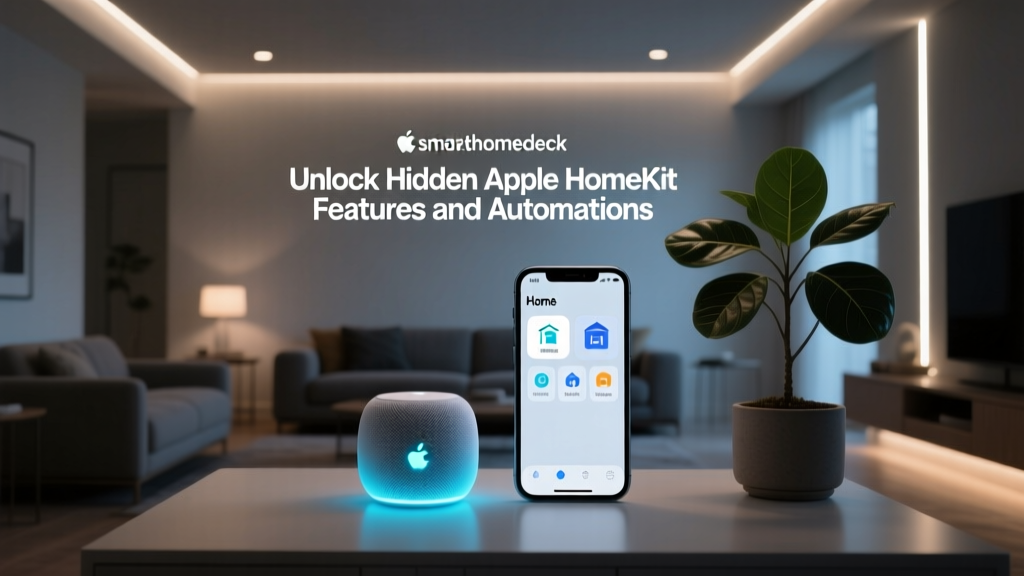
Apple HomeKit: The Circadian Rhythm Adaptive Scene
Apple HomeKit is renowned for its strict security protocols, local network execution, and seamless user interface. While it supports fewer native devices than Alexa, the devices it does support are often premium and highly reliable. The introduction of 'Adaptive Lighting' and the ability to convert HomeKit Scenes into Apple Shortcuts has elevated its automation potential.
The Showcase: The 'Circadian Rhythm' Wellness Scene
This automation focuses on human-centric lighting and environmental wellness, adjusting your home's atmosphere based on the sun's position and your biological clock.
- Trigger: Time of day combined with local solar elevation data (via a weather API shortcut).
- Condition: If the Eve Weather sensor detects indoor humidity dropping below 35%.
- Action 1 (Lighting): Activate Adaptive Lighting on all Nanoleaf Shapes ($299) and Lutron Caseta dimmers. In the morning, lights are crisp and cool (5000K). As solar elevation drops below 10 degrees, lights smoothly transition to warm amber (2200K) at 40% brightness.
- Action 2 (Air Quality): Turn on the Dyson Purifier Humidify+Cool to restore humidity to 45%.
- Action 3 (Audio): Trigger a specific 'Wind Down' playlist on the HomePod mini ($99) at 9:00 PM, utilizing Apple Music's crossfade feature.
Why it excels: HomeKit's local processing means these lighting transitions happen instantly, even if your internet connection drops. The integration with Apple Health and Shortcuts allows for deeply personalized triggers based on your sleep schedule. Expect to spend around $398 to integrate these specific wellness nodes.
Home Assistant: The Predictive Solar & EV Charging Optimizer
For power users, Home Assistant (HA) is the undisputed king of smart home ecosystems. It is entirely open-source, runs locally, and supports over 2,500 integrations. As noted in the Home Assistant Automation Documentation, the platform allows for YAML-based logic, Jinja2 templating, and Node-RED visual scripting, enabling automations that cloud platforms simply cannot handle.
The Showcase: The Solar Surplus EV Charging Optimizer
This advanced automation dynamically adjusts your Electric Vehicle's charging rate in real-time to ensure it only consumes excess solar energy generated by your roof panels, completely eliminating grid draw for your commute.
- Trigger: State change in the Shelly EM ($120) energy monitor clamped to your main breaker panel, polled every 5 seconds.
- Condition 1: Solar production must exceed household base load by at least 1.5 kW.
- Condition 2: The Tesla Wall Connector API reports the vehicle is plugged in and battery level is below 80%.
- Condition 3: Octopus Energy API confirms grid electricity pricing is currently above peak threshold (fallback condition).
- Action: Send a local API command to the Tesla integration to dynamically adjust the charging amperage. If solar surplus increases to 3 kW, bump charging to 16 Amps. If a cloud passes and surplus drops to 0.5 kW, drop charging to 6 Amps or pause entirely.
Why it excels: This level of granular, real-time API manipulation is impossible on Alexa or Google Home. Home Assistant processes the Shelly EM data locally, ensuring sub-second latency and total privacy. The hardware cost is remarkably low (under $150 for the HA Green box and Shelly monitor), but the technical setup requires significant coding knowledge.
Ecosystem Automation Comparison Matrix
To help you decide which platform aligns with your technical skills and automation goals, we have compiled a comparison matrix based on logic depth, execution speed, and privacy. The U.S. Department of Energy highlights that local execution and energy monitoring are becoming critical factors in modern home automation efficiency.
| Feature | Amazon Alexa | Google Home | Apple HomeKit | Home Assistant |
|---|---|---|---|---|
| Max Logic Conditions | Moderate (Wait/If-Then) | Moderate (Nested Scripts) | High (via Shortcuts) | Unlimited (YAML/Node-RED) |
| Execution Location | Cloud Dependent | Cloud Dependent | Local (Hub Required) | 100% Local |
| Variable & Math Support | None | Basic | Advanced (Shortcuts) | Expert (Jinja2 Templates) |
| Energy Monitoring | Basic (via Skills) | Basic (Nest Ecosystem) | Moderate (Eve App) | Advanced (Dashboards) |
| Setup Difficulty | Easy | Easy | Moderate | Expert |
Privacy and Local vs. Cloud Execution
When building complex routines, the execution environment is just as important as the logic itself. Cloud-based routines (Alexa and Google Home) require your sensor data to travel to external servers, be processed, and send a command back to your device. This introduces latency (often 500ms to 2 seconds) and creates a point of failure if your internet connection drops. Furthermore, it means your daily habits, occupancy patterns, and energy usage are stored on corporate servers.
Conversely, Apple HomeKit and Home Assistant prioritize local execution. When your Eve Motion sensor detects movement to trigger a Hue light in HomeKit, the command is routed directly through your local Wi-Fi router or Thread border router. The latency is virtually imperceptible, and your data never leaves your home network. For automations involving security cameras, smart locks, and occupancy tracking, local execution is highly recommended for both speed and privacy.
Conclusion: Choosing Your Automation Engine
The 'best' smart home automation platform depends entirely on your technical bandwidth and your primary use case. If you want broad compatibility and simple, effective security sweeps, Amazon Alexa is the most accessible choice. For media enthusiasts who want their lighting and climate to sync flawlessly with their television, Google Home offers the best entertainment routines.
If privacy, local execution, and human-centric wellness scenes are your priority, Apple HomeKit provides a premium, secure experience. Finally, if you are an energy-conscious power user who wants to write custom scripts to optimize solar consumption and EV charging, Home Assistant is the only platform that will not hold you back. By selecting the right ecosystem and investing in the appropriate hardware, you can transform your house from a collection of smart gadgets into a truly autonomous, intelligent home.