Sonos Smart Home Audio Ecosystem: The Ultimate Multi-Room Setup Guide
There is something almost magical about walking through your home and having your favorite music follow you from room to room, perfectly synchronized and crystal clear. That is the promise of a well-designed multi-room audio system, and few companies have executed that vision as elegantly as Sonos. Whether you are a casual listener who wants background tunes while cooking dinner or a dedicated audiophile building a whole-home sound system, the Sonos smart home audio ecosystem offers a scalable, intuitive, and remarkably high-fidelity solution that grows with your needs.
In this comprehensive guide, we will walk you through everything you need to know about building a Sonos multi-room setup from scratch — or expanding an existing one. From choosing the right speakers for each room to mastering advanced automations and understanding how Sonos stacks up against the competition, this is your definitive resource for creating a seamless whole-home audio experience.
Platform Overview: What Makes Sonos the Gold Standard in Multi-Room Audio
Sonos has been at the forefront of wireless multi-room audio since its founding, and the company's ecosystem has evolved into one of the most robust and user-friendly platforms available today. At its core, Sonos operates on a proprietary wireless mesh network that allows all of your speakers to communicate with each other independently of your home Wi-Fi, ensuring rock-solid synchronization and minimal dropouts even when streaming high-resolution audio to multiple rooms simultaneously.
The Sonos Ecosystem at a Glance
The Sonos platform is built around several key pillars that set it apart from other smart speaker ecosystems:
- Unified App Control: The Sonos app serves as the central hub for your entire audio ecosystem, giving you control over every speaker, soundbar, and component from a single interface. You can group rooms, adjust individual volumes, manage playlists, and configure settings all from one place.
- Multi-Service Integration: Unlike many competitors that lock you into a single streaming service, Sonos supports over 100 music streaming services including Spotify, Apple Music, Amazon Music, Tidal, YouTube Music, Deezer, Pandora, and many more. You can even switch between services seamlessly within the same listening session.
- Trueplay Tuning: Sonos offers a proprietary room calibration technology called Trueplay that analyzes how sound reflects off walls, furniture, and other surfaces in your room, then optimizes the speaker's EQ settings for the best possible sound in that specific space.
- Modular Scalability: You can start with a single speaker and gradually expand your system room by room. Every Sonos product is designed to work together, so there is never any concern about compatibility when adding new devices.
- Voice Assistant Support: Most Sonos speakers support Amazon Alexa and Sonos Voice Control, with some models also supporting Google Assistant, giving you flexible hands-free control options.
How the Sonos Network Architecture Works
Understanding the Sonos network architecture is essential for building a reliable multi-room setup. Sonos devices can operate in two modes:
Standard Mode (Wi-Fi): In this configuration, your Sonos speakers connect directly to your home Wi-Fi network. This works well for smaller setups with just a few speakers, but it can be susceptible to interference if your Wi-Fi network is congested.
Dedicated Mesh Network: When you connect at least one Sonos device to your router via Ethernet, Sonos creates its own dedicated wireless mesh network (called SONOSNET) that operates independently of your home Wi-Fi. This is the recommended setup for larger multi-room installations because it dramatically improves reliability and reduces strain on your primary network.
For the best multi-room experience, we strongly recommend hardwiring at least one Sonos device — ideally a Sonos Boost or a Sonos speaker placed near your router — to create this dedicated mesh. This single step can eliminate the vast majority of connectivity issues that users sometimes experience with larger setups.
Audio Quality Philosophy
What truly distinguishes Sonos from budget-friendly alternatives is the company's relentless focus on audio quality. Every Sonos speaker is custom-engineered with purpose-built drivers, advanced digital signal processing, and careful acoustic design. The result is sound that punches well above the price point of each device, with rich bass, clear midrange, and detailed highs that satisfy even discerning listeners.
Sonos also supports high-resolution audio formats, including FLAC and ALAC, and many newer models support Dolby Atmos for immersive spatial audio experiences. This commitment to quality means that your Sonos investment is not just about convenience — it is about genuinely enjoying your music the way it was meant to be heard.
Best Sonos Devices for Every Room in Your Multi-Room Setup
Building a multi-room Sonos system is not a one-size-fits-all endeavor. Different rooms have different acoustic characteristics, usage patterns, and space constraints, and Sonos offers a diverse lineup of products to address each of these scenarios. Here is a room-by-room breakdown of the best Sonos devices for your multi-room audio ecosystem.
Living Room: The Entertainment Hub
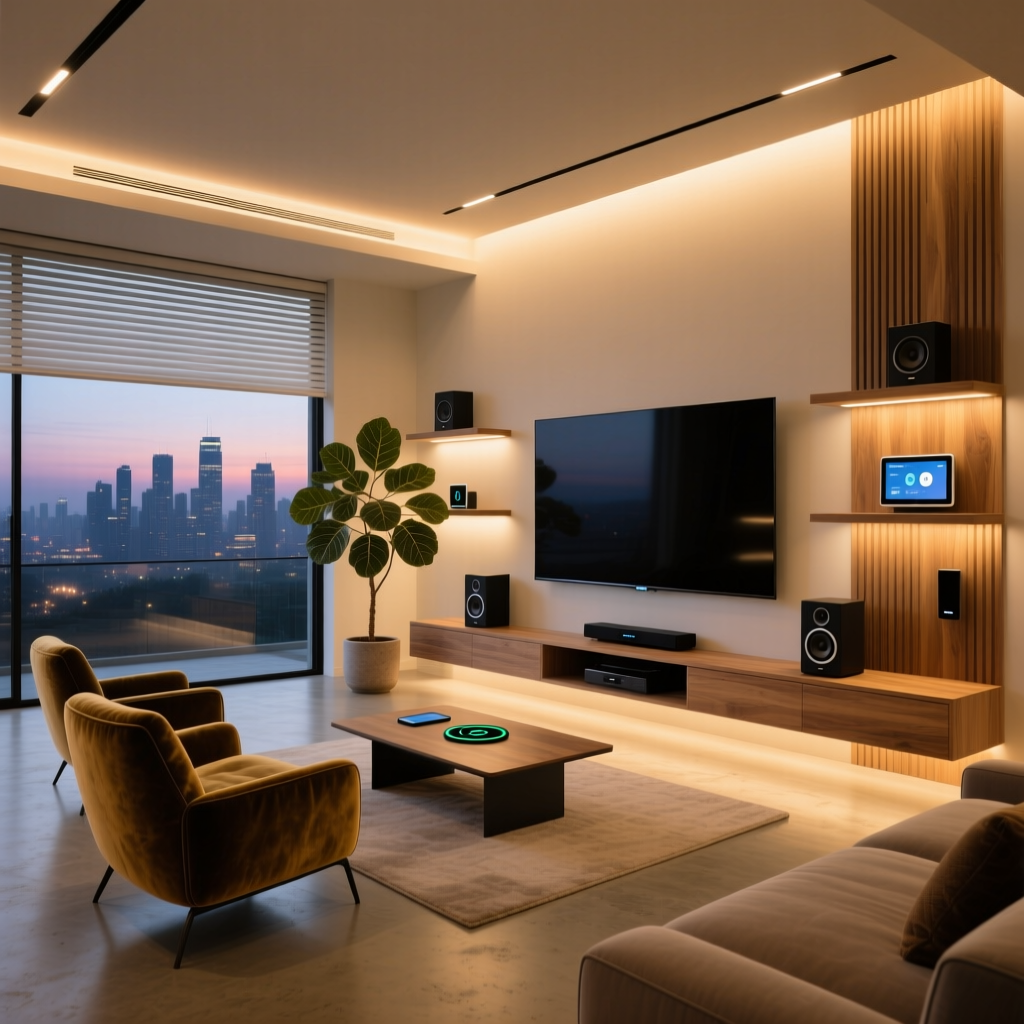
The living room is typically the centerpiece of any Sonos setup, serving double duty as both a music listening space and a home theater audio system. For this room, you will want to consider a Sonos soundbar as your starting point.
Sonos Arc: The flagship Sonos Arc is a premium Dolby Atmos soundbar that delivers an expansive, immersive soundstage for both movies and music. With 11 custom drivers, including upward-firing speakers for height channels, the Arc creates a convincing three-dimensional sound experience that transforms your living room into a cinema. It is the ideal choice for larger living rooms and anyone who wants a no-compromise audio experience.
Sonos Beam (Gen 2): For smaller to medium-sized living rooms, the Sonos Beam Gen 2 offers excellent sound quality in a more compact form factor. While it does not have the upward-firing drivers of the Arc, it still delivers rich, room-filling sound with impressive clarity and a surprisingly wide soundstage for its size.
Adding Surrounds and Bass: One of the most powerful features of the Sonos ecosystem is the ability to wirelessly pair additional speakers as surround channels and subwoofers. You can add a Sonos Sub or the more compact Sonos Sub Mini for deep, room-shaking bass, and pair a set of Sonos Era 100 speakers as rear surrounds for a complete home theater experience. All of these components connect wirelessly, so there is no need to run cables across your room.
Kitchen: Background Music and Voice Control
The kitchen is one of the most popular rooms for a Sonos speaker, and for good reason — cooking is simply more enjoyable with great music. In the kitchen, you will typically want something compact, moisture-resistant, and easy to control with voice commands since your hands are often busy.
Sonos Era 100: The Sonos Era 100 is an outstanding choice for the kitchen. Its compact footprint fits easily on a countertop, and its rich, balanced sound fills the space beautifully. The built-in microphone array supports voice commands through Amazon Alexa or Sonos Voice Control, so you can skip tracks, adjust volume, or set timers without touching the speaker.
Sonos One (Gen 2): If you are looking for a more budget-friendly option, the Sonos One remains a solid choice for kitchen use. It delivers warm, detailed sound and supports the same voice assistant features as the newer Era 100.
Bedroom: Relaxing and Intimate Listening
Bedroom audio is all about creating a relaxing atmosphere, and Sonos has a product specifically designed for this environment.
Sonos Era 100: The Era 100 works beautifully in bedrooms thanks to its compact size and warm sound signature. Place one on each nightstand and stereo-pair them for a wide, immersive soundstage that is perfect for winding down with music, podcasts, or ambient sounds before sleep.
Sonos Roam: For a more portable bedroom option, the Sonos Roam can serve as a bedside speaker that you can also grab and take with you to the patio, the shower, or anywhere else in your home. Its IP67 rating means it can handle bathroom humidity without any issues.
Bathroom: Portable and Water-Resistant Options
Bathrooms present unique challenges for speakers — moisture, limited counter space, and the need for portability. Sonos addresses these needs with its portable lineup.
Sonos Move 2: The Sonos Move 2 is the ultimate bathroom companion. It is IP56-rated for water and dust resistance, delivers powerful room-filling sound, and features up to 24 hours of battery life. When you are done in the bathroom, simply pick it up and carry it to another room or take it outside.
Sonos Roam: The smaller and more affordable Roam is another excellent bathroom option, especially for smaller spaces. Its compact size makes it easy to place on a shelf or vanity, and its rugged construction means you never have to worry about splashes or steam.
Home Office: Focus and Productivity
Your home office deserves quality audio too, whether you are using it for background music during deep work sessions, video calls, or podcast listening.
Sonos Era 100: A single Era 100 provides excellent background music for a home office, with enough clarity to hear every detail without overwhelming the space. If you have the desk space, a stereo pair creates an even more engaging listening experience.
Sonos Era 300: For those who want a truly immersive listening experience in their office, the Sonos Era 300 delivers stunning spatial audio with Dolby Atmos support. Its unique design directs sound in multiple directions, creating a bubble of audio that is perfect for focused listening sessions.
Outdoor Spaces: Patio, Garden, and Pool
Do not forget about your outdoor spaces when planning your Sonos multi-room setup. Having seamless audio that extends from your living room to your patio creates a truly cohesive whole-home experience.
Sonos Move 2: With its robust battery life, weather resistance, and powerful sound, the Move 2 is the go-to choice for outdoor listening. It automatically adjusts its EQ based on its environment, so it sounds great whether it is indoors or out.
Sonos Roam: The Roam is perfect for portable outdoor use — toss it in a bag and take it to the pool, the park, or a friend's house. When you bring it home, it automatically reconnects to your Sonos system.
Sonos Outdoor by Sonance: For a permanent outdoor installation, Sonos partners with Sonance to offer architectural outdoor speakers that integrate seamlessly with the Sonos ecosystem via a Sonos Amp. These passive speakers deliver excellent sound quality and are designed to withstand the elements year-round.
Whole-Home Components: The Backbone of Your System
Beyond individual room speakers, Sonos offers several components that serve as the backbone of a larger multi-room installation.
Sonos Amp: The Sonos Amp is a versatile powerhouse that can drive up to four passive speakers (two pairs), bringing Sonos functionality to in-ceiling, in-wall, and bookshelf speakers that are not made by Sonos. It is perfect for custom installations and allows you to integrate third-party speakers into your Sonos ecosystem seamlessly.
Sonos Port: If you have an existing stereo system or receiver that you love, the Sonos Port adds Sonos streaming capabilities to it, allowing you to include your traditional audio equipment in your multi-room groups and control everything from the Sonos app.
Step-by-Step Multi-Room Setup Tips for Optimal Performance
Setting up a Sonos multi-room system is refreshingly straightforward compared to traditional whole-home audio installations, but there are several best practices and tips that can significantly improve your experience. Follow this step-by-step guide to ensure your Sonos ecosystem performs at its absolute best.
Step 1: Plan Your Network Infrastructure First
Before you unbox a single Sonos speaker, take time to assess your home network. A reliable multi-room audio system depends on a solid network foundation.
- Upgrade your router if needed: If your router is more than a few years old, consider upgrading to a modern Wi-Fi 6 router or a mesh Wi-Fi system. Sonos devices are network-intensive, and a capable router makes a noticeable difference.
- Consider Ethernet backhaul: For the most reliable setup, hardwire at least one Sonos device to your router. This creates the dedicated SONOSNET mesh network that frees up your Wi-Fi bandwidth and provides a more stable connection for all your speakers.
- Map your coverage: Walk through your home with your phone and check Wi-Fi signal strength in every room where you plan to place a Sonos speaker. Address any dead zones before setting up your system.
Step 2: Start with Your Primary Listening Room
Begin your setup in the room where you listen to music or watch TV most often — typically the living room. Set up your primary speaker or soundbar first, connect it to the Sonos app, and make sure everything is working perfectly before expanding to other rooms.
During this initial setup, take advantage of Trueplay tuning if you are using an iOS device. This calibration process takes just a few minutes and makes a remarkable difference in sound quality by optimizing the speaker's output for your room's unique acoustics.
Step 3: Expand Room by Room
Once your primary room is set up and sounding great, add speakers to additional rooms one at a time. After each new speaker is added:
- Run Trueplay tuning for that room
- Name the room clearly in the Sonos app (use descriptive names like "Kitchen," "Master Bedroom," or "Office" rather than generic labels)
- Test the speaker as part of a group to ensure synchronization is working properly
- Adjust the EQ settings if needed — the Sonos app allows you to customize bass, treble, and loudness settings for each individual speaker
Step 4: Create Room Groups and Favorites
One of the most powerful features of the Sonos app is the ability to create room groups. Think about how you typically use your system and create groups that match your lifestyle:
- "Whole House" — all speakers grouped together for parties and casual background music
- "Downstairs" — living room, kitchen, and dining room grouped for everyday listening
- "Morning Routine" — bedroom and bathroom grouped so your morning playlist follows you as you get ready
- "Entertaining" — living room, kitchen, and patio grouped for gatherings
The Sonos app lets you save these groups so you can activate them with a single tap. You can also save favorite stations, playlists, and albums for quick access.
Step 5: Optimize Speaker Placement
Speaker placement has a profound impact on sound quality. Here are some general guidelines for getting the best performance from your Sonos speakers:
- Avoid corners: Placing a speaker in a corner can cause bass buildup and muddiness. Keep speakers at least a few inches away from walls and corners when possible.
- Ear-level positioning: For the best stereo imaging, position speakers at or near ear level when you are in your typical listening position.
- Symmetrical placement: If you are using a stereo pair, place the two speakers equidistant from the side walls and at the same height for the most accurate soundstage.
- Avoid enclosed shelves: Placing a speaker inside a closed cabinet or shelf can severely degrade sound quality by trapping sound waves and causing resonance.
Step 6: Configure Audio Settings for Each Room
Every room in your home has different acoustic properties, and the Sonos app gives you the tools to optimize each speaker for its environment:
- EQ Settings: Adjust bass and treble for each room individually. Bathrooms and kitchens with hard surfaces often benefit from reduced treble, while carpeted bedrooms may need a bass boost.
- Loudness: The Loudness setting enhances bass and treble at lower volumes, which is great for bedrooms where you often listen at quiet levels.
- Audio Compression: In the app settings, choose "Best Quality" for audio streaming to ensure you are getting the highest fidelity from your music service.
- Crossfade: Enable crossfade for gapless transitions between songs — particularly nice for parties and background listening.
Step 7: Set Up Voice Control
If your Sonos speakers support voice assistants, take a few minutes to configure voice control for each device. You can choose between Amazon Alexa and Sonos Voice Control (or both on supported models). Sonos Voice Control is designed specifically for speaker commands — play, pause, skip, volume, and group control — and it processes commands locally for fast response times. Alexa gives you access to a broader range of smart home controls and information queries.
Consider which rooms benefit most from voice control. The kitchen, where your hands are often full, is an obvious candidate. The bedroom, where you might want to set sleep timers or adjust volume without reaching for your phone, is another excellent choice.
Automation and Smart Home Integration with Sonos
A truly smart home audio ecosystem goes beyond simply playing music from an app. By integrating your Sonos system with smart home platforms and automation tools, you can create powerful routines that make your audio system feel like a natural, effortless part of your daily life.
Sonos App Automations
The Sonos app itself offers several automation features that enhance your listening experience:
- Sleep Timer: Set a sleep timer on your bedroom speaker so music or a podcast automatically stops after you have fallen asleep. You can configure the timer for anywhere from a few minutes to several hours.
- Alarms: Use your Sonos speakers as alarm clocks, waking up to your favorite playlist, radio station, or streaming service rather than a jarring buzzer. You can set different alarms for different days and rooms.
- Audio Swap: When you move from one room to another, you can use the Sonos app to instantly swap the currently playing audio to a different speaker or group, picking up right where you left off.
Smart Home Platform Integration
Sonos integrates with several major smart home platforms, opening up a world of automation possibilities:
Apple HomeKit and AirPlay 2: Many Sonos speakers support Apple AirPlay 2, which means they appear as audio targets in the Apple Home app. You can include Sonos speakers in HomeKit scenes and automations — for example, a "Good Morning" scene that turns on your lights, adjusts the thermostat, and starts playing your morning playlist on the kitchen Sonos speaker simultaneously.
Amazon Alexa Routines: If you use Alexa with your Sonos speakers, you can create Alexa Routines that trigger audio playback based on various conditions. For example, you could set up a routine that plays relaxing jazz on your living room Sonos when you say "Alexa, it's wine o'clock," or a routine that starts a news briefing on your kitchen speaker every weekday morning at 7 AM.
Google Home: On Sonos speakers that support Google Assistant, you can create Google Home routines that include Sonos audio playback alongside other smart home actions.
IFTTT and SmartThings: For more advanced users, Sonos can be integrated with IFTTT and Samsung SmartThings, enabling custom automations triggered by virtually any event. Imagine your Sonos system playing a welcome message when your smart lock detects you arriving home, or starting your workout playlist when your fitness tracker detects you have started exercising.
Advanced Automation Ideas
Here are some creative automation ideas to get the most out of your Sonos multi-room ecosystem:
- Morning Wake-Up Sequence: Program your bedroom Sonos to gradually increase volume over 15 minutes with a gentle playlist, while your kitchen speaker starts playing a news podcast at your usual wake-up time.
- Party Mode Trigger: Create a single automation that groups all your speakers, sets volume to a predetermined level, and starts a curated party playlist — perfect for when guests arrive.
- Motion-Triggered Audio: Use motion sensors to trigger audio in specific rooms. For example, a motion sensor in the hallway could trigger soft ambient music on nearby speakers when someone walks by after dark.
- Doorbell Integration: Connect your smart doorbell to your Sonos system so that when someone rings the doorbell, your music pauses briefly and a chime plays through your speakers, ensuring you never miss a visitor.
- TV Auto-Switch: Configure your Sonos soundbar to automatically switch to TV audio when your television turns on, then switch back to music when the TV turns off.
- Leaving Home Routine: Create a "Goodbye" routine that stops playback on all speakers, turns off lights, and arms your security system with a single voice command or button press.
Sonos Voice Control Capabilities
Sonos Voice Control deserves special attention as an automation tool. Unlike general-purpose voice assistants, Sonos Voice Control is purpose-built for audio management and offers several unique advantages:
- Privacy-first design: Sonos Voice Control processes most commands locally on the device, meaning your voice data is not sent to the cloud for routine commands like play, pause, skip, and volume adjustments.
- Fast response times: Because commands are processed locally, response times are nearly instantaneous — much faster than cloud-dependent voice assistants.
- Music service control: Sonos Voice Control can directly control playback on supported music services including Apple Music, Amazon Music, Deezer, Pandora, and Sonos Radio.
- Timer and group management: You can set timers, manage speaker groups, and check the status of currently playing audio all through voice commands.
Privacy and Security Considerations for Your Sonos Ecosystem
As with any connected device in your smart home, privacy and security are important considerations when building a Sonos multi-room audio ecosystem. Sonos has taken several steps to protect user privacy, but it is important to understand what data is collected, how it is used, and what controls you have at your disposal.
Microphone and Voice Data Privacy
Sonos speakers with built-in microphones (Era 100, Era 300, Move 2, Arc, Beam, and others) feature a hardware-level microphone disconnect that provides a physical guarantee of privacy. When the microphone indicator light is off, the microphones are physically disconnected from the circuit — no software hack or glitch can activate them.
When you do enable voice assistants, here is how your data is handled:
- Sonos Voice Control: Sonos processes most voice commands locally on the device. Only complex queries that require cloud processing (like searching for specific songs) are sent to Sonos servers, and these are not stored or used for advertising purposes.
- Amazon Alexa: When using Alexa on a Sonos speaker, voice data is subject to Amazon's privacy policies. You can review and delete your Alexa voice history through the Alexa app or Amazon's privacy dashboard.
- Google Assistant: Similarly, Google Assistant voice data is subject to Google's privacy policies, and you can manage your data through Google's privacy controls.
Network Security Best Practices
To keep your Sonos ecosystem secure on your network, follow these best practices:
- Keep firmware updated: Sonos regularly releases firmware updates that include security patches. Enable automatic updates in the Sonos app to ensure your devices are always running the latest software.
- Use strong Wi-Fi passwords: Your Sonos speakers are only as secure as your Wi-Fi network. Use a strong, unique password for your Wi-Fi and change it periodically.
- Segment your network: For advanced users, consider placing your Sonos devices on a separate VLAN or guest network to isolate them from your personal devices and sensitive data.
- Disable unused services: If you do not use voice assistants on a particular speaker, leave the microphones disabled. If you do not need AirPlay on a device, you can disable it in the Sonos app settings.
Data Collection and Usage
Sonos collects certain usage data to improve its products and services, including information about which music services you use, how you interact with the app, and system performance data. This data is anonymized and aggregated — Sonos does not sell personal data to third parties for advertising purposes.
You can manage your data preferences in the Sonos app under Settings > System > About My System. Here you can opt out of certain data collection practices and review what information Sonos has about your system.
Third-Party Service Privacy
Remember that when you connect music streaming services to your Sonos system, those services have their own privacy policies. Spotify, Apple Music, and other services collect data about your listening habits regardless of what device you use to access them. If privacy is a primary concern, consider using services like Tidal or self-hosted music libraries (via Plex or Roon) that may have more privacy-friendly policies.
Sonos vs. Competitors: How the Ecosystem Compares
While Sonos is widely regarded as the leader in multi-room audio, several competitors offer compelling alternatives. Understanding how Sonos compares to these platforms can help you make an informed decision about your whole-home audio investment.
Sonos vs. Apple HomePod Ecosystem
Apple's HomePod lineup has improved significantly, with the full-size HomePod and HomePod Mini offering impressive sound quality and deep integration with Apple services.
Where Sonos wins: Sonos offers far more product variety, broader music service support, and more flexible grouping options. Sonos also supports Dolby Atmos home theater configurations, which Apple's ecosystem does not. The Sonos app is more feature-rich for multi-room management, and Sonos speakers work with both iOS and Android devices equally well.
Where Apple wins: If you are deeply invested in the Apple ecosystem, HomePod offers seamless AirPlay 2 integration, Apple Music spatial audio, and tight integration with Apple TV and other Apple devices. The HomePod's computational audio and room sensing technology is also impressive, and Siri integration is more natural for Apple users.
Verdict: For most multi-room setups, Sonos offers a more versatile and comprehensive solution. However, dedicated Apple users who primarily use Apple Music and have multiple Apple TVs may find the HomePod ecosystem more convenient. Notably, you can always add HomePods to your Sonos system via AirPlay 2 for the best of both worlds.
Sonos vs. Amazon Echo Multi-Room Audio
Amazon's Echo speaker lineup is the most affordable entry point into multi-room audio, with devices ranging from the budget Echo Dot to the premium Echo Studio.
Where Sonos wins: Sound quality is the most significant differentiator. Even the entry-level Sonos Era 100 sounds dramatically better than most Echo speakers. Sonos also offers superior multi-room synchronization, more music service options, and a more polished app experience. The Sonos home theater capabilities (soundbars, surrounds, subwoofers) have no Echo equivalent.
Where Amazon wins: Price is Amazon's clear advantage. You can equip an entire home with Echo Dots for less than the cost of a single Sonos Era 100. Amazon also offers deeper Alexa integration and a wider range of smart home capabilities built into its speakers. The Echo Show line adds video displays, which Sonos does not offer.
Verdict: If budget is your primary concern and you are satisfied with "good enough" audio quality, the Echo ecosystem is a practical choice. If you care about sound quality, reliability, and long-term scalability, Sonos is the clear winner. Many users find a hybrid approach works well — Sonos in primary listening rooms and Echo Dots in secondary spaces like hallways and bathrooms.
Sonos vs. Google Nest Audio Ecosystem
Google's Nest Audio and Nest Mini speakers offer decent sound quality and excellent Google Assistant integration at competitive prices.
Where Sonos wins: As with Amazon, Sonos outperforms Google's speakers in audio quality, music service support, and multi-room reliability. Sonos also offers more premium product options and better home theater integration. The Sonos app is more powerful and intuitive for managing a multi-room system.
Where Google wins: Google Assistant is arguably the most capable voice assistant available, with superior natural language understanding and access to Google's vast knowledge graph. If you use Google services extensively (Google Calendar, Google Maps, YouTube Music), the Nest ecosystem offers tighter integration. Google's speakers are also more affordable than Sonos alternatives.
Verdict: Similar to the Amazon comparison, Sonos wins on audio quality and ecosystem flexibility, while Google wins on price and voice assistant intelligence. For a serious multi-room audio setup, Sonos is the stronger foundation.
Sonos vs. Denon HEOS and Other Audiophile Systems
For audiophiles, systems like Denon HEOS, Bluesound, and Bose Smart Home offer alternatives that compete more directly with Sonos on sound quality.
Where Sonos wins: Sonos offers the most user-friendly app experience, the broadest music service support, and the most seamless multi-room synchronization. The product lineup is more diverse, and the setup process is simpler than any competitor. Sonos also has a larger user community and more third-party integration options.
Where competitors win: Some audiophile-oriented systems like Bluesound offer higher-resolution audio support and more detailed sound at certain price points. Denon HEOS integrates well with Denon and Marantz AV receivers, which may appeal to home theater enthusiasts. Bose offers a distinctive sound signature that some listeners prefer.
Verdict: For the vast majority of users, Sonos offers the best balance of sound quality, ease of use, and ecosystem breadth. Hardcore audiophiles with specific requirements may want to audition alternatives, but Sonos continues to close the gap with products like the Era 300 and its high-resolution audio support.
The Total Cost of Ownership
When comparing ecosystems, it is important to consider total cost of ownership, not just the initial purchase price. Sonos products are built to last — the company provides software updates for many years, and the hardware is designed for longevity. A Sonos speaker purchased today will likely still be receiving updates and functioning perfectly many years from now.
Cheaper alternatives may need to be replaced more frequently, and their ecosystems may not be supported as long. When you factor in the cost of replacement, the Sonos premium often proves to be a better long-term investment.
Frequently Asked Questions About Sonos Multi-Room Setup
How many Sonos speakers can I have in one multi-room system?
Sonos officially supports up to 32 speakers in a single household system. For the vast majority of homeowners, this is more than enough to cover every room in even a very large home. If you need more than 32 speakers — for example, in a large commercial space or an exceptionally large property — you can set up multiple Sonos households, though they would operate as separate systems. In practice, most users find that 10 to 20 speakers provide excellent coverage for a whole-home audio setup, and the system handles this number with ease.
Can I mix different Sonos speaker models in the same multi-room group?
Absolutely. One of the greatest strengths of the Sonos ecosystem is that every Sonos product works seamlessly with every other Sonos product, regardless of model or generation. You can group a Sonos Arc in the living room with Era 100 speakers in the kitchen and bedroom, a Move 2 on the patio, and a Port connected to your vintage stereo — all playing the same music in perfect synchronization. The only limitation to be aware of is that stereo pairing (creating a true left/right stereo image) requires two identical speaker models. But for grouped multi-room playback, you can mix and match freely without any issues.
Do I need a Sonos Boost for my multi-room setup?
The Sonos Boost is a dedicated device that creates the SONOSNET mesh network without using a speaker. Whether you need one depends on your setup. If you have a Sonos device (any Sonos speaker or component) that you can connect directly to your router via Ethernet, that device will create the SONOSNET mesh network, making a separate Boost unnecessary. However, if all of your Sonos speakers need to be placed far from your router and you cannot run an Ethernet cable to any of them, a Boost provides a clean solution. It connects to your router via Ethernet and creates the dedicated mesh network without taking up a speaker placement. For larger homes with many speakers, a Boost is generally a worthwhile investment for improved reliability.
How does Sonos handle different audio sources in different rooms?
Sonos excels at managing different audio sources across your multi-room system. Each room or speaker can play its own independent audio source — one room can stream Spotify while another plays Apple Music, a third listens to a podcast, and a fourth plays a local music library. You have complete control over what plays where, and you can switch sources on any speaker at any time without affecting other rooms. When you want to group rooms together, all speakers in the group will play the same source in perfect sync. You can also create "stereo pairs" of two identical speakers in the same room for true left/right stereo separation, and these pairs function as a single zone within your multi-room system.
Is Sonos worth the investment compared to cheaper multi-room alternatives?
For most people who value audio quality, reliability, and a polished user experience, Sonos is absolutely worth the investment. The key advantages that justify the premium price include significantly better sound quality across the entire product range, rock-solid multi-room synchronization that cheaper systems often struggle with, a vastly superior app experience, broader music service support, and a long-term software support commitment that keeps your devices functional and feature-rich for many years. That said, if your primary goal is simply having background music in multiple rooms and audio quality is not a priority, budget alternatives like Amazon Echo or Google Nest speakers can provide a functional multi-room experience at a lower cost. The best approach for many users is a hybrid one — invest in Sonos for your primary listening spaces (living room, kitchen, bedroom) and use more affordable smart speakers for secondary areas where audio quality is less critical.
Building Your Perfect Sonos Multi-Room Audio System
Creating a Sonos multi-room audio ecosystem is one of the most rewarding smart home investments you can make. It transforms the way you experience music, podcasts, movies, and everyday moments in your home. The beauty of the Sonos system lies in its flexibility — you can start small with a single speaker and grow your system over time, adding rooms and capabilities as your needs evolve.
The key to a successful Sonos setup is thoughtful planning. Take the time to assess your network infrastructure, choose the right speakers for each room based on how you use those spaces, and invest the effort to properly configure and tune your system. The result will be a seamless, intuitive, and deeply satisfying audio experience that enhances every corner of your home.
Whether you are starting with a single Sonos Era 100 in the kitchen or building out a complete whole-home system with a Sonos Arc home theater, surround speakers, and Sonos Sub in the living room, Era speakers in every bedroom, and a Sonos Move 2 for the patio, the Sonos ecosystem is designed to grow with you and deliver exceptional audio for years to come.
Explore our complete library of Sonos speaker reviews and smart home ecosystem guides to continue building your perfect smart home audio setup. For personalized recommendations based on your specific rooms and budget, check out our best Sonos speakers buying guide for detailed comparisons and expert picks.