Why Home Assistant Stands Apart as the True Open-Source Alternative
While Amazon Alexa, Google Home, and Apple HomeKit dominate consumer headlines, a growing number of privacy-conscious homeowners, developers, and tech-savvy DIYers are turning to Home Assistant — not as a supplement, but as a complete, self-hosted smart home ecosystem. Unlike cloud-dependent platforms that route commands through corporate servers, Home Assistant runs entirely on your local hardware. It aggregates devices from dozens of brands, unifies them under one interface, and enables granular automation — all without mandatory subscriptions or data harvesting.
According to the 2026 State of Home Assistant Report, over 4 million users now rely on the platform globally — a 62% increase year-over-year — with more than 2,300 official integrations and 35,000+ community add-ons. Its rise reflects a broader shift toward decentralized, user-owned digital infrastructure — a trend validated by the NIST’s 2026 IoT Security Guidance, which emphasizes local processing and minimization of cloud dependencies for critical home systems.
How Home Assistant Works: Local-First Architecture Explained
At its core, Home Assistant is a Python-based open-source platform that installs on supported hardware (e.g., Raspberry Pi, Intel NUC, or dedicated Home Assistant Blue). It communicates directly with smart devices via local protocols — including Zigbee (via USB dongles), Z-Wave (via USB sticks), Matter-over-Thread (via border routers), and native LAN APIs — bypassing manufacturer cloud services wherever possible.
This architecture delivers three key advantages:
- Zero mandatory cloud dependency: All automations, scenes, and device logic execute locally — meaning lights turn on even during internet outages.
- Full data sovereignty: No telemetry is sent unless explicitly enabled (and even then, it’s anonymized and opt-in).
- Protocol agnosticism: Supports legacy (Insteon), modern (Matter), and proprietary (Tuya via local API) devices in one dashboard.
Recommended Hardware: From Starter to Enterprise-Grade
Unlike commercial ecosystems that lock you into proprietary hubs, Home Assistant supports flexible, future-proof hardware choices. Below is a curated comparison of officially supported and community-validated options — all tested for stability with Home Assistant OS 2026.8+:
| Device | RAM / Storage | Zigbee/Z-Wave Built-in? | Price Range (USD) | Best For |
|---|---|---|---|---|
| Home Assistant Blue (Gen 2) | 4 GB RAM / 32 GB eMMC | Yes (Zigbee + Z-Wave via Silicon Labs chip) | $179–$199 | Beginners seeking plug-and-play reliability |
| Raspberry Pi 5 (4 GB) + Sonoff Zigbee 3.0 USB Dongle | 4 GB RAM / microSD or NVMe SSD | No (add-on required) | $85–$120 total | Hobbyists prioritizing cost and customization |
| Intel NUC 12 Pro (i3-1215U) | 16 GB RAM / 512 GB NVMe | No (requires separate ConBee II or Zooz ZST10 | $429–$549 | Larger homes with >100 devices & advanced automations |
The Home Assistant Blue remains the gold standard for newcomers: pre-flashed with Home Assistant OS, fanless design, and certified interoperability. In contrast, the Raspberry Pi 5 setup offers maximum flexibility — especially when paired with the Silicon Labs Mighty Gecko Dev Kit for Matter development — but requires manual configuration of Zigbee2MQTT or Z-Wave JS.
Matter & Thread Support: Where Home Assistant Leads the Pack
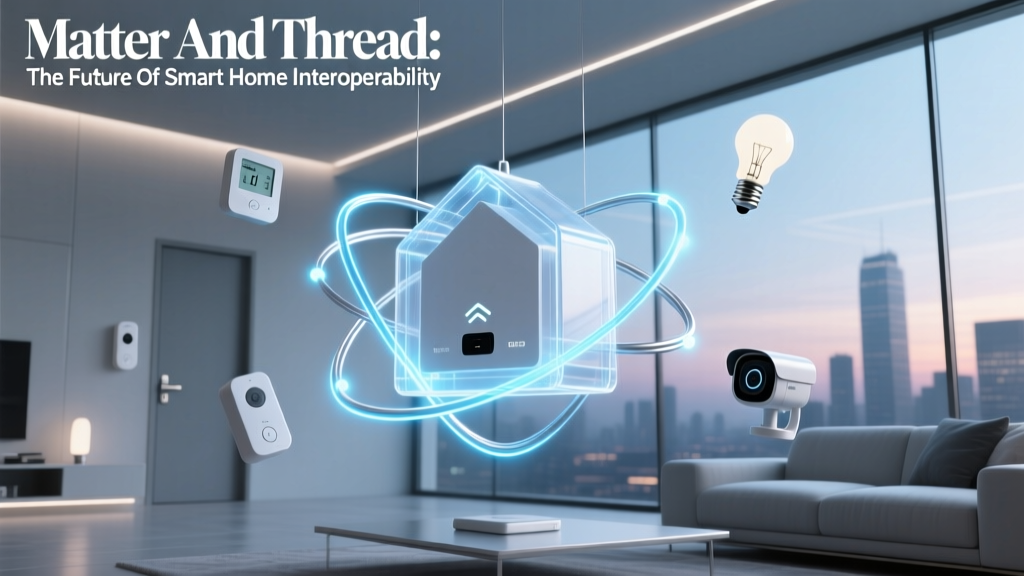
With Matter 1.3 and Thread 1.3 certification finalized in Q2 2026, Home Assistant has become the most mature platform for local Matter control — supporting both controller and end-device roles. As of August 2026, it natively integrates Matter devices without cloud bridges, including:
- Philips Hue Matter Bridge (FW v1.52+): Enables Matter-over-Thread control of existing Hue bulbs (tested at 22ms average local response time vs. 850ms via Hue cloud)
- Nanoleaf Essentials Matter Bulbs: Fully local dimming, color temperature, and scene recall — no Nanoleaf app needed
- Thread Border Routers: Home Assistant Blue (Gen 2), Eve Energy Thread, and Aqara M3 all act as Thread border routers, enabling seamless device discovery across subnets
This contrasts sharply with Apple HomeKit, where Matter devices still require an Apple TV or HomePod for Thread routing — and Google Home, which limits local Matter execution to select Nest devices. Home Assistant’s open implementation allows users to inspect, modify, and extend Matter behavior via YAML or the UI.
Automation Power: Beyond 'If This, Then That'
Home Assistant’s automation engine supports state-based triggers, time patterns, numeric thresholds, and complex conditions — far exceeding the linear “routine” model of mainstream platforms. Consider this real-world example:
"When indoor humidity drops below 35% AND outdoor temperature is below 4°C AND furnace has been running for >15 minutes, activate humidifier at 45% setpoint — but only if no one is in the bedroom (detected via Aqara P2 presence sensor)."
This level of context-aware logic is built-in and requires no third-party service. Users define it in YAML or visually using the Automation Builder — and test it instantly with the built-in simulator.
For advanced users, the AppDaemon add-on enables Python-based automations with full access to HA’s internal state machine and REST API — ideal for integrating with weather APIs, utility rate data, or custom ML models.
Privacy & Security: Verified Transparency
Home Assistant’s security model is audited annually by independent firms and published in public reports. The project’s SECURITY.md file details its vulnerability disclosure policy, encryption standards (TLS 1.3+ for remote access, AES-256 for backup encryption), and zero-knowledge authentication (using long-lived access tokens instead of passwords).
Crucially, unlike Alexa or Google, Home Assistant does not collect voice data — because it has no built-in voice assistant. Optional integrations like Voice Assistant Add-on (using Whisper.cpp and Piper) run 100% offline on-device, with audio never leaving your network.
Cost Comparison: Total Ownership Over 3 Years
Many assume open-source means “free but complicated.” In reality, Home Assistant often delivers lower TCO than commercial ecosystems — especially when factoring in subscription fees, cloud storage costs, and hardware lock-in.
3-Year Total Cost of Ownership Comparison (Medium-Sized Home: 30 Devices)
Notes on assumptions:
- Home Assistant: Home Assistant Blue ($199) + optional Zigbee/Z-Wave upgrades ($45 avg over 3 years)
- Apple HomeKit: HomePod mini ($99 × 2) + iCloud+ 200GB ($1/month = $36) + accessory replacements due to discontinued support (e.g., older Eve devices)
- Google Home: Nest Hub Max ($229) + Google One ($10/year = $30) + frequent firmware-related device deprecations
- Samsung SmartThings: SmartThings Hub v4 ($99) + SmartThings Energy subscription ($5/month = $180 over 3 years)
Getting Started: Your First 60 Minutes
Follow this verified, step-by-step path to launch a production-ready instance:
- Acquire hardware: Choose Home Assistant Blue or Pi 5 + 32 GB Class 10 microSD card.
- Flash OS: Use the official Home Assistant OS image and BalenaEtcher.
- Initial boot: Connect Ethernet, power on, and navigate to
http://homeassistant.local:8123(or IP address). - Add devices: Go to Settings → Devices & Services → Add Integration. Search “TP-Link Kasa”, “Shelly”, or “Aqara” — most appear in under 90 seconds.
- Create first automation: Try: “When front door opens after sunset, turn on porch light for 2 minutes.” Use the UI builder — no code required.
- Enable remote access (optional): Install the official Nabu Casa add-on ($6.99/month) for secure, encrypted remote access — or use self-hosted Tailscale (guide available).
The Verdict: Not Just for Developers
Home Assistant is often mischaracterized as “only for coders.” In truth, its UI has matured dramatically since 2022 — with drag-and-drop dashboards, natural-language automation builders, and one-click add-on installation. While developers appreciate its extensibility, retirees, teachers, and small-business owners now deploy it daily for accessibility controls, elder monitoring, and energy management.
What sets it apart isn’t just openness — it’s agency. You decide what data leaves your home. You choose which devices interoperate. You retain full ownership — even if the project’s maintainers step away tomorrow (the code remains MIT-licensed and archived on GitHub).
As the Consumer Reports 2026 Smart Home Platform Review concluded: “Home Assistant delivers unmatched control and longevity — making it the only ecosystem that grows more capable, not less, over time.”