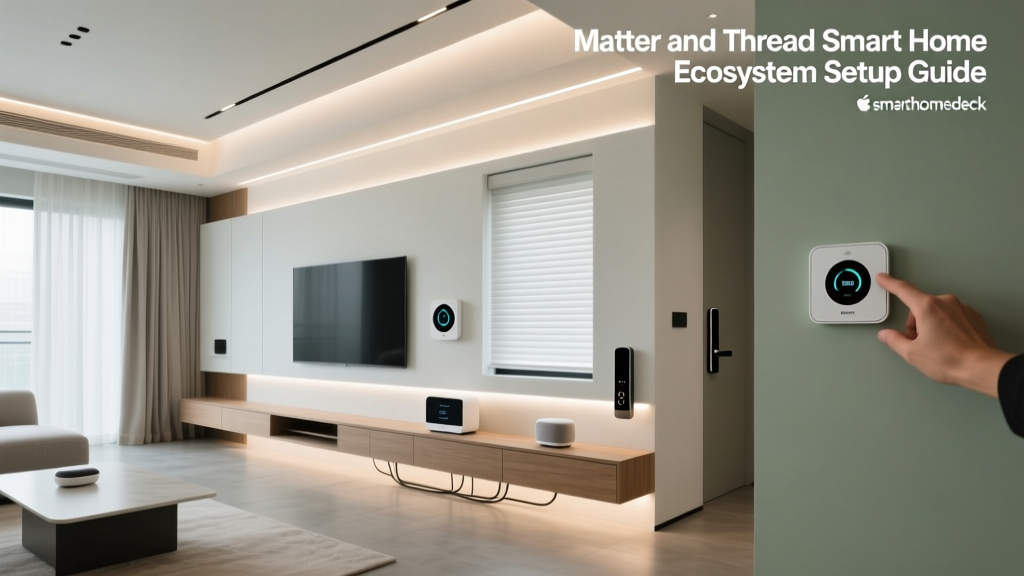
For over a decade, the smart home industry has been plagued by a frustrating reality: walled gardens. Consumers were forced to choose between Amazon Alexa, Google Home, or Apple HomeKit, often finding that a new smart bulb or lock would only work with one specific ecosystem. This fragmentation led to cluttered countertops with multiple hubs, disjointed apps, and unreliable automations. Enter Matter and Thread, the dual-pronged technological revolution designed to dismantle these barriers and unify the smart home landscape.
In this comprehensive guide, we will explore the technical synergy between Matter and Thread, evaluate the best border routers and compatible devices on the market, and provide actionable advice for building a low-latency, highly reliable smart home mesh network.
Demystifying Matter and Thread: The Language and the Road
A common misconception among smart home enthusiasts is that Matter and Thread are the same thing. In reality, they serve entirely different, yet complementary, functions within the networking stack.
Matter: The Universal Language
Matter is an application layer protocol. Think of it as the language that your smart devices speak. Developed by the Connectivity Standards Alliance (CSA), Matter ensures that a smart plug from Brand A can seamlessly communicate with a smart display from Brand B, regardless of whether you use iOS or Android. Matter handles the commands (e.g., "turn on," "dim to 50%"), security certificates, and device discovery. Crucially, Matter is agnostic to the underlying transport layer; it can run over Wi-Fi, Ethernet, or Thread.
Thread: The Intelligent Highway
If Matter is the language, Thread is the transportation network. Thread is an IPv6 mesh networking protocol built on the IEEE 802.15.4 standard (the same low-power radio frequency used by Zigbee). According to the Thread Group, the protocol is designed specifically for low-power, low-bandwidth IoT devices like sensors, locks, and light bulbs. Unlike Wi-Fi, which connects every device directly to a central router (often overwhelming your network), Thread devices connect to each other, forming a self-healing mesh. If one node fails, the data simply reroutes through another device, ensuring rock-solid reliability.
The Backbone: Thread Border Routers Explained
Because Thread is a mesh network that operates independently of your home's Wi-Fi, it requires a bridge to communicate with your smartphone or the broader internet. This bridge is called a Thread Border Router. The beauty of the modern ecosystem is that you likely already own one, or can acquire one without needing a proprietary, single-brand hub.
Here are the top Thread Border Routers available today, their costs, and their specific ecosystem advantages:
- Apple TV 4K (3rd Generation, Wi-Fi + Ethernet): Priced around $129-$149, this is widely considered the gold standard for Thread border routing. As noted in Apple's official support documentation, the Ethernet-equipped model provides a dedicated, hardwired bridge between your Thread mesh and your main IP network, drastically reducing latency.
- Google Nest Hub (2nd Gen) & Nest Wifi Pro: Ranging from $99 to $199, Google's Nest devices act as robust border routers. They are ideal for Google Home users and support multi-admin setups, allowing both Android and iOS users to control Thread devices simultaneously.
- Amazon Echo (4th Gen) & Echo Show 8 (3rd Gen): Starting at $99, Amazon's spherical Echo and newer Echo Show displays feature built-in Thread border routing and Zigbee hubs, making them versatile gateways for mixed-protocol homes.
Pro Tip: For the best mesh performance, deploy at least two Thread Border Routers in different areas of your home. Thread automatically load-balances between active border routers, ensuring that if your Apple TV goes to sleep or loses network connectivity, your Nest Hub seamlessly takes over routing duties.
Top Matter and Thread Devices to Buy Today
Building a Thread mesh requires "Router Eligible Devices" (REDs) that are constantly powered to relay signals, and "Sleepy End Devices" (SEDs) like battery-powered sensors. Here are the best Matter-over-Thread devices currently on the market to kickstart your ecosystem.
1. Eve Energy Smart Plug (Thread/Matter)
Cost: $39.95
Role: Router Eligible Device (RED)
Specs: 15A, 120V, Energy Monitoring, IPv6 native.
The Eve Energy plug is a staple in the Thread ecosystem. Because it plugs directly into the wall and has continuous power, it acts as a mesh repeater, extending the range of your Thread network. It features highly accurate energy monitoring and, thanks to Matter, can be exposed to Alexa, Google Home, and Apple HomeKit simultaneously without needing the Eve bridge.
2. Nanoleaf Essentials A19 Smart Bulb
Cost: $19.99
Role: Router Eligible Device (RED)
Specs: 800 lumens, 2700K-6500K tunable white and color, 802.15.4 radio.
Nanoleaf was one of the first manufacturers to adopt Thread. These bulbs are incredibly responsive, boasting a latency of under 50 milliseconds from command to execution. Like the Eve plug, hardwired bulbs serve as excellent mesh extenders, weaving a dense Thread network through your ceilings and lamps.
3. SwitchBot Hub 2 (Matter over Wi-Fi / Thread integration)
Cost: $69.99
Role: Bridge / Controller
Specs: Built-in temperature/humidity sensor, IR blaster, Matter support.
While not a pure Thread end-device, the SwitchBot Hub 2 is a vital ecosystem bridge. It allows you to bring legacy Bluetooth SwitchBot devices (like curtain motors and blind tilts) into the Matter ecosystem. It connects to your network via Wi-Fi but translates commands seamlessly to your Matter controllers, bridging the gap between older proprietary tech and the new unified standard.
Protocol Showdown: Thread vs. Zigbee vs. Wi-Fi
Understanding why Thread is superior for battery-operated and mesh devices requires a technical comparison against legacy protocols. Below is a structured breakdown of how the major smart home networking protocols compare in real-world deployments.
| Feature | Thread (802.15.4) | Zigbee (802.15.4) | Wi-Fi (802.11) | Z-Wave (Sub-GHz) |
|---|---|---|---|---|
| Network Topology | IPv6 Mesh (Self-Healing) | Mesh (Hub Dependent) | Star (Router Dependent) | Mesh (Hub Dependent) |
| IP Addressable | Yes (Native IPv6) | No (Requires Translation) | Yes (IPv4/IPv6) | No |
| Power Consumption | Ultra-Low (Microamps sleep) | Low | High | Ultra-Low |
| Local Control | Yes (No Cloud Required) | Yes (Via Proprietary Hub) | Varies (Often Cloud-Tied) | Yes (Via Proprietary Hub) |
| Ecosystem Lock-in | None (Matter Compatible) | High (Proprietary Hubs) | High (Brand Specific) | Moderate |
Visualizing Network Performance
To truly appreciate the engineering behind Thread, we must look at latency and power efficiency. The chart below visualizes the performance index of Wi-Fi, Zigbee, and Thread in a typical 2,500-square-foot smart home environment. Lower scores indicate better performance for battery-powered IoT devices.
Smart Home Protocol Performance Comparison: Latency and Power Draw
As the data illustrates, while Wi-Fi offers massive bandwidth suitable for streaming 4K video or powering smart displays, it is incredibly inefficient for simple commands like triggering a door sensor. Thread matches Zigbee's low power profile but significantly outperforms it in latency due to native IPv6 routing, which eliminates the "hub translation" bottleneck inherent in Zigbee networks.
Step-by-Step: Setting Up and Optimizing Your Thread Mesh
Deploying a Matter-over-Thread network is remarkably straightforward, but optimizing it for physical space requires a strategic approach. Follow these steps to ensure maximum coverage.
- Establish Your Border Routers: Begin by setting up your primary Thread Border Routers (e.g., Apple TV 4K and Nest Hub). Place them in central, elevated locations in your home, avoiding metal enclosures or thick masonry walls that can degrade the 2.4 GHz signal.
- Deploy Router Eligible Devices (REDs): Plug in your Eve Energy smart plugs or install Nanoleaf Thread bulbs. These devices will automatically discover your Border Routers and form the initial backbone of the mesh. Rule of thumb: Space REDs no more than 30-40 feet apart through standard drywall.
- Add Sleepy End Devices (SEDs): Introduce your battery-powered Matter devices, such as the Eve Door & Window sensor or the SwitchBot Contact Sensor. Because these devices sleep to conserve battery, they will latch onto the nearest RED (like a smart plug in the same room) rather than trying to reach the Border Router directly.
- Commission via QR Code: Using your preferred ecosystem app (Apple Home, Google Home, or Alexa), scan the Matter setup QR code on the device packaging. The app will securely inject the device's cryptographic keys and assign it to your Thread mesh in seconds.
Troubleshooting Thread Partitioning
Occasionally, users report "partitioning" in Thread networks, where a segment of the mesh temporarily loses connection to the main Border Router. This usually occurs when a RED is unplugged, or signal interference from a microwave oven disrupts the 2.4 GHz spectrum. To mitigate this, ensure you have overlapping coverage. If a smart plug acting as a primary router for a bedroom sensor is turned off at the wall switch, the sensor will drop offline. Always use smart plugs in locations where they will receive continuous, unswitched power.
Privacy, Security, and the Future of Matter
Beyond convenience, Matter introduces enterprise-grade security to the consumer smart home. Every Matter-certified device must feature a Device Attestation Certificate (DAC). This is a unique cryptographic signature embedded in the device's hardware at the factory. When you scan a Matter QR code, your smartphone verifies this certificate against a decentralized blockchain ledger maintained by the CSA, ensuring the device is authentic and hasn't been tampered with.
Furthermore, Thread networks utilize AES-128 encryption for all node-to-node communication. Because Thread is IPv6 native, it doesn't rely on cloud servers to translate IP addresses. Your door lock communicates directly with your smart display over your local network. This local-first architecture means that even if your internet connection goes down, your physical switches, automations, and local voice commands will continue to function flawlessly, keeping your home secure and your data private.
Conclusion
The era of choosing between ecosystems is over. Matter and Thread represent a fundamental shift in IoT architecture, prioritizing local reliability, cross-platform compatibility, and stringent security. By strategically deploying Thread Border Routers and investing in Router Eligible Devices like smart plugs and tunable bulbs, you can build a self-healing mesh network that responds instantly and operates entirely independent of the cloud. As more manufacturers adopt the CSA's standards throughout the coming years, the Thread mesh will become the invisible, unbreakable nervous system of the modern smart home.