Mixing Zigbee, Z-Wave & Wi-Fi Devices in One Smart Home Ecosystem
Building a smart home rarely means sticking to a single wireless protocol. You might fall in love with a Wi-Fi smart plug, pick up a Zigbee motion sensor because of its battery efficiency, and install a Z-Wave door lock for its rock-solid reliability. The result? A drawer full of devices that all speak different languages. The good news is that unifying them under one roof is not only possible—it is the smartest way to future-proof your home automation setup.
In this comprehensive guide, we will walk you through every layer of combining Zigbee, Z-Wave, and Wi-Fi devices into a single, cohesive smart home ecosystem. Whether you are just starting out or you are a seasoned tinkerer looking to consolidate, you will find actionable strategies, platform comparisons, automation ideas, and privacy best practices that will serve you for years to come.
Platform Overview: Understanding the Three Protocols
Before we dive into how to mix protocols, it is essential to understand what each one brings to the table. Every wireless standard was designed with different priorities in mind, and those design choices affect range, power consumption, bandwidth, and interoperability.
Zigbee at a Glance
Zigbee operates on the 2.4 GHz frequency band and uses a mesh networking topology. Every mains-powered Zigbee device acts as a repeater, extending the range of your network with each addition. The protocol is managed by the Connectivity Standards Alliance (CSA) and supports thousands of certified products from brands like Philips Hue, Aqara, IKEA, Samsung SmartThings, and Sonoff.
Key advantages of Zigbee include low power consumption—making it ideal for battery-operated sensors—high device capacity (a single coordinator can handle hundreds of nodes), and local processing when paired with a compatible hub. The downside is that 2.4 GHz is a crowded band shared with Wi-Fi and Bluetooth, which can occasionally cause interference in dense environments.
Z-Wave at a Glance
Z-Wave operates in the sub-GHz frequency range (908.42 MHz in North America, 868.42 MHz in Europe), which gives it superior wall penetration and virtually no interference from Wi-Fi or Bluetooth devices. Also a mesh protocol, Z-Wave supports up to 232 nodes per network and is known for its strict certification process, which ensures a high degree of interoperability between brands.
Z-Wave excels in reliability and range per hop, making it a favorite for critical devices like door locks, garage door controllers, and security sensors. The trade-off is a smaller product ecosystem compared to Zigbee and generally higher per-device costs due to licensing fees.
Wi-Fi at a Glance
Wi-Fi needs no introduction. Operating on 2.4 GHz and 5 GHz bands, it offers the highest bandwidth of the three protocols, which is why it is the default choice for cameras, video doorbells, and smart displays. Wi-Fi devices connect directly to your router, eliminating the need for a separate hub.
The convenience of hub-free setup comes with drawbacks: Wi-Fi devices consume significantly more power (ruling them out for most battery-operated sensors), they can congest your home network if you have dozens of devices, and they typically rely on cloud servers for remote access and automation. Brands like TP-Link Kasa, Wyze, and Shelly offer popular Wi-Fi smart home products.
Why Mixing Protocols Makes Sense
No single protocol is perfect for every use case. Zigbee is unbeatable for dense sensor networks. Z-Wave is the gold standard for security-critical devices. Wi-Fi is indispensable for high-bandwidth applications. By combining all three, you get the best of each world: a responsive, reliable, and feature-rich smart home that is not locked into any single vendor or technology.
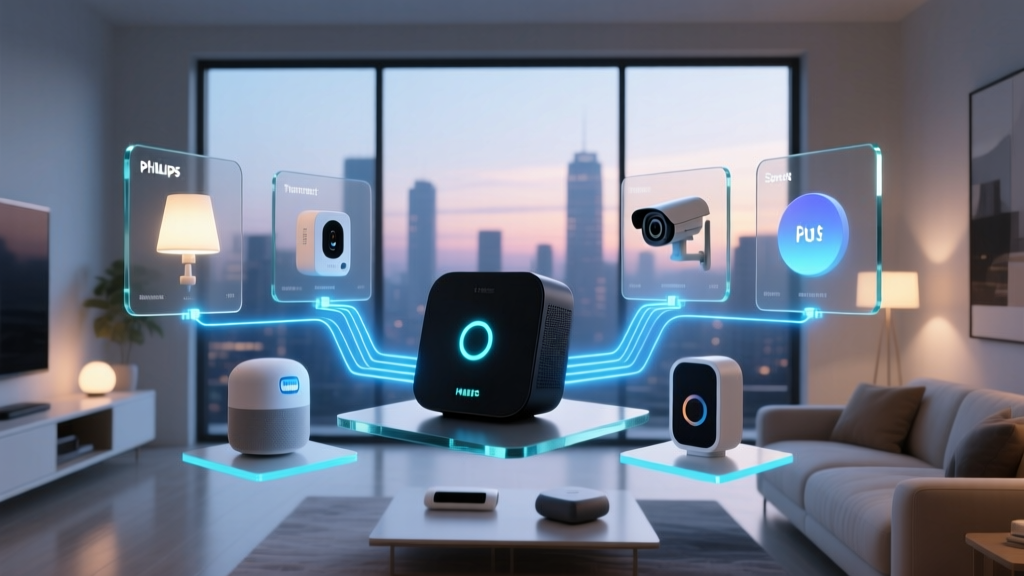
The challenge lies in bridging these protocols so they can communicate with one another. That is where multi-protocol hubs, software platforms, and thoughtful network design come into play. Let us explore the best platforms and strategies for making it all work.
Best Hubs & Platforms for a Multi-Protocol Smart Home
The cornerstone of any mixed-protocol setup is the hub or software platform that ties everything together. Below, we examine the most capable options available, ranging from plug-and-play consumer hubs to advanced DIY solutions.
Home Assistant: The Ultimate Unifier
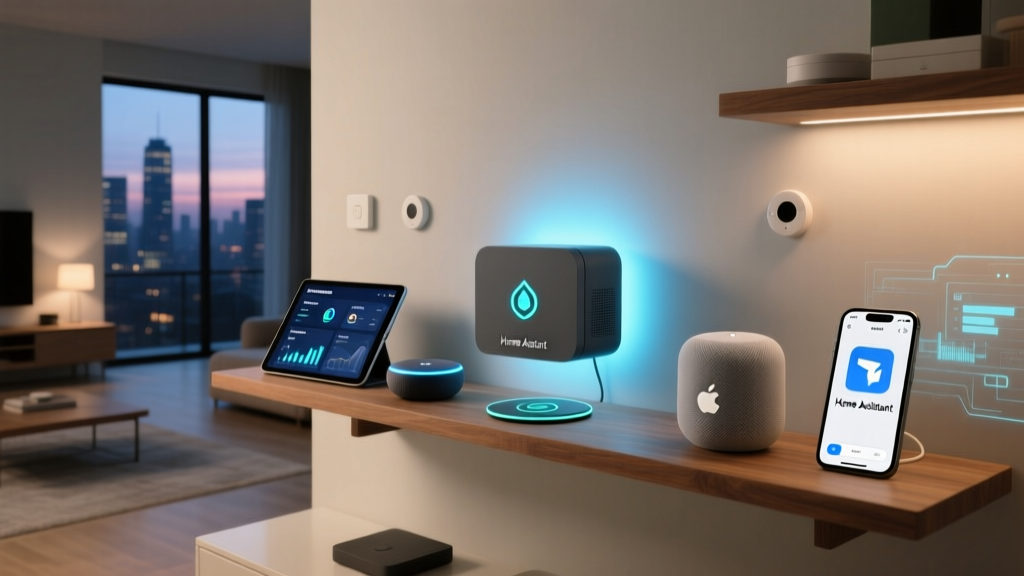
Home Assistant is an open-source home automation platform that supports over 2,000 integrations, including native support for Zigbee (via ZHA or Zigbee2MQTT), Z-Wave (via Z-Wave JS), and virtually every Wi-Fi device brand on the market. It runs on a Raspberry Pi, a mini PC, a NAS, or any always-on computer.
What makes Home Assistant the gold standard for multi-protocol setups is its local-first architecture. Automations execute on your hardware without relying on cloud servers, which means faster response times and better privacy. The platform also offers a powerful automation engine, customizable dashboards, and add-ons like Node-RED for advanced logic flows.
For Zigbee, you will need a USB coordinator such as the Sonoff Zigbee 3.0 USB Dongle Plus or the ConBee II. For Z-Wave, a Z-Wave USB stick like the Zooz ZST10 800 Series Long Range dongle connects your mesh to the platform. Wi-Fi devices integrate directly over your network, often through local APIs or MQTT.
Samsung SmartThings: The Consumer-Friendly Choice
Samsung SmartThings has been a popular multi-protocol hub for years. The SmartThings Station and newer hubs support Zigbee, Z-Wave, Thread, and Matter natively, with Wi-Fi devices connected through the SmartThings cloud or via integrations with platforms like Samsung's own ecosystem.
SmartThings is ideal for users who want a polished mobile app, easy device pairing, and access to a wide range of compatible products without tinkering. The built-in automation engine handles most common routines, and the platform supports voice control through Alexa and Google Assistant. However, advanced automations may require third-party tools like SharpTools or webCoRE, and some features depend on cloud connectivity.
Hubitat Elevation: Local Processing with Broad Compatibility
Hubitat Elevation is a hub designed for enthusiasts who want local processing without the complexity of Home Assistant. It includes built-in Zigbee and Z-Wave radios and supports a wide range of Wi-Fi integrations through its driver ecosystem. All automations run locally, ensuring fast response times and continued operation even when your internet connection is down.
Hubitat's Rule Machine is a powerful built-in automation tool that can handle complex logic, conditional statements, and device interactions. The community is active and supportive, with thousands of community-built drivers available. If you want a dedicated hub that bridges protocols without requiring a full server setup, Hubitat is a strong contender.
OpenHAB: The Flexible Alternative
OpenHAB is another open-source automation platform similar to Home Assistant but with a different philosophy centered around a vendor-agnostic abstraction layer. It supports Zigbee, Z-Wave, and Wi-Fi devices through its binding system and can run on a variety of hardware platforms including Raspberry Pi and Docker containers.
OpenHAB is particularly popular in Europe and among users who prefer its item-based configuration model. While its learning curve is steeper than Home Assistant's, it offers exceptional flexibility and a strong community. If you are considering OpenHAB, check out our comparison of open-source smart home platforms for a detailed breakdown.
Apple HomeKit with Bridges
Apple's HomeKit ecosystem does not natively support Zigbee or Z-Wave, but third-party bridges like the Homebridge software or hardware bridges from Aqara and Hue can expose those devices to HomeKit. This approach works well for Apple-centric households, though it requires additional configuration and may not support every device feature.
Comparison Table: Multi-Protocol Platforms
| Platform | Zigbee | Z-Wave | Wi-Fi | Local Processing | Difficulty | Cost |
|---|---|---|---|---|---|---|
| Home Assistant | Yes (USB dongle) | Yes (USB dongle) | Yes (integrations) | Yes | Moderate–Advanced | Low (DIY hardware) |
| SmartThings | Yes (built-in) | Yes (built-in) | Yes (cloud) | Partial | Easy | Medium |
| Hubitat | Yes (built-in) | Yes (built-in) | Yes (drivers) | Yes | Moderate | Medium |
| OpenHAB | Yes (binding) | Yes (binding) | Yes (binding) | Yes | Advanced | Low (DIY hardware) |
| Apple HomeKit + Bridges | Yes (via bridge) | Yes (via bridge) | Yes (HomeKit devices) | Yes (HomePod) | Moderate | High |
Setup Tips: Building a Reliable Multi-Protocol Network
Combining three wireless protocols under one roof introduces unique challenges around interference, network topology, and device management. Follow these best practices to build a rock-solid foundation.
Optimize Your Zigbee Mesh
Zigbee networks thrive on density. Every mains-powered Zigbee device—smart plugs, light switches, in-wall relays—acts as a router that extends the mesh. Start by placing your Zigbee coordinator (USB dongle or hub) in a central location, ideally elevated and away from large metal objects or appliances.
Use a USB extension cable for your Zigbee dongle to move it away from the server's USB 3.0 ports, which are notorious for generating 2.4 GHz interference. Add smart plugs strategically throughout your home to fill coverage gaps. For a deeper dive into choosing the right coordinator, see our Zigbee coordinator buying guide.
Strengthen Your Z-Wave Mesh
Z-Wave meshes are simpler than Zigbee meshes but equally important. Because Z-Wave operates on sub-GHz frequencies, it penetrates walls more effectively, but you still need enough mains-powered Z-Wave devices to relay messages across larger homes. A good rule of thumb is to have at least one Z-Wave repeater (such as a smart plug or in-wall switch) between any device and the controller if they are more than 30 feet apart indoors.
After adding or moving Z-Wave devices, perform a mesh repair (called "heal" in most platforms) to recalculate optimal routing paths. In Home Assistant, this is done through the Z-Wave JS control panel. In SmartThings and Hubitat, the option is available in the hub's settings.
Manage Wi-Fi Congestion
Every Wi-Fi smart home device you add consumes a slot on your router and generates network traffic. If you have 30 or more Wi-Fi devices, consider upgrading to a router that supports a high client count or setting up a dedicated IoT network on a separate SSID. Many modern routers and mesh Wi-Fi systems support guest networks or VLANs, which can isolate your smart home devices from your personal devices for both performance and security.
Where possible, choose 2.4 GHz for smart home devices (most IoT devices only support 2.4 GHz anyway) and reserve your 5 GHz band for bandwidth-hungry devices like laptops, streaming boxes, and gaming consoles. If your router supports it, enable band steering to automatically direct devices to the optimal frequency.
Minimize Cross-Protocol Interference
Zigbee and Wi-Fi both operate on the 2.4 GHz band, which means they can interfere with each other if they share overlapping channels. To minimize this, set your Wi-Fi router to channel 1, 6, or 11 (the non-overlapping channels) and configure your Zigbee coordinator to use channel 15, 20, or 25, which fall in the gaps between Wi-Fi channels.
Z-Wave is largely immune to this problem because of its sub-GHz frequency, which is another reason it is favored for critical devices like locks and alarm sensors. Keep your Zigbee coordinator and Wi-Fi router physically separated by at least a few feet, and avoid placing them near microwave ovens or cordless phones.
Label and Document Your Devices
As your smart home grows beyond 20 or 30 devices, keeping track of which protocol each device uses, where it is located, and which hub it is connected to becomes essential. Create a simple spreadsheet or use a note-taking app to document device names, protocols, firmware versions, and pairing dates. This will save you hours of troubleshooting down the road.
Standardize Device Naming Conventions
Adopt a consistent naming convention across all your platforms. For example, use the format [Room] - [Device Type] - [Protocol] such as "Living Room - Motion Sensor - Zigbee" or "Front Door - Lock - Z-Wave." This makes it easier to identify devices in automations, dashboards, and voice commands, especially when you have similar devices using different protocols in different rooms.
Automation Strategies Across Protocols
The real magic of a unified smart home emerges when devices from different protocols work together in automations. A Zigbee motion sensor can trigger a Wi-Fi smart bulb. A Z-Wave door lock can activate a Zigbee siren. Cross-protocol automations unlock possibilities that no single ecosystem can offer alone.
Motion-Triggered Lighting
One of the most popular cross-protocol automations is using Zigbee motion sensors to control Wi-Fi or Z-Wave smart lights. Zigbee sensors like the Aqara P2 or Sonoff SNZB-03 are affordable, battery-efficient, and responsive. Pair them with Wi-Fi bulbs from Shelly or Z-Wave dimmers from Zooz, and you can create occupancy-based lighting that works throughout your home.
In Home Assistant, this automation takes just a few lines of YAML or can be built visually using the automation editor. Set the trigger to the motion sensor's "on" state, add conditions for time of day or ambient light levels, and set the action to turn on the target light. For a complete walkthrough, visit our motion sensor automation guide.
Security Routines
Combining Z-Wave door/window sensors, Zigbee cameras or sirens, and Wi-Fi smart locks creates a powerful security system. When a Z-Wave contact sensor detects an unexpected opening while your home is in "armed" mode, your platform can trigger a Zigbee siren, turn on all Wi-Fi smart lights, send a push notification to your phone, and start recording on your Wi-Fi cameras—all within seconds.
For even more sophisticated security, integrate Zigbee smoke and CO detectors with Z-Wave smart locks that automatically unlock when smoke is detected, ensuring a safe exit. Check our smart home security sensor reviews for top-rated options across all three protocols.
Climate Control
Zigbee temperature and humidity sensors placed in different rooms can feed data to your platform, which then controls Z-Wave thermostats or Wi-Fi smart plugs connected to space heaters and fans. This room-by-room climate management is far more efficient than relying on a single thermostat sensor and can significantly reduce energy costs.
Advanced users can create PID controller automations in Home Assistant that modulate heating and cooling based on real-time temperature readings from multiple Zigbee sensors, achieving precise comfort levels throughout the home.
Presence-Based Automations
Wi-Fi presence detection (using your phone's connection to your router) combined with Zigbee room-level occupancy sensors and Z-Wave door locks enables powerful presence-based automations. When the last person leaves (detected via Wi-Fi device tracking), your home can automatically lock all Z-Wave locks, turn off all lights, arm the security system, and lower the thermostat. When someone returns, the reverse sequence activates, with lights turning on in the entryway based on a Zigbee motion sensor.
Time and Sun-Based Routines
Sunrise and sunset automations work beautifully across protocols. As the sun sets, your platform can close Z-Wave smart blinds, turn on Zigbee accent lights, and activate Wi-Fi outdoor cameras. In the morning, the sequence reverses. These automations require no sensors at all—just your platform's built-in sun position calculator and your devices, regardless of their protocol.
Voice Control Across Protocols
Once all your devices are unified in a single platform, exposing them to voice assistants becomes straightforward. Home Assistant integrates with Amazon Alexa, Google Assistant, and Apple Siri. SmartThings works natively with Alexa and Google. Hubitat supports Alexa and Google through its built-in cloud integration. This means you can say "Alexa, lock the front door" (a Z-Wave device) or "Hey Google, turn on the porch light" (a Zigbee device) without the voice assistant needing to know which protocol is involved.
Privacy & Security Considerations
Mixing protocols also means mixing security models. Zigbee, Z-Wave, and Wi-Fi each have their own encryption standards, and the platform you choose to unify them introduces its own privacy considerations. Here is how to keep your smart home secure.
Local vs. Cloud Processing
The single most impactful privacy decision you can make is choosing a platform that processes automations locally. When automations run in the cloud, every device state change, sensor reading, and command is transmitted to a remote server. This creates a detailed profile of your daily routines, occupancy patterns, and habits.
Platforms like Home Assistant and Hubitat process everything locally by default. Your motion sensor data, door lock status, and camera triggers never leave your home network unless you explicitly configure remote access. SmartThings, by contrast, relies heavily on cloud processing, though it has been moving toward more local execution for certain automations.
Network Segmentation
Wi-Fi smart home devices are the most vulnerable to network-based attacks because they sit on the same network as your personal devices. To mitigate this risk, create a separate VLAN or guest network for your IoT devices. This prevents a compromised smart plug from accessing your laptop, NAS, or other sensitive devices.
Most modern routers support VLAN creation, and platforms like Home Assistant can operate across VLANs with proper firewall rules. For Zigbee and Z-Wave, network segmentation is less of a concern because they operate on their own dedicated mesh networks and do not use your Wi-Fi infrastructure.
Zigbee Security Best Practices
Zigbee 3.0 uses AES-128 encryption for all communications, which is robust. However, the security of your Zigbee network depends on proper configuration. Always change the default network key on your coordinator, disable the "permit join" function when you are not actively pairing devices, and keep your coordinator firmware up to date. If your coordinator supports it, enable install codes for added security during the pairing process.
Z-Wave Security Best Practices
Z-Wave devices support S2 security, which includes AES-128 encryption, elliptic curve Diffie-Hellman key exchange, and mandatory authentication during pairing. Always pair Z-Wave devices using S2 security when available—most modern platforms default to S2 for compatible devices. For critical devices like door locks and garage door controllers, S2 security is non-negotiable.
Firmware Updates
Keep all your devices and hub firmware up to date. Firmware updates often include security patches that address newly discovered vulnerabilities. Home Assistant's Z-Wave JS and ZHA integrations support over-the-air (OTA) firmware updates for many Zigbee and Z-Wave devices. For Wi-Fi devices, check the manufacturer's app or web interface for updates periodically.
Remote Access Security
If you need to access your smart home remotely, avoid port forwarding, which exposes your hub directly to the internet. Instead, use secure tunneling solutions like Nabu Casa (for Home Assistant), Tailscale, or Cloudflare Tunnels. These services create encrypted connections without opening ports on your router, dramatically reducing your attack surface.
Protocol Comparison: Choosing the Right Device for Each Use Case
Now that you understand how to unify these protocols, let us explore when to choose each one. This decision framework will help you make informed purchasing decisions as you expand your smart home.
When to Choose Zigbee
- Battery-operated sensors: Motion sensors, door/window contact sensors, temperature/humidity sensors, water leak sensors, and vibration sensors all benefit from Zigbee's ultra-low power consumption. A typical Zigbee sensor can run for two or more years on a single CR2032 battery.
- Dense sensor deployments: If you plan to install sensors in every room, Zigbee's mesh network scales beautifully. Each mains-powered device strengthens the mesh, making the network more robust as it grows.
- Lighting: Zigbee is the dominant protocol for smart lighting, with Philips Hue, IKEA TRÅDFRI, and Innr offering extensive product lines. The instant response time and group control capabilities make it ideal for whole-home lighting scenes.
- Budget-conscious builds: Zigbee devices are generally the most affordable of the three protocols, with basic sensors available for under $15.
Explore our top-rated Zigbee sensor reviews for specific product recommendations.
When to Choose Z-Wave
- Security devices: Door locks, garage door controllers, and alarm panels benefit from Z-Wave's sub-GHz reliability, S2 security, and interference-free operation. When a lock command must arrive every single time, Z-Wave is the protocol of choice.
- Large properties: Z-Wave's superior wall penetration and long-range capabilities make it ideal for larger homes, detached garages, and outdoor devices where Zigbee's 2.4 GHz signal might struggle.
- Critical automations: Any automation where failure is unacceptable—such as water shutoff valves, smoke alarm integration, or security sirens—should use Z-Wave for its guaranteed message delivery and acknowledgment system.
- Interference-heavy environments: If you live in an apartment building or dense neighborhood with dozens of Wi-Fi networks, Z-Wave's sub-GHz frequency avoids the 2.4 GHz congestion entirely.
Check out our best Z-Wave devices roundup for curated picks across every category.
When to Choose Wi-Fi
- Cameras and video doorbells: High-bandwidth video streaming requires Wi-Fi. No other smart home protocol can handle the data rates needed for HD or 4K video.
- Smart displays and speakers: Devices like Amazon Echo Show, Google Nest Hub, and Sonos speakers use Wi-Fi for streaming, voice processing, and content delivery.
- Standalone devices: If you only need one or two smart devices and do not want to invest in a hub, Wi-Fi devices that connect directly to your router are the simplest option.
- High-power devices: Smart plugs controlling high-wattage appliances, smart thermostats with large displays, and robot vacuums all use Wi-Fi because they have ample power and benefit from high-speed connectivity.
Browse our Wi-Fi smart plug reviews and Wi-Fi device guides for top recommendations.
The Matter Protocol: The Future of Interoperability
No discussion of multi-protocol smart homes is complete without mentioning Matter, the new standard developed by the Connectivity Standards Alliance (comprising Apple, Google, Amazon, Samsung, and hundreds of other companies). Matter runs over Thread (a mesh protocol similar to Zigbee), Wi-Fi, and Ethernet, and is designed to provide universal interoperability across ecosystems.
While Matter is still maturing and does not yet replace Zigbee or Z-Wave for all use cases, it represents the future of smart home interoperability. Many modern hubs—including updated SmartThings hubs, Apple HomePod, and Home Assistant with Matter support—can already control Matter devices alongside your existing Zigbee, Z-Wave, and Wi-Fi products. As more devices launch with Matter support, mixing protocols will become even easier.
Frequently Asked Questions
Can I use Zigbee and Z-Wave devices without a hub?
No. Both Zigbee and Z-Wave require a coordinator or controller to manage their mesh networks. This coordinator is typically built into a smart home hub (like SmartThings or Hubitat) or connected as a USB dongle to a platform like Home Assistant. Wi-Fi devices, by contrast, connect directly to your router and do not need a separate hub, although they often require the manufacturer's cloud service for remote access and automation.
Will mixing protocols slow down my smart home?
Mixing protocols will not slow down your automations if you use a capable platform. In fact, using dedicated mesh networks (Zigbee and Z-Wave) for sensors and switches reduces the load on your Wi-Fi network, which can actually improve overall performance. The key is to ensure your hub or server has sufficient processing power and that your Wi-Fi network is not oversaturated. For most homes with fewer than 100 devices, even a Raspberry Pi running Home Assistant handles cross-protocol automations in under 100 milliseconds.
What happens to my automations when the internet goes down?
This depends entirely on your platform. Local-first platforms like Home Assistant and Hubitat continue running all automations without an internet connection, as long as your local network is operational. Zigbee and Z-Wave meshes operate independently of the internet. Wi-Fi devices remain reachable on your local network. Cloud-dependent platforms like SmartThings may lose some automation functionality during an outage, though Samsung has been improving local execution capabilities. If reliability during outages is a priority, choose a local-first platform.
How many devices can I realistically mix in one ecosystem?
The practical limit depends on your platform and hardware. Home Assistant running on a modern mini PC can comfortably manage hundreds of Zigbee devices, up to 232 Z-Wave devices (the protocol limit), and dozens of Wi-Fi devices simultaneously. SmartThings officially supports up to 232 devices total. Hubitat handles similar numbers. For most homes, the real bottleneck is not the hub but the Wi-Fi router's ability to handle many connected devices. Investing in a quality mesh Wi-Fi system or enterprise-grade access point resolves this limitation.
Is it worth mixing protocols, or should I stick to one?
For most smart home enthusiasts, mixing protocols is not just worth it—it is the optimal strategy. Each protocol has distinct strengths: Zigbee for affordable, battery-efficient sensors; Z-Wave for reliable, interference-free security devices; and Wi-Fi for high-bandwidth applications like cameras and displays. Trying to force every use case onto a single protocol leads to compromises in cost, reliability, or functionality. With a solid multi-protocol platform like Home Assistant, SmartThings, or Hubitat, the complexity of managing multiple protocols is minimal, and the benefits of using the best tool for each job are substantial.
Final Thoughts
Mixing Zigbee, Z-Wave, and Wi-Fi devices in one smart home ecosystem is not a workaround—it is the smartest approach to building a capable, resilient, and future-proof home automation system. By choosing the right platform, optimizing your network topology, and following security best practices, you can enjoy seamless cross-protocol automations that make your home more comfortable, secure, and energy-efficient.
Start small. Pick a multi-protocol platform that matches your technical comfort level. Add a Zigbee coordinator and a Z-Wave stick. Begin with a few sensors in your most-used rooms. As your confidence grows, expand your mesh, refine your automations, and explore the thousands of integrations available. The beauty of a mixed-protocol smart home is that it grows with you—adapting to new technologies, new devices, and new possibilities without requiring you to start from scratch.
Ready to start building? Explore our smart home starter kit guide for a curated list of the best devices to kick off your multi-protocol journey, or browse our complete device reviews to find the perfect Zigbee, Z-Wave, and Wi-Fi products for your home.