The Renter's Dilemma: Smart Homes Without the Holes
For homeowners, building a smart home is a long-term investment. You can run Ethernet cables through the walls, install hardwired smart switches, and mount heavy hubs in utility closets. But for the millions of people living in rental properties, the rules of engagement are entirely different. Renters face strict lease agreements that prohibit drilling holes, altering electrical wiring, or making permanent changes to the property. Furthermore, the transient nature of renting means your smart home ecosystem must be highly portable, easy to pack up, and quick to redeploy in a new apartment.
According to the U.S. Department of Energy, smart home devices can significantly improve energy efficiency and convenience, but their physical installation requirements often clash with renter restrictions. Choosing the right ecosystem platform—Amazon Alexa, Google Home, Apple HomeKit, or Samsung SmartThings—is no longer just about voice assistant preference. It is about finding a platform that prioritizes plug-and-play devices, wireless protocols, and seamless cloud migrations. In this comprehensive guide, we evaluate the major smart home ecosystems strictly through the lens of renter portability, non-destructive installation, and moving-day convenience.
What Makes a Smart Ecosystem 'Renter-Friendly'?
Before crowning a winner, we must establish the criteria that make an ecosystem viable for a rental property. A truly renter-friendly smart home platform must excel in the following areas:
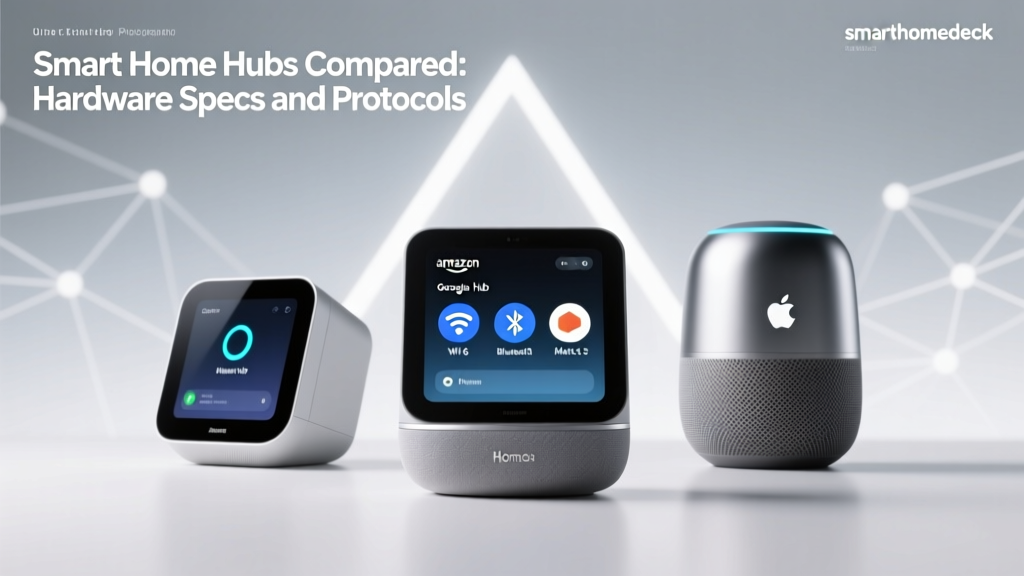
- Hubless or Portable Hubs: Traditional smart homes relied on bulky hubs that required hardwired Ethernet connections. Renter-friendly ecosystems either operate entirely over Wi-Fi and the cloud or utilize compact, plug-in hubs (like the SmartThings Station or HomePod Mini) that take up minimal space and require no permanent mounting.
- Non-Destructive Sensors: The ecosystem must support devices that use adhesive strips, tension rods, or gravity-based placement rather than screws and drywall anchors. Battery-operated sensors are a must.
- Wi-Fi and Thread Reliance: While Zigbee and Z-Wave offer great range, they often require dedicated hubs. Wi-Fi and the newer Thread protocol allow devices to connect directly to your router or border routers, reducing hardware clutter.
- Cloud Portability: When you move, your routines, device groupings, and automations should transfer instantly to your new address via a cloud account, without requiring a complete factory reset and reconfiguration.
Ecosystem Breakdown: Portability and Renter Scores
Amazon Alexa: The Plug-and-Play King
Amazon Alexa remains the most accessible and highly portable ecosystem for renters. The platform's greatest strength is its massive compatibility with Wi-Fi-based smart devices that require absolutely no hub. Products like the Kasa Smart Plug Mini (EP10) or Wyze Cam v3 connect directly to your 2.4GHz Wi-Fi network and are managed entirely through the cloud. When you move, you simply unplug the devices, pack them in a box, plug them in at your new apartment, and update your address in the Alexa app. The Echo Pop and Echo Dot (5th Gen) are incredibly lightweight, require only a standard power outlet, and serve as excellent portable voice controllers and Bluetooth speakers. Alexa's routines are entirely cloud-based, meaning your 'Good Morning' automation will survive a cross-country move without a hitch. The only downside is that Wi-Fi congestion in dense apartment buildings can sometimes cause latency, but for pure portability, Alexa is unmatched.
Google Home: The Cloud-Based Contender
Google Home offers a very similar experience to Alexa, with a slight edge in predictive automations and multi-user household management. The Google Nest Mini and Nest Audio are highly portable speakers that anchor the ecosystem. Google's partnership with Nest also means you have access to excellent battery-operated or plug-in cameras like the Nest Cam (battery), which uses a magnetic base or a simple adhesive mount—perfect for renters who want security without drilling into exterior siding or doorframes. Google Home's 'Script Editor' allows for complex automations that live in the cloud. However, Google's ecosystem can sometimes feel fragmented between the older Google Home app and the newer Google Home app architecture, which can cause minor headaches when migrating devices between physical locations.
Apple HomeKit: The Premium Portable Experience
Apple HomeKit has historically been criticized for requiring an expensive Apple TV as a home hub. However, the introduction of the HomePod Mini changed the game for renters. Priced around $99, the HomePod Mini acts as a Thread border router and a HomeKit hub, requiring nothing more than a single power outlet. Apple's ecosystem is heavily focused on local processing and privacy, which is a massive benefit for renters sharing walls and Wi-Fi networks with neighbors. Furthermore, HomeKit Secure Video allows you to use compatible cameras without paying monthly subscription fees, provided you have an iCloud+ plan. The primary drawback for renters is the higher cost of entry; HomeKit-compatible devices like the Eve Motion sensor or Philips Hue bulbs tend to carry a premium price tag compared to their Alexa-only counterparts.
Samsung SmartThings: The Hub Conundrum
Samsung SmartThings is a powerhouse for automation, but its traditional reliance on the SmartThings Hub (which requires an Ethernet connection to your router) made it a tough sell for renters in apartments where the router is locked in a utility closet or mounted on a wall far from an outlet. However, Samsung recently introduced the SmartThings Station. This small, puck-sized device plugs directly into a wall outlet, acts as a Matter and Thread controller, and doubles as a wireless charger for your phone. It bridges the gap for renters, allowing you to utilize SmartThings' powerful automations without running Ethernet cables. Still, if you rely on older Z-Wave or Zigbee devices, you may still need the main hub, which docks points for pure portability.
The Game Changer: Matter and Thread for Renters
No discussion on smart home portability is complete without addressing the Matter standard developed by the Connectivity Standards Alliance (CSA). Matter is a unifying protocol that allows devices to work across Alexa, Google Home, Apple HomeKit, and SmartThings simultaneously. For renters, Matter is revolutionary. If you buy a Matter-compatible smart plug or light bulb, you are not locked into a single ecosystem. If you move in with a roommate who prefers Apple HomeKit while you use Google Home, a Matter device can be controlled by both platforms simultaneously via 'Multi-Admin' support.
Furthermore, Matter relies heavily on Thread, a low-power, mesh-networking protocol. Thread devices do not require a dedicated, wired hub. Instead, they use 'Border Routers' (like the HomePod Mini, Nest Wifi Pro, or SmartThings Station) that you simply plug into the wall. This eliminates the need for hardwiring and makes moving your mesh network as easy as packing up your plug-in speakers.
Top Portable Devices for Every Ecosystem
To build a renter-friendly home, you must select the right hardware. Below is a curated table of non-destructive, highly portable devices that excel in apartment environments.
| Device Name | Primary Ecosystem | Power Source | Installation Type | Approx. Cost |
|---|---|---|---|---|
| Philips Hue Play Light Bar | All (via Hue Bridge/Matter) | Plug-in | Freestanding / Adhesive | $70 - $140 |
| Wyze Cam v3 | Alexa / Google | Plug-in USB | Magnetic Base / Shelf | $35 - $50 |
| Eve MotionBlinds | Apple HomeKit / Thread | Rechargeable Battery | Fits inside blind tube | $150+ |
| Aqara Door/Window Sensor | All (via Matter/Hub) | CR2032 Battery | Adhesive Tape | $20 |
| SmartThings Station | SmartThings / Matter | Plug-in | Wall Outlet | $40 |
Security and Privacy in Shared Spaces
Living in an apartment complex means sharing walls, hallways, and sometimes even internet infrastructure with strangers. Privacy is a paramount concern when deploying cameras and microphones in a rental. The Federal Trade Commission advises consumers to regularly update firmware and secure their home networks to prevent unauthorized access. For renters, Apple HomeKit offers the most secure out-of-the-box experience due to its end-to-end encryption and local processing. If you use Alexa or Google Home, ensure you are utilizing guest networks on your router to isolate your smart devices from your personal computers and phones, mitigating the risk of network snooping in dense housing environments.
How to Move Your Smart Home Without Losing Your Mind
Moving day is chaotic. Packing up a smart home requires a specific sequence of events to ensure you don't lose your configurations or damage the rental property. Follow this actionable checklist:
- Remove Adhesives Safely: Do not rip 3M adhesive strips off painted drywall. Use a hairdryer to warm the adhesive for 30 seconds, then pull the tab straight down parallel to the wall to avoid peeling the paint and losing your security deposit.
- Factory Reset Hubless Devices: If you are selling or giving away any smart bulbs or plugs, factory reset them. If you are keeping them, leave them paired to your account; most cloud-based ecosystems will simply reconnect them once they detect your Wi-Fi SSID at the new location.
- Update Your Address: Before unplugging your primary hub or speaker, open your ecosystem app and update your home address. This ensures that location-based automations (like 'Turn on lights when I arrive home') use the correct geofencing coordinates for your new apartment.
- Label Your Cables: Smart home setups involve a multitude of USB-C and proprietary power adapters. Use masking tape to label which plug belongs to which device (e.g., 'Hue Bridge', 'SmartThings Station') to save hours of troubleshooting on move-in day.
Final Verdict: Which Ecosystem Wins for Renters?
If your primary concern is absolute portability and low cost, Amazon Alexa is the undisputed champion. Its reliance on inexpensive, hubless Wi-Fi devices and cloud-based routines makes moving a breeze. You can build a complete smart apartment for under $200, and packing it up takes less than ten minutes.
However, if you value privacy, local control, and the emerging Matter/Thread standards, Apple HomeKit paired with a HomePod Mini offers the most premium, future-proof renter experience. The Thread mesh network adapts beautifully to the strange layouts of apartment complexes without requiring wired hubs.
Ultimately, the best ecosystem for a renter is one that respects the physical boundaries of the rental property while providing the digital convenience of modern automation. By prioritizing battery-powered sensors, adhesive mounts, and plug-in border routers, you can enjoy a fully automated home today, and effortlessly take it with you when your lease is up tomorrow.