Introduction to the Samsung SmartThings Ecosystem
Since Samsung acquired SmartThings in 2014, the platform has evolved from a niche DIY hobbyist project into one of the most robust, versatile, and widely adopted smart home ecosystems in the world. Unlike closed gardens that restrict you to a single brand of hardware, Samsung SmartThings prides itself on broad compatibility, supporting thousands of devices across multiple wireless protocols. Whether you are looking to automate a single apartment or wire a sprawling multi-story home, SmartThings provides the foundational architecture to make it happen.
At its core, SmartThings is an aggregator and an automation engine. It bridges the gap between disparate devices—allowing a Zigbee motion sensor from one brand to trigger a Z-Wave smart lock from another, while simultaneously adjusting a Wi-Fi thermostat. In this comprehensive guide, we will break down everything you need to know to build, expand, and master your Samsung SmartThings ecosystem, from selecting the right hub to writing complex local automations.
Choosing the Right SmartThings Hub
The hub is the brain of your SmartThings network. It translates wireless signals from your sensors and devices into data your router and smartphone can understand. While Samsung has transitioned some hub duties to its modern smart TVs and refrigerators, dedicated hubs remain the gold standard for reliability and protocol support.
| Hub Model | Supported Protocols | Estimated Range | Average Cost | Best Use Case |
|---|---|---|---|---|
| SmartThings Station | Zigbee, Thread, Matter, Wi-Fi | Up to 1,500 sq ft | $60 | Apartments, Thread/Matter early adopters |
| Aeotec Smart Home Hub (Hub v3) | Z-Wave, Zigbee, Wi-Fi, Bluetooth | Up to 3,000 sq ft | $120 | Large homes, legacy Z-Wave networks |
| Samsung SmartThings Hub v3 (Legacy) | Z-Wave, Zigbee, Wi-Fi, Bluetooth | Up to 3,000 sq ft | $90 (Used) | Budget setups with existing Z-Wave devices |
For most new users, the SmartThings Station is the recommended starting point. It doubles as a wireless fast charger for Samsung Galaxy devices and acts as a Thread border router, future-proofing your home for the Matter standard. However, if you have an existing investment in Z-Wave devices (like older Schlage locks or Aeotec sirens), the Aeotec Smart Home Hub is essential, as the Station lacks a Z-Wave radio.
Essential SmartThings Compatible Devices
Building a cohesive smart home requires selecting devices that not only connect to SmartThings but also expose their full feature set to the platform. Here are the top-tier devices we recommend for a complete setup.
1. Sensors and Security
- Aeotec Door/Window Sensor 7 ($45): This Z-Wave Plus sensor is incredibly compact and offers a 7-year battery life. It exposes both contact state and temperature data to SmartThings, allowing you to trigger HVAC routines if a window is left open.
- SmartThings Water Leak Sensor ($30): Place these under sinks and near water heaters. They feature a built-in siren and can trigger your smart water shut-off valve instantly upon detecting moisture.
2. Smart Locks
- Yale Assure Lock 2 ($230 - $280): Available in Wi-Fi, Z-Wave, and Thread/Matter variants. The Z-Wave or Thread versions are preferred for SmartThings to keep local network traffic off your Wi-Fi band. It provides reliable lock/unlock status and pin-code management directly through the SmartThings app.
3. Climate Control
- Ecobee SmartThermostat Premium ($250): While SmartThings has its own branded thermostats, the Ecobee integrates flawlessly, exposing room sensor temperatures, occupancy, and advanced scheduling to the SmartThings automation engine.
4. Lighting
- Philips Hue Bridge System ($60 for bridge, $50+ per bulb): While you can connect Zigbee bulbs directly to the SmartThings hub, using the Hue Bridge and linking it to SmartThings via the cloud integration ensures you don't overwhelm the SmartThings Zigbee mesh limit (typically 32 directly connected end-devices).
Network Protocols: Zigbee, Z-Wave, Thread, and Matter
Understanding wireless protocols is critical for maintaining a healthy SmartThings network. Each protocol has distinct advantages and physical limitations.
- Zigbee (2.4 GHz): High bandwidth, low power, but susceptible to interference from Wi-Fi routers and microwaves. Ideal for lighting and sensors. Requires a robust mesh of mains-powered devices (like smart plugs) to extend range.
- Z-Wave (908.42 MHz in US): Sub-GHz frequency means it bypasses Wi-Fi interference entirely. It is slower than Zigbee but highly reliable for critical security devices like locks and garage door controllers.
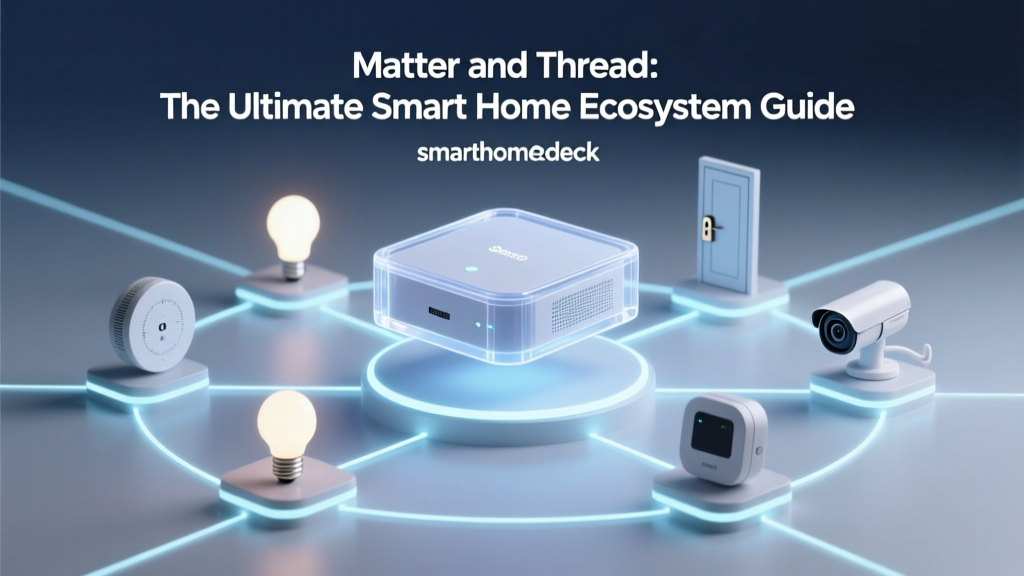
- Thread (2.4 GHz): An IP-based, low-power mesh networking protocol. Unlike Zigbee, Thread devices can route data natively without a single point of failure, provided you have multiple Thread border routers (like the SmartThings Station or Apple TV 4K).
- Matter: As detailed by the Connectivity Standards Alliance (CSA), Matter is not a wireless protocol itself, but an application layer that runs over Thread or Wi-Fi. It promises unified local control across SmartThings, Apple HomeKit, and Google Home simultaneously.
Mastering Automations and Edge Drivers
The true power of SmartThings lies in its automation engine. While basic 'If This Then That' routines are easy to set up in the mobile app, advanced users should leverage SmartThings Edge Drivers.
In the past, SmartThings relied on cloud-based Groovy Device Type Handlers (DTHs). This meant that if your internet went down, your motion-triggered lights would fail. Samsung has since transitioned to Edge Drivers, which are written in Lua and executed locally on the hub. This drastically reduces latency (often to sub-100ms response times) and ensures your automations survive internet outages.
Example: The Ultimate Leak Prevention Routine
A basic automation turns on a light when water is detected. A SmartThings Master automation does the following:
- Trigger: SmartThings Water Leak Sensor detects moisture.
- Condition: Time is between 11:00 PM and 6:00 AM (when the house is asleep).
- Action 1: Send critical push notification to all household members.
- Action 2: Turn on hallway Philips Hue lights to 30% brightness, colored red to signal an emergency without blinding sleepers.
- Action 3: Command the smart water shut-off valve (e.g., Moen Flo or a Z-Wave ball valve) to close, preventing catastrophic damage.
To build complex logic like this, utilize the 'Advanced Automations' tab in the SmartThings app, or use third-party web interfaces like SharpTools.io, which offer visual flowcharts and deeper variable manipulation than the native app.
SmartThings vs. Apple HomeKit and Google Home
How does Samsung's ecosystem stack up against the other tech giants?
- vs. Apple HomeKit: HomeKit is highly secure and processes almost everything locally via Apple TVs. However, HomeKit-compatible hardware is often significantly more expensive due to strict Apple certification requirements. SmartThings wins on hardware variety and budget-friendly options, though it historically relied more on cloud processing (which is improving with Edge Drivers).
- vs. Google Home: Google Home excels at voice recognition and multi-room audio. However, its automation engine (Google Home Routines) is notoriously basic compared to SmartThings. SmartThings is the superior choice for users who want complex, multi-condition automations, while Google is better suited for simple voice commands.
Pro Tip: You do not have to choose just one. With the rollout of the Matter protocol, you can link your SmartThings hub to Apple HomeKit and Google Home, using SmartThings as the 'backend' automation engine while using Siri or Google Assistant for voice control.
Privacy, Security, and Data Handling
When connecting cameras, locks, and occupancy sensors to the internet, data privacy is paramount. Samsung secures the SmartThings ecosystem using the Samsung Knox security platform. Knox provides hardware-backed encryption, secure boot processes, and real-time kernel protection on Samsung hubs and devices.
Furthermore, SmartThings adheres to strict data minimization policies. Sensor data (like whether a door is open or closed) is processed locally on the hub whenever possible via Edge Drivers. Only necessary telemetry and status updates are encrypted and sent to the Samsung cloud to sync with your mobile app. To maximize privacy, avoid linking cheap, no-name Wi-Fi cameras directly to SmartThings; instead, use local NVR systems or Matter-compatible cameras that do not require mandatory cloud subscriptions.
Troubleshooting Common SmartThings Issues
Even the best ecosystems encounter hiccups. Here is how to solve the most common SmartThings problems:
- Ghost Devices: If a Z-Wave device shows as 'connected' but won't respond, it is likely a ghost node caused by an improper exclusion. Use the 'Z-Wave Utilities' menu in the SmartThings web portal (IDE/API) to force-remove ghost nodes.
- Zigbee Mesh Drops: If Zigbee devices frequently fall offline, you likely lack enough mains-powered repeaters. Add a few $15 smart plugs (like the Innr or SmartThings Outlet) in the dead zones to strengthen the mesh routing.
- Cloud Latency: If automations take 2-3 seconds to trigger, check if the device is using a legacy Cloud-to-Cloud integration. Whenever possible, pair devices directly to the hub via Zigbee/Z-Wave/Thread to ensure local Edge processing.
Conclusion
Samsung SmartThings remains the undisputed champion of cross-brand compatibility and advanced automation logic. By carefully selecting the right hub for your home's square footage, investing in local-processing Edge Drivers, and strategically building your Zigbee and Z-Wave meshes, you can create a smart home that is not only intelligent but entirely resilient. As Matter and Thread continue to roll out, SmartThings is perfectly positioned to remain the central nervous system of the modern connected home for years to come.