The Ultimate Guide to the Samsung SmartThings Ecosystem
Building a truly intelligent, responsive, and reliable smart home requires a central brain capable of managing dozens of devices, protocols, and automated routines. For millions of users worldwide, that brain is the Samsung SmartThings ecosystem. What began as a highly successful crowdfunding project has evolved into one of the most robust, versatile, and widely supported smart home platforms on the market. Backed by Samsung's massive hardware infrastructure and a commitment to open standards, SmartThings bridges the gap between proprietary walled gardens and fragmented DIY setups.
In this comprehensive guide, we will explore every facet of the Samsung SmartThings ecosystem. From understanding the underlying architecture and choosing the best hubs to mastering advanced automations and comparing the platform to its biggest rivals, this article serves as your definitive resource. Whether you are upgrading your current setup or starting from scratch, understanding how SmartThings integrates with various smart home protocols is the first step toward domestic automation mastery.
Platform Overview: The Evolution of SmartThings
The Samsung SmartThings ecosystem is designed around a core philosophy: interoperability. Unlike closed ecosystems that restrict you to a specific brand of hardware, SmartThings acts as a universal translator. It natively supports Zigbee, Z-Wave, Wi-Fi, Bluetooth, and the emerging Matter standard and Thread protocols. This multi-protocol approach ensures that your smart home is not only future-proof but also capable of integrating thousands of third-party devices from brands like Yale, Ecobee, Philips Hue, and Sonos.
Historically, SmartThings relied heavily on physical, dedicated hubs to process local commands and manage mesh networks. Today, the ecosystem has decentralized. Samsung has embedded SmartThings hub capabilities directly into modern Samsung Smart TVs, Family Hub refrigerators, and the compact SmartThings Station. This shift allows users to build a powerful mesh network without necessarily purchasing a standalone hub, though dedicated hubs remain the gold standard for enthusiasts requiring maximum Z-Wave and Zigbee reliability.
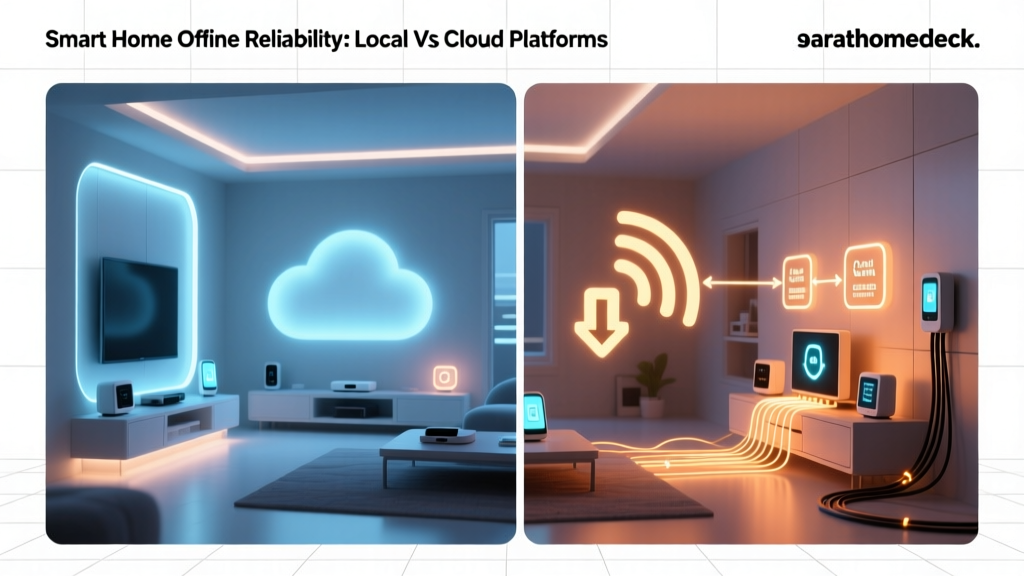
At the heart of the ecosystem is the SmartThings mobile application, available on both iOS & Android. The app serves as the command center, offering intuitive dashboards, granular device controls, and a powerful automation engine. Furthermore, Samsung's integration of Edge Drivers has revolutionized the platform, moving critical processing from the cloud directly to the local hub. This ensures that your lights turn on instantly, your locks respond without latency, and your home continues to function even if your internet connection drops.
The Best Devices for Your Samsung SmartThings Setup
Creating a cohesive smart home requires selecting the right foundation. While SmartThings supports thousands of devices, certain first-party and partner products offer the deepest integration and most reliable performance within the ecosystem.
Dedicated Hubs and Controllers
The hub is the cornerstone of any Zigbee or Z-Wave network. For modern setups, users have a few distinct paths:
- Samsung SmartThings Station: A brilliant entry-point that functions as a wireless fast-charger, a SmartThings Hub, and a UWB (Ultra-Wideband) presence sensor. As detailed in our SmartThings Station review, this device excels at detecting when you enter a room using Samsung Galaxy SmartTags, triggering localized automations with pinpoint accuracy.
- Aeotec Smart Home Hub: For power users who demand the absolute best in Z-Wave S2 security and Zigbee 3.0 range, the Aeotec hub (built on SmartThings hardware architecture) is the premium choice. It features a battery backup, ethernet port, and superior antenna design for large homes with thick walls.
- Appliance-Integrated Hubs: If you own a modern Samsung Smart TV or Family Hub Refrigerator, you likely already own a SmartThings hub. These devices can manage Wi-Fi and cloud-connected devices effortlessly, though they lack the dedicated Zigbee and Z-Wave radios found in standalone hubs.
First-Party Sensors
Samsung's proprietary sensors are designed to blend seamlessly into modern home decor while providing critical environmental data.
- SmartThings Multipurpose Sensor: This versatile device detects open/close states, temperature fluctuations, and even vibration. It is perfect for monitoring garage doors, detecting if a washing machine has finished its cycle, or securing basement windows.
- SmartThings Motion Sensor: Featuring a wide field of view and precise pet-immunity algorithms, this sensor is the backbone of security routines and hands-free lighting automations.
- SmartThings Water Leak Sensor: Placed under sinks, near water heaters, or behind toilets, this sensor can trigger automatic water shut-off valves, potentially saving you from catastrophic water damage.
Top Third-Party Integrations
The true power of SmartThings lies in its third-party compatibility. When outfitting your home, consider these highly rated categories:
- Smart Locks: Integrating your entry points is crucial for security routines. Check out our guide to the best smart locks for top Z-Wave and Zigbee recommendations from Yale, Schlage, and Aqara that pair flawlessly with SmartThings.
- Climate Control: Linking your HVAC system to your smart home allows for geo-fencing and energy-saving routines. Explore the best smart thermostats like Ecobee and Honeywell, which offer deep two-way communication with the SmartThings app.
- Lighting: While Philips Hue has its own ecosystem, bridging it to SmartThings allows your Hue bulbs to react to SmartThings motion sensors and contact sensors, creating a unified lighting experience.
Mastering SmartThings Automations and Routines
A smart home is only as intelligent as its automations. The SmartThings app provides a robust logic engine that allows you to chain together conditions, triggers, and actions without needing to write a single line of code.
Understanding Routines vs. Automations
In the SmartThings app, logic is generally divided into two categories: Routines and Automations. Routines are typically manual or time-based triggers that execute a series of actions simultaneously. For example, a "Goodnight" routine might lock all doors, arm the security system, lower the thermostat, and turn off all lights with a single tap on your phone or a voice command.
Automations, on the other hand, are passive, conditional logic statements that run in the background. They follow an "If This, Then That" structure. An automation might read: If the SmartThings Motion Sensor detects movement AND the local time is between sunset and sunrise, THEN turn on the hallway lights to 20% brightness.
Advanced Logic and Virtual Switches
For users who want to push the boundaries of the platform, SmartThings supports the creation of Virtual Switches. These are software-based toggles that exist only within the SmartThings cloud or hub. Virtual switches are incredibly useful for creating complex logic states, such as a "Guest Mode" or "Movie Night" toggle, which can then trigger dozens of underlying automations across different device categories.
Furthermore, the introduction of the SmartThings Rules API has opened the door for developers and advanced enthusiasts to write complex, multi-condition scripts that bypass the limitations of the standard app interface. While the legacy webCoRE (Web Core) piston engine was a favorite among power users, the modern Rules API and Edge Driver architecture provide a more stable, officially supported method for executing granular logic.
Leveraging Presence Detection
Geo-fencing is a core feature of the SmartThings ecosystem. By utilizing the GPS radios in your smartphone, SmartThings can trigger actions based on your physical location. When the last person leaves the geo-fence, the home can automatically arm security cameras and adjust the HVAC. When the first person enters the boundary, the porch lights illuminate and the smart lock disengages. Combining GPS geo-fencing with local UWB presence detection via the SmartThings Station creates a flawless, multi-layered presence system that eliminates false triggers.
Step-by-Step Setup Tips for a Flawless Network
Even the best smart home ecosystem will struggle if the underlying network topology is poorly designed. Zigbee and Z-Wave rely on mesh networking, meaning the physical placement of your devices directly impacts the speed and reliability of your smart home.
Designing Your Mesh Network
In a mesh network, mains-powered devices (like smart plugs, in-wall switches, and smart bulbs) act as repeaters, routing signals from battery-powered sensors back to the central hub. To build a strong mesh:
- Start from the Center: Place your SmartThings Hub in a central, elevated location in your home. Avoid hiding it inside metal cabinets or behind large appliances, as these will block radio frequencies.
- Build Outward: Pair mains-powered repeaters closest to the hub first, then gradually move outward to the edges of your property. This creates a strong "backbone" for your mesh.
- Battery Devices Last: Always pair battery-operated sensors (like contact and motion sensors) last, and do so in their final physical location. This ensures they lock onto the strongest available repeater route.
Managing Wireless Interference
One of the most common issues in smart home setups is signal interference between Wi-Fi and Zigbee, as both operate on the crowded 2.4 GHz spectrum. To ensure your SmartThings network remains lightning-fast:
- Log into your Wi-Fi router and set your 2.4 GHz network to Channel 1, 6, or 11.
- Access your SmartThings Hub settings (or use a Zigbee coordinator tool) to set your Zigbee network to Channel 11, 15, 20, or 25.
- By keeping these channels separated, you prevent your Wi-Fi traffic from drowning out the low-power signals from your smart home sensors.
Dashboard Organization
The SmartThings app allows for deep customization of your dashboards. Group your devices by physical rooms and create "Favorites" for the devices you interact with daily. Utilize the "SmartThings Find" feature to keep track of your keys, wallet, and bags using Samsung SmartTags, integrating your physical belongings into your digital dashboard.
Privacy, Security, and Local Processing
As our homes become more connected, the security of our data and the privacy of our daily routines become paramount. Samsung has invested heavily in ensuring the SmartThings ecosystem is a fortress against digital threats.
Samsung Knox Security
All SmartThings hubs and compatible Samsung appliances are protected by Samsung Knox, a defense-grade security platform built into the hardware and software layers. Knox provides real-time protection against malicious attacks, unauthorized access, and firmware tampering. When you pair a Z-Wave lock or a security camera, the communication is encrypted using S2 security protocols, ensuring that hackers cannot intercept or spoof your commands.
The Shift to Local Processing (Edge Drivers)
In the early days of cloud-based smart homes, every command you sent had to travel from your phone, to a cloud server, and back to your hub. This introduced latency and created a single point of failure: if your internet went down, your smart home became dumb.
SmartThings has aggressively transitioned to Edge Drivers. These are lightweight software packages that run directly on your local hub. When you use an Edge-compatible device, the automation logic is processed locally. This means your motion-triggered lights turn on in milliseconds, and your security routines continue to execute flawlessly even during a complete internet outage. When building your ecosystem, always prioritize devices that have official or community-supported Edge Drivers to ensure maximum local reliability.
Data Privacy Policies
Samsung maintains strict data privacy policies regarding the telemetry collected by SmartThings. While usage data is used to improve the platform and troubleshoot errors, the ecosystem is designed to minimize the transmission of sensitive personal data to the cloud. Users have granular control over their privacy settings within the app, allowing them to revoke permissions, delete historical data, and manage third-party integrations with ease.
How Samsung SmartThings Compares to the Competition
Choosing a smart home ecosystem often means weighing the pros & cons of the major tech giants. Here is how Samsung SmartThings stacks up against the other industry leaders.
SmartThings vs. Apple HomeKit
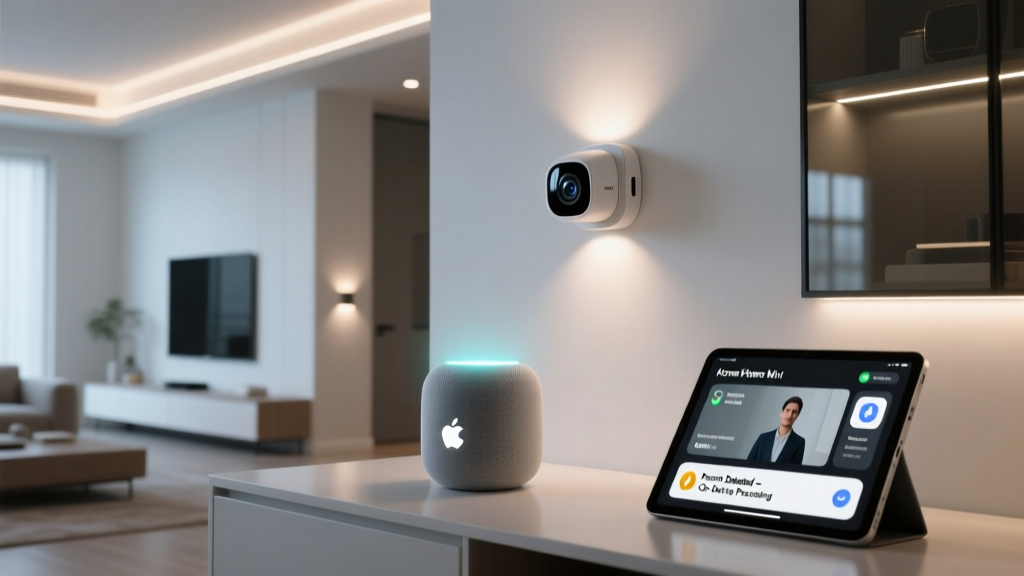
The Apple HomeKit ecosystem is renowned for its strict privacy standards, beautiful user interface, and seamless integration with iOS devices. However, Apple's stringent hardware certification requirements mean that HomeKit supports a significantly smaller catalog of devices compared to SmartThings. If you want a plug-and-play experience and primarily use Apple devices, HomeKit is excellent. But if you want to integrate niche sensors, advanced Z-Wave locks, and custom DIY hardware, SmartThings offers vastly superior flexibility and device breadth.
SmartThings vs. Amazon Alexa
The Amazon Alexa ecosystem is fundamentally a voice-first platform. While Alexa has robust smart home skills and routines, its underlying logic engine is not as granular or reliable as SmartThings for complex, multi-condition automations. The best approach for most users is a hybrid one: use SmartThings as the "brain" to handle the complex logic, local processing, and mesh networking, and link your SmartThings account to Alexa to serve as the "voice" for hands-free control.
SmartThings vs. Google Home
The Google Home ecosystem has historically struggled with local processing and advanced automation logic, relying heavily on cloud execution. While Google is rapidly improving its platform through the rollout of Matter and Thread, SmartThings currently maintains a significant lead in terms of mature automation engines, Edge Driver support, and legacy Z-Wave compatibility. SmartThings is the better choice for users who want their automations to run reliably without depending on Google's cloud servers.
Frequently Asked Questions (FAQ)
Do I need a SmartThings Hub to use the ecosystem?
Not necessarily. If you only plan to use Wi-Fi and cloud-connected devices (like smart plugs, Wi-Fi bulbs, and cloud-based thermostats), you can use the SmartThings app on your phone as a virtual controller. However, to utilize low-power mesh protocols like Zigbee and Z-Wave, or to achieve local processing via Edge Drivers, a physical hub (like the SmartThings Station, Aeotec Hub, or a compatible Samsung TV) is absolutely required.
Is Samsung SmartThings compatible with Matter?
Yes. Samsung is a founding member of the Connectivity Standards Alliance (CSA) and has been a major driver of the Matter protocol. Modern SmartThings hubs act as both Matter Controllers (allowing you to add Matter devices to your SmartThings network) and Matter Bridges (allowing you to expose your existing Zigbee and Z-Wave SmartThings devices to other Matter-compatible ecosystems like Apple Home or Google Home).
Can I use SmartThings without a Samsung phone?
Absolutely. While Samsung phones offer some exclusive features like native SmartThings Find integration in the quick settings panel, the SmartThings app is fully featured and freely available on all iOS and Android devices. You can create an account, pair devices, and run complex automations using any modern smartphone.
What happens to my smart home if the internet goes down?
This depends on how your devices are integrated. Cloud-dependent Wi-Fi devices will lose remote access and app control. However, if you are using a SmartThings Hub with devices running on Edge Drivers (Zigbee, Z-Wave, or local LAN devices), your local automations, motion-triggered lights, and security routines will continue to function perfectly without an active internet connection.
How do I migrate from an older SmartThings hub to a new one?
Samsung provides a built-in "Hub Replacement" tool within the SmartThings app. This feature allows you to wirelessly transfer your Z-Wave and Zigbee network credentials from an older legacy hub to a new one. While not every third-party device migrates perfectly, the tool significantly reduces the need to manually reset and re-pair dozens of sensors and switches, saving hours of setup time.
By understanding the depth, flexibility, and technical architecture of the Samsung SmartThings ecosystem, you can build a home that is not just connected, but truly intelligent. Whether you are integrating advanced security sensors, optimizing your energy usage, or creating the perfect ambient lighting routines, SmartThings provides the reliable, open, and powerful foundation your smart home deserves.