Transforming a traditional house into an intelligent, responsive living space is no longer a futuristic dream—it is an accessible reality that offers unparalleled convenience, energy efficiency, and security. Whether you are looking to automate a single room or orchestrate a whole-home symphony of connected devices, understanding the foundational principles of smart home technology is crucial. This comprehensive smart home automation guide will walk you through everything from choosing the right wireless protocols to designing advanced routines that anticipate your daily needs.
At its core, smart home automation is about creating an ecosystem where devices communicate with each other and act on your behalf. Instead of manually flipping switches, adjusting thermostats, or locking doors, you can set up conditions that allow your home to manage itself. By the end of this guide, you will have the knowledge required to design a robust, reliable, and secure smart home that works seamlessly in the background, saving you time & money while elevating your everyday comfort.
Understanding Smart Home Ecosystems & Protocols
Before purchasing your first smart bulb or sensor, it is vital to understand the invisible languages that allow these devices to communicate. The smart home landscape relies on various wireless protocols, each with distinct advantages regarding range, power consumption, and bandwidth. Choosing the right protocol ensures your network remains stable as you add more devices.
Wi-Fi & Bluetooth
Wi-Fi is the most ubiquitous protocol, offering high bandwidth suitable for smart cameras, video doorbells, and smart displays. However, Wi-Fi consumes significant power and can congest your home network if you connect dozens of low-power sensors. Bluetooth, particularly Bluetooth Low Energy (BLE), is excellent for localized, direct-to-phone connections but lacks the range required for whole-home automation without a mesh network.
Zigbee & Z-Wave
For dedicated smart home networks, Zigbee and Z-Wave have long been the industry standards. Both utilize mesh networking, meaning every plugged-in device acts as a repeater, extending the network's range. Z-Wave operates on a sub-GHz frequency, allowing it to penetrate thick walls more effectively than Zigbee, while Zigbee supports a higher number of nodes on a single network. Both require a dedicated hub to translate their signals to your home router.
Thread & Matter: The Future of Connectivity
The introduction of Thread and Matter has revolutionized the industry. Thread is a low-power, IP-based mesh networking protocol that is incredibly fast and reliable. Matter, developed by the Connectivity Standards Alliance (CSA), is an application layer that sits on top of Thread, Wi-Fi, and Ethernet. Matter ensures that devices from different manufacturers can communicate locally without relying on cloud servers, drastically improving response times and privacy. When building a modern smart home, prioritizing Matter-compatible devices is highly recommended for long-term viability.
Choosing the Right Smart Hub & Voice Assistant
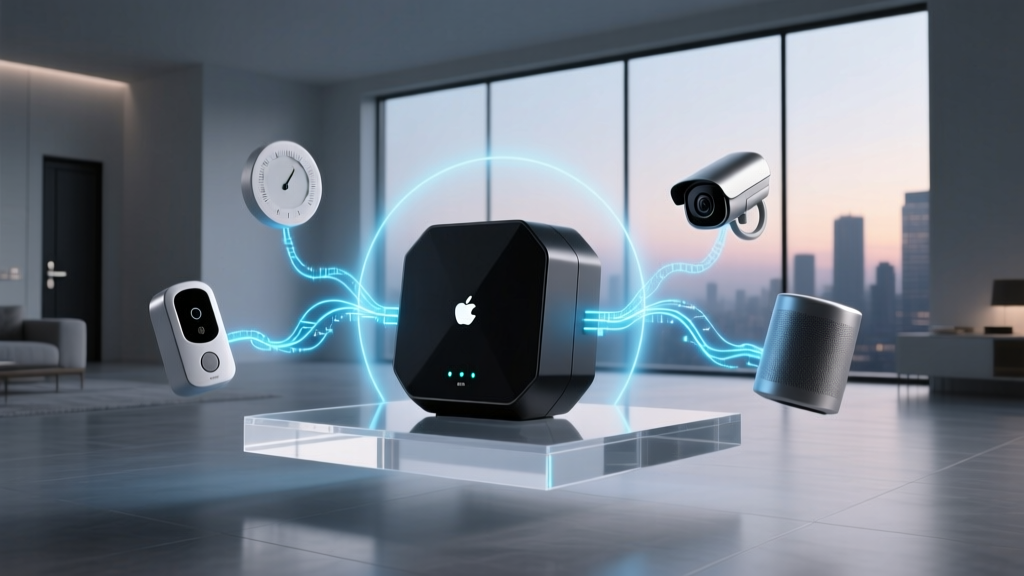
The smart hub is the brain of your automation setup. It translates different wireless protocols, processes automation logic, and provides a unified interface for control. Depending on your technical expertise and privacy preferences, you can choose between cloud-based commercial ecosystems or local, enthusiast-driven platforms.
Commercial Ecosystems: Amazon Alexa, Google Home, & Apple HomeKit
These platforms are incredibly user-friendly and offer widespread device compatibility. Amazon Alexa and Google Home excel in voice recognition and third-party integrations, though they rely heavily on cloud processing, which can introduce slight latency and privacy concerns. Apple HomeKit prioritizes security and local processing but historically has had a more limited, albeit highly curated, selection of compatible accessories. If you are deeply invested in the Apple ecosystem, HomeKit (now evolving into the broader Apple Home architecture with Matter support) offers a seamless, privacy-focused experience.
Enthusiast Platforms: Home Assistant & Hubitat
For users who demand total control, local processing, and complex automation logic, platforms like Home Assistant and Hubitat are unmatched. Home Assistant, an open-source powerhouse, runs locally on a Raspberry Pi or dedicated server. It integrates with virtually every smart device in existence and keeps your data entirely within your home. While the learning curve is steeper, the ability to create highly customized dashboards and complex automations makes it the gold standard for smart home enthusiasts. To explore your options further, check out our breakdown of the best smart hubs available on the market today.
Room-by-Room Automation Strategies
A well-designed smart home enhances the natural flow of your daily life. Rather than treating your home as a single entity, it is often best to approach automation on a room-by-room basis, tailoring the technology to the specific activities that occur in each space.
The Entryway & Exterior
Your home's perimeter is your first line of defense and the transition point between the outside world and your sanctuary. Smart locks with biometric or keypad entry eliminate the need for physical keys. Pairing a smart lock with a video doorbell and geofencing allows your home to automatically disarm the security system, turn on the foyer lights, and adjust the thermostat the moment you pull into the driveway. For deeper insights into securing your perimeter, read our guide on smart home security basics.
The Living Room
The living room is the hub of entertainment and relaxation. Automation here should focus on ambiance and media control. Smart lighting can be programmed to shift color temperatures throughout the day—bright, cool white for reading and warm, dim amber for movie nights. Integrating smart plugs with traditional media consoles allows you to completely eliminate vampire power draw when the TV is not in use. Voice assistants or smart remotes can trigger a 'Movie Scene' that simultaneously lowers the smart blinds, dims the lights, and turns on the soundbar.
The Kitchen
While cooking, your hands are often wet or occupied, making voice control and motion sensors incredibly valuable. Smart displays serve as interactive recipe books and family communication hubs. Under-cabinet motion-sensor lighting provides hands-free illumination for prep work. Additionally, installing smart water leak sensors under the sink and behind the refrigerator can automatically trigger a smart water shut-off valve, preventing catastrophic water damage.
The Bedroom
Bedroom automation should prioritize sleep hygiene and circadian rhythms. Automated smart blinds can be scheduled to slowly open with the sunrise, providing a natural wake-up experience. Smart bulbs can mimic the sunset by gradually fading to a deep red spectrum, promoting melatonin production. Bedside motion sensors can trigger a dim, low-level path light if you get up in the middle of the night, ensuring you do not blind yourself or wake your partner.
Creating Powerful Routines & Automations
The true magic of a smart home lies in automation—the ability of devices to act without human intervention. A well-crafted routine consists of three components: a Trigger (what initiates the action), a Condition (the rules that must be met), and an Action (what the devices actually do).
Designing the 'Goodnight' Routine
Consider a comprehensive 'Goodnight' routine. The Trigger might be a virtual switch on your bedside table or a specific voice command. The Conditions could check if all exterior doors are locked and if the garage door is closed. If a door is open, the system sends an alert to your phone instead of executing. If all conditions are met, the Actions execute: all interior lights turn off, the thermostat drops to your preferred sleeping temperature, the smart lock deadbolts the front door, and the security system arms in 'Stay' mode.
Leveraging Sensors for Passive Automation
The best automations are the ones you never have to think about. Passive automation relies heavily on environmental sensors. Millimeter-wave presence sensors can detect if a room is occupied even if you are sitting perfectly still, ensuring the lights do not turn off while you are reading. Door and window contact sensors can automatically shut off the HVAC system if a window is left open, preventing energy waste. According to the National Institute of Standards and Technology (NIST), optimizing IoT devices for automated energy management significantly reduces household carbon footprints.
As illustrated by the data above, integrating smart climate and lighting controls yields substantial long-term savings. For a detailed look at which devices offer the best return on investment, browse our smart thermostat comparisons and smart lighting reviews.
Securing Your Smart Home Network
As your home becomes more connected, your digital attack surface expands. Securing your smart home network is not optional; it is a fundamental requirement to protect your privacy and physical safety. Smart home devices, particularly cameras and smart locks, are prime targets for malicious actors if left vulnerable.
Network Segmentation
The most effective way to secure your IoT devices is through network segmentation. Most modern routers allow you to create a 'Guest Network' or multiple VLANs (Virtual Local Area Networks). By placing all your smart home devices on an isolated network, you prevent a compromised smart bulb from being used as a backdoor to access your personal computers, smartphones, and sensitive financial data. Your smart devices only need internet access to communicate with their respective clouds; they do not need access to your primary local network.
Firmware, Passwords, & 2FA
Always enable automatic firmware updates for your hubs, routers, and individual devices. Manufacturers frequently release patches to address newly discovered vulnerabilities. Furthermore, never use default passwords. Utilize a password manager to generate complex, unique passwords for every smart home account. Finally, enable Two-Factor Authentication (2FA) on all associated accounts, such as Amazon, Google, Apple, and third-party device manufacturers, to add a critical layer of defense against unauthorized access. Professional integrators certified by CEDIA consistently emphasize network segmentation and strict access controls as the bedrock of reliable smart home installations.
Frequently Asked Questions
Do I need a smart hub to automate my home?
While many modern devices connect directly to Wi-Fi and can be controlled via smartphone apps, a dedicated smart hub is highly recommended for true automation. Hubs provide local processing, meaning your automations will continue to run even if your internet connection goes down. They also support low-power mesh protocols like Zigbee, Z-Wave, and Thread, which are essential for reliable sensors and switches that Wi-Fi cannot efficiently support.
What is the most reliable smart home protocol?
Reliability depends on the use case. For high-bandwidth devices like cameras, Wi-Fi is necessary. For low-power sensors and switches, Thread and Zigbee offer exceptional reliability through mesh networking, where devices relay signals for one another. Z-Wave is also highly reliable due to its sub-GHz frequency, which easily penetrates walls and avoids interference with crowded Wi-Fi networks. Moving forward, Matter over Thread is shaping up to be the most robust and universally compatible standard.
How much does a basic smart home automation setup cost?
A basic setup can be surprisingly affordable. You can start with a smart speaker, a few smart bulbs, and a smart plug for under $150. However, a comprehensive whole-home automation system—including smart switches, motorized blinds, advanced security sensors, and a dedicated local hub—can range from $2,000 to over $10,000 depending on the size of your home and the quality of the hardware selected. It is best to start small, learn the ecosystem, and expand gradually.
Can I mix different smart home brands together?
Yes, but the ease of doing so depends on your chosen hub and the protocols the devices use. If you use a platform like Home Assistant or a hub that supports the new Matter standard, you can seamlessly mix brands like Philips Hue, Ecobee, Yale, and Aqara into a single, unified dashboard. If you rely solely on basic Wi-Fi devices without a central hub, you may find yourself juggling multiple incompatible apps, which defeats the purpose of a cohesive smart home experience.
Will my smart home devices work if the internet goes down?
This depends entirely on how your system is architected. Cloud-dependent devices and basic Wi-Fi gadgets will lose most of their functionality, including voice control and remote access, during an internet outage. However, if you utilize a local hub (like Home Assistant, Hubitat, or a local Matter controller) and devices that communicate via Zigbee, Z-Wave, or Thread, your core automations, physical switches, and sensor-based routines will continue to function perfectly without an active internet connection.