The Foundation: Why Your Router Matters More Than Your Gadgets
Welcome to the world of smart home automation. When setting up your first smart home, it is incredibly tempting to jump straight into buying smart bulbs, video doorbells, and automated blinds. However, the most critical component of any connected home isn't a gadget at all—it is your network infrastructure. A smart home is only as reliable as the network it operates on. If your router cannot handle the bandwidth and concurrent connection demands of dozens of IoT (Internet of Things) devices, you will experience dropped connections, delayed automations, and endless frustration.
According to the Wi-Fi Alliance, the introduction of Wi-Fi 6 (802.11ax) was specifically designed to address network congestion in high-density environments, making it the gold standard for modern smart homes. Wi-Fi 6 utilizes OFDMA (Orthogonal Frequency-Division Multiple Access), which allows a router to communicate with multiple devices simultaneously within a single transmission. This is a game-changer when you have 30+ smart switches, plugs, and sensors pinging your network at the same time.
Step 1: Upgrading Your Network Hardware
Before unboxing your first smart plug, evaluate your current router. If you are using a standard ISP-provided gateway, it is likely bottlenecking your smart home potential. For homes over 1,500 square feet, or homes with dense wall materials like brick or concrete, a Mesh Wi-Fi system is practically mandatory.
| Router Type | Estimated Cost | Device Capacity | Best Use Case |
|---|---|---|---|
| Standard ISP Gateway | $0 - $15/mo | 15-20 Devices | Apartments, basic browsing, 1-2 smart devices |
| Standalone Wi-Fi 6 Router | $150 - $250 | 30-50 Devices | Small homes, condos, entry-level smart setups |
| Mesh Wi-Fi 6 System (3-Pack) | $300 - $600 | 75-100+ Devices | Medium to large homes, whole-home automation |
| Mesh Wi-Fi 6E/7 System | $600 - $1,200 | 150+ Devices | Power users, heavy media streaming, massive IoT setups |
Pro Installation Tip: When installing a mesh system, place the primary node in a central, elevated location. Avoid hiding it inside a media cabinet or near large metal appliances, as these act as Faraday cages and severely degrade signal propagation to your smart devices.
Step 2: Demystifying Smart Home Protocols
Not all smart devices speak the same language. While your smartphone uses Wi-Fi and Bluetooth, many smart home sensors use low-power mesh protocols designed specifically for IoT. Understanding these protocols is crucial when buying devices, as it dictates whether you need a dedicated hub.
- Wi-Fi: High bandwidth, high power consumption. Best for cameras, thermostats, and smart displays. Connects directly to your router.
- Zigbee & Z-Wave: Low bandwidth, ultra-low power. Creates a mesh network where plugged-in devices act as repeaters. Requires a dedicated hub. Ideal for sensors and locks.
- Thread: A newer, IP-based low-power mesh protocol that is faster and more reliable than Zigbee. Requires a Thread Border Router (often built into modern smart speakers).
- Matter: As detailed by the Connectivity Standards Alliance, Matter is not a wireless protocol itself, but an application layer that runs over Wi-Fi, Thread, and Ethernet. It ensures devices from different brands work together seamlessly without cloud-dependency.
Step 3: Choosing Your First Smart Hub
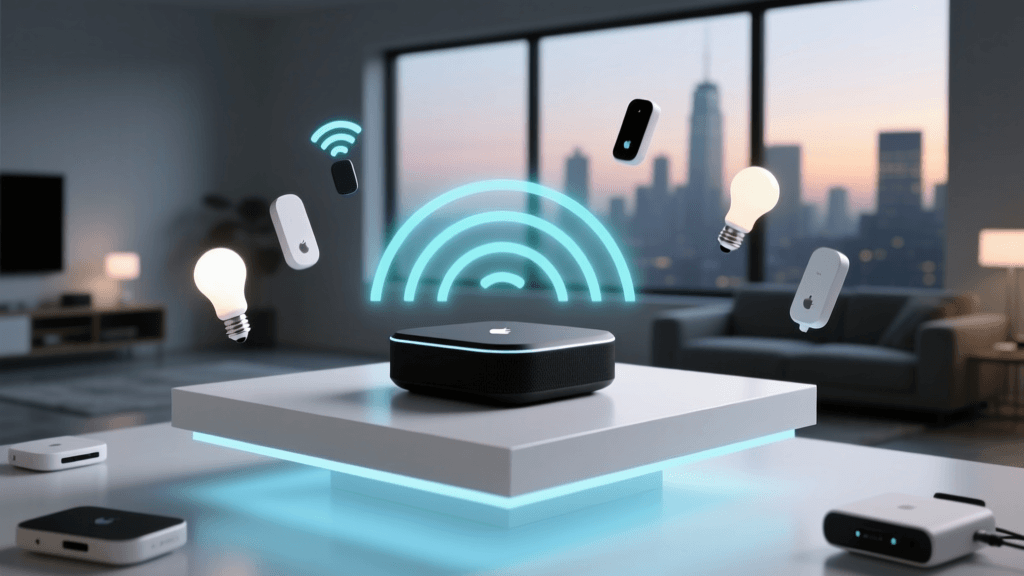
If you plan to use Zigbee, Z-Wave, or Thread devices, or if you want to run complex local automations that don't rely on internet speed, you need a smart hub. The hub acts as the brain and translator for your home. For a first-time setup, you want a hub that is user-friendly, supports multiple protocols, and offers a robust mobile app.
| Smart Hub | Supported Protocols | Ecosystem | Approx. Price |
|---|---|---|---|
| Samsung SmartThings Station | Wi-Fi, Thread, Matter, Zigbee | SmartThings / Samsung | $99 |
| Amazon Echo (4th Gen) | Wi-Fi, Zigbee, Matter, Thread | Alexa | $99 |
| Apple HomePod (2nd Gen) | Wi-Fi, Thread, Matter | Apple HomeKit | $299 |
| Homey Pro | Wi-Fi, Zigbee, Z-Wave, Thread, Matter, BLE | Homey (Agnostic) | $399 |
For most beginners, the Amazon Echo (4th Gen) or the Samsung SmartThings Station offers the best balance of price and protocol support. They both feature built-in Zigbee and Thread radios, meaning you can buy a $20 Zigbee door sensor and connect it directly to the speaker without needing an extra bridge.
Step 4: Securing Your IoT Ecosystem
Smart home security is often an afterthought, but IoT devices are notorious entry points for network vulnerabilities. Many cheap smart plugs and cameras lack enterprise-grade encryption. To protect your personal data, computers, and smartphones, you must segment your network.
Setting Up an IoT Guest Network
- Log into your router's admin panel or mobile app.
- Enable the 'Guest Network' feature.
- Name it something distinct, like 'SmartHome_IoT'.
- Crucial Step: Enable AP Isolation or Client Isolation. This prevents devices on the IoT network from communicating with devices on your main network (like your laptop or NAS drive).
- Connect all your smart bulbs, plugs, and vacuums exclusively to this isolated network.
Security Warning: Never use the default password printed on the back of your smart devices. Change the admin credentials on your router and smart hubs immediately. Additionally, ensure your hub's firmware is set to update automatically to patch known CVEs (Common Vulnerabilities and Exposures).
Step 5: Planning Your First Automation Workflow
Once your network is secure and your hub is online, it is time to create your first automation. A common mistake beginners make is creating overly complex routines that fail when a single sensor loses connection. Start small and build up.
The 'Good Morning' Routine
Let's build a simple, high-impact automation that triggers when you wake up.
- Trigger: Time of day (e.g., 6:30 AM) OR Motion detected in the hallway.
- Condition: Only run if the system is in 'Night' mode.
- Actions:
- Turn on smart bulbs in the kitchen to 50% brightness (Warm White).
- Start the smart coffee maker.
- Read the daily weather forecast via your smart speaker.
Automations like this not only provide convenience but can also lead to significant energy savings. For instance, integrating smart climate control into your daily routines is highly recommended. According to ENERGY STAR, certified smart thermostats can save homeowners up to 8% on heating and cooling bills annually by learning your schedule and automatically adjusting temperatures when the house is empty. Linking your smart thermostat to your hub's 'Away' geofence ensures the HVAC system powers down the moment the last person leaves the house.
Troubleshooting Common Setup Hiccups
Even with the best preparation, you will likely encounter a few roadblocks during your first weekend of installation. Here is how to solve the most common issues:
The 2.4GHz vs. 5GHz Dilemma
Almost all entry-level smart plugs and bulbs operate exclusively on the 2.4GHz Wi-Fi band because it offers better range and wall penetration. However, modern mesh routers often combine 2.4GHz and 5GHz into a single SSID (network name). During setup, the device app may fail to find the plug because your phone is connected to the 5GHz band.
The Fix: Temporarily pause the 5GHz band in your router settings, or use the 'IoT Network' feature available on routers like Eero and TP-Link Deco, which allows you to assign specific devices strictly to the 2.4GHz spectrum.
Zigbee Mesh Dropouts
If your Zigbee door sensor in the garage keeps showing as 'Offline' in your app, it is likely out of range of the hub. Remember that battery-powered Zigbee sensors do not act as mesh repeaters.
The Fix: Plug a Zigbee smart plug or hardwired smart switch into an outlet halfway between the hub and the sensor. This will act as a signal repeater, extending the mesh network into the garage.
Conclusion: Expanding Your Ecosystem
Setting up your first smart home is a marathon, not a sprint. By investing time upfront into a robust Wi-Fi 6 mesh network, selecting a versatile multi-protocol hub, and securing your IoT traffic on a segmented network, you are building a foundation that will support dozens of devices for years to come. Start with the essentials—lighting, climate, and security—and gradually expand your automation workflows as you become more comfortable with the ecosystem. Welcome to the future of home living.