The True Cost of Smart Home Automation
Transitioning a traditional house into a fully automated smart home is one of the most rewarding home improvement projects you can undertake. However, homeowners are immediately faced with a critical decision: should you tackle the installation yourself, or hire a professional integrator? The answer drastically impacts not only your budget but also the reliability, safety, and scalability of your network. While the price of smart devices has plummeted over the last decade, the labor, wiring, and configuration costs associated with whole-home automation remain significant variables. Understanding the financial and practical differences between the DIY route and professional installation is essential for setting a realistic budget and avoiding costly mid-project surprises.
DIY Smart Home Installation: Cost Breakdown and Hidden Expenses
The DIY approach is heavily favored by tech enthusiasts, budget-conscious homeowners, and those who enjoy hands-on troubleshooting. When you install smart home devices yourself, your primary expenses are limited to the hardware and the occasional specialized tool. However, the 'sticker price' of the devices rarely tells the whole story.
Hubs, Networks, and Protocols
A reliable smart home requires a robust network and a central hub. For a DIYer, a standard mesh Wi-Fi system like the Eero Pro 6 (approximately $400 for a 3-pack) combined with a Samsung SmartThings Station or a Home Assistant Green hub (around $99) forms the backbone. You will also need to consider protocol compatibility. Devices utilizing Zigbee or Z-Wave require dedicated USB dongles or hubs, whereas newer Matter and Thread devices can communicate directly through compatible border routers like the Apple TV 4K or Nest Hub. While the hardware costs for a DIY hub setup generally range from $150 to $600, the hidden cost is the hours spent configuring IP reservations, setting up VLANs for IoT security, and troubleshooting mesh network dropouts.
Smart Lighting and Switches
Lighting is the most common entry point for smart home automation. A DIYer might opt for Philips Hue bulbs, which cost roughly $50 per color-capable bulb and require a $60 Hue Bridge. Alternatively, replacing wall switches with Lutron Caseta or Kasa Smart switches costs between $20 and $60 per switch. The hidden expense here is electrical compatibility. Many older homes built before the 1980s lack a 'neutral wire' in their switch boxes. If you purchase smart switches that require a neutral wire and your home lacks one, you will either have to return the products or invest in specialized 'no-neutral' switches, which often cost a premium and require installing a bypass resistor at the light fixture.
Climate Control and the C-Wire Dilemma
Upgrading to a smart thermostat like the Ecobee Smart Thermostat Premium ($249) or the Nest Learning Thermostat ($279) is a staple DIY project. According to the US Department of Energy, smart thermostats can significantly reduce heating and cooling costs by learning your schedule and adjusting temperatures automatically. However, these advanced devices require a continuous 24V power supply, typically provided by a 'C-wire' (Common wire). If your existing HVAC control board lacks a C-wire, you must either purchase a $20 C-wire adapter kit (which involves installing a transformer at your furnace) or run a new 18/5 thermostat cable through your walls—a task that can quickly escalate from a 30-minute swap to a multi-hour drywall-cutting expedition.
Professional Installation: What You Are Paying For
Hiring a professional—whether a licensed electrician, a low-voltage networking technician, or a certified CEDIA (Custom Electronic Design & Installation Association) integrator—shifts your expenditure from hardware to labor and expertise. Professional installation ensures that your system is scalable, safely wired, and invisible to the end-user.
Labor Rates and Service Fees
Professional labor rates vary wildly by region and specialization. A standard licensed electrician typically charges between $75 and $150 per hour to install hardwired smart switches, ceiling-mounted Wi-Fi access points, or smart breaker panels. Low-voltage technicians, who run Cat6a ethernet cables and fiber optics, generally charge $60 to $100 per hour. High-end custom integrators who program complex systems like Control4, Savant, or Crestron often charge $125 to $250+ per hour for programming and system design, alongside substantial project management fees.
Custom Wiring and Safety Compliance
The primary advantage of professional installation is safety and code compliance. Working with mains voltage (120V/240V) carries inherent risks. The Electrical Safety Foundation International (ESFI) emphasizes that improper installation of smart home devices, particularly those tied to high-voltage electrical panels or hardwired security systems, can lead to severe fire hazards or electrocution if local electrical codes are not strictly followed. Professionals carry the insurance and licensing required to pull permits, ensuring that your smart home upgrades do not void your home insurance policy or cause issues during a future real estate inspection.
Cost Comparison: DIY vs. Professional Installation
To visualize the financial divergence between these two paths, consider the estimated costs for outfitting a standard 3-bedroom, 2-bathroom home (approximately 2,000 square feet) with essential smart home categories.
| Category | DIY Cost Range (Parts Only) | Pro Cost Range (Parts + Labor) | Skill Level Required |
|---|---|---|---|
| Smart Lighting (15 Switches) | $600 - $900 | $1,800 - $2,800 | Intermediate (Electrical) |
| Smart Thermostat & Sensors | $250 - $350 | $500 - $800 | Beginner / Intermediate |
| PoE Security Cameras (4 Cams) | $800 - $1,200 | $2,200 - $3,500 | Advanced (Drywall / Networking) |
| Whole-Home Network (WAPs) | $400 - $700 | $1,500 - $2,500 | Intermediate (Networking) |
| Central Hub & Automation Setup | $100 - $300 | $1,000 - $3,000+ | Advanced (Programming) |
Hidden Costs in DIY and Professional Routes
When budgeting, homeowners often overlook the secondary expenses associated with their chosen installation method.
The DIY 'Time Tax' and Repair Costs
The most significant hidden cost of DIY installation is your time. Configuring a local Home Assistant server, flashing custom firmware onto smart switches, and troubleshooting Zigbee mesh routing issues can consume dozens of hours. Furthermore, physical installation carries the risk of property damage. Fishing a low-voltage cable through a finished wall can result in accidentally drilling through a water pipe or tearing drywall, leading to unexpected plumbing or drywall repair bills that easily eclipse the money saved on labor.
Professional Proprietary Lock-In and Maintenance Fees
On the professional side, the hidden costs often manifest as long-term maintenance and proprietary lock-in. High-end integrators frequently utilize closed ecosystems like Control4 or RTI. While these systems offer unparalleled reliability and a unified interface, they often require you to pay the integrator a service fee every time you want to add a new device, change an automation routine, or even replace a dead smart bulb. Additionally, many professional firms charge annual 'maintenance retainers' ranging from $300 to $1,000 to monitor your network health and apply firmware updates remotely.
Wiring Realities: Neutral Wires, C-Wires, and PoE
The physical infrastructure of your home dictates the complexity and cost of your smart home setup. Understanding these wiring realities is crucial for accurate budgeting.
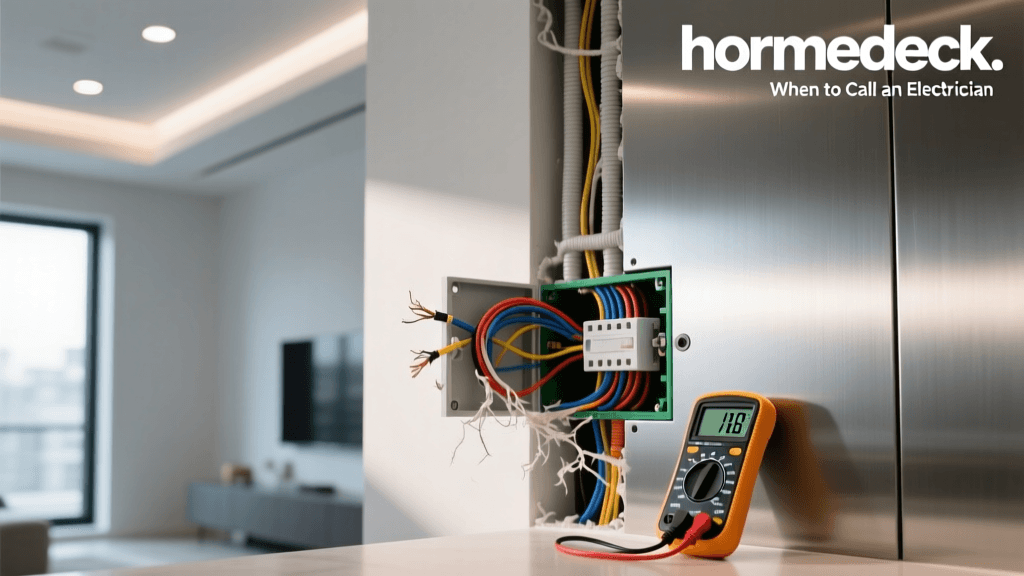
- Neutral Wires (Lighting): As mentioned, smart switches require a constant trickle of power to keep their internal Wi-Fi or Zigbee radios alive. In a standard US electrical circuit, the neutral wire provides the return path. If your switch box only has a Line (hot), Load, and Ground wire, you must hire an electrician to pull a new 14/2 or 12/2 Romex cable from the ceiling fixture, which can cost $200-$400 per switch location depending on attic or crawlspace access.
- C-Wires (HVAC): Running a new 18/5 thermostat wire from the attic down to the HVAC control board is a standard task for professionals but a nightmare for DIYers in multi-story homes without accessible chases.
- Power over Ethernet (PoE) for Security: While Wi-Fi cameras (like Ring or Arlo) are easy for DIYers, they suffer from battery degradation and Wi-Fi interference. Professional security setups utilize PoE cameras (like Ubiquiti UniFi or Hikvision) hardwired with Cat6 cable directly to an NVR (Network Video Recorder). Running Cat6 to exterior soffits and terminating RJ45 jacks requires specialized crimping tools, toners, and cable fishing skills.
When to Choose DIY vs. Hiring a Pro
The DIY Sweet Spot
You should confidently choose the DIY route if you are utilizing plug-and-play devices, battery-operated sensors, or smart bulbs. If your home was built after 1990 (meaning neutral wires are likely present in your switch boxes), swapping out standard switches for Lutron Caseta or Kasa smart switches is a highly manageable weekend project. Furthermore, if you are tech-savvy and enjoy tinkering with Raspberry Pis, Docker containers, and local network management, building your own Home Assistant ecosystem will save you thousands of dollars in programming fees while granting you total data privacy.
When to Call a Licensed Electrician or Integrator
You must hire a professional if your project involves the main electrical panel, such as installing a smart breaker panel (like Span or Leviton) or hardwiring EV chargers with load-balancing capabilities. Additionally, if you are building a new home or undergoing a full gut renovation, hiring a low-voltage wiring contractor to pre-wire your walls with Cat6a, speaker wire, and conduit for future fiber optics is an investment that will pay dividends for decades. Finally, if you desire a 'single-pane-of-glass' interface where your lighting, HVAC, motorized shades, and home theater operate in perfect synchronization without you ever needing to open a smartphone app, a certified CEDIA integrator is mandatory.
Real-World Case Study: Budgeting a 3-Bedroom Home
Consider a homeowner looking to automate a 2,000 sq. ft. home built in 1985. The home lacks neutral wires in the bedrooms but has them in the kitchen and living areas.
The Hybrid Approach: The homeowner decides to hire a licensed electrician for one day ($1,200) to pull neutral wires to three bedroom switch boxes and install a dedicated 20-amp circuit for a smart home server rack. The electrician also installs hardwired PoE security cameras on the exterior soffits. For the interior, the homeowner takes the DIY route, purchasing a Home Assistant Green hub, installing Lutron Caseta switches (which don't strictly require neutrals but benefit from the upgraded wiring), and setting up Ecobee thermostats using DIY C-wire adapters. This hybrid approach costs roughly $3,500 total—saving the homeowner over $5,000 compared to a full-service professional integrator, while ensuring the dangerous and physically demanding electrical work was handled safely and up to code.
Conclusion
The choice between DIY and professional smart home installation ultimately comes down to a balance of budget, time, and technical aptitude. DIY installation offers immense financial savings and the satisfaction of total system ownership, provided you are willing to navigate the learning curves of network configuration and basic electrical safety. Professional installation, while carrying a premium price tag, delivers a seamless, reliable, and code-compliant ecosystem that operates invisibly in the background. By carefully auditing your home's existing wiring, understanding the true costs of labor, and adopting a hybrid approach where necessary, you can build a smart home that perfectly aligns with both your lifestyle and your financial goals.