Introduction to Smart Home Installation
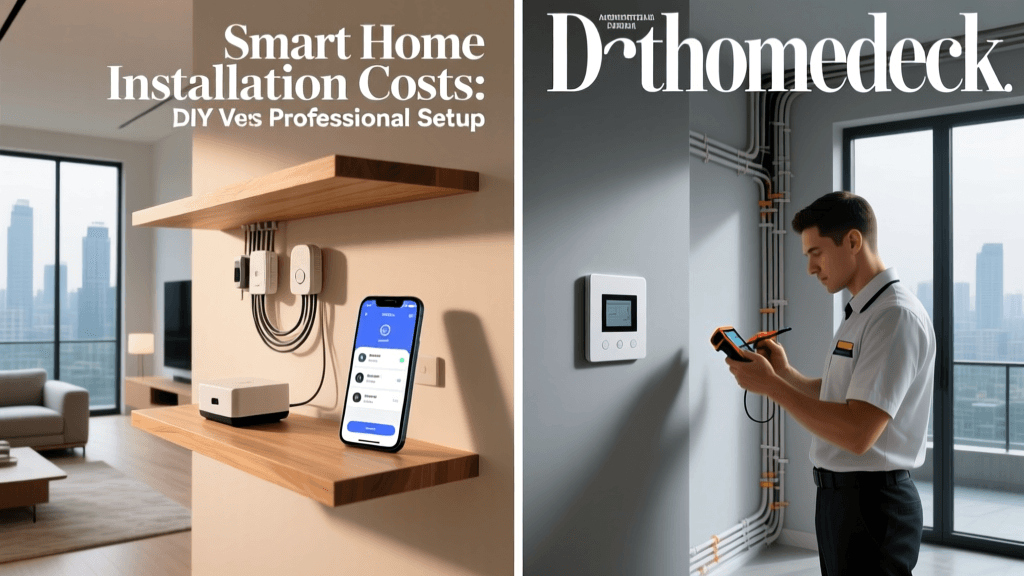
Building a smart home is one of the most rewarding upgrades you can make to your property, offering unparalleled convenience, enhanced security, and improved energy efficiency. However, before you can enjoy the benefits of automated lighting, climate control, and keyless entry, you must navigate the physical installation of these devices. For homeowners and DIY enthusiasts, the most critical decision is whether to tackle the installation yourself or hire a licensed professional. This comprehensive guide breaks down the true costs, hidden variables, and technical requirements of smart home installation, helping you make an informed decision that protects both your budget and your home's electrical infrastructure.
The True Cost of DIY Smart Home Installation
Many homeowners are drawn to the DIY route because the hardware itself is often marketed as "easy to install in under 30 minutes." While this may be true for battery-operated sensors and plug-in smart bulbs, hardwired devices tell a different story. The "sweat equity" you invest can save you hundreds of dollars in labor, but it requires a strict adherence to safety protocols and a solid understanding of residential wiring.
Essential Tools for the DIY Installer
To safely install hardwired smart devices like thermostats and smart switches, you cannot rely on a basic household toolkit. You will need to invest in specialized electrical tools. If you do not already own these, they represent an upfront cost that must be factored into your DIY budget:
- Non-Contact Voltage Tester ($15 - $30): Brands like Klein Tools or Fluke are essential for verifying that power is completely cut at the breaker before you touch any wires.
- Wire Strippers and Crimpers ($20 - $40): Necessary for preparing 14-gauge or 12-gauge solid copper wires and attaching spade connectors.
- Digital Multimeter ($30 - $60): Crucial for identifying line, load, and neutral wires in older homes where wire colors may not follow modern conventions.
- Wire Nuts and Push-In Connectors ($10 - $20): Wago Lever-Nuts are highly recommended for smart switch installations, as they allow you to easily pigtail multiple neutral wires in a crowded junction box.
When you factor in the cost of these tools (approximately $75 to $150), the initial savings of a single DIY installation shrink. However, these tools become invaluable assets for future home improvement projects, making the DIY route highly cost-effective for multi-room rollouts.
Professional Installation: What You Are Actually Paying For
Hiring a professional means paying for expertise, liability coverage, and time. Electricians typically charge between $75 and $150 per hour, while specialized AV and smart home integrators (such as those certified by CEDIA) may charge $100 to $250 per hour or offer flat-rate pricing per device.
When you hire a licensed electrician to install a smart switch or hardwired lighting system, you are paying for their ability to quickly diagnose complex 3-way or 4-way switch circuits. Older homes, particularly those built before the 1980s, often feature "switch loops" where the neutral wire is not present in the wall box. A professional can safely rewire the circuit, pull new 14/3 Romex cable from the ceiling fixture, and ensure the installation meets the National Electrical Code (NEC). Furthermore, professional installations often come with a labor warranty, meaning if a device fails due to improper wiring or a voltage spike, the integrator will cover the troubleshooting and replacement costs.
Cost Comparison: DIY vs. Professional by Device Category
To provide a clear financial picture, we have broken down the average costs associated with the most popular smart home categories. The table below compares the total out-of-pocket expenses for a homeowner doing it themselves versus hiring a licensed professional.
| Device Category | Average Hardware Cost | DIY Install Cost (Time/Tools) | Pro Install Cost (Labor) | Total DIY | Total Professional |
|---|---|---|---|---|---|
| Smart Thermostat (e.g., Ecobee SmartThermostat) | $249 | $0 (Assumes C-wire exists) | $150 - $250 | $249 | $399 - $499 |
| Smart Switch (e.g., Lutron Caseta) | $60 | $0 | $85 - $120 | $60 | $145 - $180 |
| Smart Lock (e.g., Schlage Encode Plus) | $299 | $0 | $120 - $180 | $299 | $419 - $479 |
| Hardwired Lighting (6-Room Whole Home) | $600 | $0 | $450 - $800 | $600 | $1050 - $1400 |
Visualizing the Cost Differences
The financial divergence between DIY and professional installation becomes starkly apparent when scaling up to whole-home projects. While a single smart lock or thermostat might only incur a $150 labor fee, outfitting an entire home with hardwired smart switches can easily push professional labor costs past the price of the hardware itself.
Bar chart comparing DIY vs Professional installation costs across four major smart home device categories.
Hidden Variables That Impact Your Final Bill
Whether you choose the DIY route or hire a pro, unexpected structural and electrical hurdles can drastically alter your budget. Understanding these hidden variables is crucial for accurate project planning.
The C-Wire Conundrum for Smart Thermostats
Modern smart thermostats like the Nest Learning Thermostat and Ecobee require a continuous 24-volt power supply, known as the C-wire (Common wire), to power their Wi-Fi radios and vibrant touchscreens. Many older HVAC systems only have 4-wire setups (R, W, Y, G). If you attempt to install a smart thermostat without a C-wire, the device may "power steal" from the HVAC control board, which can lead to erratic heating cycles or even blow the 3-amp fuse on your furnace's mainboard.
The DIY Fix: You can use a Power Extender Kit (PEK), which wires into the HVAC control board to multiplex the existing wires. This costs about $30 but requires opening your furnace panel. The Pro Fix: An electrician or HVAC technician will pull a new 18/5 thermostat wire from the furnace to the wall plate, typically costing between $150 and $300 depending on the accessibility of your walls and crawlspace.
Neutral Wire Requirements for Smart Switches
Unlike traditional mechanical switches that simply break the circuit, smart switches are active electronic devices that need constant power to maintain their Wi-Fi or Zigbee connection. This requires a neutral wire in the wall box. If your home was built before 1985, you likely have switch loops lacking a neutral wire.
The DIY Fix: Bypass the neutral requirement by choosing specific hardware. The Lutron Caseta system, for example, does not require a neutral wire for its standard dimmers and switches, relying instead on its proprietary Lutron Smart Bridge. Alternatively, you can use smart bulbs (like Philips Hue) and install wireless battery-operated smart remotes over your existing dumb switches. The Pro Fix: Rewiring a switch loop to include a neutral wire involves pulling new Romex cable through the walls and ceiling, a labor-intensive process that can cost $200 to $500 per room.
Network Infrastructure Upgrades
A smart home is only as reliable as the network it operates on. Connecting 40+ smart devices to a standard ISP-provided router will quickly exhaust its IP address allocation and processing power, leading to dropped connections and unresponsive devices. Upgrading to a robust Mesh Wi-Fi system (such as the Eero Pro 6E or Netgear Orbi) or a dedicated smart home hub (like the Home Assistant Green or Hubitat Elevation) is often a mandatory hidden cost. Expect to spend $300 to $600 on enterprise-grade networking gear to ensure your automated workflows execute without latency.
Safety, Compliance, and Industry Standards
Electrical work is inherently dangerous, and improper installation can lead to catastrophic consequences, including electrical fires and voided home insurance policies. The National Fire Protection Association (NFPA) emphasizes that electrical failures or malfunctions are among the leading causes of home fires. DIYers must strictly adhere to local building codes, obtain necessary permits for major rewiring, and never work on live circuits. If you are uncomfortable identifying line, load, and traveler wires in a 3-way switch configuration, hiring a licensed electrician is not just a luxury; it is a vital safety measure.
Furthermore, when dealing with climate control, efficiency and proper configuration are paramount. According to the U.S. Department of Energy, properly installed and programmed smart thermostats can save homeowners up to 10% to 15% on heating and cooling costs annually. However, these savings are only realized if the device is wired correctly to manage multi-stage heating and cooling systems without short-cycling the compressor. For those seeking certified hardware, the EPA's Energy Star program maintains a rigorous list of certified smart thermostats that have been independently tested for both energy savings and installation reliability.
Step-by-Step Guide to Deciding Your Route
Use this checklist to determine whether you should grab your wire strippers or pick up the phone to call a professional:
Choose the DIY Route If:
- You are installing battery-operated devices (sensors, locks, cameras) or plug-and-play hubs.
- Your home was built after 1990, and you have verified the presence of neutral wires in your switch boxes and a C-wire at your thermostat.
- You own a digital multimeter and know how to safely test for voltage and continuity.
- You are installing a system designed for DIYers, such as Lutron Caseta, Kasa Smart, or Philips Hue.
Hire a Professional If:
- You are integrating hardwired, whole-home systems like Lutron RadioRA 3, Control4, or Savant, which are strictly sold through certified dealer networks.
- Your home has outdated wiring (knob-and-tube, aluminum wiring, or ungrounded circuits) that requires a panel upgrade or full rewiring before smart devices can be safely installed.
- You need to install high-voltage smart relays for heavy machinery, HVAC zoning dampers, or smart electrical panels (like the Span Panel).
- You lack the time, physical mobility, or confidence to safely navigate attic spaces, crawlspaces, and live electrical panels.
Conclusion
The decision between DIY and professional smart home installation ultimately comes down to a balance of your technical aptitude, your home's existing infrastructure, and your budget. DIY installation offers massive financial savings and a deep, rewarding understanding of your home's automated ecosystem, provided you respect the dangers of electrical work and invest in the proper diagnostic tools. Conversely, professional installation provides peace of mind, code compliance, and the ability to deploy complex, whole-home hardwired systems that are simply out of reach for the average weekend warrior. By carefully auditing your home's wiring and understanding the hidden costs of C-wires, neutral wires, and network upgrades, you can confidently chart the most cost-effective path to a fully automated smart home.